

































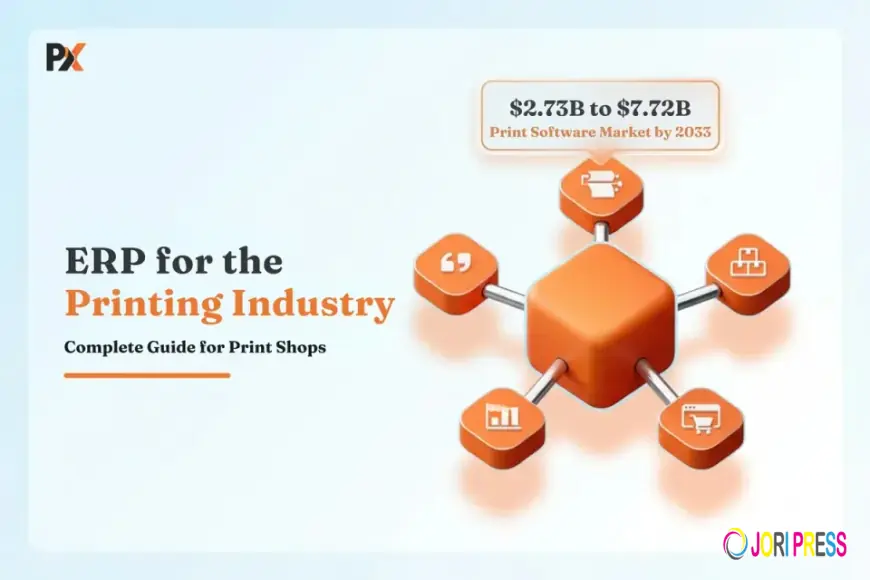
ERP for Printing Industry: The Complete Guide for Print Shop Owners (2026)
Running a print shop involves much more than printing. Owners need to manage quotations, customer orders, raw materials, production schedules, machines, inventory, finishing, deliveries, and payments. Managing all these processes manually can lead to errors, delays, material waste, and lost profits.
This is where ERP for printing industry businesses can make a major difference.
A specialized print ERP brings important business and production processes together in one centralized system, helping print shops improve efficiency, control costs, and make better decisions.
What Is ERP for the Printing Industry?
ERP stands for Enterprise Resource Planning. An ERP system connects different business functions through a single platform.
For printing companies, industry-specific ERP software can manage:
- Customer inquiries and orders
- Estimation and quotations
- Job costing
- Production planning
- Machine scheduling
- Paper and material inventory
- Purchasing
- Printing and finishing
- Quality control
- Dispatch and delivery
- Invoicing and accounts
- Reports and analytics
Instead of using separate spreadsheets and software for each department, a print ERP creates a connected workflow from quotation to delivery.
Why Do Print Shops Need ERP?
Printing involves many variables, including paper type, size, GSM, quantity, colors, printing process, finishing, labor, and wastage. Even a small change in specifications can affect the total job cost and production time.
Without an integrated system, print shops may face:
- Incorrect quotations
- Material shortages
- Excess inventory
- Production delays
- Poor job tracking
- High material wastage
- Difficult cost calculation
- Delayed invoicing
- Limited visibility into profitability
A specialized ERP helps bring these processes under control.
Key Features of Print ERP Software
1. Estimation and Quotation: ERP can calculate job costs based on materials, machine time, labor, finishing, wastage, and other expenses. This helps businesses create faster and more accurate quotations.
2. Job Management: Every job can have a centralized record containing specifications, quantity, deadlines, materials, production stages, and delivery details.
3. Production Planning: Print ERP helps managers schedule jobs based on machine availability, deadlines, production capacity, and job priorities.
4. Inventory Management: Businesses can track paper, ink, plates, films, boards, packaging materials, and other consumables. This helps prevent both stock shortages and unnecessary overstocking.
5. Wastage Tracking: The system can compare planned and actual material consumption, helping owners identify excessive waste and improve production efficiency.
6. Machine Management: ERP can provide visibility into machine schedules, capacity, utilization, downtime, and maintenance requirements.
7. Costing and Profitability: A print ERP can compare estimated costs with actual costs. This helps owners identify profitable jobs, underquoted orders, and areas where expenses are increasing.
8. Purchasing: Material requirements can be connected with purchasing, making it easier to manage suppliers, purchase orders, receipts, and stock levels.
9. Quality Control: Quality checks can be recorded at different production stages, helping reduce defects, rework, and customer complaints.
10. Invoicing and Finance: Completed jobs can flow into invoicing and financial processes, reducing duplicate data entry and improving payment tracking.
Benefits of ERP for Printing Industry Businesses
A well-implemented ERP can help print shops achieve:
Better production visibility: Managers can track jobs and identify delays quickly.
Faster quotations: Standardized costing makes it easier to prepare estimates.
Lower material wastage: Actual consumption can be monitored against planned usage.
Improved inventory control: Businesses know what materials are available and what needs to be purchased.
Better machine utilization: Production can be scheduled more efficiently.
Higher profitability: Accurate job costing helps prevent underpricing.
Improved customer service: Employees can provide faster and more accurate order updates.
Better decision-making: Dashboards and reports provide useful information about sales, production, inventory, and profitability.
Who Can Use Print ERP?
ERP software can benefit different types of printing businesses, including:
- Commercial printers
- Digital printing companies
- Offset printers
- Packaging printers
- Label manufacturers
- Large-format printers
- Book and publication printers
- Signage and promotional product businesses
The exact ERP requirements will depend on the company’s production process and business model.
Cloud vs. On-Premise Print ERP
In 2026, print businesses can generally choose between cloud-based and on-premise ERP systems.
Cloud ERP offers remote access, easier updates, scalability, and reduced infrastructure management.
On-premise ERP gives businesses more control over their own infrastructure but generally requires greater responsibility for servers, maintenance, backups, and updates.
For growing print shops, cloud ERP can be an attractive option because employees can access business information from different locations.
How to Choose the Right Print ERP
Before selecting an ERP, print shop owners should consider:
- Does it have printing-specific features?
- Can it handle job costing and estimation?
- Does it support production planning?
- Can it track material consumption and wastage?
- Does it provide inventory and purchasing management?
- Can it integrate with accounting and other systems?
- Is it easy for employees to use?
- Does the vendor provide implementation and training?
- Can the system scale as the business grows?
- Does it offer useful reports and dashboards?
It is also important to evaluate the software using real print-shop scenarios rather than relying only on a feature list.
Common ERP Implementation Mistakes
Businesses should avoid choosing software solely because it is cheap or has a large number of features.
Other common mistakes include:
- Implementing ERP without improving existing processes
- Not training employees properly
- Trying to implement every module at once
- Ignoring data accuracy
- Failing to define business KPIs
- Choosing software that cannot scale with the company
A phased implementation can make ERP adoption easier and reduce disruption to daily operations.
Is ERP Worth It for a Small Print Shop?
ERP is not only for large printing companies. Small and mid-sized print shops can also benefit when they are dealing with increasing orders, multiple machines, inventory challenges, manual quotations, or difficulty tracking job profitability.
However, smaller businesses should choose a system that matches their actual requirements rather than paying for unnecessary complexity.
The Future of ERP for Printing Industry Businesses
Print businesses are becoming more data-driven. Modern ERP platforms are increasingly incorporating technologies such as cloud computing, automation, business intelligence, AI, and real-time production monitoring.
These technologies can help businesses improve forecasting, identify production bottlenecks, optimize inventory, and make faster decisions.
As competition increases, having accurate and real-time business information can become a significant advantage.
Conclusion
The right ERP for printing industry businesses can transform the way a print shop manages its daily operations. From estimation and job costing to inventory, production, purchasing, quality control, invoicing, and reporting, a specialized print ERP creates a more connected and efficient workflow.
For print shop owners in 2026, the goal should not simply be to choose an ERP with the most features. The right system should help reduce waste, improve production efficiency, control costs, increase profitability, and support business growth.
A good print ERP is ultimately an investment in better control, better visibility, and a more scalable printing business.
Files
What's Your Reaction?
 Like
0
Like
0
 Dislike
0
Dislike
0
 Love
0
Love
0
 Funny
0
Funny
0
 Angry
0
Angry
0
 Sad
0
Sad
0
 Wow
0
Wow
0