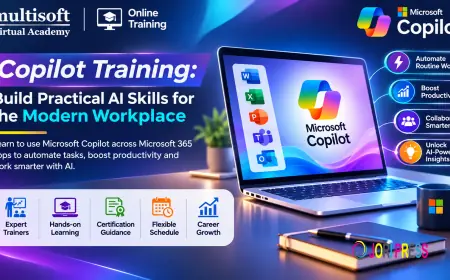









































Copilot Training: Build Practical AI Skills for the Modern Workplace
Learn Copilot Training to master AI-powered tools, automate daily tasks, improve productivity, and develop practical skills for modern workplace success.

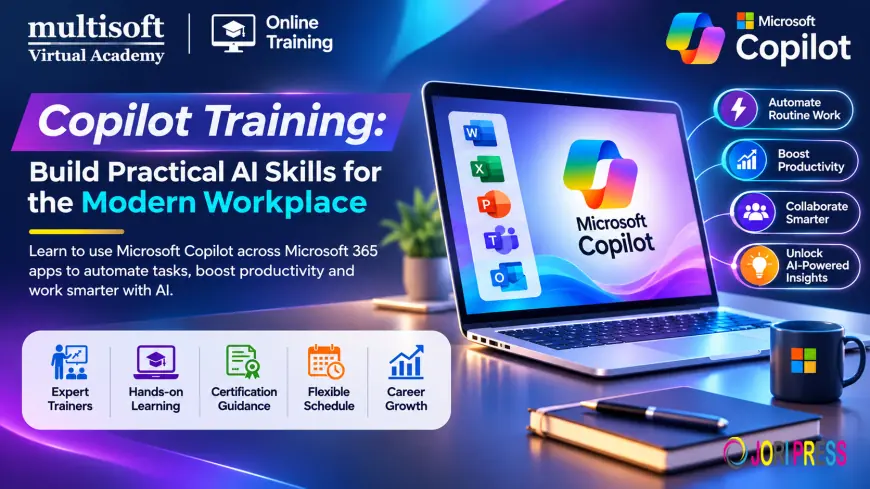
Artificial intelligence is changing how businesses manage information, communicate with customers, analyze data, and complete everyday tasks. Organizations are increasingly adopting AI-powered tools to improve productivity, reduce repetitive work, and support faster decision-making. Microsoft Copilot is one of the solutions gaining attention because it brings AI assistance into familiar business applications and development environments.
Copilot Training helps professionals understand how to use AI-powered assistance for writing, research, data analysis, presentations, communication, and business automation. It also introduces advanced capabilities such as Microsoft Copilot Studio, custom AI agents, workflow automation, and prompt engineering.
Whether you are an IT professional, business analyst, developer, project manager, or corporate employee, learning Microsoft Copilot can help you explore practical ways to integrate AI into your daily responsibilities. With structured learning and hands-on exercises, participants can develop the skills required to use Copilot more effectively and responsibly.
What Is Microsoft Copilot?
Microsoft Copilot is an AI-powered assistant integrated into several Microsoft products and services. It uses natural language interactions to help users perform tasks, generate content, summarize information, analyze data, and explore ideas.
Depending on the product and available licensing, Copilot capabilities can be found across Microsoft 365 applications, Windows, Dynamics 365, Power Platform, GitHub, Microsoft Security, and other Microsoft environments.
For example, Microsoft 365 Copilot can assist users with drafting documents in Word, analyzing information in Excel, preparing presentations in PowerPoint, and managing email-related tasks in Outlook. These capabilities allow professionals to interact with their work information through natural language prompts.
Microsoft Copilot Studio provides another level of functionality by enabling organizations to create and manage custom AI agents that support specific business processes. Users can design conversational experiences, connect information sources, and develop workflows according to organizational requirements.
Understanding the differences between these products is an important part of a comprehensive Copilot learning journey.
Why Is Copilot Training Important?
As organizations introduce AI into their business operations, employees need more than basic knowledge of AI tools. They must understand how to write effective prompts, evaluate generated responses, protect information, and apply AI capabilities to real business requirements.
Copilot training helps learners develop these skills through structured instruction.
1. Improve Workplace Productivity
Many professionals spend considerable time preparing documents, writing emails, reviewing reports, and organizing information. Copilot can assist with several of these activities by generating initial drafts, summarizing content, and suggesting improvements.
Training helps users identify suitable tasks for AI assistance and understand how to review the generated output before using it.
2. Develop Better Prompt Engineering Skills
The quality of an AI-generated response often depends on the clarity of the instructions provided. Prompt engineering involves creating effective instructions that communicate the task, context, desired format, and expected outcome.
A structured training program helps learners develop prompts for research, content creation, data analysis, business communication, and problem-solving.
3. Support Business Process Automation
Businesses often perform repetitive activities involving information collection, approvals, customer communication, and internal reporting. Copilot Studio and Power Platform capabilities can help organizations develop AI-powered solutions for suitable workflows.
Training introduces the concepts behind agents, automation, integrations, and process design.
4. Strengthen Digital and AI Skills
AI literacy is becoming increasingly relevant across different professional roles. Understanding Copilot can help employees explore AI-assisted working methods and develop confidence when using modern business technologies.
5. Improve Collaboration and Communication
Copilot can assist with summarizing discussions, preparing meeting-related content, organizing information, and creating communication drafts. Training helps professionals understand how these capabilities can support collaboration while maintaining accuracy and confidentiality.
Key Topics Covered in Copilot Training
A well-designed Copilot Training Course should cover basic usage as well as practical applications across Microsoft products. Advanced programs may also include custom agent development and business automation.
Introduction to Microsoft Copilot
Learners begin by understanding the fundamentals of Microsoft Copilot, its purpose, supported environments, and common business applications.
Important topics may include:
- Introduction to generative AI
- Microsoft Copilot overview
- Copilot product ecosystem
- AI-powered workplace productivity
- Copilot capabilities and limitations
- Responsible AI usage
- Common business use cases
This foundation helps participants understand where Copilot can be useful and when human review remains essential.
Microsoft 365 Copilot Training
Microsoft 365 Copilot brings AI assistance into familiar productivity applications. Training may demonstrate how users can work with Copilot across different Microsoft 365 services.
Copilot in Microsoft Word: Learn how to create document drafts, summarize lengthy content, rewrite paragraphs, improve clarity, and organize information.
Copilot in Microsoft Excel: Explore how AI assistance can support data analysis, formula suggestions, data interpretation, and chart creation. Users should verify calculations and conclusions before relying on them.
Copilot in Microsoft PowerPoint: Understand how to develop presentation outlines, generate slide content, summarize information, and improve presentation structure.
Copilot in Microsoft Outlook: Learn how Copilot can assist with email drafting, message summaries, and communication-related tasks.
Copilot in Microsoft Teams: Explore meeting summaries, discussion recaps, and collaboration support where the relevant features are available.
Copilot in OneNote: Understand how AI assistance can help organize notes, summarize information, and structure ideas.
These applications demonstrate how AI can support everyday workplace activities.
Prompt Engineering for Microsoft Copilot
Prompt engineering is an essential skill for anyone using generative AI tools. A vague instruction may produce a generic response, whereas a well-structured prompt can provide more useful results.
Training may cover:
- Writing clear and specific prompts
- Providing relevant background information
- Defining the desired response format
- Setting roles and objectives
- Using examples to guide responses
- Refining prompts through follow-up instructions
- Reviewing and validating AI-generated content
For example, instead of asking Copilot to create a report, a user can specify the report's purpose, intended audience, subject, structure, and required level of detail.
Developing this approach helps users communicate their requirements more effectively.
Microsoft Copilot Studio Training
Microsoft Copilot Studio is a platform for creating and managing AI agents and business-oriented conversational solutions.
A practical Microsoft Copilot Studio Training program may include:
- Introduction to Copilot Studio
- Understanding AI agents
- Creating and configuring agents
- Designing conversational experiences
- Working with topics and instructions
- Connecting knowledge sources
- Adding actions and integrations
- Testing agent responses
- Publishing and managing agents
- Monitoring and improving agent performance
These concepts help learners understand how organizations can develop custom AI experiences for customer service, employee support, information retrieval, and internal business processes.
The exact development approach depends on the agent architecture, available connectors, permissions, and organizational requirements.
AI Agents and Agentic AI
AI agents are becoming an important part of enterprise automation strategies. Unlike basic question-and-answer interactions, agents can be designed to perform defined tasks, interact with connected systems, and support multi-step business processes.
Copilot training may introduce agent concepts such as instructions, tools, knowledge sources, actions, orchestration, and testing.
Learners can explore how agents may support activities such as answering employee questions, retrieving internal information, assisting with service requests, and coordinating selected workflow steps.
It is also important to understand that agent capabilities must be configured and governed appropriately. Permissions, data access, testing, and human oversight are essential considerations when deploying AI-powered solutions.
Power Automate and Workflow Automation
Power Automate supports workflow automation across connected applications and services. When used alongside relevant Microsoft AI capabilities, it can help organizations streamline suitable business activities.
Training may introduce:
- Automated cloud flows
- Approval workflows
- Trigger-based automation
- Data collection and processing
- Application integrations
- Business process automation
- AI-assisted workflow scenarios
Understanding these capabilities helps learners identify repetitive tasks that may be suitable for automation.
Practical Applications of Copilot Across Industries
Copilot skills can be useful across industries because many organizations perform similar information-intensive activities.
Information technology: IT teams can use AI assistance for documentation, knowledge discovery, technical summaries, and selected support workflows.
Education and training: Educators and training professionals can explore AI-assisted lesson planning, learning materials, presentations, and administrative communication.
Banking and finance: Finance teams may use approved AI tools to assist with report preparation, document summaries, and information organization. Sensitive financial information requires appropriate access controls.
Healthcare administration: Administrative teams can explore suitable applications for document preparation, internal communication, and information management, subject to privacy and regulatory requirements.
Manufacturing: Teams may use AI assistance to organize documentation, summarize operational information, and support internal knowledge access.
Sales and marketing: Professionals can explore content drafting, campaign planning, customer communication, research summaries, and presentation development.
The suitability of each use case depends on the organization's data policies, available technology, licensing, and compliance requirements.
Who Should Enroll in Copilot Training?
Copilot training can benefit professionals with different technical backgrounds and responsibilities.
- Business professionals: Employees who want to improve productivity through AI-assisted document creation and communication.
- IT professionals: Specialists interested in Microsoft AI technologies, administration, integration, and enterprise adoption.
- Developers: Technical professionals exploring AI agents, custom integrations, and Copilot Studio development.
- Business analysts: Professionals who want to identify AI opportunities and improve business workflows.
- Project managers: Individuals interested in using AI for planning, documentation, reporting, and collaboration.
- Sales and marketing professionals: Teams looking to explore AI-assisted content creation and customer communication.
- Students and fresh graduates: Learners who want to develop practical knowledge of Microsoft AI tools.
- Corporate teams: Organizations planning to introduce AI-enabled productivity and automation into their operations.
Beginners can start with basic Copilot concepts and prompt engineering. Professionals with development or administration experience may prefer advanced modules covering Copilot Studio, integrations, and agent management.
Career Opportunities After Copilot Training
Learning Microsoft Copilot can complement existing professional skills and help individuals understand AI-enabled business environments.
Depending on previous qualifications and technical experience, relevant career paths may include:
- Microsoft Copilot Specialist
- Microsoft 365 Administrator
- Microsoft Copilot Studio Developer
- Power Platform Consultant
- AI Automation Specialist
- Business Process Analyst
- AI Solutions Consultant
- Microsoft Power Platform Developer
- AI Application Support Professional
- Digital Transformation Consultant
These roles require different levels of technical knowledge. For example, a business user working with Microsoft 365 Copilot may need productivity and prompt-writing skills, while a Copilot Studio developer may require knowledge of Power Platform, integrations, data sources, and solution development.
Training can strengthen a candidate's knowledge, but practical experience, technical capabilities, and role-specific qualifications remain important.
How to Choose the Right Copilot Training Course
Selecting the right learning program is important because Microsoft offers different Copilot experiences for different business and technical requirements.
Consider the following factors before enrolling.
Check the course curriculum: Ensure the syllabus covers the products and capabilities relevant to your learning objectives, such as Microsoft 365 Copilot, prompt engineering, or Copilot Studio.
Look for practical exercises: Hands-on activities help learners understand how to apply AI assistance to realistic business scenarios.
Review trainer experience: Choose a program led by instructors who understand Microsoft technologies and can explain both business and technical applications.
Confirm software access: Ask whether the training includes access to the required applications and whether any additional licenses or subscriptions are necessary.
Understand the training format: Compare live instructor-led sessions, one-to-one learning, and self-paced resources according to your requirements.
Check certification details: Confirm whether the course provides a completion certificate or prepares participants for a separate Microsoft certification. Course completion and official certification are different credentials.
Frequently Asked Questions About Copilot Training
What is Copilot Training?
Copilot Training teaches participants how to use Microsoft's AI-powered tools for productivity, content creation, data analysis, communication, and business automation. Advanced programs may include Microsoft Copilot Studio and AI agent development.
Is Microsoft Copilot Training suitable for beginners?
Yes. Beginners can start with Copilot fundamentals, Microsoft 365 applications, and prompt engineering. Advanced technical topics can be introduced according to their experience and learning goals.
What is the difference between Microsoft 365 Copilot and Copilot Studio?
Microsoft 365 Copilot assists users with tasks across supported productivity applications. Copilot Studio provides tools for building and managing custom AI agents and business-oriented solutions.
Do I need programming knowledge for Copilot Training?
Programming knowledge is not generally necessary for basic Microsoft 365 Copilot usage. However, advanced development, integrations, and technical customization may require programming or Power Platform experience.
Can Copilot Training help with business automation?
Yes. Training can introduce learners to Copilot Studio, Power Automate, AI agents, and workflow concepts that support suitable automation scenarios.
Does Copilot Training provide a Microsoft certification?
This depends on the training program. Some courses provide a training completion certificate, while official Microsoft credentials require meeting the requirements of the relevant certification or assessment.
Conclusion
Microsoft Copilot is creating new possibilities for workplace productivity, AI-assisted communication, data analysis, and business automation. Developing practical knowledge of Microsoft 365 Copilot, prompt engineering, Copilot Studio, Power Automate, and AI agents can help professionals understand how these technologies support modern business operations. Choosing a structured program with experienced instruction and hands-on exercises is an effective way to build relevant skills. Multisoft Virtual Academy provides Copilot Training designed to help professionals and organizations develop practical knowledge of Microsoft AI tools, explore productivity improvements, and understand AI-powered business solutions.
What's Your Reaction?
 Like
0
 Dislike
0
 Love
0
 Funny
0
 Angry
0
 Sad
0
 Wow
0