






































GN Netcom Headsets Explained: Brands, Ranges and How to Choose

Many buyers search for a headset brand and find a different name on the box. That confusion is common with GN, the Danish group behind several well-known audio brands. This article explains who GN is, what it makes, and how to choose a suitable headset for your workplace.
What Are GN Netcom Headsets?
Buyers often use the name GN Netcom for the headset division of GN Store Nord. In practice, GN Netcom headsets are sold under brand names rather than the company name. The division now trades as GN Audio, so older listings may still show the earlier name.
This matters when you compare suppliers or read product reviews. The same device may appear under different labels depending on the source. Knowing the brand structure helps you search with the right terms.
A Short History of GN
GN began in telegraph communications and has existed for roughly 150 years. It later moved into headsets and hearing health. The group is credited as one of the first to market mobile Bluetooth headsets.
GN has owned Jabra since 2000. It agreed to buy gaming brand SteelSeries in 2021 in a deal worth about US$1.2 billion. Both companies said SteelSeries would keep its own identity and brand.
How the GN Brands Differ
Each brand serves a different audience.
-
Jabra: business headsets, speakerphones and everyday audio for offices, contact centres and hybrid teams.
-
BlueParrott: noise-cancelling Bluetooth headsets aimed at loud working environments.
-
SteelSeries: gaming headsets and accessories, including the Arctis range.
-
ReSound: hearing health products, which sit outside the headset market.
Most office buyers will focus on Jabra. Teams in loud spaces may also look at BlueParrott. Gamers will usually look at SteelSeries instead.
Where Jabra Headsets Fit in an Office
The range of Jabra headsets is organised into a few clear families. Each one targets a different type of work.
-
Evolve2: wired and wireless headsets for office and hybrid work.
-
Engage: headsets for contact centres and heavy daily calling.
-
Speak: speakerphones for small meeting rooms and home desks.
Model names change over time. Confirm current availability with your supplier before you order. A good supplier will also tell you which models suit your phone system.
Understanding Connection Types
Connection type is the first practical choice. It decides which devices the headset can use.
-
USB: Plugs into a computer. It suits softphone users and needs no charging.
-
Bluetooth: Pairs with phones and laptops. It is flexible, but range and stability can vary in busy offices.
-
DECT: Uses a base station and a radio standard built for voice. It suits people who walk around while on calls.
-
Desk phone cable: Connects a corded headset to a phone. The right cable depends on the phone model.
Many headsets offer more than one option. That flexibility helps when staff split their time between the office and home.
How to Choose the Right Model
Brand matters less than fit. When comparing GN Netcom headsets with other business options, check these points first.
-
Connection type: Match the headset to your phone, computer or both.
-
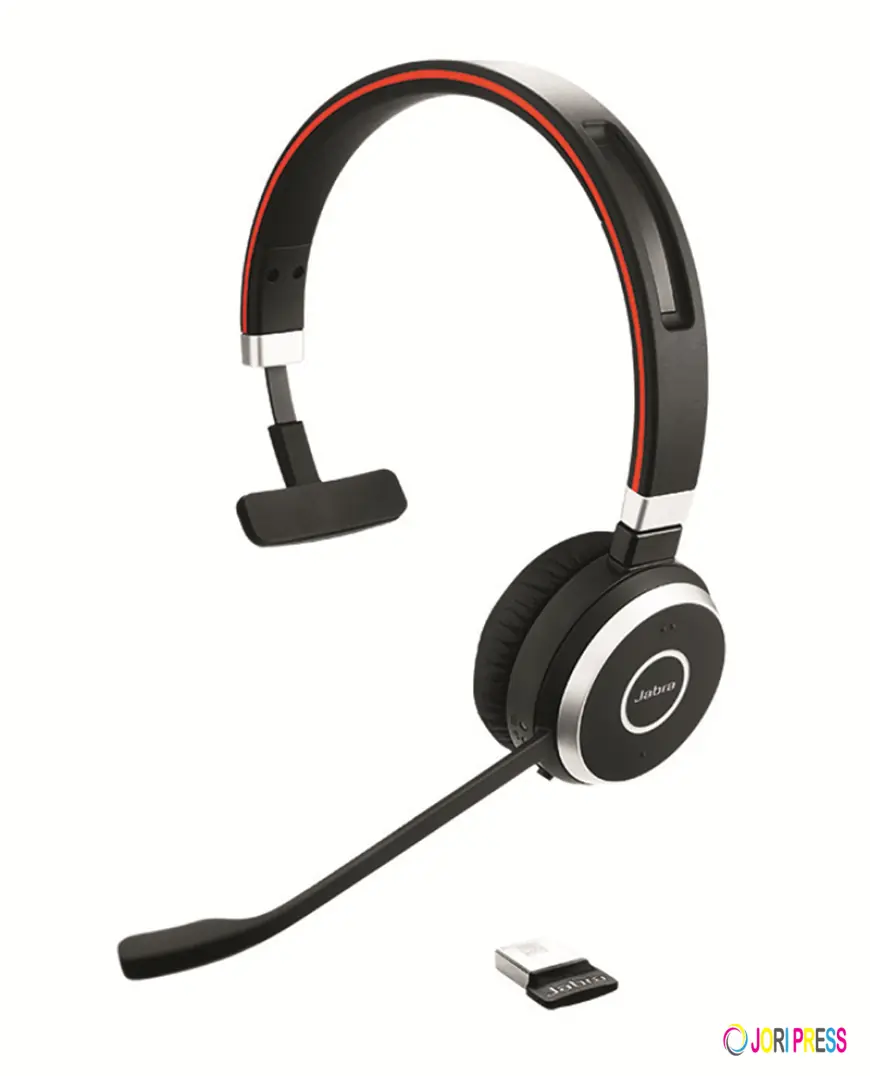
Wearing style: Mono headsets leave one ear free. Stereo headsets block more background noise.
-
Noise level: Open offices and busy floors often call for a noise-cancelling microphone.
-
Software support: Many models are certified for platforms such as Microsoft Teams or Zoom. Confirm yours.
-
Comfort: Long calls need a light headset with soft padding.
Test one or two models with staff before a bulk order. Real use reveals comfort issues that specifications cannot.
Features Worth Paying For
Not every feature earns its cost. These ones usually make a daily difference.
-
Noise-cancelling microphone: It keeps office chatter away from the caller.
-
Hearing protection: Contact centre headsets often limit sudden loud sounds.
-
Call controls: Answer, mute and volume buttons save time during busy shifts.
-
Low weight: A lighter headset is easier to wear for hours.
-
Spare parts: Replaceable ear cushions extend the life of a headset.
Skip extras that your team will never use. Pay for comfort and call clarity first.
Common Mistakes When Buying a Business Headset
-
Ignoring the phone: A headset that suits a laptop may not suit a desk phone.
-
Buying on price alone: Cheap headsets can cost more through returns and poor call quality.
-
Skipping spares: Ear cushions and cables wear out first, so plan for replacements.
-
Forgetting training: Staff need to know how mute, volume and pairing work.
-
Mixing too many models: A large variety makes support and spare parts harder to manage.
How to Compare Brands Fairly
A simple scorecard makes comparison easier. List your top four needs and rate each model against them. Typical needs include call clarity, comfort, battery life and compatibility.
Score each need from one to five, then add the totals. Ask staff to join the scoring. The highest score is not always the right answer, but the exercise exposes trade-offs. A model that sounds great but feels heavy may frustrate heavy callers. Use the results as a conversation starter with your supplier.
Final Thoughts
GN sits behind some of the best-known names in business and gaming audio. When you weigh up GN Netcom headsets for office use, the Jabra range is the natural place to start. The best headset suits your phone system, workspace and daily call load. Specialist suppliers such as HeadsetsOnly in Port Melbourne can help match models to your setup.
What's Your Reaction?
 Like
0
Like
0
 Dislike
0
Dislike
0
 Love
0
Love
0
 Funny
0
Funny
0
 Angry
0
Angry
0
 Sad
0
Sad
0
 Wow
0
Wow
0