







































Compromised Namastex npm Packages Deliver TeamPCP-Style CanisterWorm Malware
cybersecurity, npm, supply‑chain, malware, business risk, DefendMyBusiness

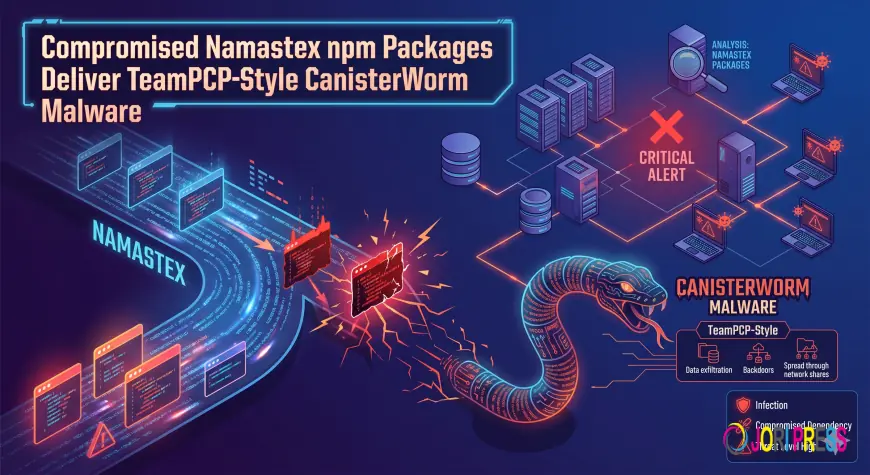
A serious supply‑chain threat has surfaced in the npm ecosystem. Malicious versions of packages belonging to Namastex.ai have been found carrying a self‑propagating backdoor that mirrors the attack style of the threat actor known as TeamPCP. The attack silently replaces legitimate package contents with infected code and continues spreading across every namespace
What We Know
-
The malicious packages were discovered in the npm registry, affecting any developer who pulls them from Namastex.ai.
-
The malware is a self‑propagating backdoor that can infiltrate projects by replacing package files with compromised code.
-
Attackers also attempt to steal developer credentials by exploiting compromised accounts in the npm ecosystem.
These findings come directly from the reports of **Tushar Subhra Dutta** and **Bill Toulas**, both credible sources within the cybersecurity community.
Business Impact
-
Software Developers & Teams: If your project pulls any Namastex.ai packages, you risk code injection that could compromise critical business logic or expose sensitive data.
-
Enterprise Operations: Credential theft may allow attackers to access CI/CD pipelines and production environments, potentially leading to downtime, data breaches, and regulatory violations.
-
SMB Owners: Even a single compromised package can trigger cascading failures in automated deployments, costing time, resources, and possibly reputational damage.
What To Do
1. Immediate Review of npm Dependencies – Identify all packages sourced from Namastex.ai or similar suppliers; verify versions against known safe releases.
2. Update to Latest Secure Versions – Replace any flagged package with a vetted version that has no known vulnerabilities.
3. Use Lockfile Verification – Ensure your `package-lock.json` reflects the correct, unmodified source files.
4. Implement Code Signing – Adopt mechanisms like npm’s signature verification or third‑party signing services to detect tampering.
5. Monitor Registry Changes – Set up alerts for any new releases from suspicious accounts or packages that deviate from standard patterns.
If your organization cannot act immediately, consider temporary isolation of the affected codebase until a comprehensive review can be completed.
The Bigger Picture
Supply‑chain attacks in open‑source ecosystems are increasingly sophisticated, exploiting the trust developers place in third‑party libraries. Continuous vigilance and proactive security practices are essential to safeguard business operations.
How We Can Help
Defend My Business works with 400+ technology providers to help organizations find the right security solutions. Our free security scan tool offers a quick assessment of your npm dependency health.
What's Your Reaction?
 Like
0
Like
0
 Dislike
0
Dislike
0
 Love
0
Love
0
 Funny
0
Funny
0
 Angry
0
Angry
0
 Sad
0
Sad
0
 Wow
0
Wow
0