


































WholeClear MBOX to PST Converter Review 2026: Features, Pros & Cons, User Experience

Summary
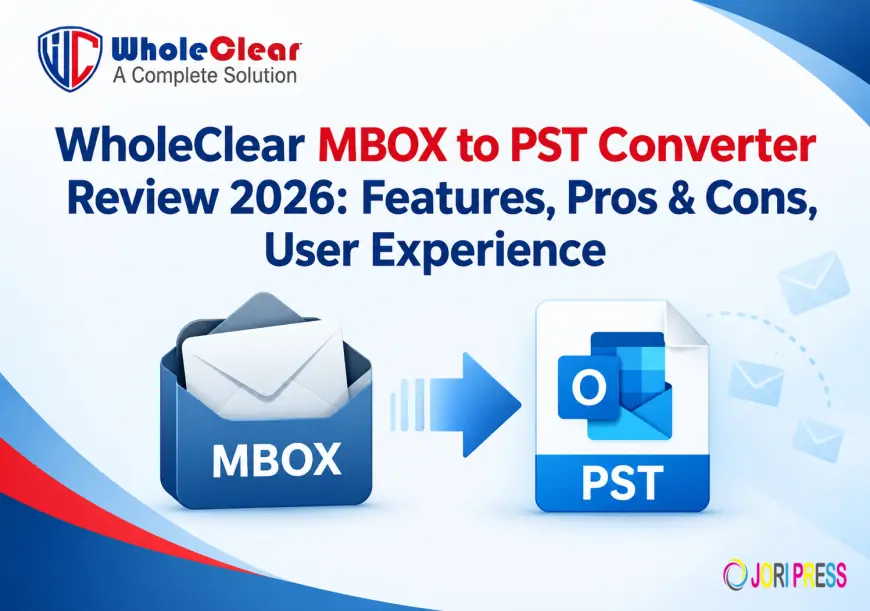
MBOX is a popular mailbox format supported by many email applications like Mozilla Thunderbird, Apple Mail, Eudora, Entourage and many other email clients. But, the users who want to migrate MBOX emails to MS Outlook need to convert the MBOX files into PST format first. This is where an MBOX to PST converter can make the migration process easy.
In this WholeClear MBOX to PST Converter Review 2026, we have covered its major features, conversion options, supported platforms, attachments handling, preview capability, usability, pros and cons, and overall user experience.
What Is WholeClear MBOX to PST Converter?
MBOX to PST Converter is a desktop based software that allows you to export MBOX files to Outlook supported PST format. As per the official product information, the software supports bulk MBOX conversion and offers options to add individual MBOX files or entire folders. It's available for Windows, macOS and Linux.
This tool is meant for users who want to migrate emails from different MBOX based email clients to Microsoft Outlook without having to manually go through complicated mailbox migration procedures.
MBOX to PST Converter Key Features
1. Convert MBOX to PST
The main task of the software is to convert MBOX mailbox data to PST format. The resulting PST file can then be used with supported versions of Microsoft Outlook. WholeClear claims the tool is compatible with Outlook versions 2021, 2019, 2016, 2013, 2010, 2007, and 2003.
2. MBOX Batch Conversion
If you work with multiple mailbox files, batch conversion can save you a lot of time. The software has a Folder mode. You can add a folder with multiple MBOX files and process them together.
This means the application is better suited for larger mailbox migration projects than a simple single-file converter.
3. View MBOX Emails before Converting
A useful feature is the option to preview built-in. Users can preview the selected MBOX data before the conversion process. The preview shows email properties including To, CC, BCC, and other mailbox information.
A preview feature can be especially useful for users who want to confirm that they are exporting from the correct mailbox.
4. Convert MBOX to EML with Attachments
WholeClear supports Email with attachments conversion. The vendor says attachments move with their messages but retain their original formatting.
This is important for users migrating business correspondence, where attachments are an integral part of the mailbox.
5.Supports Multiple MBOX Email Clients
The software supports MBOX files created by several clients such as Mozilla Thunderbird, Mac Mail, Eudora, Entourage, PocoMail, SpiceBird, and Opera Mail.
Therefore, users will not be restricted to MBOX files generated by a single email application.
6. File Mode vs. Directory Mode
WholeClear offers two ways to add MBOX data:
File Mode: Choose specific MBOX files.
Folder Mode: Add a whole folder with MBOX files.
Folder mode is very useful when working with several mailboxes or a large number of MBOX files.
7. Standalone Application
The big plus is that the software is stand alone. According to the official page, users do not need to install Thunderbird, Outlook or any other third-party application before performing the conversion.
This can make the migration process easier for those users who only have MBOX files but have no access to the original email client.
8.Support for a variety of platforms
WholeClear lists support for Windows, macOS 12+, and Linux x64. The product page also notes support for both 32-bit and 64-bit versions of Windows.
Cross-platform support is helpful for users who work with MBOX files on various operating systems.
User Experience of WholeClear MBOX to PST
The overall workflow is supposed to be simple. Users can launch the application, add MBOX files or folders, preview mailbox contents, choose the output location and start the conversion.
The interface is designed for both technical and non-technical users. No need to install Outlook or Thunderbird, users can work directly with their existing MBOX files.
File mode is an easy way to select individual mailboxes for users dealing with a limited number of files. Folder mode provides a more convenient way to perform batch processing for larger data sets.
Stepwise Guide to MBOX to PST Conversion Process
The conversion process can be done in some steps.
Step 1. Open the Software
Download WholeClear MBOX to PST Converter and install it on your machine.
Step 2: Import MBOX Files or Folder
You can add a single MBOX file or a folder having multiple MBOX files using the given option.
Step 3: Preview Mailbox
Scan the chosen data. Preview mailbox contents and verify the emails and available properties prior to conversion.
Step 4: Choose where to save the file
Select the location where you want to save the converted PST file.
Step 5: Initiate the Conversion
Click on the convert option to start the process of exporting the MBOX data in PST format.
The official product page describes more or less the same five-step workflow: launch the converter, add MBOX files/folder, preview mailbox components, select an output location and start the conversion.
Pros
MBOX to PST Converter
- Supports bulk migrating MBOX files
- Conversion modes (File and Folder)
- Vendor states email properties and format are preserved
- Compatible with several MBOX based email clients
- Supports bulk migrating MBOX files
- Compatible with Windows, Mac OS and Linux
- Demo version available for testing purposes
Cons
- Supports multiple editions of Outlook
- Demo version is limited to 25 MBOX items
Conclusion
MBOX to PST Converter Review 2026 is a convenient way to convert the data of MBOX mailbox to Outlook PST file format. It offers batch conversion, preview, support for attachments, selective processing, and can be used standalone on multiple platforms.
More Info: wholeclear.com/mbox/pst/
What's Your Reaction?
 Like
0
Like
0
 Dislike
0
Dislike
0
 Love
0
Love
0
 Funny
0
Funny
0
 Angry
0
Angry
0
 Sad
0
Sad
0
 Wow
0
Wow
0