






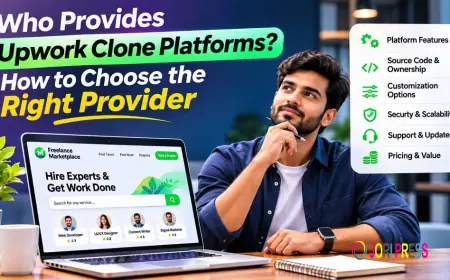




























Who Provides Upwork Clone Platforms? How to Choose the Right Provider
This guide explains who provides Upwork clone platforms, from ready-made software companies and white-label services to custom agencies and theme developers. It compares delivery models, licensing, payments, apps and support, and gives founders practical questions and a four-step process for choosing the right provider, so they can match a vendor to their budget, timeline and growth plans.
Picture a founder with a clear idea. Clients post projects, freelancers send proposals, and the platform holds the money until the work is approved. She has a niche, a modest budget and a launch date. Then she searches online and finds dozens of companies that all seem to sell the same thing.
The opportunity is real. Upwork's own research estimated that about 64 million Americans freelanced in 2023, earning roughly $1.27 trillion. Niche marketplaces tend to grow wherever that much activity exists.
So who provides Upwork clone platforms, and how do you choose one without regret six months later? This guide covers the four provider types, what each delivers, the features worth testing and the questions to ask before you pay. Prices and features come from public vendor pages reviewed in November 2026. The guide marks anything a vendor does not publish as not stated.
Who Provides Upwork Clone Platforms?
Four kinds of company sell into this space. They overlap, but their delivery models differ enough to treat them separately.
Ready-made software companies. These companies sell a finished product that you install and rebrand. Best Freelancer Script, for example, sells a ready-made Upwork clone script with source code, an admin panel and mobile apps. You buy speed, and you accept the product's structure.
White-label marketplace providers. These providers rent you the software as a hosted service. You get your own brand and domain, while the code stays on the vendor's side. Sharetribe is one example, though it is a general marketplace builder rather than a freelance-only product.
Custom development agencies. Agencies build to your specification. Apptunix, among others, lists an Upwork clone app solution on its site. Expect a project quote, a longer timeline and more control over the result. Agencies suit founders with unusual workflows, such as industry-specific vetting or regulated payments.
Independent marketplace vendors. Smaller product companies and theme developers fill the gaps. EngineThemes sells FreelanceEngine, a WordPress theme for project bidding. It suits founders who already know WordPress and want a lower-cost start.
One note on naming. Vendors such as Best Freelancer Script use the word clone mostly because buyers search for it. The term implies no link to Upwork, so ask any provider you consider to confirm in writing that its product uses no Upwork code or design.
Which Upwork Clone Solution Fits Your Situation?
Each solution type solves a different problem. Match the type to your situation before you compare individual vendors.
Ready-made software. Choose this when you want to test a niche quickly. One example is the Upwork clone script from Best Freelancer Script, which its site describes as including source code, an admin panel, Android and iOS apps, and PayPal and Stripe payments, with pricing available on request. Treat that as a vendor description and judge it through the demo.
Custom-developed platforms. Choose this when your workflow differs from the standard bidding model. A team designs and codes everything, so nothing is forced into someone else's structure. The trade-off is time and cost. Every bug becomes yours, so budget for ongoing maintenance.
White-label hosted solutions. Choose this when you want light setup and no server work. The vendor handles hosting under your brand. You usually pay monthly and get limited access to the code.
Open-source alternatives. Choose this when you have a developer and want to modify the code. FreelanceEngine falls here. EngineThemes says its products carry the GNU General Public License, but customers still purchase a licence to receive updates and support. After the first 12 months the theme keeps working, but new downloads need a renewed licence.
What Should You Check Before Choosing a Provider?
Features sound similar on every sales page. What matters is how each one behaves in practice, so test these during the demo.
- Project posting and proposals. This is the core loop. If clients cannot compare bids easily, the marketplace stalls.
- Freelancer profiles and portfolios. Buyers hire on evidence, and thin profile pages lower trust.
- Fixed-price and hourly contracts. Many clients want both. Confirm that hourly work is supported, not only fixed jobs.
- Milestones. They split risk on larger projects and keep payments on the platform.
- Payments and escrow. Check which gateways work in your target countries and how payouts reach freelancers. Rules on holding client funds vary, so ask a legal or tax adviser.
- Messaging. On-platform chat leaves a record, which helps when a dispute arises.
- Admin dashboard. Commission settings, dispute tools and user controls decide how much manual work you carry.
- Website and mobile apps. Ask whether apps are native, who publishes them to the stores and whether both iOS and Android are covered.
- Customisation and source code. Ask what happens to your changes when the vendor ships an update, and whether you can switch developers later.
- Installation and support. Find out how long support lasts and what counts as paid work.
Ready-Made Software vs Custom Upwork Clone Development
Ready-made software is usually the faster route. Custom development is the more flexible one. Neither wins automatically, because the right call depends on how far your marketplace needs to differ from the standard Upwork model.
| Factor | Ready-made software | Custom development |
| Initial investment | Lower; a licence or subscription | Higher; quoted per project |
| Development time | Often days to weeks | Usually months |
| Customisation | Within what the product allows | Built to your specification |
| Technical needs | Installation, or none if hosted | Agency builds; you define requirements |
| Maintenance | Vendor updates, or your team after handover | You or the agency, by contract |
| Source-code ownership | Varies by licence | Negotiated in the contract |
| Long-term flexibility | Limited by product design | Highest, at higher cost |
How Three Public Providers Compare
Score every shortlisted vendor against the same criteria, and use a simple scale of 1 to 5. The table below shows what three providers publicly state, as reviewed in November 2026. Not stated means the pages reviewed did not say.
| Criteria | Best Freelancer Script | Sharetribe | EngineThemes (FreelanceEngine) |
| Product type | Ready-made Upwork clone script | Hosted general marketplace builder | WordPress project-bidding theme |
| Pricing | Available on request | Build $39 per month; Live $259 monthly or $199 billed annually | Current price not stated |
| Licensing | Source code included, per its site | Hosted subscription | GPL licence; paid updates and support |
| Customisation | Not stated | Build plan lists full code access | Modifiable under GPL |
| Mobile apps | Android and iOS apps, per its site | Not stated for current plans | Not stated |
| Support | Not stated | Help centre published | 12 months of updates and support |
Sources: Best Freelancer Script, Sharetribe and EngineThemes public pages.
Weigh the rows by what matters to you. A founder who needs native apps on day one will score this table differently from one who is happy with a responsive website. Pricing also moves. Sharetribe restructured its plans in October 2026, so recheck every figure on the vendor's own page before you budget.
Questions to Ask Before You Pay
Put these in writing and keep the answers.
- Can I try a live demo of the admin panel, not only the public site?
- Do I receive the full source code, and under what licence?
- Are there recurring licence fees, or only optional support renewals?
- Are Android and iOS apps included, and who publishes them?
- Which payment gateways and escrow flows work in my target countries?
- Who handles installation, and is it in the price?
- How long does support last, and what does it cover?
- How are customisations quoted, and at what hourly or fixed rate?
- How are updates delivered, and will they overwrite my changes?
Mistakes That Cost Founders Money
The most common mistake is choosing on price alone. The cheapest quote often leaves out apps, installation or support, and you pay for them later.
Skipping the demo is the second. Click through as a client, a freelancer and an admin. Post a project, submit a bid, fund a milestone and release it. Anything awkward in the demo will feel awkward to your users too.
Many buyers assume apps are included. Some vendors bundle them only on higher tiers, so match the price to the apps you need. Licensing deserves the same attention. Some licences cover one domain, some limit resale and some require renewals for updates.
Payment compatibility is easy to overlook. A gateway that cannot pay out in your freelancers' countries is a dead end. Finally, get customisation quotes in writing, because a feature that looks small can mean days of paid work.
A Four-Step Way to Choose a Provider
- Write your requirements. List the must-have features, target countries, payment methods and your launch date.
- Shortlist three providers. Pick them from the matching category.
- Score and test. Rate each vendor from 1 to 5 on the same criteria, then run the full demo: post a project, bid, fund a milestone, release it and raise a dispute.
- Confirm it in writing. Settle the price, source-code terms, support period and customisation rates before you pay anything.
Final Thoughts
Start with your own requirements, not the vendor's feature list. Decide whether speed or control matters more, then shortlist providers from the matching category. Test each demo and compare licence terms line by line before you commit.
No single provider suits every marketplace. A niche local platform and a global bidding site need different things. Buyers who compare carefully tend to avoid the expensive surprises.
What's Your Reaction?
 Like
0
 Dislike
0
 Love
0
 Funny
0
 Angry
0
 Sad
0
 Wow
0