




































Which SanMar Odoo Integration Method Is Right for You?
In the highly competitive apparel and promotional products industry, businesses need streamlined operations to stay ahead. Integrating SanMar with Odoo ERP can significantly improve product management, inventory synchronization, order processing, and customer satisfaction. However, choosing the right integration method is crucial to maximizing efficiency and scalability.
Whether you’re a distributor, print shop, promotional products supplier, or eCommerce business, understanding your SanMar Odoo integration options can help you make an informed decision. This guide explores the available integration methods and explains how PrintXpand connect simplifies the entire process.
Why Integrate SanMar with Odoo?
SanMar is one of the largest suppliers of wholesale apparel, accessories, and promotional products. Managing thousands of products manually within Odoo can be time-consuming and error-prone. Integration enables businesses to:
- Automate product catalog imports
- Synchronize inventory levels in real time
- Update pricing automatically
- Streamline order fulfillment
- Reduce manual data entry
- Improve operational efficiency
- Deliver accurate product availability to customers
A proper integration ensures that your Odoo platform always reflects the latest product information from SanMar.
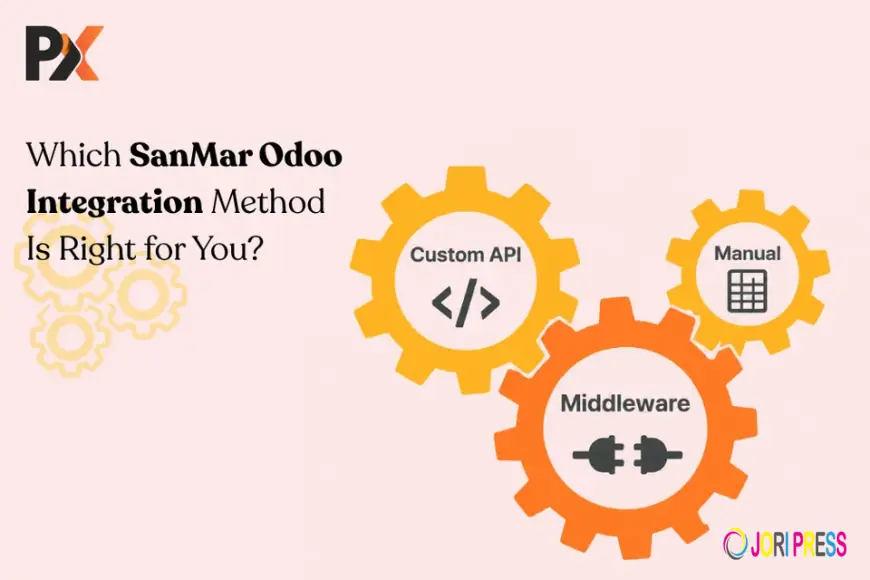
Common SanMar Odoo Integration Methods
1. Manual Data Import: Many businesses begin by importing SanMar product data manually through spreadsheets or CSV files.
Advantages:
- Low initial investment
- No advanced technical setup required
- Suitable for small product catalogs
Limitations:
- Time-consuming updates
- Higher risk of data inaccuracies
- No real-time inventory synchronization
- Difficult to scale as product volume grows
For businesses handling a limited number of products, manual imports may be sufficient initially. However, as operations expand, this approach often becomes inefficient.
2. Custom API Development: Custom API integration involves building a direct connection between SanMar and Odoo using SanMar’s available APIs.
Advantages:
- Tailored functionality
- Greater control over workflows
- Ability to customize data mapping
Limitations:
- High development costs
- Ongoing maintenance requirements
- Longer implementation timelines
- Dependence on technical resources
While custom integrations offer flexibility, they can become expensive and complex, especially when updates or system modifications are required.
3. Middleware-Based Integration: Middleware platforms act as intermediaries between SanMar and Odoo, transferring information between systems.
Advantages:
- Faster deployment compared to custom development
- Reduced coding requirements
- Centralized data management
Limitations:
- Additional subscription costs
- Potential synchronization delays
- Limited customization options
Middleware solutions work well for organizations managing multiple software systems but may not provide the specialized functionality needed for print and promotional product workflows.
4. Dedicated Integration Solutions: Purpose-built integration solutions are specifically designed to connect suppliers like SanMar with ERP and web-to-print platforms.
Advantages:
- Quick implementation
- Automated synchronization
- Industry-specific features
- Reduced maintenance effort
- Scalable architecture
Dedicated connectors often provide the best balance between functionality, reliability, and cost-effectiveness.
How PrintXpand Connect Simplifies SanMar Odoo Integration
Businesses looking for a seamless integration experience can benefit from PrintXpand connect, a solution designed to automate supplier and ERP connectivity.
Automated Product Synchronization: PrintXpand connect automatically imports and updates SanMar product information, including:
- Product descriptions
- Images
- Categories
- Pricing
- Variants
- Product attributes
This eliminates repetitive manual tasks and ensures catalog accuracy.
Real-Time Inventory Updates: Inventory discrepancies can lead to overselling and customer dissatisfaction. PrintXpand connect synchronizes stock levels between SanMar and Odoo, helping businesses maintain accurate inventory visibility.
Automated Pricing Management: Pricing changes occur frequently in wholesale distribution. With PrintXpand connect, pricing updates can be synchronized automatically, reducing the risk of outdated product pricing.
Faster Order Processing: Integrated workflows allow orders to move efficiently between systems, minimizing delays and improving fulfillment speed.
Scalability for Growing Businesses: As product catalogs expand and order volumes increase, PrintXpand connect supports growth without requiring extensive redevelopment or manual intervention.
Which Integration Method Is Best for Your Business?
The ideal integration method depends on your business size, technical capabilities, and long-term goals.
Choose Manual Import If:
- You manage a very small catalog.
- Product updates are infrequent.
- Budget constraints are significant.
- You require highly specialized workflows.
- You have access to dedicated development resources.
- Long-term maintenance is manageable.
- You need to connect multiple business systems.
- Standardized workflows are acceptable.
- Moderate customization is sufficient.
- You want rapid implementation.
- Real-time inventory synchronization is critical.
- You need automated catalog management.
- You operate in the print, promotional products, or apparel industry.
- Scalability and operational efficiency are priorities.
Files
What's Your Reaction?
 Like
0
Like
0
 Dislike
0
Dislike
0
 Love
0
Love
0
 Funny
0
Funny
0
 Angry
0
Angry
0
 Sad
0
Sad
0
 Wow
0
Wow
0