








































Video Conferencing Software for Legal Firms: Secure, Compliant, and Efficient Communication for Modern Law Practices
Secure video conferencing software for legal firms with encrypted meetings, remote consultations, virtual depositions, and self-hosted deployment.
Introduction
The legal industry has traditionally relied on face-to-face interactions for client consultations, courtroom proceedings, witness interviews, depositions, and internal collaboration. However, the rapid adoption of digital technologies has transformed how legal professionals communicate and deliver services.
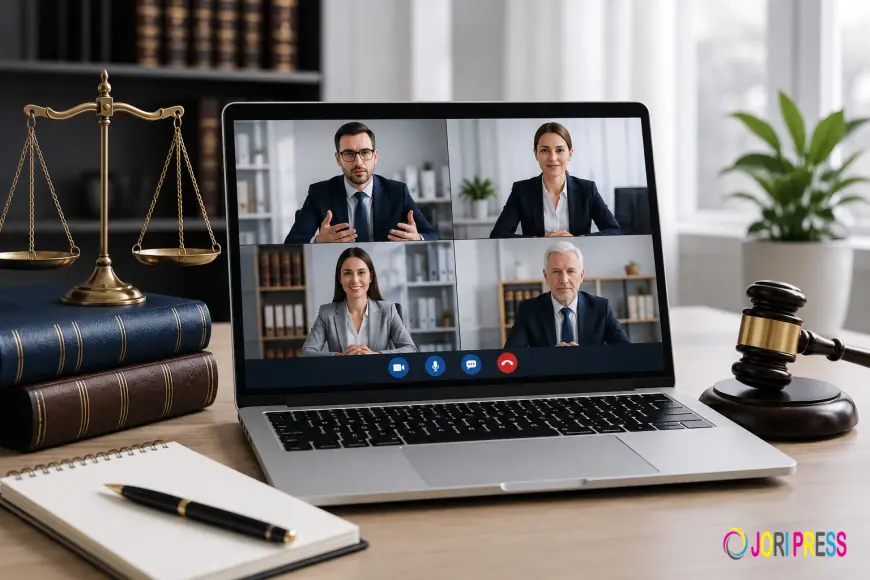
Today, video conferencing software has become an essential tool for law firms of all sizes. From solo practitioners and boutique law offices to multinational legal organizations, attorneys increasingly depend on virtual communication platforms to serve clients efficiently, collaborate remotely, and manage cases effectively.
However, legal professionals operate in an environment where confidentiality, security, compliance, and client trust are paramount. Unlike standard business meetings, legal discussions often involve privileged communications, sensitive documents, confidential case strategies, financial information, and personal client data.
As a result, law firms require more than just a basic video conferencing platform. They need secure, reliable, and compliant video conferencing software specifically designed to support legal workflows while protecting sensitive information.
This article explores the importance of video conferencing software for legal firms, key features to look for, common use cases, security considerations, and how modern legal practices can benefit from self-hosted and secure communication solutions.
The Growing Role of Video Conferencing in the Legal Industry
Technology is reshaping nearly every aspect of legal operations.
Clients now expect faster communication, virtual consultations, and greater convenience when interacting with legal professionals. At the same time, law firms seek ways to improve efficiency, reduce operational costs, and provide services beyond geographical boundaries.
Video conferencing has become a practical solution for addressing these evolving expectations.
Legal firms use video conferencing for:
-
Client consultations
-
Initial case assessments
-
Internal legal team meetings
-
Witness interviews
-
Remote depositions
-
Arbitration proceedings
-
Mediation sessions
-
Virtual court appearances
-
Continuing legal education
-
Cross-office collaboration
By enabling real-time communication regardless of location, video conferencing helps legal professionals remain productive while maintaining high levels of client service.
Why Security Is Critical for Legal Video Conferencing
For most businesses, video conferencing is primarily a communication tool.
For legal professionals, it is also a security-sensitive environment.
Lawyers routinely discuss information protected by attorney-client privilege. Any unauthorized disclosure of confidential information can result in:
-
Legal liability
-
Regulatory consequences
-
Ethical violations
-
Loss of client trust
-
Financial damages
-
Reputational harm
Cybersecurity threats targeting professional service organizations continue to increase, making secure communication more important than ever.
A legal video conferencing platform must protect:
-
Client information
-
Case files
-
Legal strategies
-
Financial records
-
Court documents
-
Intellectual property
-
Internal communications
Security should never be treated as an optional feature—it must be built into the foundation of the platform.
Key Features of Video Conferencing Software for Legal Firms
End-to-End Encryption
Encryption is one of the most important components of secure legal communication.
End-to-end encryption ensures that audio, video, messages, and shared documents remain protected while traveling across networks.
Only authorized participants can access meeting content.
Benefits include:
-
Protection against interception
-
Secure attorney-client conversations
-
Enhanced privacy
-
Reduced cybersecurity risks
For legal professionals handling sensitive information, encryption is essential.
Secure Meeting Access Controls
Unauthorized meeting access represents a major security concern.
Legal video conferencing software should provide:
Password-Protected Meetings
Meeting participants must enter a secure password before joining.
Waiting Rooms
Hosts can verify attendees before granting access.
Invitation-Based Access
Only approved participants receive meeting credentials.
Multi-Factor Authentication
Additional identity verification improves account security.
These controls help ensure confidential meetings remain private.
Role-Based User Permissions
Different participants require different levels of access.
Role-based controls allow administrators to manage:
-
Hosts
-
Attorneys
-
Staff members
-
Clients
-
External consultants
-
Witnesses
Permissions can be customized based on responsibilities and security requirements.
Secure Screen Sharing
Attorneys frequently share documents during meetings.
Examples include:
-
Contracts
-
Evidence files
-
Discovery documents
-
Court filings
-
Settlement agreements
-
Legal presentations
Secure screen sharing enables collaboration while maintaining confidentiality.
Advanced platforms allow administrators to control:
-
Who can share screens
-
What content can be shared
-
Recording permissions
-
Participant interactions
Meeting Recording Management
Recording legal meetings can provide valuable documentation.
However, recordings must be carefully managed.
Important recording features include:
-
Permission-based recording
-
Secure storage
-
Encryption of recordings
-
Retention controls
-
Access management
Law firms should maintain complete control over recorded content.
Audit Logs and Activity Tracking
Many legal organizations require visibility into system activities.
Audit logs provide:
-
Participant records
-
Login histories
-
Meeting attendance
-
File-sharing activities
-
Administrative actions
Comprehensive audit trails improve accountability and support compliance efforts.
Benefits of Video Conferencing Software for Law Firms
Improved Client Accessibility
Modern clients expect convenience.
Video conferencing allows attorneys to:
-
Meet clients remotely
-
Offer flexible scheduling
-
Reduce travel requirements
-
Improve responsiveness
Clients can access legal services from virtually any location.
This is especially beneficial for:
-
Elderly clients
-
International clients
-
Rural communities
-
Busy professionals
Increased Productivity
Travel time significantly reduces attorney productivity.
Video conferencing eliminates the need for many in-person meetings.
Benefits include:
-
Faster consultations
-
More billable hours
-
Efficient case management
-
Better resource utilization
Legal professionals can focus on client service rather than logistics.
Reduced Operational Costs
Traditional meetings often involve expenses such as:
-
Travel
-
Accommodation
-
Meeting facilities
-
Administrative support
Virtual meetings help reduce these costs substantially.
Law firms can serve more clients while controlling operational expenses.
Enhanced Collaboration
Legal matters often involve multiple stakeholders.
Video conferencing improves collaboration among:
-
Attorneys
-
Paralegals
-
Clients
-
Expert witnesses
-
Consultants
-
External counsel
Real-time communication accelerates decision-making and case preparation.
Common Use Cases for Legal Video Conferencing
Virtual Client Consultations
Video conferencing provides a secure and convenient way to conduct:
-
Initial consultations
-
Follow-up meetings
-
Case updates
-
Strategy discussions
Clients appreciate the convenience while attorneys maintain professional communication.
Remote Depositions
Depositions often involve participants from multiple locations.
Video conferencing allows legal teams to:
-
Conduct depositions remotely
-
Record testimony securely
-
Reduce travel costs
-
Improve scheduling flexibility
Remote depositions have become increasingly common in modern litigation.
Witness Interviews
Witnesses may not always be available for in-person meetings.
Video conferencing enables attorneys to:
-
Conduct interviews efficiently
-
Verify identities
-
Review evidence
-
Document testimony
This helps accelerate case preparation.
Virtual Court Proceedings
Many courts now support remote hearings.
Video conferencing allows attorneys to:
-
Participate remotely
-
Present arguments
-
Communicate with clients
-
Reduce travel requirements
Virtual proceedings improve accessibility and efficiency.
Internal Team Collaboration
Legal teams often work across offices and locations.
Video conferencing supports:
-
Case reviews
-
Strategy meetings
-
Partner discussions
-
Staff training
-
Administrative planning
Collaboration becomes faster and more effective.
Why Self-Hosted Video Conferencing Is Important for Law Firms
Many legal organizations are becoming increasingly concerned about third-party data access.
Traditional cloud-based platforms may store communications on external servers.
Self-hosted video conferencing offers greater control.
Benefits include:
Complete Data Ownership
Law firms retain full control over communications and meeting data.
Enhanced Privacy
Sensitive information remains within organizational infrastructure.
Greater Compliance Control
Security policies can be customized to meet legal requirements.
Reduced Third-Party Dependency
Organizations avoid unnecessary exposure to external providers.
Custom Branding
Law firms can provide a professional client experience using branded meeting environments.
Self-hosted deployment is becoming a preferred choice for privacy-conscious legal organizations.
Compliance Considerations for Legal Firms
Law firms must often comply with:
-
Data privacy regulations
-
Industry-specific requirements
-
Professional ethics rules
-
Client confidentiality obligations
Video conferencing software should support compliance initiatives through:
-
Encryption
-
Access controls
-
Audit logging
-
Secure storage
-
Retention management
Selecting a compliant platform reduces legal and operational risks.
How Video Conferencing Improves Client Experience
Client satisfaction plays a critical role in legal practice growth.
Video conferencing improves the client experience through:
Faster Communication
Clients can connect with attorneys quickly.
Convenience
Meetings can occur from home, office, or any remote location.
Reduced Travel
Clients save time and transportation expenses.
Improved Accessibility
Legal services become available to broader audiences.
Better Engagement
Face-to-face virtual interaction creates stronger client relationships than email or phone calls alone.
Modern clients increasingly prefer digital communication options.
Future Trends in Legal Video Conferencing
The legal industry continues to embrace technology.
Emerging trends include:
AI-Powered Meeting Summaries
Automated note-taking and transcription.
Secure Digital Evidence Sharing
Improved document collaboration tools.
Hybrid Legal Services
Combining virtual and in-person consultations.
Advanced Security Controls
Enhanced encryption and identity verification.
Integrated Case Management
Direct connections between conferencing platforms and legal software.
These innovations will continue to improve efficiency and client service.
Why Law Firms Choose JupiterMeet
JupiterMeet provides secure, self-hosted video conferencing designed for organizations that prioritize privacy, security, and communication control.
Key capabilities include:
-
Self-hosted deployment
-
Secure video meetings
-
End-to-end encryption
-
Screen sharing
-
Meeting recording controls
-
Access management
-
Enterprise scalability
-
Custom branding options
Legal organizations can maintain complete ownership of communication data while delivering professional virtual meeting experiences.
Conclusion
Video conferencing software has become a critical technology for modern legal practices. From client consultations and witness interviews to depositions, court appearances, and internal collaboration, virtual communication enables law firms to operate more efficiently while improving client service.
However, legal professionals require more than convenience. Security, confidentiality, compliance, and control must remain top priorities.
The ideal video conferencing software for legal firms should provide end-to-end encryption, secure access controls, audit logging, role-based permissions, recording management, and self-hosted deployment options.
As legal services continue to evolve, secure video conferencing platforms such as JupiterMeet and JupiterMeet Pro help law firms protect client information, improve collaboration, reduce costs, and deliver exceptional legal experiences in an increasingly digital world.
Frequently Asked Questions
1. What is the best video conferencing software for legal firms?
The best solution provides encryption, secure access controls, recording management, compliance features, and self-hosted deployment options for maximum confidentiality.
2. Is video conferencing secure for attorney-client communication?
Yes. Secure platforms with end-to-end encryption, authentication, and access controls can safely support attorney-client communications.
3. Can law firms conduct remote depositions using video conferencing?
Yes. Many law firms use video conferencing software for depositions, witness interviews, mediation sessions, and legal proceedings.
4. Why do legal firms choose self-hosted video conferencing?
Self-hosted deployment provides complete data ownership, stronger privacy protection, and greater control over communication infrastructure.
5. What features should legal video conferencing software include?
Important features include encryption, role-based permissions, audit logs, secure recordings, screen sharing, authentication, and compliance controls.
6. Can video conferencing reduce law firm operational costs?
Yes. Virtual meetings reduce travel expenses, administrative overhead, and scheduling challenges while improving productivity.
7. How does video conferencing improve client satisfaction?
It provides convenience, faster communication, improved accessibility, and flexible scheduling for clients and legal professionals.
What's Your Reaction?
 Like
0
Like
0
 Dislike
0
Dislike
0
 Love
0
Love
0
 Funny
0
Funny
0
 Angry
0
Angry
0
 Sad
0
Sad
0
 Wow
0
Wow
0