




































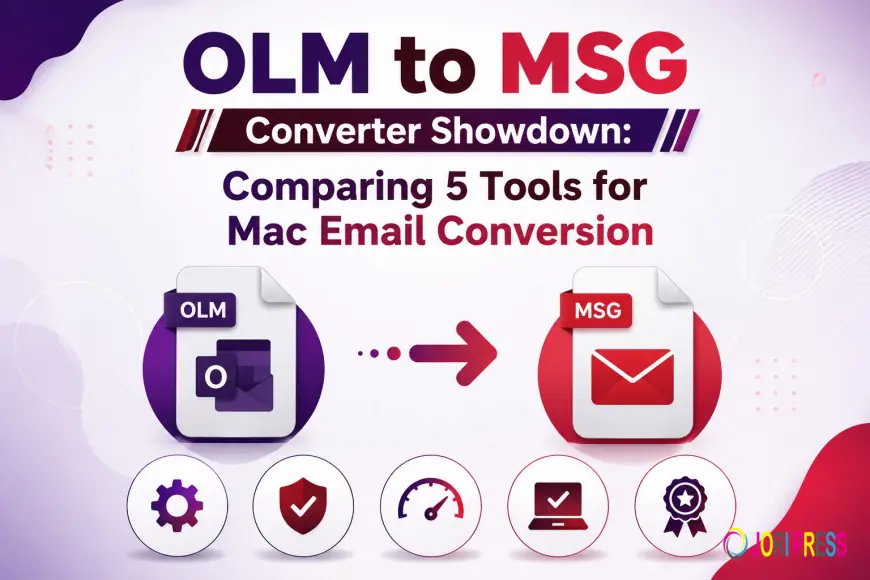
OLM to MSG Converter Showdown: Comparing 5 Tools for Mac Email Conversion
5 Best OLM to MSG converter software that converts all MAC Outlook files to Outlook formats, while preserving data integrity and folder structure

Introduction
Conversion from Mac Outlook’s proprietary database format, the OLM file, to Microsoft Outlook for Windows or an enterprise archiving system is one of the biggest hang-ups for IT admins, forensic analysts, and regular users alike.
The technical problem is, in essence, a problem of incompatible file architecture:
-
OLM Files: Mac Outlook stores emails, contacts, calendars, tasks, and notes in a single archive container.
-
MSG Files: MSG is a Windows Outlook Single Object Format. Each email, attachment, or contact is a different file.
This architectural separation means that direct cross-platform imports or simple “drag-and-drop” operations are not possible without a specialised conversion bridge.
The Dangers of Manual Workarounds
Tech-savvy users sometimes attempt manual workarounds (eg create an IMAP or Exchange staging account and sync folders back and forth). But manual workarounds are often inadequate because of:
-
Loss of Metadata & Formatting: Important headers (To, From, CC, BCC, IP logs), S/MIME signatures, inline images, and rich HTML formatting are often lost or corrupted in server sync.
-
Attachment Decoupling: Large attachments and non-standard embedded media can be detached from the parent message while in transit on a live server.
-
Collapse Folder Hierarchy: Deep subfolder nesting and custom tag flags are frequently collapsed into a single main inbox folder.
-
Draining Time & Bandwidth: Synchronising multi-gigabyte mail archives over internet protocols consumes considerable bandwidth and time.
For this purpose, dedicated software tools are developed that locally analyse the OLM storage structure and convert it into clean standalone MSG files. This is an in-depth look at the five best utilities on the market.
Framework for critical appraisal
For each utility, we measured five key operational metrics to find the market’s best offerings:
-
User Experience & GUI design: User navigation & Experience for non-technical users.
-
Integrity of Data & Preservation of Metadata: The original format, headings, and images are all retained.
-
Batch Processing & File Handling: Performance, stability, and processing speed for large or bulk OLM files.
-
Environment & System Load: Resource consumption of the system while parsing heavy files
-
Testing limitations & Customer support: Free trial, build flexibility, and rapid customer support.
Complete Software Reviews
1. Softaken OLM to MSG Converter
-
Concentrate: Full folder-tree previews and quality data regeneration.
-
Highlights: Interactive tree-view preview panel to view all email attributes before extraction. No reliance on Mac OS or Microsoft Outlook.
-
Pros & Cons: Very good at keeping complex HTML elements and embedded attachments. The user interface is usable, but it is a traditional design aesthetic.]
2. GainTools OLM to MSG Converter Software
-
Focus: fast and lightweight batch processing for large archives.
-
Key Features: It is intended for fast multi-file conversion with support for bulk OLM file conversion at a time without buffer freezing. It keeps the entire folder structure.
-
Pros & Cons: Extremely stable engine for file processing. Almost no customisation of advanced rules for file names.
3. TrustVare OLM to MSG Converter Program
-
Focus: Right field mapping, low system resource overhead
-
Key Features: Zero loss of CC, BCC, and send/receive timestamps with direct header and property mapping matrices. It creates audit logs explicitly to track the number of outputs.
-
Pros & Cons: Fast conversion, less memory usage. The setup wizard is easy to use, but the design of the dashboard is basic.
4. SysInfo OLM to MSG Converter Tool
-
Priorities: Deep data extraction, enterprise filtering, sophisticated rule management
-
Features: Auto date range filters, skip corrupted items, configurable file naming conventions (From + Subject, Subject + Date)
-
Pros & Cons: Flexible for granular migrations; feature-rich control panel may be a bit of a learning curve for new users.
5. DataVare OLM to MSG Converter Tool
-
Highlights: Simple step-by-step migration, Support for Multiple OS.
-
Key Features: Step-by-step configuration wizard, error-free, easy to follow. Preserved folder structure; non-mail folders converted quickly.
-
Pros & Cons: Easy to use and good for quick single-user conversions but lacks dynamic filtering controls for power users.
Pricing and Value Assessment
-
Price Spectrum: Commercial licenses for these utilities range from $29 for single-user/personal licenses to $699 for corporate, enterprise, or site-wide technician deployments with unlimited batch processing.
-
Indicators of value: Be careful with licensing terms. Perpetual lifetime licenses with software update options offer a far better long-term ROI than recurring annual subscriptions.
-
Evaluation Strategy: Always download and install the free trial build before you purchase any tool. Lets you check file compatibility, extract samples, and preview MSG files created in Windows Outlook.
Final Verdict & Recommendations on When to Use Them
-
Best All-Rounder: Softaken OLM to MSG Converter – A perfect combination of preview integrity, structural mapping, and user-friendliness.
-
Ideal for Beginners: DataVare OLM to MSG Converter – It has a wizard-driven approach and a very small learning curve.
-
Best for Enterprise & Power Users: SysInfo OLM to MSG Converter — Advanced filtering options, custom filename options, and ability to work with large data volumes.
-
Best for Bulk Processing: GainTools OLM to MSG Converter - Best for quick bulk conversion of large OLM files.
FAQs (Frequently Asked Questions)
Q. Do I need Microsoft Outlook to convert?
A. No. All five of the tested converters are stand-alone utilities. The only thing that you need on the destination system where you will open or index the output is Microsoft Outlook.msg files.
Q. Can you safely open email attachments?
A. Yes. Professional OLM converters can extract attachments and embed them directly into the output MSG payload, maintaining binary integrity and internal links.
Q. Demo versions are usually limited, such as:
A. In most trials, you can preview and navigate through the interface options, but the actual export action is limited to a certain number of items (usually the first 25 items per folder).
Call to Action and Best Practices
Safety Tip: Always create a copy or full local backup of your source OLM files to another directory before you begin any conversion process.
Mac Outlook Email to Windows MSG Format Conversion: How? Download a free trial of your favourite utility and see if it will handle your archive today.
Are you having trouble switching between Mac and Windows Outlook formats? Feel free to share your experiences or ask any questions in the comments below!
What's Your Reaction?
 Like
0
Like
0
 Dislike
0
Dislike
0
 Love
0
Love
0
 Funny
0
Funny
0
 Angry
0
Angry
0
 Sad
0
Sad
0
 Wow
0
Wow
0