


































How to Set Up PromoStandards Magento Integration: A Step-by-Step Overview
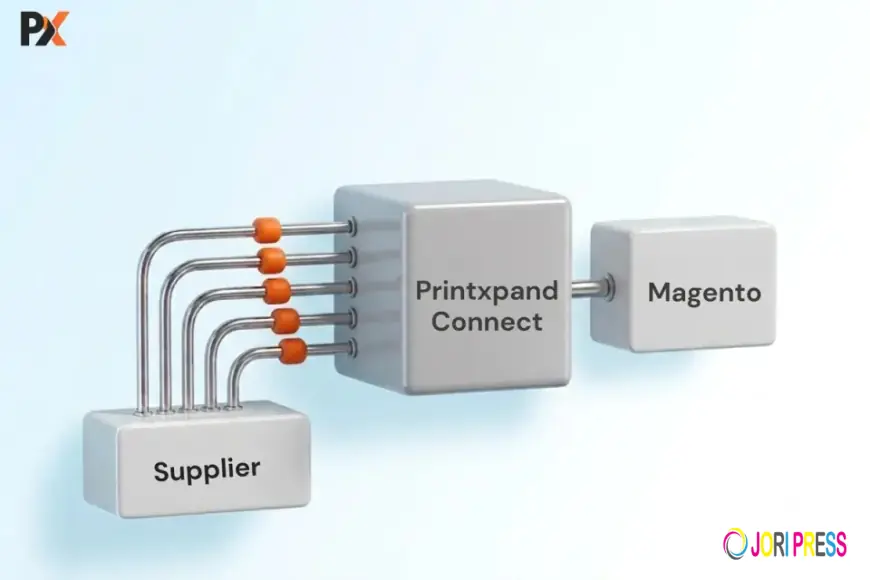
Managing a large promotional product catalog manually can be time-consuming. Product information, images, pricing, inventory, orders, and shipment updates may change frequently, making it difficult for businesses to keep their Magento store accurate.
This is where PromoStandards Magento integration can help. By connecting supplier systems with Magento through standardized services, businesses can automate important eCommerce and order management processes while reducing manual data entry.
What Is PromoStandards?
PromoStandards is a set of standardized web services created for the promotional products industry. It helps suppliers and distributors exchange information using consistent formats and processes.
Depending on the supplier, these services can provide:
- Product information
- Product images and media
- Inventory availability
- Pricing
- Order processing
- Order status
- Shipment and tracking information
For Magento store owners, this creates a more efficient way to manage supplier catalogs and orders.
How Does PromoStandards Magento Integration Work?
The integration essentially creates a connection between your supplier and Magento:
Supplier → PromoStandards → Integration Layer → Magento
Product and inventory information can flow into Magento, while customer orders can be transmitted back to the supplier.
Supplier updates can then return to Magento for order status and shipment tracking.
Step 1: Check Supplier PromoStandards Support
Before starting, determine which PromoStandards services your supplier supports. You may need product data, inventory, pricing, order processing, order status, or shipment services.
Only implement the services that are relevant to your business requirements.
Step 2: Collect Supplier Credentials
Obtain the required API information from the supplier, including service URLs, authentication details, account information, and available service versions.
These details are required to establish the connection.
Step 3: Prepare Your Magento Catalog
Review your Magento categories, attributes, SKUs, product types, and variants before importing supplier data.
Supplier categories and attributes may not match your Magento structure, so proper mapping is essential for maintaining an organized storefront.
Step 4: Synchronize Product Data
The integration can automatically transfer information such as:
- Product names and descriptions
- SKUs
- Categories
- Brands
- Sizes and colors
- Product attributes
- Images
- Decoration information
Automating this process eliminates the need to manually create and update every supplier product.
Step 5: Sync Inventory and Pricing
Inventory synchronization helps Magento display more accurate supplier availability and reduces the risk of selling products that are out of stock.
Pricing synchronization can also handle supplier pricing, quantity breaks, decoration charges, and other applicable costs. Businesses can then apply their own margins or pricing rules before displaying products to customers.
Step 6: Configure Product Variants
Many promotional products have multiple sizes, colors, materials, or decoration options. These attributes must be mapped correctly to Magento.
Proper variant mapping prevents duplicate products, incorrect inventory, and pricing errors.
Step 7: Automate Order Processing
Once customers place orders, the integration can transmit order information to the supplier automatically.
A typical workflow is:
Customer → Magento → Integration → Supplier
This can eliminate manual order entry and reduce processing errors.
Step 8: Sync Order and Shipment Status
Supplier updates can be returned to Magento after an order is submitted. These may include order processing status, shipment information, carrier details, and tracking numbers.
This gives customers better visibility and reduces the need for manual status updates.
Step 9: Test Before Going Live
Before launching the integration, test the complete workflow.
Check:
- Product information
- Images
- Categories
- Variants
- Inventory
- Pricing
- Order transmission
- Order status
- Shipment tracking
Testing helps identify mapping or synchronization issues before they affect real customers.
Common Challenges to Consider
Even with standardized services, businesses may encounter challenges such as:
- Different supplier implementations
- Complex product catalogs
- Large-volume data synchronization
- Inventory update frequency
- Product and attribute mapping
- API errors or temporary downtime
Using proper error handling, monitoring, and data-mapping rules can help keep the integration reliable.
Benefits of PromoStandards Magento Integration
A properly configured integration can help businesses:
- Reduce manual catalog management
- Improve inventory accuracy
- Automate pricing updates
- Process orders faster
- Reduce data-entry errors
- Improve shipment visibility
- Manage multiple suppliers more efficiently
- Deliver a better customer experience
Final Thoughts
PromoStandards Magento integration provides promotional product businesses with a practical way to connect supplier data and eCommerce operations. By automating product information, images, inventory, pricing, orders, and shipment updates, businesses can reduce repetitive work and create a more efficient Magento storefront.
The key is to start with the services that matter most, establish accurate data mappings, test the workflow thoroughly, and monitor synchronization after launch. With the right integration approach, Magento can become a more scalable and automated platform for managing promotional products.
Files
What's Your Reaction?
 Like
0
Like
0
 Dislike
0
Dislike
0
 Love
0
Love
0
 Funny
0
Funny
0
 Angry
0
Angry
0
 Sad
0
Sad
0
 Wow
0
Wow
0