





































How to Plan a Smart Home (2026) | Full Checklist
Learn how to plan a smart home in 2025. Step-by-step smart home setup guide, checklist, wiring, WiFi planning, ecosystem selection, security, and room-by-room automation.
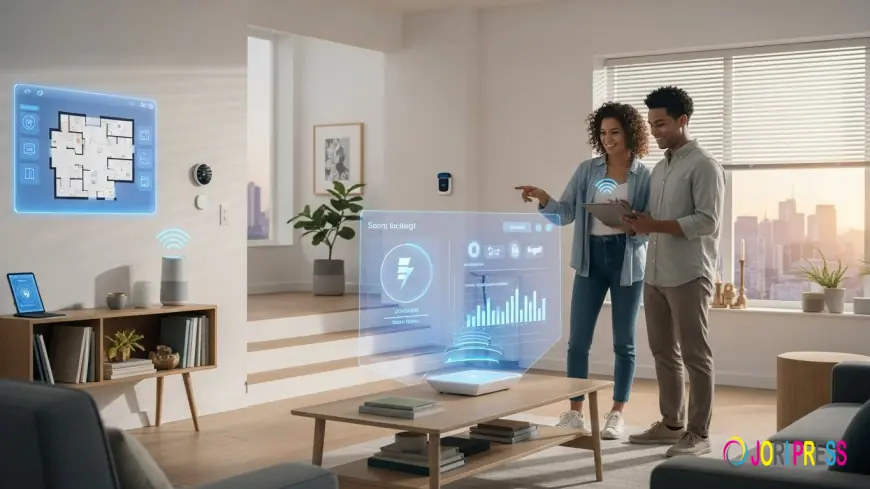
Designing a smart home isn’t about installing random gadgets; it’s about creating a future-proof, scalable, secure system that adapts to your lifestyle. If you're searching for how to plan a smart home, need a smart home planning checklist, or want a step-by-step smart home setup guide, this is your definitive roadmap.
This smart home design guide blends practical planning, ecosystem decisions, wiring considerations, WiFi requirements, security settings, and room-by-room design.
Let’s build your smart home, the right way.
What to Know Before You Start: Smart Home Planning Essentials
Planning a smart home begins long before buying devices. You need clarity about:
-
Smart home requirements
-
Smart home system layout
-
Ecosystem compatibility
-
Connectivity & wiring
-
Security & privacy
-
Budget & priorities
These foundational elements shape everything else you add to your home.
1. Decide Your Smart Home Roadmap
Before buying anything, define your smart home roadmap:
A. What lifestyle upgrade do you want?
-
Convenience?
-
Security?
-
Energy savings?
-
Comfort and ambiance?
-
Accessibility for the elderly or mobility needs?
B. What devices will matter the most?
-
Smart switches
-
Smart thermostat
-
Smart security system
-
Cameras
-
Smart speakers
-
Smart plugs
-
Motion sensors
-
Door locks
C. Will you expand later?
Your system must accommodate future devices → this is futureproof smart home design.
2. Choosing a Smart Home Ecosystem (The Most Important Step)
One of the biggest mistakes beginners make is mixing incompatible devices.
Choose ONE primary ecosystem:
-
Amazon Alexa
-
Google Home
-
Apple HomeKit
-
Matter (the universal smart home standard)
Key considerations in ecosystem selection
-
Is it easy to use?
-
Does it work with your phone (Android or iPhone)?
-
Are your preferred brands compatible (Zigbee, Z-Wave, Matter, WiFi)?
-
Will it support offline or local control?
Tip: If you want maximum compatibility → choose Matter + Alexa or Google Home.
If you want privacy → choose Apple HomeKit.
3. Plan Your Smart Home Connectivity (WiFi, Mesh, Ethernet)
Your devices are only as strong as your network.
Smart Home WiFi Requirements
-
Use dual-band or tri-band routers
-
Strong signal in all corners
-
WiFi 6 is strongly recommended
Mesh WiFi for Smart Homes
If your home is larger than 1200 sq ft or has multiple floors, use a mesh WiFi system to eliminate dead zones.
Ethernet Wiring
For stable performance:
-
Pre-wire for Ethernet if building or renovating
-
Ideal for:
-
Cameras
-
Hubs
-
Smart TVs
-
Gaming consoles
-
Smart Home Network Planning
-
Separate the IoT network from the primary devices
-
Use VLANs if possible
-
Secure your router settings
4. Smart Home Infrastructure Planning (Before Construction)
If you're building or renovating, this section is GOLD.
Pre-Wiring for Smart Home
-
Ethernet to each room
-
Neutral wires in every switchboard (critical for smart switches)
-
Conduits for future devices
-
Dedicated circuit for heavy smart appliances
-
Ceiling wiring for motion sensors or smart lights
Smart Home System Layout
Map your entire home:
-
Entry
-
Living room
-
Kitchen
-
Bedrooms
-
Outdoor
-
Garage
Then decide which automation goes into each.
5. Smart Home Planning Checklist (2026 Edition)
This is your core smart home planning checklist, covering everything from hardware to ecosystems.
Ecosystem & Compatibility
-
Choose a primary ecosystem (Alexa / Google / HomeKit / Matter)
-
Ensure IoT device compatibility
-
Confirm hub requirements
Connectivity Planning
-
Check the WiFi strength in each room
-
Plan mesh WiFi if needed
-
Decide on Ethernet wiring
-
Review router requirements
Safety & Security
-
Smart home security settings
-
Cybersecurity for smart homes
-
Two-factor authentication
-
Encrypted devices only
Budget Planning
-
Smart home budget planning
-
Estimate device costs
-
Start with essentials (lights, security, climate control)
-
Plan for a scalable smart home setup
Placement & Room Mapping
-
Smart home room-by-room plan
-
Location of switches, sensors, lights, and cameras
-
Future expansion areas
Lifestyle Automation
-
Convenience automation setup
-
Energy-efficiency planning
-
Accessibility smart home checklist
6. Room-by-Room Smart Home Design Guide
Living Room
-
Smart switches
-
Smart TV automation
-
Ambient lighting scenes
-
Voice-controlled routines
Kitchen
-
Smart plugs (kettle, coffee maker)
-
Leak sensors
-
Appliance automation
Bedroom
-
Smart thermostat planning
-
Lighting automation
-
Sleep routines
Entryway
-
Smart door lock
-
Video doorbell
-
Motion lights
Bathroom
-
Humidity sensors
-
Smart exhaust fan
Outdoor
-
Smart security system planning
-
Outdoor cameras
-
Garden lighting automation
7. Smart Home Security & Privacy Setup
Cybersecurity Checklist
-
Use WPA3 router encryption
-
Regular firmware updates
-
Disable unused ports
-
Limit device data sharing
Smart Home Security Settings
-
Enable 2FA
-
Separate guest network
-
Review app permissions
8. Wired vs Wireless Smart Home Systems
Wireless
-
Easy installation
-
Ideal for renters
-
More dependent on WiFi
Wired (Ethernet / Zigbee / Z-Wave)
-
Faster, more stable
-
Perfect for new construction
-
Supports large automation setups
Tip: Use a hybrid smart home infrastructure for the best results.
9. Smart Home Starter Kit Ideas
If you're a beginner, start with these essentials:
Level 1 - Starter
-
Smart switches
-
Smart speaker (Alexa / Google)
-
Smart plugs
-
Smart bulbs
Level 2 - Intermediate
-
Smart thermostat
-
Door sensors
-
Motion sensors
-
Smart curtain automation
Level 3 - Advanced
-
Multi-room audio
-
Outdoor security
-
Automated routines
-
Energy monitoring systems
10. Smart Home Automation Scenarios (Your Daily Life, Upgraded)
Morning Routine
-
Lights fade in
-
Curtains open
-
Coffee machine turns on
-
AC adjusts to comfort temperature
Away Mode
-
The lights turn off
-
Doors lock
-
Cameras activate
-
Energy-saving mode enabled
Movie Mode
-
Lights dim
-
AC cools
-
TV turns on automatically
Upgrade your home with secure, reliable automation using premium smart switches. Check the latest smart switch price in Pakistan and start building your smart home today with waltonmarket.com
Conclusion:
A smart home isn’t a gadget collection; it’s a well-planned ecosystem.
By following this smart home planning checklist, designing a solid smart home roadmap, and choosing the right devices, you’ll build a system that is scalable, secure, and built for the future.
Your smart home should evolve with you, not limit you.
FAQs Smart Home Automation
What are the things to consider before building a smart home?
Ecosystem, wiring, WiFi strength, device compatibility, and long-term scalability.
How much does a smart home cost?
Starter kits begin low-cost; full-home systems depend on room count, wiring, and devices.
What WiFi requirements do smart homes need?
Strong coverage, mesh WiFi for large spaces, and WiFi 6 support.
Should I choose wired or wireless systems?
Wireless is easier; wired is more reliable. A hybrid system offers the best balance.
What's Your Reaction?
 Like
0
Like
0
 Dislike
0
Dislike
0
 Love
0
Love
0
 Funny
0
Funny
0
 Angry
0
Angry
0
 Sad
0
Sad
0
 Wow
0
Wow
0