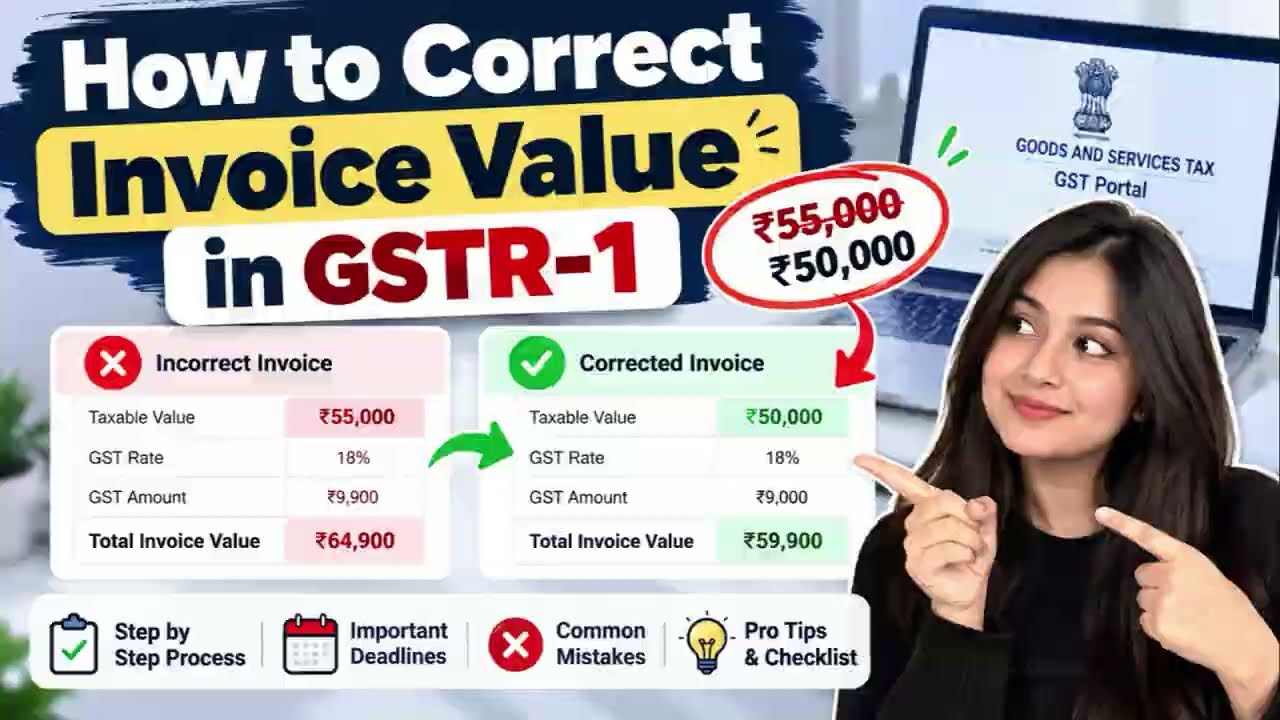










































How to Correct Invoice Value in GSTR-1 (Video Guide)
Learn how to correct invoice value in GSTR-1: amend after filing, use GSTR-1A before GSTR-3B, avoid common mistakes. Watch the Paytaxs video guide.
How to Correct Invoice Value in GSTR-1
Reported the wrong invoice value in GSTR-1? You are not alone. A wrong value affects your tax liability and your buyer's input tax credit, so it is worth fixing properly. Watch the video above for the full walkthrough, and use this page as a quick reference.
What the video covers
- The step-by-step process to correct an invoice value
- Important deadlines to keep in mind
- Common mistakes to avoid
- Pro tips and a final checklist
Quick summary
- Once GSTR-1 is filed, it cannot be revised directly. The original return stays as it is.
- Use the amendment tables in a later GSTR-1 to correct an invoice reported earlier.
- GSTR-1A is an optional facility that lets you correct invoice details for the same period after filing GSTR-1 and before filing GSTR-3B.
- If the invoice itself is wrong, a credit note or debit note may be the right route instead of an amendment.
Example (for illustration only)
Suppose an invoice was reported at ₹55,000 but the correct value is ₹50,000. The correction is made by entering the revised value against the original invoice in the amendment section, so that your liability and your buyer's credit both reflect the right figure.
Common mistakes
- Entering the wrong original invoice number or date, so the portal cannot trace the invoice
- Correcting the value in your books but not in the return
- Missing the time limit for amendments
- Not matching GSTR-1 with your books before filing
Checklist before you file
- Match invoice number, date, GSTIN and value with your books
- Choose the correct route: GSTR-1A, amendment table, or credit/debit note
- Check the applicable time limit on the GST portal
- Re-check the figures before filing GSTR-3B
For more GST guides, visit paytaxs.com.
What's Your Reaction?
 Like
0
Like
0
 Dislike
0
Dislike
0
 Love
0
Love
0
 Funny
0
Funny
0
 Angry
0
Angry
0
 Sad
0
Sad
0
 Wow
1
Wow
1

paytaxs
Simplifying GST for Indian Businesses. Paytaxs is a GST services platform helping Indian businesses manage their GST requirements with confidence. From GST registration and return filing to ongoing GST compliance and consultancy, we make the process simpler, clearer, and more reliable.
\