




































How to Convert Scanned Architectural Drawings into Accurate DWG Files
Learn how to convert scanned architectural drawings into accurate DWG files. Discover best practices for paper to CAD conversion, layering, and as-built accuracy.

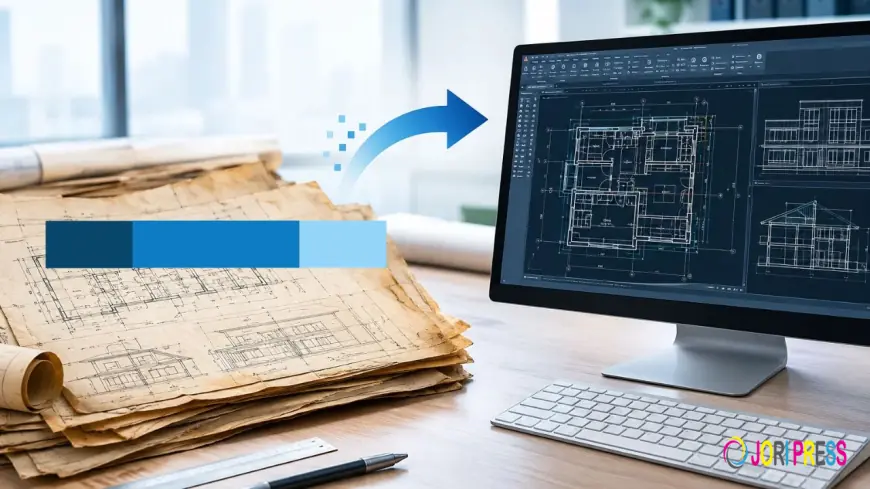
Modernizing physical drawing archives into dynamic digital assets represents a fundamental operational milestone for architecture, engineering, and construction (AEC) firms across the United States. Decades of critical project data are often locked away in physical archives, paper blueprints, mylars, or static image formats such as PDF and TIFF. When design teams undertake renovation, adaptive reuse, historic restoration, or facility management initiatives, converting these static raster files into fully editable vector DWG files becomes essential. Executing a seamless legacy drawing conversion requires a disciplined technical strategy that balances geometric precision, proper layering standards, and architectural drafting discipline.
For generations, design professionals preserved plans on physical paper sheets, vellum, and linen, but relying on physical sheets or low-resolution scanned images in a modern digital design workflow creates substantial friction. Scanned architectural drawings lack vector intelligence—lines exist merely as pixel arrays, dimensions cannot be directly queried, and building components cannot be isolated by trade or discipline. Architectural drawings digitization transforms static paper archives into structured, multi-layer CAD files that integrate cleanly into modern CAD environments and Building Information Modeling (BIM) platforms.
Technical Constraints of Automated Raster-to-Vector Software
When faced with converting scanned drawings to CAD, project managers often test automated vectorization plugins or raster-to-vector (R2V) software. While optical character recognition (OCR) and automated tracing algorithms have improved over time, they rarely produce the production-ready, high-precision DWG files required for complex architectural projects.
Automated conversion tools evaluate raw pixel contrast rather than understanding architectural logic or building construction systems. Consequently, a faded dimension line on an old paper blueprint might be interpreted by software as a series of disconnected splines, while a hatched brick wall often converts into thousands of unorganized, overlapping line segments. Furthermore, automated conversion software cannot account for paper shrinkage, scanner skew, or inherent inaccuracies present in hand-drawn original plans.
Achieving true dimensional accuracy requires dedicated paper to CAD conversion, where experienced CAD technicians manually recreate geometry using precise numerical inputs and structural reference grids. Rather than tracing pixels blindly, expert drafters interpret historical drafting conventions, cross-verify conflicting dimensions using geometric relationships, and reconstruct the building model ground-up inside native CAD environments.
Industry Best Practices for Vectorizing Existing Architectural Scans
To ensure existing drawings to CAD are converted into clean, standardized deliverables, design firm managers and project leaders should establish strict quality control protocols before drafting begins.
High-Resolution Digitization and Image Calibration
The accuracy of the final DWG file depends heavily on the initial scan quality. Physical documents should be captured at a resolution of 300 to 600 DPI using commercial flatbed or wide-format roller scanners configured to prevent physical stretching or diagonal skewing. Before drafting commences, the raster image must be calibrated within the CAD software environment against known reference dimensions—such as major structural column grids or overall exterior wall dimensions—to correct for paper shrinkage and non-uniform scaling across axes.
Precision Geometric Reconstruction and Orthographic Alignment
In professional architectural CAD conversion workflows, drafters align walls, columns, doors, and windows strictly to true orthographic coordinates. Instead of tracing distorted linework from a warped blueprint image, CAD technicians establish clean horizontal and vertical baselines, entering exact numerical dimensions matching recorded design notes and structural callouts.
Standardized Layer Structures and CAD File Organization
A raw DWG file with all geometric elements placed on a single default layer creates massive inefficiencies for project teams down the line. Clean CAD file organization requires establishing structured layer hierarchies based on recognized standards, such as the American Institute of Architects (AIA) CAD Layer Guidelines. Separating exterior walls, interior partitions, doors, windows, millwork, dimensions, and annotations onto distinct, color-coded layers ensures long-term usability and seamless CAD-to-BIM interoperability. Professional drafting providers, such as McLine Studios, emphasize strict adherence to standard layer naming conventions and organized block libraries to ensure complete consistency across large multi-sheet project sets.
Aligning As-Built Conversions with Modern Renovation Workflows
Commercial renovation, tenant fit-out, and historic restoration projects frequently present discrepancies between original design blueprints and current physical site conditions. Over decades of building operation, unrecorded structural modifications, wall relocations, and MEP systems updates often occur, rendering historic architectural drawings partially obsolete.
In these project scenarios, executing an accurate as-built drawing conversion requires combining historical paper plans with updated field verification, laser scanner data, or point cloud measurements. By cross-referencing scanned historical drawings with physical site verification, drafters produce precise as-built DWG files that reflect real-world conditions rather than original, unverified design intent.
Engaging specialized architectural CAD drafting services for complex conversion projects allows AEC firms to scale drafting capacity on demand without diverting internal senior design teams from core design development. External technical experts bring standardized quality control procedures, rapid turnaround times, and deep familiarity with US architectural standards.
Unlocking Long-Term Value from Legacy Architectural Archives
Converting physical drawing archives into accurate DWG vector files is a foundational investment in modernizing architectural practice operations. Transitioning from static paper blueprints to structured vector files streamlines interdisciplinary collaboration between architects, structural engineers, MEP consultants, and general contractors, significantly reducing field errors and expensive rework during construction.
By prioritizing manual vectorization over automated tracing software, maintaining strict CAD layering standards, and verifying spatial accuracy against real-world field conditions, AEC professionals ensure that legacy architectural drawings serve as accurate, reliable digital assets for future expansion and renovation projects.
What's Your Reaction?
 Like
0
Like
0
 Dislike
0
Dislike
0
 Love
0
Love
0
 Funny
0
Funny
0
 Angry
0
Angry
0
 Sad
0
Sad
0
 Wow
0
Wow
0