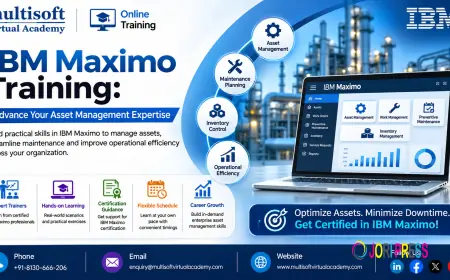






































IBM Maximo Training: Advance Your Asset Management Expertise
Learn IBM Maximo Training with expert guidance, practical projects, and real-world asset management skills to advance your career in maintenance operations.

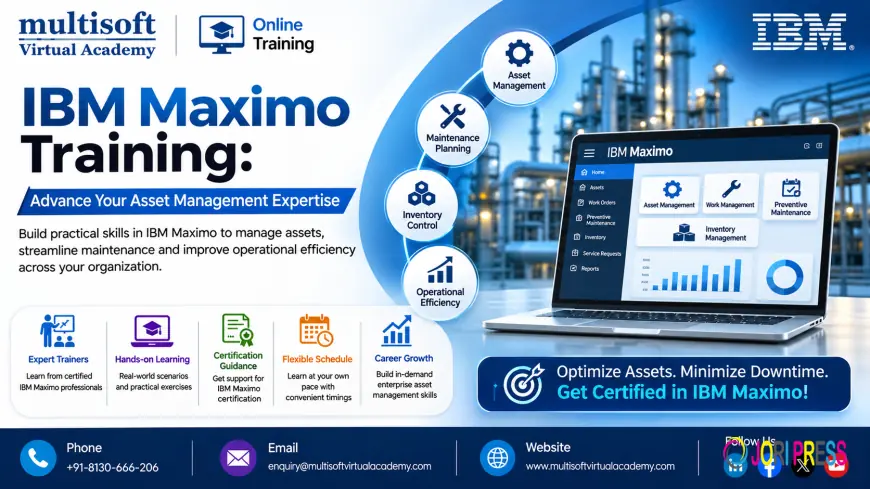
Industrial organizations manage a wide range of physical resources, including production machinery, electrical systems, vehicles, pipelines, and facility equipment. Keeping these assets operational requires proper maintenance planning, accurate records, and timely execution of repair activities. Without an organized asset management system, businesses may face equipment downtime, maintenance delays, inventory shortages, and rising operational costs.
IBM Maximo provides an integrated environment for managing these responsibilities. It helps organizations organize asset information, coordinate maintenance teams, control inventory, and monitor equipment-related activities. IBM Maximo Training introduces professionals to these capabilities and explains how enterprise asset management software supports daily industrial operations.
Whether you are an engineering professional, maintenance planner, application administrator, or aspiring SAP and enterprise software consultant, learning IBM Maximo can help broaden your understanding of digital maintenance management and industrial asset operations.
What Makes IBM Maximo Important for Modern Businesses?
Enterprise Asset Management (EAM) is the process of managing physical assets throughout their useful life. It includes asset acquisition, registration, operation, maintenance, performance monitoring, and eventual replacement or disposal.
IBM Maximo supports this process by providing structured applications for managing assets and maintenance activities. Its capabilities help businesses maintain information about equipment, record maintenance history, plan work, manage spare parts, and review operational information.
The broader product environment is known as IBM Maximo Application Suite (MAS). It combines core asset management functionality with capabilities related to equipment monitoring, asset health, analytics, and mobile operations.
For example, an energy company may use Maximo to maintain equipment records across multiple facilities. Maintenance teams can create work orders, schedule inspections, allocate resources, and record completed activities. Managers can then use available operational information to review maintenance performance.
This centralized approach helps organizations establish more consistent maintenance procedures and improve visibility into asset-related activities.
Key Benefits of Learning IBM Maximo
Developing Maximo knowledge can help professionals understand how enterprise applications support maintenance and asset management functions.
1. Understand Complete Asset Lifecycle Management
Assets require attention at different stages, from initial registration to maintenance and eventual replacement. Maximo provides capabilities for organizing asset information and maintaining records throughout these stages.
Training introduces learners to asset hierarchies, classifications, specifications, locations, meters, and asset relationships. These concepts help professionals understand how equipment information is structured.
2. Organize Maintenance Activities
Maintenance teams handle different types of work, including inspections, scheduled servicing, corrective repairs, and emergency maintenance.
Maximo supports work management processes that help users create, assign, monitor, and close maintenance work orders. Learning these processes helps professionals understand how maintenance requests are coordinated.
3. Reduce Unplanned Maintenance Disruptions
Unexpected equipment failures can affect production schedules and service delivery. Preventive maintenance helps organizations plan maintenance activities before equipment problems become serious.
Training introduces preventive maintenance records, maintenance frequencies, meter-based schedules, and work order generation.
4. Improve Spare Parts Availability
Maintenance work often depends on the availability of replacement components and consumable materials. Maximo inventory capabilities help organizations maintain item records, monitor stock levels, and coordinate material transactions.
Understanding these functions is useful for maintenance planners, inventory controllers, and application users.
5. Strengthen Maintenance Reporting
Maintenance information can help organizations evaluate equipment performance, review completed activities, and identify recurring operational issues.
Learning Maximo reporting and data management functions helps professionals understand how information can support operational reviews and maintenance planning.
Important Modules Covered in IBM Maximo Training
A practical IBM Maximo Training Course should introduce the major application modules and explain how they work together in an enterprise environment.
IBM Maximo Application Suite Fundamentals
This module provides an overview of the platform and its major capabilities.
Topics generally include:
- Introduction to IBM Maximo
- Enterprise Asset Management fundamentals
- IBM Maximo Application Suite overview
- Maximo Manage introduction
- Application navigation
- User interface and workspaces
- Application modules and functions
- Basic system terminology
Learners develop familiarity with the environment before exploring individual asset management activities.
Asset and Location Administration
Asset and location records provide the foundation for organizing equipment information. This module explains how organizations create and maintain records for physical resources and their operating locations.
Topics may include asset creation, location hierarchies, asset classifications, specifications, meters, parent-child relationships, and asset status management.
Participants also learn how equipment records connect with maintenance history and operational information.
Work Order and Maintenance Management
Work management helps organizations plan and monitor maintenance activities. It allows users to record work requirements and coordinate the resources needed to complete them.
Important areas include:
- Work request management
- Work order creation
- Work order status updates
- Maintenance priority settings
- Job plans and task management
- Labor and craft assignments
- Work scheduling
- Work order tracking
- Maintenance completion records
These functions help learners understand how maintenance teams manage operational work from request to completion.
Preventive Maintenance and Scheduling
Preventive maintenance involves carrying out maintenance activities at planned intervals or based on defined equipment conditions.
A training program may explain how to create preventive maintenance records, define maintenance frequencies, associate job plans, configure meter-based schedules, and generate work orders.
For example, a facility may require regular inspections of electrical equipment after a specified period of operation. Maximo can support the planning and recording of these activities through configured maintenance processes.
Inventory and Storeroom Management
Inventory management helps organizations maintain control over spare parts and other maintenance materials.
This module may cover:
- Item master configuration
- Storeroom setup
- Inventory balances
- Stock level monitoring
- Reorder point settings
- Material reservations
- Inventory transfers
- Material issues and returns
- Physical inventory adjustments
Learners understand how inventory records support maintenance operations and purchasing activities.
Purchasing and Contract Management
Purchasing activities help organizations obtain materials, equipment, and services required for maintenance and operations.
Training may introduce vendor records, purchase requisitions, purchase orders, contracts, receiving transactions, and purchasing workflows.
Understanding these processes helps professionals follow how procurement activities connect with asset maintenance requirements.
Administration and Security Management
System administration is important for maintaining a controlled application environment. Administrators manage user accounts, access rights, security groups, and application permissions.
A suitable training module may include user administration, security configuration, role-based access, and basic system management.
This area is particularly relevant to professionals interested in Maximo administration and enterprise application support.
Workflow and Automation Capabilities
Organizations often require approval procedures and automated actions for their business processes. Maximo workflow capabilities help support these requirements.
Advanced learning may include workflow design, conditions, actions, escalations, and automation scripting.
The exact technical depth depends on whether the course is intended for functional users, administrators, or developers.
Understanding IBM Maximo Application Suite
IBM Maximo Application Suite supports organizations that want to move beyond conventional maintenance record management and adopt more connected asset operations.
Some important applications and capabilities include:
Maximo Manage: Supports core asset management activities, including work orders, inventory, purchasing, preventive maintenance, and asset records.
Maximo Health: Helps organizations evaluate asset health and use available information to support maintenance decisions.
Maximo Monitor: Provides capabilities for monitoring connected equipment and operational data.
Maximo Mobile: Supports mobile access to asset and work management information for technicians and field personnel.
Maximo Predict: Supports predictive maintenance use cases through analytics and related capabilities.
Organizations may use different applications depending on their operational requirements, deployment model, and licensing arrangements.
IBM Maximo Implementation: How Enterprise Projects Work
Implementing IBM Maximo requires an understanding of business processes, application configuration, data requirements, and system integration. Professionals involved in implementation projects should understand the major stages involved in deploying an enterprise asset management solution.
Business Requirement Collection
The project team studies existing asset management procedures and identifies the organization's maintenance requirements.
This includes reviewing asset structures, maintenance schedules, work order procedures, inventory practices, reporting needs, and approval processes.
Functional Design and Configuration
After collecting requirements, the team prepares a solution design. Configuration activities may include defining organizations, sites, locations, asset classifications, security groups, workflows, and application settings.
The objective is to align Maximo functionality with the organization's operating procedures.
Data Migration and Validation
Organizations may have asset information stored in spreadsheets, legacy applications, or other enterprise platforms.
Migration activities involve preparing data, identifying duplicates, mapping fields, validating records, and transferring approved information into the target environment.
Accurate asset and location data is important for maintaining reliable operational records.
Integration with Other Enterprise Applications
Maximo may exchange information with ERP systems, finance applications, procurement platforms, IoT devices, and other business solutions.
Integration requirements depend on the organization's technology architecture. Professionals should understand how connected applications exchange information and how integration errors can affect business processes.
System Testing and Deployment
Before deployment, project teams validate configured functions through different business scenarios.
Testing may cover asset registration, maintenance requests, work order processing, preventive maintenance schedules, inventory transactions, purchasing, and security permissions.
After testing and user preparation, the system can be deployed according to the project's rollout strategy.
Digital Transformation and Predictive Maintenance with Maximo
Digital transformation is changing how industrial organizations monitor equipment and plan maintenance activities. Rather than depending entirely on manual inspections and fixed schedules, businesses are increasingly exploring connected asset data and analytical capabilities.
IBM Maximo Application Suite supports several areas related to digital asset management.
Condition-Based Maintenance
Condition-based maintenance uses equipment condition information to help determine when maintenance should be performed. This approach can help organizations make maintenance decisions based on observed conditions rather than relying only on fixed intervals.
Predictive Maintenance
Predictive maintenance uses data and analytical methods to identify potential equipment problems. Organizations can use these insights to investigate developing issues and plan appropriate maintenance actions.
IoT-Based Asset Monitoring
Connected devices and sensors can provide information about equipment conditions and operating parameters. Monitoring capabilities help organizations gain visibility into asset behavior and identify unusual operating patterns.
Asset Performance Management
Asset performance management focuses on understanding asset reliability, health, and operational effectiveness. Relevant information can help organizations review maintenance strategies and identify opportunities for improvement.
Professionals learning Maximo should become familiar with these concepts because they are increasingly relevant to modern asset management environments.
Industries Where IBM Maximo Is Used
IBM Maximo can support businesses that manage complex equipment, infrastructure, and maintenance operations.
- Oil and Gas: Helps organize equipment records and maintenance activities across industrial facilities.
- Manufacturing: Supports machinery maintenance, production equipment records, and spare parts management.
- Utilities: Helps manage infrastructure assets and coordinate planned maintenance activities.
- Power Generation: Supports equipment maintenance and asset information management in power facilities.
- Transportation: Can assist with fleet asset records and maintenance planning.
- Healthcare: Supports maintenance management for facility infrastructure and equipment.
- Construction: Helps organizations maintain equipment information and coordinate asset-related activities.
Its suitability depends on the organization's requirements, implementation architecture, and selected applications.
Who Should Learn IBM Maximo?
IBM Maximo training can benefit professionals from different technical and operational backgrounds.
- Mechanical and Electrical Engineers: Interested in equipment maintenance and asset management processes.
- Maintenance Supervisors: Responsible for coordinating maintenance teams and work schedules.
- Asset Management Specialists: Involved in asset lifecycle planning and performance monitoring.
- Functional Consultants: Interested in configuring business processes and supporting Maximo implementations.
- Technical Consultants: Looking to develop skills in workflows, scripting, integration, and application customization.
- System Administrators: Responsible for application users, security, and system administration.
- IT Support Professionals: Working with enterprise applications and maintenance management systems.
- Engineering Graduates: Seeking exposure to digital asset management tools used in industrial organizations.
Basic familiarity with maintenance processes or enterprise applications can be helpful, but beginners can start with introductory modules.
Career Scope After IBM Maximo Training
Professionals who develop Maximo knowledge may explore opportunities in enterprise asset management, maintenance consulting, application administration, and implementation projects.
Potential job roles include:
- IBM Maximo Functional Consultant
- IBM Maximo Technical Consultant
- Maximo Application Administrator
- Enterprise Asset Management Consultant
- IBM Maximo Implementation Specialist
- Maintenance Management Analyst
- Maximo Application Support Engineer
- Asset Management Specialist
- EAM Business Analyst
- Maintenance Planning Consultant
The responsibilities of these roles vary between organizations. Practical system experience, business process knowledge, technical skills, and relevant qualifications influence career opportunities.
How to Select a Suitable IBM Maximo Course
Before joining a training program, evaluate its learning structure and practical coverage.
Review the module list: Ensure that the syllabus covers the Maximo functions relevant to your professional objectives.
Check the software version: Confirm whether the course focuses on IBM Maximo Application Suite and Maximo Manage or an earlier product version.
Ask about practical sessions: Hands-on exercises can help learners understand asset records, maintenance processes, and application workflows.
Evaluate the trainer's experience: A knowledgeable instructor should be able to explain both software functionality and its business applications.
Check advanced technical topics: If you are targeting administration or development roles, review the coverage of scripting, workflow configuration, integration, and system management.
Understand the certificate: Confirm whether the program provides a course-completion certificate or prepares participants for an official IBM credential.
Frequently Asked Questions About IBM Maximo Training
What is IBM Maximo Training?
IBM Maximo Training teaches participants how to use the platform for managing physical assets, maintenance activities, work orders, inventory, and related enterprise processes.
What is the difference between IBM Maximo and IBM Maximo Application Suite?
IBM Maximo is associated with IBM's enterprise asset management solution family. IBM Maximo Application Suite is the broader integrated environment that includes asset management and related monitoring, health, and predictive capabilities.
Is IBM Maximo useful for maintenance engineers?
Yes. Maintenance engineers can develop knowledge of work orders, asset records, preventive maintenance, job plans, and maintenance histories through Maximo training.
Does IBM Maximo require coding skills?
Basic functional activities generally do not require programming knowledge. Advanced technical responsibilities involving automation scripts, integrations, or custom development may require additional skills.
Can beginners enroll in IBM Maximo Training?
Yes. Beginners can start with EAM fundamentals and basic application navigation before moving to specialized modules.
What should I learn after IBM Maximo fundamentals?
Depending on your career goals, you can explore advanced work management, system administration, automation scripting, integration, asset performance management, and predictive maintenance.
Is IBM Maximo useful for implementation projects?
Yes. Understanding the platform can help professionals participate in requirement analysis, configuration, testing, application support, and implementation activities. Practical project experience is important for handling real implementation responsibilities.
Conclusion
Effective asset management helps organizations maintain equipment reliability, improve maintenance coordination, and manage operational resources more efficiently. IBM Maximo provides an integrated platform for organizing asset information, planning maintenance work, managing inventory, and supporting modern digital maintenance strategies. Learning its functional and technical capabilities can help professionals build relevant knowledge for enterprise asset management and industrial technology projects. Multisoft Virtual Academy offers IBM Maximo Training for individuals and working professionals who want to strengthen their understanding of Maximo applications, maintenance management, and enterprise asset management workflows through structured learning.
What's Your Reaction?
 Like
0
 Dislike
0
 Love
0
 Funny
0
 Angry
0
 Sad
0
 Wow
0