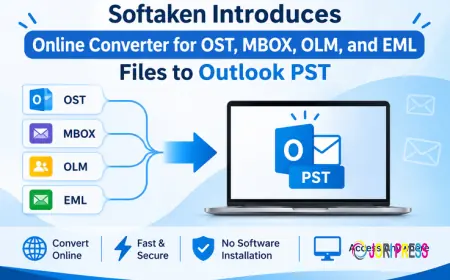







































Softaken Introduces Online Converter for OST, MBOX, OLM, and EML Files to Outlook PST
Softaken has launched Softaken Online Converter, a browser tool that turns OST, MBOX, OLM, and EML files into Outlook PST, with processing on the user’s device.

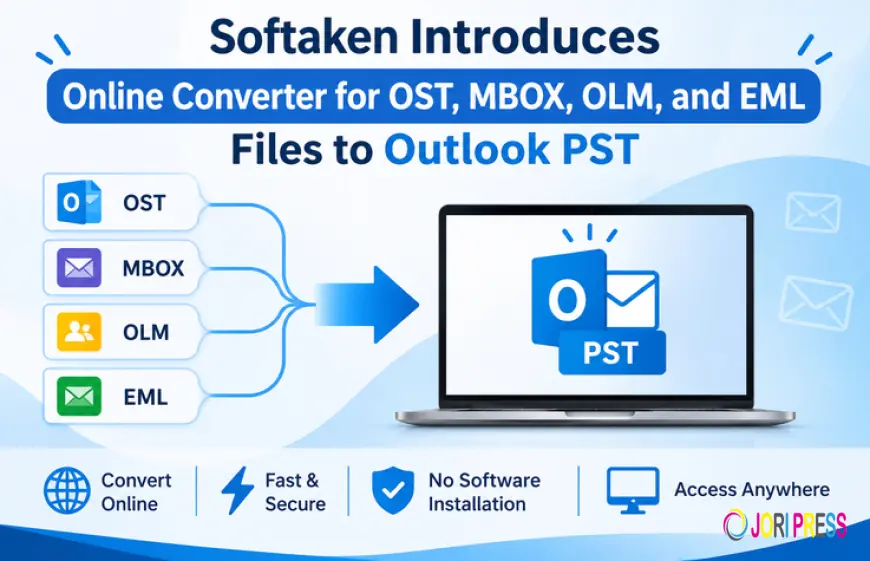
Softaken has launched Softaken Online Converter, a web tool that turns OST, MBOX, OLM, and EML files into Outlook PST files. It runs in the browser, so nothing needs to be installed first.
Where it helps
People usually look for a tool like this after something has changed. They have moved to a new computer, switched email programs, or rebuilt an Outlook profile, and the old mail is stuck in a format the new setup can’t read. The converter is meant for those situations.
On the PST side, it takes four kinds of files. OST files, the offline copy Outlook keeps of a mailbox, can be turned into a PST, which comes in handy after a profile rebuild or a move between tenants. MBOX files go in as well, along with OLM archives from Outlook for Mac, so the mail can be opened in Windows Outlook. EML files work too, whether it’s one message or a whole folder, and they end up together in a single PST.
It also goes the other way. A PST can be exported to EML files, Apple Mail EMLX files, or Outlook MSG files, which is useful when messages need to be passed on or checked one at a time. That adds up to seven conversions in all, and Softaken says the folder structure is kept.
What happens to the files
Plenty of online converters ask people to upload the whole archive before they do anything. Softaken says its tool doesn’t. According to the company, the conversion engines load in the browser, and the messages stay on the user’s own computer. Softaken keeps only account status and a record of past conversions, so people can manage their license and see earlier jobs.
How it works
A person signs up, confirms their email address, and opens the dashboard. They choose a conversion, pick a file or folder, and wait for it to finish. The result is saved to your chosen folder.
The free demo takes PST, OST, MBOX, and OLM files up to 100 MB, and up to 25 EML or MSG files. Bigger archives need a Softaken license, which raises the limit to 5 GB per activated converter selection. Softaken suggests a current Chromium-based browser or Firefox on a desktop computer, with enough free disk space for the temporary files created during conversion.
“A lot of people only want their old emails to show up in the new program, and they don’t want to send them anywhere to get that done. The free demo lets them try it on their own files first and see how it goes,” said the Product Manager at Softaken.
Softaken Online Converter is available at softaken.com/online/converter/.
About Softaken
Softaken Software makes tools for working with email data files, including converters, exporters, duplicate removers, and repair and recovery utilities for formats such as PST, OST, MSG, and EML. It also offers a range of free viewers. Most products run on Windows, and several also support Mac and Linux. Customers can reach support by email, chat, or Skype.
Contact Details
Contact: Softaken Support Team
Email: support@softaken.com
Website:softaken.com
Email: support@softaken.com
Website:softaken.com
What's Your Reaction?
 Like
0
 Dislike
0
 Love
0
 Funny
0
 Angry
0
 Sad
0
 Wow
0
\