



































How Much Does a Patient Intake Software Cost for Medical Practices?
Codatis provides software reviews, comparisons, pricing insights, and expert guides to help businesses choose the right software solutions.

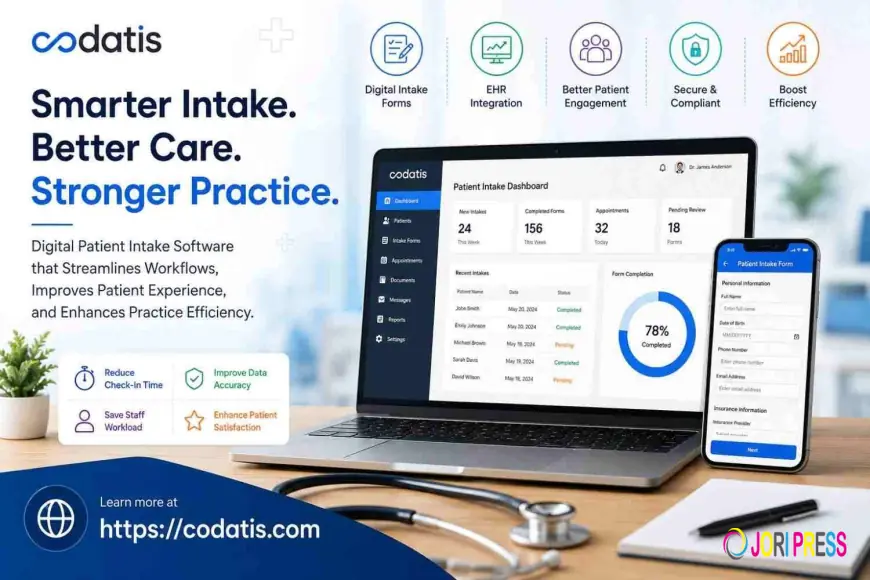
Patient intake software has become an important investment for medical practices that want to reduce paperwork, speed up registration, and improve the patient experience. Instead of asking patients to complete lengthy paper forms in the waiting room, practices can use digital platforms to collect demographics, medical history, insurance information, consent forms, questionnaires, and payments.
However, pricing can vary significantly depending on the vendor, practice size, number of providers, integrations, features, and implementation requirements. Understanding these costs can help healthcare organizations choose a solution that delivers value without creating unnecessary expenses.
This guide explains the factors that influence Patient Intake EMR Software pricing, common pricing models, additional costs to consider, and how medical practices can evaluate the total return on investment.
What Is Patient Intake Software?
Patient intake software is a digital solution designed to collect patient information before or during a medical appointment. Patients can complete forms using smartphones, tablets, computers, kiosks, or patient portals.
Typical functionality includes:
-
Digital registration
-
Demographic information
-
Medical history
-
Insurance details
-
Electronic signatures
-
Consent forms
-
Clinical questionnaires
-
Appointment information
-
Patient payments
-
Digital check-in
-
EHR integration
When connected to patient medical record software, the information can flow into the patient's electronic chart instead of requiring staff to manually enter everything.
How Much Does Patient Intake Software Cost?
There is no single price for patient intake software. Vendors may charge per provider, per location, per patient, per transaction, or through customized enterprise contracts.
For many medical practices, the total cost depends on the features they need and the complexity of their existing technology environment.
The main pricing structures include:
Monthly Subscription Pricing
Some vendors charge a recurring monthly fee for access to their platform.
The price may depend on:
-
Number of providers
-
Number of locations
-
Number of users
-
Patient volume
-
Included features
-
Integration requirements
Subscription pricing can make expenses easier to predict because practices pay a consistent recurring amount.
Per-Patient Pricing
Some platforms may base pricing on the number of patients or completed intake forms.
This approach can be attractive to smaller practices with lower patient volumes because they may only pay according to actual usage.
Per-Transaction Pricing
Certain solutions may charge fees for specific activities such as digital payments, eligibility checks, or other transactions.
Practices should determine whether these fees are included in the base subscription or billed separately.
Enterprise Pricing
Large healthcare organizations with multiple locations and complex workflows may receive customized pricing.
Enterprise contracts can include implementation, integrations, dedicated support, analytics, and advanced security features.
Key Factors That Affect Patient Intake Software Cost
1. Number of Providers
A small practice with two physicians will typically have different software requirements than a multi-location organization with dozens of providers.
Some vendors scale pricing according to the number of providers or users.
2. Patient Volume
High-volume practices may process thousands of patient registrations each month. Pricing models based on usage can therefore have a significant impact on total expenses.
When evaluating Patient Intake EMR Software, estimate your monthly and annual patient volume before comparing vendors.
3. Number of Locations
A single-location practice may require a simpler configuration than an organization operating multiple clinics.
Multi-location practices may need centralized administration, separate workflows, location-specific forms, and reporting.
4. EHR Integration
Integration is one of the most important cost considerations.
A standalone intake tool may have a lower base price, but practices could spend more if custom integration is required.
A well-integrated system can transfer patient information directly into the EHR and reduce manual data entry.
Practices using patient medical record software should ask vendors whether their existing EHR is supported and whether integration fees apply.
5. Customization
Basic digital forms may be inexpensive, while advanced customization can increase costs.
Practices may want:
-
Specialty-specific forms
-
Conditional questions
-
Custom consent documents
-
Multiple workflows
-
Custom notifications
-
Custom reporting
For example, patient intake software for rheumatologists may need specialized questionnaires related to symptoms, medications, and medical history.
Similarly, neurology patient registration software may require different information from a general primary care workflow.
6. Patient Engagement Features
Some platforms provide only digital intake, while others include a broader collection of patient-facing capabilities.
A patient engagement software platform may offer:
-
Online scheduling
-
Appointment reminders
-
Digital forms
-
Patient messaging
-
Payments
-
Surveys
-
Telehealth
-
Patient portals
The more functionality included, the greater the potential patient engagement software cost.
However, an integrated platform may be more cost-effective than purchasing several separate applications.
7. Digital Payments
Payment functionality can affect the overall cost of intake software.
Some platforms allow patients to pay copays, outstanding balances, or other amounts during digital registration.
Practices should ask whether payment processing fees are included in the subscription or charged separately.
8. Implementation and Setup
Implementation costs are often overlooked when comparing software.
Depending on the vendor, implementation may include:
-
Account configuration
-
Workflow setup
-
Form creation
-
EHR integration
-
Data migration
-
Staff training
-
Testing
-
Go-live support
Simple solutions may require minimal setup, while enterprise implementations can require significantly more planning.
9. Training and Support
Customer support is another factor that should be included in the total cost.
Ask whether the subscription includes:
-
Technical support
-
Training
-
Implementation assistance
-
Account management
-
Knowledge resources
-
Troubleshooting
A low-cost platform may become more expensive if critical support services require additional fees.
Patient Intake Software Pricing vs. Overall Practice Value
The cheapest software is not always the best option.
For example, a basic form-building tool may have a low monthly cost but require staff to manually transfer patient information into the EHR.
An integrated system may have a higher subscription price but save significant staff time through automation.
When researching patient emr software Pricing, calculate the potential savings from:
-
Reduced manual data entry
-
Faster check-in
-
Fewer incomplete forms
-
Less paper handling
-
Reduced administrative calls
-
Faster insurance collection
-
Improved payment collection
This provides a more realistic view of the software's value.
Comparing Patient Intake Software Features
Before selecting a platform, create a feature checklist.
Important capabilities may include:
|
Feature |
Why It Matters |
|
Digital forms |
Eliminates paper registration |
|
EHR integration |
Reduces duplicate data entry |
|
Electronic signatures |
Simplifies consent management |
|
Mobile access |
Lets patients complete forms anywhere |
|
Digital check-in |
Reduces waiting-room congestion |
|
Insurance collection |
Improves registration accuracy |
|
Automated reminders |
Increases form completion |
|
Payments |
Supports front-office collections |
|
Custom forms |
Supports specialty workflows |
|
Reporting |
Measures intake performance |
A platform should be evaluated based on how well these features match the practice's actual workflow.
What About Specialty Patient Intake Costs?
Specialty practices may require additional customization.
An ophthalmology patient revenue platform, for example, may need to connect patient registration with insurance and financial workflows.
A rheumatology practice may need condition-specific forms, while a neurology practice may require specialized registration and clinical questionnaires.
These requirements can affect implementation and customization costs.
Therefore, specialty practices should request pricing based on their actual workflows rather than relying on a generic starting price.
PatientPop, Tebra, and Other Platforms
Practices researching intake solutions may encounter searches for patientpop software and patientpop pricing.
PatientPop became part of Tebra, so organizations researching this solution should evaluate Tebra's current offerings and pricing rather than relying on older PatientPop information.
Similarly, searches for therabill patient portal may appear when researching patient portals and practice-management tools. Practices should determine whether the current product meets their intake, communication, billing, and EHR integration requirements.
Organizations using epic patient software may also want to investigate Epic's native patient-facing capabilities before purchasing an additional third-party intake solution.
How to Evaluate a Patient Intake Software Demo
A live demonstration can reveal whether a platform actually fits your workflow.
During a patient emr software Demo, ask the vendor to demonstrate:
-
Patient registration
-
Digital form completion
-
Insurance information
-
Electronic signatures
-
EHR data transfer
-
Digital check-in
-
Patient payments
-
Automated reminders
-
Staff review
-
Reporting
An ehr demo software session should include front-office, clinical, and billing staff so each department can evaluate the system.
Questions to Ask Vendors About Pricing
Before signing a contract, ask:
-
What is the monthly or annual subscription?
-
Is pricing based on providers or patient volume?
-
Are there implementation fees?
-
Is EHR integration included?
-
Are there payment-processing charges?
-
Are training services included?
-
What does support cost?
-
Are custom forms included?
-
Are there contract minimums?
-
What happens when the practice adds providers or locations?
Getting these answers in writing can prevent unexpected expenses later.
Is Patient Intake Software Worth the Cost?
For many practices, digital intake can provide measurable operational benefits.
Reducing manual data entry alone can save staff hours every week. Faster registration can improve patient throughput, while automated reminders can reduce incomplete paperwork.
The value becomes even greater when intake connects with EHR, scheduling, billing, payments, and patient engagement workflows.
Ultimately, the right solution should reduce administrative complexity rather than simply digitize existing paperwork.
Final Thoughts
The cost of patient intake software depends on practice size, patient volume, features, integrations, customization, implementation, and support. Patient Intake EMR Software should therefore be evaluated based on total cost of ownership rather than the advertised subscription price alone.
Before choosing a platform, compare EHR integration, digital forms, mobile access, electronic signatures, insurance collection, payments, automation, security, customization, and support. Request a detailed quote and live demonstration to understand exactly what your practice will receive.
For medical organizations researching healthcare technology and comparing software solutions, Codatis provides useful resources and information to help practices make more informed technology decisions.
FAQs
How much does patient intake software cost?
Pricing varies by vendor, providers, patient volume, features, integrations, and implementation requirements. Practices should request customized quotes based on their specific needs.
What is included in patient intake software?
Most platforms can include digital forms, registration, consent forms, electronic signatures, insurance information, check-in, reminders, and EHR integration.
Is patient intake software worth the investment?
It can be valuable for practices that want to reduce paperwork, improve registration speed, minimize manual data entry, and create a better patient experience.
Does EHR integration increase the cost?
It can. Some vendors include standard integrations, while advanced or custom integrations may involve additional fees.
What should I ask during a software demo?
Ask the vendor to demonstrate registration, forms, insurance collection, signatures, EHR integration, check-in, payments, reminders, reporting, and administrative workflows.
Can specialty practices use patient intake software?
Yes. Many systems support customizable workflows for specialties such as rheumatology, neurology, ophthalmology, and other medical fields.
What is the difference between intake software and patient engagement software?
Intake software focuses primarily on collecting patient information, while patient engagement software can cover broader activities such as scheduling, messaging, reminders, payments, and follow-up communication.
What's Your Reaction?
 Like
0
Like
0
 Dislike
0
Dislike
0
 Love
0
Love
0
 Funny
0
Funny
0
 Angry
0
Angry
0
 Sad
0
Sad
0
 Wow
0
Wow
0