







































How to Use Google Reach Planner to Plan a Better YouTube Advertising Strategy
Learn how Google Reach Planner can help you plan YouTube ad campaigns, estimate reach, evaluate frequency, and compare audience and budget scenarios.
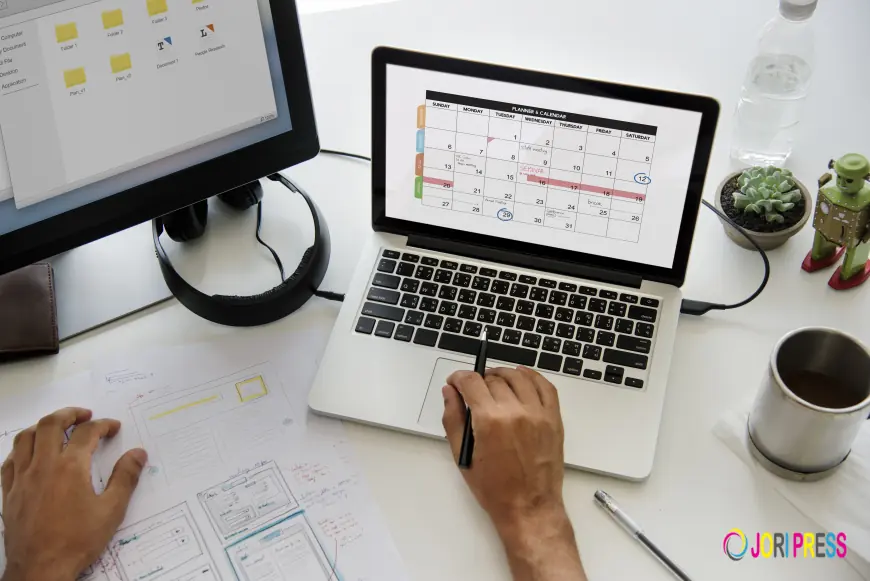
Planning a video advertising campaign involves more than creating an attractive ad. Advertisers also need to understand their potential audience, estimated reach, frequency, budget, and campaign objectives.
Google Reach Planner can help advertisers plan video campaigns by providing estimates that can support media planning and audience decisions. Instead of launching a campaign without knowing what kind of reach may be possible, advertisers can use planning data to evaluate different campaign scenarios.
What Is Google Reach Planner?
Google Reach Planner is a planning tool within Google Ads that can help advertisers estimate the potential reach and frequency of video advertising campaigns.
It can be useful when planning campaigns across Google's video advertising inventory and YouTube. Advertisers can explore different targeting and budget scenarios before launching a campaign.
For businesses investing in video advertising, this type of planning can provide a starting point for understanding how campaign settings may affect potential reach.
Why Is Campaign Planning Important?
A campaign can have a well-designed video and still fail to deliver the expected results if the audience, budget, targeting, or campaign objectives are not properly planned.
Before launching a campaign, advertisers should consider:
- Who they want to reach
- Where their customers are located
- What type of audience they want to target
- How much they plan to spend
- How frequently users may see the ads
- What campaign outcome they want to achieve
Planning these factors in advance can help advertisers make more informed decisions about their advertising strategy.
What Can You Evaluate With Reach Planner?
Google Reach Planner can help advertisers explore potential campaign scenarios.
Depending on the campaign setup, advertisers may be able to evaluate factors such as:
Potential Reach
Reach refers to the estimated number of people who may see an advertising campaign. Understanding potential reach can help advertisers determine whether their audience targeting is broad or narrow.
Frequency
Frequency refers to how often people may be exposed to an advertisement. Too little exposure may make it difficult to build awareness, while excessive repetition may not make efficient use of the advertising budget.
Audience Targeting
Targeting determines which users a campaign is designed to reach. Advertisers can consider demographic, geographic, audience, and other campaign settings when planning their strategy.
Budget Scenarios
Budget is an important part of campaign planning. Testing different budget scenarios can help advertisers understand how changing their investment may affect estimated reach and frequency.
How Do You Use Google Reach Planner?
Using Reach Planner effectively starts with having a clear campaign objective.
Step 1: Define Your Campaign Goal
First, determine what you want the campaign to accomplish.
Your objective might be:
- Brand awareness
- Product awareness
- Website traffic
- Audience reach
- Consideration
- Conversions
Your campaign objective should influence the audience and advertising strategy you develop.
Step 2: Identify Your Target Audience
Determine who you want your video ads to reach.
Consider factors such as:
- Location
- Age groups
- Interests
- Customer characteristics
- Relevant audience segments
- Existing customer data where appropriate
A clearly defined audience makes campaign planning more focused.
Step 3: Set Your Geographic Targeting
If your business serves a specific location, geographic targeting can help keep your campaign focused on relevant markets.
For example, a local business may want to advertise within selected cities or service areas rather than targeting an entire country.
Step 4: Enter Your Campaign Budget
Your available advertising budget affects how you approach campaign planning.
Rather than choosing a budget without research, compare different scenarios and consider how the available budget may affect potential reach and frequency.
Step 5: Review Estimated Reach and Frequency
Once your campaign settings are configured, review the estimated results.
Look at the relationship between:
- Budget
- Audience size
- Reach
- Frequency
- Campaign duration
- Targeting
This information can help you identify whether your planned campaign is too broad, too narrow, or aligned with your intended audience.
Step 6: Compare Different Campaign Scenarios
One useful part of campaign planning is comparing alternatives.
For example, you could evaluate what happens when you:
- Increase or decrease the budget
- Expand the geographic area
- Adjust audience targeting
- Change campaign duration
- Modify the campaign mix
Comparing scenarios can help you make decisions before spending the advertising budget.
How Can Businesses Improve Their Google Ads Planning?
Reach Planner is a planning tool, but campaign performance still depends on the quality of execution.
Businesses should also pay attention to:
Strong Ad Creative
Your video needs to communicate the value of your product or service quickly. A clear message and relevant creative can help capture attention.
Relevant Landing Pages
If your campaign sends users to a website, the landing page should match the advertisement. A disconnect between the ad and landing page can make it harder to turn advertising traffic into meaningful actions.
Accurate Conversion Tracking
Tracking helps advertisers understand what happens after users interact with an advertisement.
Depending on the business, conversions could include:
- Phone calls
- Form submissions
- Purchases
- Sign-ups
- Appointment requests
- Other valuable actions
Ongoing Optimization
Campaign planning is only the beginning. Once a campaign is active, advertisers should review performance and make adjustments based on the available data.
Is Google Reach Planner Useful for Every Business?
Reach Planner can be useful for businesses planning video advertising campaigns, particularly when they want to understand potential audience reach before launching.
However, planning estimates are not guarantees of actual campaign performance. Real-world results can vary depending on factors such as targeting, competition, creative quality, audience behavior, campaign settings, and market conditions.
For this reason, advertisers should use planning data as part of a broader campaign strategy rather than treating estimates as guaranteed results.
Google Reach Planner and Professional Campaign Management
Google Ads involves many moving parts, including audience targeting, campaign structure, bidding, creative testing, conversion tracking, and performance analysis.
Businesses that do not have the time or expertise to manage these areas internally may consider working with a professional PPC or Google Ads management team.
Iynix Digital Solutions provides PPC management services that include campaign planning, keyword research, ad management, targeting, monitoring, reporting, and ongoing optimization.
For a detailed explanation of Google Reach Planner, its features, how it works, and how to use it, read Google Reach Planner: Features, Working & How to Use It.
Conclusion
Effective video advertising starts with proper planning. Google Reach Planner can help advertisers explore potential reach, frequency, audience targeting, and budget scenarios before launching a campaign.
However, planning should be combined with strong creative, accurate tracking, relevant landing pages, and continuous campaign optimization.
If you want to understand Google Reach Planner in more detail, check out Google Reach Planner: Features, Working & How to Use It from Iynix Digital Solutions.
What's Your Reaction?
 Like
0
Like
0
 Dislike
0
Dislike
0
 Love
0
Love
0
 Funny
0
Funny
0
 Angry
0
Angry
0
 Sad
0
Sad
0
 Wow
0
Wow
0