


































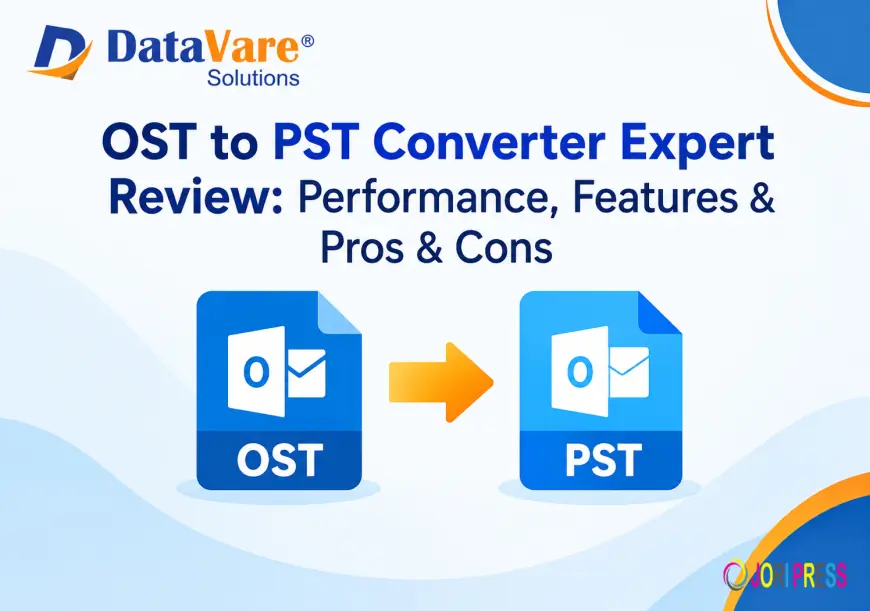
Datavare OST to PST Converter Expert Review: Performance, Features & Pros & Cons
OST to PST Converter is a useful tool for converting Outlook OST files into PST format. It helps users transfer emails, contacts, calendars, tasks, notes, and other mailbox data while maintaining the folder structure.

Summry
Microsoft Outlook stores mailbox data in OST files when an account is configured with Exchange, IMAP, or other supported server-based setups. However, situations such as account disconnection, synchronization problems, corruption, or the need to access orphaned mailbox data can make an OST file difficult to use. Converting OST files into PST format is one practical way to make mailbox data more accessible and portable.
In this review, we take a closer look at DataVare OST to PST Converter including its features, conversion process, compatibility, performance-related capabilities, and limitations.
What Is DataVare OST to PST Converter Expert?
OST to PST Converter Expert is a Windows and Mac-compatible utility designed specifically to convert OST files into PST format. According to the product page, the software can export mailbox items including emails, contacts, calendars, notes, tasks, journals, and other OST data into a PST file. It is also designed to work without requiring Microsoft Outlook or an Exchange Server installation.
This can be useful when users have an orphaned or inaccessible OST file and need to extract its contents for backup, migration, or further access through Outlook.
Key Features of OST to PST Converter Expert
1. OST to PST Conversion
The primary purpose of the application is to convert OST files into PST format. The software is focused on OST conversion rather than offering a large collection of unrelated migration features. It can process mailbox components such as emails, contacts, calendars, notes, tasks, and journals.
2. Selective OST File Conversion
Users can select a specific OST file from their computer rather than being required to process every available file. The product page states that its file-selection functionality allows users to locate OST files from local drives and select the required source file.
This can be helpful when working with multiple OST files or when only one particular mailbox needs to be converted.
3. Maintains Folder Structure
According to the application is designed to retain the folder structure and properties of mailbox data during the conversion. The company states that emails and other items such as contacts, notes, journals, and events can be exported without losing their organizational structure.
Maintaining folder organization is important because manually reorganizing thousands of emails after migration can be time-consuming.
4. Saves PST Files to a Local Location
After conversion, users can select the destination folder where they want to save the resulting PST file. The software allows the output location to be selected manually, including an existing folder, subfolder, or newly created folder.
5. Outlook Compatibility
The product page lists compatibility with several Outlook versions, including Outlook 2003, 2007, 2010, 2013, 2016, 2019, and 2021. This makes the resulting PST files suitable for use across a range of Outlook environments.
6. Works Without Microsoft Outlook
One notable feature is that the application is presented as an independent utility. states that Microsoft Outlook and Exchange Server do not need to be installed for the OST-to-PST conversion process.
This can be particularly useful for users working with orphaned OST files on systems where the original Outlook account is no longer available.
OST to PST Conversion Process
The conversion procedure is relatively straightforward. According to the vendor's instructions, users can complete the process in a few basic steps:
Step 1: Launch the OST to PST Converter Expert after installation.
Step 2: Click the Browse option and select the required OST file from the local computer.
Step 3: Choose the destination location where the converted PST file should be saved.
Step 4: Click the Convert button to start the conversion process.
The simple workflow is designed to make the software accessible even to users with limited technical experience.
Performance and Processing Capability
Performance can depend on factors such as OST file size, computer configuration, storage speed, and the amount of mailbox data being processed. describes the utility as a lightweight application and states that it requires approximately 7.4 MB of free disk space for installation and activation. Its listed system requirements include at least 512 MB of memory and 100 MB of free hard-disk space for installation.
The product page also states that the software can scan and export Unicode OST files up to 50 GB. However, its FAQ specifies that a maximum of one OST file can be scanned and exported simultaneously, so users should distinguish between support for large files and simultaneous batch processing.
Pros and Cons
Pros
- Converts OST files into PST format.
- Supports emails, contacts, calendars, notes, tasks, and journals.
- Can work without Microsoft Outlook or Exchange Server.
- Allows users to choose the output location.
- Designed to preserve folder structure.
- Supports multiple listed Outlook versions.
- Available for Windows and Mac according to the product page.
- Offers a demo version for testing limited conversion functionality.
Cons
- The software is primarily focused on OST-to-PST conversion.
- The FAQ states that only one OST file can be processed simultaneously.
- Full conversion capabilities require the licensed version.
- Actual conversion speed can vary depending on file size and system resources.
Final Verdict
OST to PST Converter Expert is designed for users who need a dedicated way to extract mailbox information from OST files and save it in PST format. Its main strengths are its focused conversion workflow, support for common Outlook data items, local output options, and the ability to perform conversion without requiring Outlook or Exchange Server.
For users dealing with orphaned, inaccessible, or otherwise problematic OST files, the software provides a straightforward conversion approach. Before purchasing, users should test the demo version with their own OST data and verify compatibility with their specific operating system and Outlook environment.
Overall, the tool provides a dedicated OST-to-PST workflow with features aimed at both individual users and organisations that need to migrate or recover Outlook mailbox data.
Visit here:- datavare.com/software/ost-to-pst-converter-expert.html
What's Your Reaction?
 Like
0
Like
0
 Dislike
0
Dislike
0
 Love
0
Love
0
 Funny
0
Funny
0
 Angry
0
Angry
0
 Sad
0
Sad
0
 Wow
0
Wow
0