







































Wholesale ERP Software | Pricing and Order Controls
Learn how wholesale ERP software connects customer price lists, credit checks, bulk orders, stock allocation and invoicing.
Wholesale orders often look simple on paper. A buyer sends a purchase order for 500 units. The sales team enters it. The warehouse ships it. Finance raises an invoice. But in between, someone must check the customer price, payment terms, stock commitments and any contract rules.
When those checks live in email and spreadsheets, even a familiar customer can receive the wrong price or an impossible delivery promise. Wholesale ERP software gives those decisions a more consistent home. Here is how to evaluate the full process rather than only the order entry screen.
Why wholesale work needs different controls
Wholesale customers may use negotiated prices, case quantities, payment terms and scheduled deliveries. Some order through a portal. Others use sales representatives, spreadsheets or EDI transactions. A good system should not treat every buyer like a shopper at a retail checkout.
The same item can have different valid prices for different customers. One retailer may order 20 cases, while another buys individual units. A product can be in stock but already committed to a future shipment. The system should account for these differences before confirming an order.
Set a clear order of pricing rules
Start with an actual customer contract. Suppose a product has a standard price of $40. A buyer has a contract price of $34, and a general volume promotion is running at $36. Which price wins?
Your business needs a clear answer. Typical pricing inputs include customer-specific contracts, effective dates, volume breaks, channel rules and approved discounts. The order entry screen should show the final rate and, ideally, why it was chosen. If staff cannot explain a price, invoice disputes become harder to resolve.
Test what happens when an old contract ends, a customer changes tiers or a salesperson requests a discount below your agreed margin. Approvals should be visible, not buried in a message thread.
Check credit before the warehouse begins work
An accepted order is not always ready for release. A wholesaler may sell on credit terms and limit how much a customer can owe at once. Ask the system to show unpaid invoices, open credit exposure and the current order before a shipping decision.
For example, a customer has a $20,000 credit limit. They already owe $15,000 and request another $8,000 order. That order needs review under a policy that counts both amounts. The calculation is straightforward, but the business must also define whether open unbilled orders count, who can approve an exception and what staff tell the customer.
Handle cases, packs and partial stock correctly
A retailer sends an order for 15 cases with 24 units in each. The order represents 360 units. If inventory is stored as pieces, the warehouse system must convert the quantity without guesswork. The same rule must carry through pricing, picking and invoicing.
Then suppose only 300 sellable units are available. The customer may accept a partial shipment, prefer the full order on one date or allow a substitution. None of these answers is universally correct. The sales agreement should guide the decision, and the remaining open quantity should stay visible.
Make every order status useful
“Processing” is not enough for a wholesale customer who needs a delivery date. A practical order record should show whether the order is awaiting approval, on credit hold, allocated, waiting for a supplier, released to the warehouse, partly shipped or complete.
Customer support should see the same information as operations. When a delivery slips, staff should know whether the cause is a stock shortage, a customer hold, a late incoming shipment or a carrier issue. Clear status saves hours of calling between departments.
Keep pricing and financial records connected
After shipment, invoices should reflect approved prices, actual shipped quantities, agreed freight terms and any valid credit. Returns and disputes may require credit notes or changes to receivables. If accounting must manually rebuild each order, sales and finance may disagree about what customers owe.
Look at one complete order during a software demonstration. Start with a customer price and credit rule. Add a partial shipment. Issue the invoice, record a return and review the customer balance. This is more revealing than viewing a sample dashboard.
A useful wholesale ERP demo checklist
Bring a genuine product catalog and a few anonymised customer terms to the vendor. Check five things: a contract price wins when it should; the correct pack size appears; a credit hold blocks the right stage; a partial shipment keeps the remaining order open; and the invoice agrees with what actually shipped.
Ask how staff are alerted when a rule fails. Also check who can change a price, release a hold or cancel a backorder. That protects the business as order volume grows.
How Xorosoft supports connected wholesale work
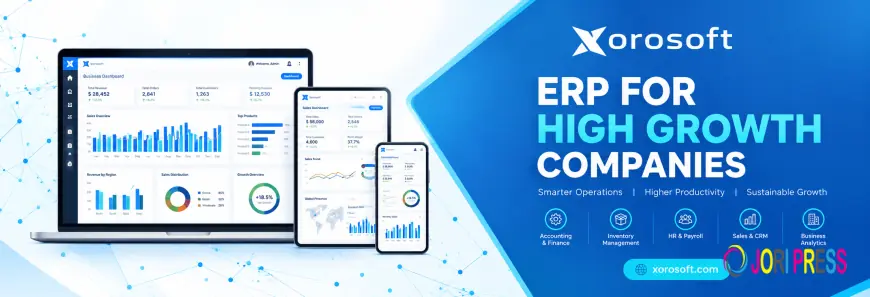
Xorosoft brings inventory, orders, finance and warehouse tasks into connected workflows. Its sales order management covers quotes, allocation and invoicing. Businesses can also review XoroONE and its B2B commerce solutions when discussing account-specific workflows. Confirm your exact credit and pricing requirements during a live demo.
Questions wholesale teams ask
What is wholesale ERP software?
It is software that connects wholesale customer orders with stock, pricing, purchasing, warehouse activity, invoicing and reporting in one managed process.
Does wholesale ERP support customer-specific prices?
Many systems do. The details vary, so test contract dates, discount priority, quantity breaks and approval controls rather than assuming every pricing rule works the same way.
Can it manage bulk orders and case packs?
It should be evaluated for unit conversions, large order quantities, partial availability and picking rules. Bring real pack sizes to the demonstration.
How are backorders handled?
A system can keep the unshipped quantity open and connect it to later supply, depending on configured rules. The customer promise still requires human-approved policy.
What is the difference between wholesale ERP and a B2B portal?
A portal helps customers place and review orders. ERP manages the wider operational and financial transactions behind those orders. They can work together.
Make every order easier to explain
The best wholesale system keeps price, promise, fulfillment and payment consistent from start to finish. Before choosing software, test one awkward order with a discount, a credit hold and a shortage. If the workflow stays clear, you are closer to the right fit. Explore Xorosoft's ERP platform.
What's Your Reaction?
 Like
0
 Dislike
0
 Love
0
 Funny
0
 Angry
0
 Sad
0
 Wow
0