


































WordPress Security Essentials Every Australian Small Business Must Know
Essential WordPress security guide for Australian small businesses. Protect your site from 90,000+ daily hack attempts with proven tools and strategies.

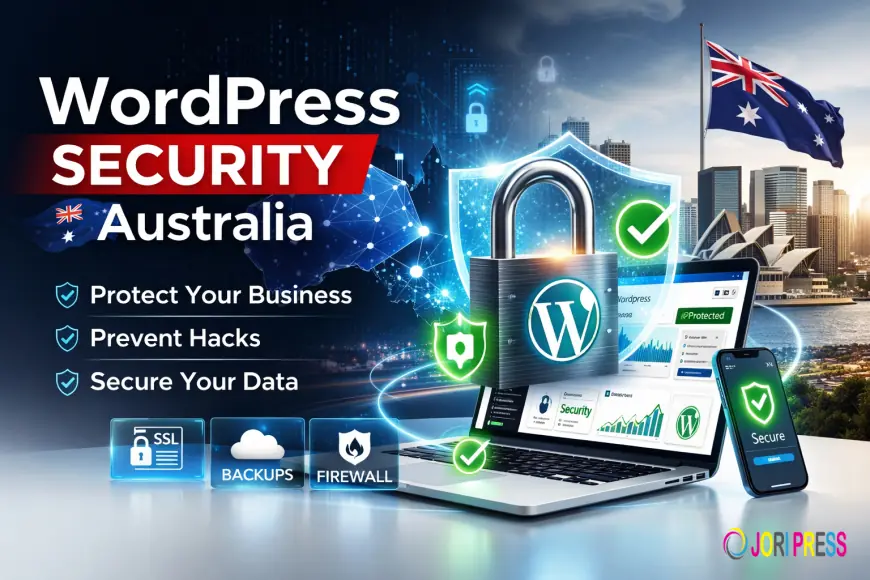
More than 90,000 WordPress websites are hacked every single day worldwide. Because WordPress powers over 40% of the web, it’s a prime target for cybercriminals.
According to the Australian Cyber Security Centre (ACSC), small businesses remain one of the most targeted groups for cybercrime in Australia, with thousands of reported incidents annually ranging from phishing scams to ransomware attacks.
For Australian SMEs, website security isn’t optional — it’s a legal, financial, and reputational necessity.
At skwebsketch, we provide proactive WordPress maintenance and security hardening to protect businesses from preventable attacks.
Here’s what every Australian small business must know about securing a WordPress site in 2024.
1. WordPress Security Threats Facing Australian Businesses
Brute Force Attacks
Hackers attempt thousands of username/password combinations to break into admin panels.
Malware Injection
Malicious code can be inserted into plugins, themes, or database files.
DDoS Attacks
Distributed traffic floods servers, crashing websites and disrupting business operations.
Phishing Attempts
Fake login pages or email spoofing campaigns targeting Australian businesses.
Australian-Specific Threats
-
Targeted scams against .com.au domains
-
Fake invoice malware campaigns
-
Credential stuffing using breached Australian databases
Real Case Example
A Melbourne-based retail SME experienced malware injection via an outdated plugin. The result: Google blacklisting, lost rankings, and weeks of downtime. Recovery cost exceeded $8,000 — far more than proactive security would have.
2. Essential Security Fundamentals
Strong Login Credentials
-
Minimum 12–16 character passwords
-
Uppercase, lowercase, numbers, symbols
-
No reused passwords
Enable two-factor authentication (2FA).
Limit login attempts to prevent brute force attacks.
Regular Updates
Outdated software is the #1 cause of WordPress hacks.
Update regularly:
-
WordPress core
-
Plugins
-
Themes
Our WordPress maintenance includes automatic security updates, vulnerability monitoring, and proactive patching to prevent exploits before they happen.
Secure Hosting
Choose reputable Australian hosting providers with:
-
Server-level firewalls
-
Malware scanning
-
Daily backups
-
Local data centres
Install SSL certificates (e.g., Let’s Encrypt) for HTTPS encryption.
User Role Management
Use correct permission levels:
-
Administrator
-
Editor
-
Contributor
Remove unused accounts.
Follow the principle of least privilege.
3. Essential Security Plugins
Wordfence
Features:
-
Firewall protection
-
Malware scanning
-
Login attempt limits
-
Country/IP blocking
Sucuri Security
Features:
-
Website integrity monitoring
-
Blacklist monitoring
-
Post-hack cleanup services
-
CDN-level firewall (premium)
iThemes Security
Features:
-
30+ security hardening options
-
Two-factor authentication
-
File change detection
-
Database prefix changes
Free vs Premium
Free versions provide basic protection.
Premium versions include advanced firewall rules, real-time alerts, and scheduled scanning.
For business-critical websites, premium protection is strongly recommended.
4. Backup Strategies
Backups are your insurance policy.
Backup Frequency
-
Daily backups (recommended)
-
Real-time backups for e-commerce
Storage Locations
-
Cloud storage
-
Offsite backups
-
Australian data centres (for compliance)
Recommended Backup Plugins
-
UpdraftPlus
-
BackupBuddy
-
VaultPress
Test restoration regularly. A backup is useless if it doesn’t restore properly.
5. Australian Legal & Compliance Considerations
Australian businesses must comply with:
-
Privacy Act 1988
-
Notifiable Data Breaches (NDB) scheme
If customer data is compromised, you may be legally required to notify affected individuals.
If serving international customers, GDPR compliance may also apply.
Cyber insurance providers often require minimum security controls before issuing coverage.
6. Monitoring & Maintenance
Security is ongoing.
Implement:
-
Quarterly security audits
-
Activity logging
-
Uptime monitoring
-
File integrity monitoring
-
Weekly vulnerability scans
Proactive monitoring reduces downtime and recovery costs.
7. What to Do If Your Site Is Hacked
Immediate steps:
-
Put site into maintenance mode
-
Contact security professional
-
Scan for malware
-
Restore clean backup
-
Change all passwords
-
Notify affected customers (if required by law)
Australian cybersecurity firms can assist with forensic analysis and cleanup.
Prevention must follow recovery — otherwise reinfection is common.
8. Advanced Security Measures
Web Application Firewall (WAF)
Blocks malicious traffic before reaching your server.
CDN Security
Adds distributed protection and DDoS mitigation.
Database Security
-
Change default table prefix
-
Restrict database user permissions
File Permissions
Correct CHMOD settings protect critical files.
Disable File Editing
Turn off theme/plugin editing inside the dashboard to reduce risk.
Conclusion
WordPress security in Australia is not a one-time setup — it’s an ongoing process. With 90,000+ daily hack attempts globally and increasing local cybercrime reports, small businesses must treat security as a core investment.
The cost of prevention is always lower than the cost of recovery, legal exposure, and reputation damage.
Concerned about your WordPress security?
Get a free security audit from our Australian team at SKWebSketch and protect your business before it becomes a statistic.
What's Your Reaction?
 Like
0
Like
0
 Dislike
0
Dislike
0
 Love
0
Love
0
 Funny
0
Funny
0
 Angry
0
Angry
0
 Sad
0
Sad
0
 Wow
0
Wow
0