







































Complete Guide to Convert DBX File to PST Format
Convert DBX files to PST quickly and securely using a reliable DBX converter tool. Preserve emails, attachments, and folder structure without data loss.
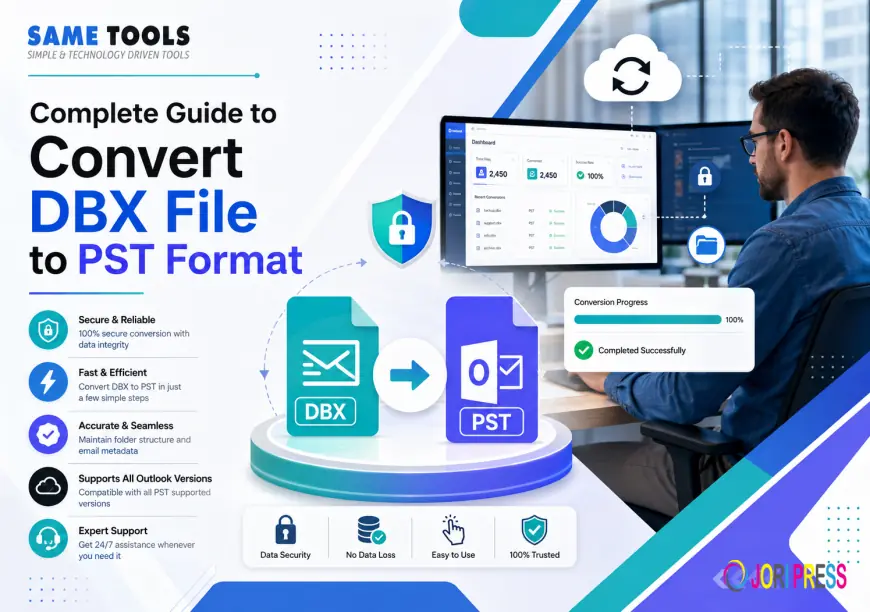
If you have been using Outlook Express as your main email application, then you must be aware of the DBX format. All your emails, folders, and attachments get stored in these DBX files. However, with Outlook Express becoming obsolete, many people were faced with the task of converting their DBX files into PST files for Outlook. In this guide, we will discuss everything that you need to know about converting DBX to PST.
What Is a DBX File?
DBX files are database files created by the Outlook Express mail client of Microsoft Corporation. Every folder of Outlook Express, such as Inbox, Sent, and Drafts folders, is saved as an individual .dbx file on your computer. These files store emails, metadata including "To", "From", "CC", "BCC", and attachments.
The problem? Current email clients, particularly the Microsoft Outlook client, cannot read DBX files directly. Before viewing DBX files through Outlook, one needs to convert them into PST files.
Why Convert DBX Files to PST?
There are many valid reasons why the user would need to convert from DBX to PST:
o Moving platforms – Switching from Outlook Express to Microsoft Outlook necessitates the appropriate file type.
o E-mail archiving – PST files are more common and simpler to store than DBX.
o Ensuring business continuity – Organizations that upgrade their systems require previous e-mails stored.
o Compatibility with e-mail clients – PST is the default for Outlook and is therefore more flexible than DBX.
Without converting your files, all of your correspondence and history will be lost.
Can You Convert DBX to PST Manually?
Technically speaking, it is possible to export emails to Windows Mail using Outlook Express and then try migrating from there. Yet this procedure is lengthy, prone to errors, and often ends up with problems such as incorrect formatting, lost attachments, or messed-up folders. In addition, you will need to have a certain outdated program installed on your computer to do that.
A specialized DBX converter application is the way to go.
How to Convert DBX File to PST Using a Dedicated Tool
With the help of the SameTools Convert DBX to PST, this procedure becomes a matter of only a few mouse clicks. This is how the conversion usually takes place:
Step 1 – Load Your DBX File
Start the program and use its browsing feature to select the particular DBX file you need to convert. The program can handle files of any size without requiring any prior splitting of large mailboxes.
Step 2 – Browse the Data
The program scans the selected file and shows its content, such as folders, emails, attached files, and other information. This allows you to check that everything is fine before proceeding.
Step 3 – Choose PST As an Output Format
Select PST as an output format out of all available options for exporting data. Also, the program allows users to save the data in formats like EML, MBOX, MSG, and EMLX.
Step 4 – Start Converting
Press 'Convert'. The program starts processing your file, keeping its structure and all information intact. Once finished, the converted PST file will be ready to be imported into Outlook.
Key Features to Look for in a DBX to PST Converter
However, not all conversion tools are equally good. Here is what to look for when choosing the best one for your purposes:
o Metadata retention — The tool should not alter any information contained in the email including such data as To, From, CC, BCC, date, time stamps, and attachments.
o Batch processing — If there is more than one DBX file, batch processing will save considerable time by converting several emails at once.
o File size limits — There are no limitations on how large the legacy mailbox may be. A good tool will have no restrictions regarding file size.
o Selective conversion — Ability to select the files that need to be converted provides the user with ultimate control over the process.
o Compatibility with Windows — Ensure that the program works on your version of Windows, whether XP, Vista, 7, 8, 8.1, 10, or any other.
o Free trial version — The tool provides a chance to check its accuracy using a free version that allows for converting up to 10 files.
Final Thoughts
Be it a home user wanting to retrieve emails from the past decade or an IT professional involved in a massive migration process, the conversion of DBX files to PST format becomes a necessary step. Manual techniques are not only inaccurate but also highly time-consuming. However, a specialized software application makes the whole process efficient, accurate, and much faster.
Visit for more: sametools.com/convert/dbx/
What's Your Reaction?
 Like
0
Like
0
 Dislike
0
Dislike
0
 Love
0
Love
0
 Funny
0
Funny
0
 Angry
0
Angry
0
 Sad
0
Sad
0
 Wow
0
Wow
0