








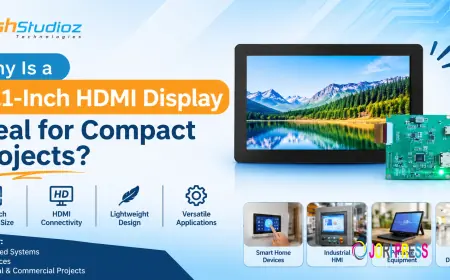
































Why Is a 10.1-Inch HDMI Display Ideal for Compact Projects?
Discover why a 10.1-Inch HDMI Display is ideal for compact projects, including IoT devices, industrial automation, and embedded computing systems.

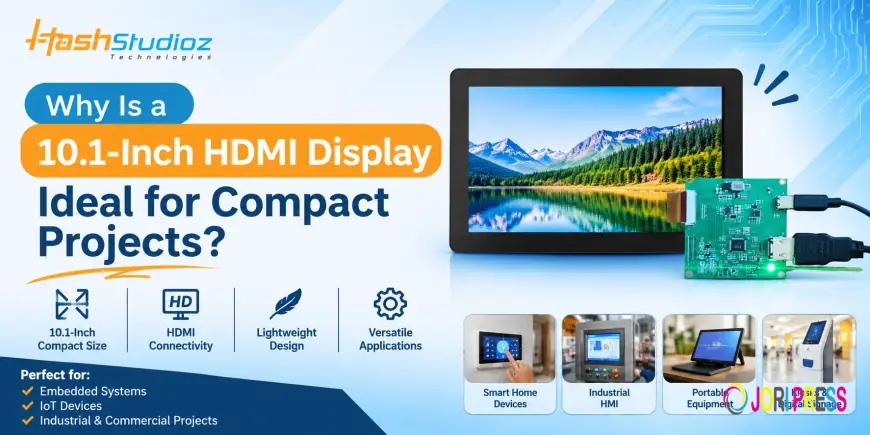
Modern electronic devices and embedded systems require display solutions that balance screen size, performance, and installation space. From industrial control panels to IoT devices and smart home systems, displays help users interact with technology and access important information.
However, choosing the right display size can be challenging. A screen that is too small may limit visibility, while a larger display can increase space requirements and integration costs.
A 10.1-Inch HDMI Display offers a practical balance between screen size and compact design. It provides enough viewing space for dashboards, graphical interfaces, and monitoring applications while remaining suitable for space-conscious projects.
In this blog, we will explore why a 10.1-inch HDMI display is a suitable choice for compact projects, its key features, applications, and benefits.
What Is a 10.1-Inch HDMI Display?
A 10.1-Inch HDMI Display is a compact screen that receives digital video signals through an HDMI interface. It can connect to compatible computing devices, including single-board computers, embedded controllers, mini PCs, and industrial computing systems.
Its 10.1-inch screen size provides a comfortable viewing area for applications that require more display space than smaller LCD modules.
Unlike displays that require specialized video interfaces, HDMI connectivity makes integration easier with a wide range of compatible hardware.
These displays are commonly considered for industrial equipment, IoT applications, digital signage, smart home systems, and embedded computing projects.
Why Is a 10.1-Inch HDMI Display Ideal for Compact Projects?
A compact project requires hardware that delivers the necessary functionality without occupying unnecessary space. A 10.1-inch HDMI display offers several advantages in this regard.
1. Balanced Screen Size
One of the biggest advantages of a 10.1-inch display is its balance between screen visibility and physical size.
It provides enough space to display multiple information elements, including:
-
System dashboards
-
Device monitoring data
-
Graphical user interfaces
-
Equipment status
-
Control options
This makes it suitable for projects where smaller screens may not provide a comfortable viewing experience.
2. Easy HDMI Connectivity
HDMI connectivity simplifies the process of connecting a display to compatible computing platforms.
A 10.1-inch HDMI display can work with supported devices such as:
-
Raspberry Pi development boards
-
RK3568-based Ubuntu boards
-
Embedded Linux systems
-
Mini PCs
-
Other HDMI-enabled computing devices
This flexibility helps developers integrate displays into different projects without designing a custom video interface.
3. Suitable for Space-Constrained Installations
Many embedded applications have limited installation space. Industrial machines, compact kiosks, smart devices, and control panels require components that fit into specific dimensions.
A 10.1-inch display provides a useful viewing area without the footprint of a traditional desktop monitor.
It can be integrated into:
-
Compact control panels
-
Embedded electronic equipment
-
Smart home controllers
-
Portable monitoring devices
-
Small information terminals
4. Better User Interface Visibility
A display should make information easy to understand and access.
The 10.1-inch screen provides additional space for organizing menus, graphs, icons, and monitoring information. This can improve usability in applications where users regularly interact with the interface.
For example, an industrial monitoring system can display machine status, operating parameters, and alerts on the same screen.
5. Compatibility with Embedded Computing Platforms
Embedded computing platforms are widely used to develop customized electronic products.
A 10.1-inch HDMI display can be paired with compatible development boards to create complete computing and display solutions.
For example, an RK3568 Ubuntu board can be connected to an HDMI display to build a Linux-based interface for monitoring, automation, or information management.
This combination gives developers flexibility when building application-specific systems.
6. Flexible Integration Across Different Industries
A 10.1-inch HDMI display is not limited to one particular application. Its connectivity and screen size make it suitable for several industries.
Developers can use the same display category across different projects, depending on hardware compatibility and environmental requirements.
This flexibility makes it a practical option for product developers, system integrators, and electronics manufacturers.
Top Applications of a 10.1-Inch HDMI Display
A 10.1-inch HDMI display can support several compact projects across industrial, commercial, and consumer applications.
1. Industrial Automation
Industrial automation systems use displays to monitor machines, production activities, and equipment performance.
A 10.1-inch HDMI display can serve as a visual interface for compatible industrial computers and controllers.
Common applications include:
-
Machine monitoring systems
-
Industrial HMI panels
-
Production dashboards
-
Equipment control interfaces
-
Process monitoring systems
2. IoT Monitoring Devices
IoT devices collect data from sensors, connected equipment, and monitoring systems.
A 10.1-inch HDMI display can present this information through graphical dashboards and real-time monitoring interfaces.
It can display temperature readings, energy consumption, device status, sensor values, and other operational information.
3. Smart Home Automation
Smart home systems require user-friendly interfaces to manage connected devices.
A 10.1-inch HDMI display can be integrated into a smart home controller to manage lighting, security, temperature, and other automation functions.
Its screen size provides sufficient space for displaying different controls and system information.
4. Digital Signage and Kiosks
Digital signage systems use displays to communicate information in retail stores, offices, hospitals, and public spaces.
A 10.1-inch HDMI display is suitable for compact information terminals, interactive kiosks, and product information systems.
5. Embedded Computing Projects
Developers often need compact displays when building embedded computing products.
A 10.1-inch HDMI display can be connected to compatible single-board computers and Linux-based systems for application development, testing, and deployment.
It can support customized dashboards, monitoring applications, and graphical interfaces.
6. Medical and Healthcare Equipment
Healthcare equipment often requires compact displays to present readings, device status, and monitoring information.
A 10.1-inch HDMI display can be considered for compatible medical equipment and healthcare interfaces, subject to applicable safety and regulatory requirements.
Key Benefits of a 10.1-Inch HDMI Display
Choosing the right display can improve the overall design and usability of an embedded product.
Here are some important benefits:
|
Benefit |
Description |
|
Compact Design |
Suitable for applications with limited installation space |
|
HDMI Connectivity |
Connects with compatible computing devices |
|
Better Visibility |
Provides more screen space for dashboards and information |
|
Flexible Integration |
Supports different embedded and industrial projects |
|
User-Friendly Interface |
Allows organized presentation of graphical information |
|
Multiple Applications |
Suitable for IoT, automation, kiosks, and smart devices |
What Should You Consider Before Choosing a 10.1-Inch HDMI Display?
Not every 10.1-inch display offers the same specifications. Before selecting one for your project, evaluate the following factors.
1. Display Resolution: Check whether the resolution meets your application's visual requirements.
2. Brightness: Choose suitable brightness levels based on indoor or outdoor operating conditions.
3. HDMI Compatibility: Verify that the display supports the HDMI output of your computing device.
4. Viewing Angle: Consider how users will view the screen during normal operation.
5. Touch Functionality: If your project requires interactive controls, check whether the display supports touch input and how it connects.
6. Power Requirements: Confirm the required voltage, current, and power connector.
7. Mounting Options: Check the physical dimensions and mounting arrangements to ensure proper installation.
8. Operating Temperature: For industrial applications, verify that the display supports the expected working environment.
Reviewing these specifications before purchasing can help avoid compatibility and integration issues.
10.1-Inch HDMI Display vs. Smaller Display Modules
Choosing between a 10.1-inch display and a smaller display depends on your application's requirements.
|
Feature |
Smaller Display Modules |
10.1-Inch HDMI Display |
|
Screen Area |
Limited |
Larger viewing area |
|
Information Display |
Basic information |
Detailed dashboards |
|
User Interface |
Simple layouts |
More flexible layouts |
|
Installation Space |
Very compact |
Requires more space |
|
Typical Applications |
Small embedded devices |
Control panels, kiosks, IoT interfaces |
A smaller display may be suitable for simple status indicators, while a 10.1-inch display is more practical when an application requires detailed information and regular user interaction.
Conclusion
A 10.1-Inch HDMI Display is a practical option for compact projects that require a balance between screen visibility, connectivity, and installation flexibility.
Its HDMI interface makes it suitable for integration with compatible embedded computing platforms, while its screen size provides enough space for dashboards, graphical interfaces, and monitoring applications.
From industrial automation and IoT monitoring to smart home systems, digital signage, and embedded computing, a 10.1-inch display can support a wide range of application requirements.
Before selecting a display, always consider resolution, brightness, power requirements, mounting options, and hardware compatibility.
What's Your Reaction?
 Like
0
 Dislike
0
 Love
0
 Funny
0
 Angry
0
 Sad
0
 Wow
0