




































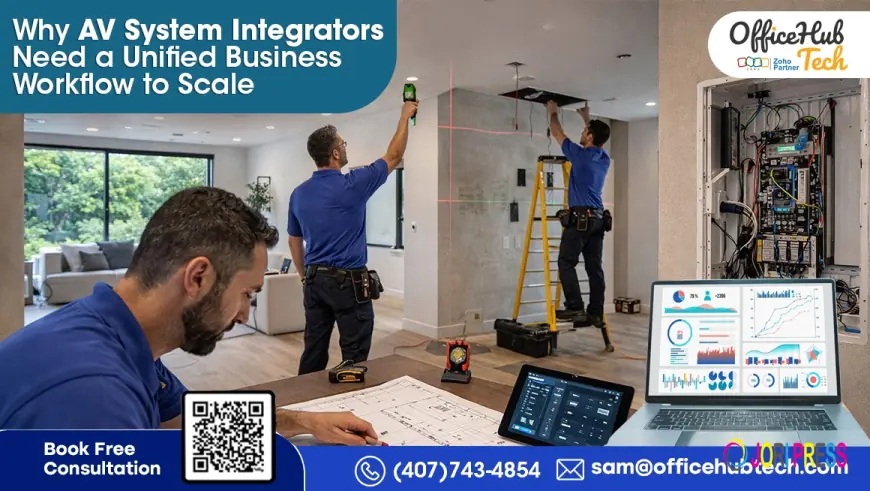
Why AV System Integrators Need a Unified Business Flow to Scale
Struggling with AV workflows? Learn how unified systems, Zoho automation, and integrations can streamline operations and accelerate growth.

The Scaling Challenge in AV Businesses
In AV businesses, growth challenges rarely stem from a lack of demand—they arise from operational limitations. Many system integrators reach a stage where increasing deal volume does not lead to proportional revenue gains. Instead, it results in delays, coordination gaps, and reduced margins.
At a smaller scale, using disconnected tools seems manageable. Leads are tracked in a CRM, proposals are created in tools like D-Tools SI or XTEN-AV, projects are monitored through spreadsheets or platforms like Monday.com, and finance operates separately. These systems are loosely connected through manual efforts such as emails, calls, and internal coordination.
However, as the number of projects grows, these manual connections become inefficient. Each project involves multiple transitions—sales to design, design to execution, execution to procurement, and procurement to finance. Without seamless system integration, every handoff introduces delays and increases the risk of errors.
This leads to a scaling problem where more projects increase workload instead of improving efficiency. Teams spend excessive time verifying data rather than executing tasks, errors multiply across stages, and decision-making slows due to limited real-time visibility.
At this stage, AVSI workflow automation Solutions becomes essential—not just as a tool enhancement, but as a fundamental shift in operations. True scalability requires replacing manual dependencies with automated, connected workflows that ensure continuity throughout the entire AV project lifecycle.
How AV Businesses Actually Function
On the surface, most AV companies appear well-structured, equipped with industry-standard tools, skilled teams, and defined processes. However, a closer look at daily operations often reveals a lack of true integration.
Typically, AV businesses use CRM platforms like Zoho CRM or Pipedrive for lead management, D-Tools SI or XTEN-AV for proposals and system design, cloud storage solutions such as Google Drive or SharePoint for documentation, and tools like Monday.com or Simpro for project tracking. Financial operations are handled separately through Zoho Books or QuickBooks, while communication largely depends on emails, WhatsApp, and internal calls.
The core issue is not the absence of tools, but the lack of connectivity between them.
For instance, once a lead is qualified in the CRM, the same data is often manually entered again into proposal software. After approval, project details are recreated in project management systems. Inventory requirements are extracted manually, and finance teams generate invoices based on delayed or incomplete updates.
This creates a chain of manual processes throughout the project lifecycle.
What seems like a structured workflow is actually a series of disconnected steps held together by human effort. This results in inconsistent data, slower execution, and limited visibility across operations.
This is why deeper system Connectivity and CRM integration for AV system integrators are no longer optional—they are essential for achieving operational efficiency and long-term stability.
Fragmentation: The Hidden Operational Constraint
In AV businesses, fragmentation is often not immediately noticeable, yet it consistently affects performance. It operates beneath the surface, slowing down workflows and increasing reliance on manual coordination.
This fragmentation typically exists across three key areas.
· First is data fragmentation, where the same customer, project, and product information is stored across multiple systems—such as CRM, D-Tools SI, project management tools, and finance platforms—without real-time synchronization. Updates made in one system do not automatically reflect in others, resulting in inconsistencies.
· Next is process fragmentation. Sales teams finalize deals within CRM platforms, but execution teams work in separate systems. Procurement functions independently, often relying on manually shared bills of materials, while finance receives updates only after delays. Instead of a unified workflow, each department operates through its own isolated processes.
· The most critical issue is visibility fragmentation. There is no centralized view that provides real-time insights into project progress, cost usage, procurement status, and billing. As a result, decisions are often made using incomplete or outdated information.
The overall impact is reduced efficiency. Teams spend more time verifying data than executing tasks, errors spread across different stages, and accountability becomes harder to track.
This is where AV workflow automation and system integration solutions become essential. By connecting systems and eliminating silos, businesses can shift from fragmented operations to synchronized workflows—where processes are automated and data remains consistent across the organization.
End-to-End AV Lifecycle: Where Gaps Occur
To truly understand inefficiencies in AV operations, the lifecycle should be viewed as a continuous flow of data rather than a series of independent tasks. Most breakdowns do not happen within individual stages, but in the transitions between them, where systems fail to communicate effectively.
Lead to Proposal:
Leads are initially captured in the CRM, but creating proposals in tools like D-Tools SI or XTEN-AV often requires manual data entry. Key details—such as project scope, client needs, and timelines—are reinterpreted instead of directly transferred, leading to early inconsistencies.
Proposal to Design:
After proposal creation, design updates progress separately. Changes in configurations, pricing, or product choices are not always synced back to the CRM or shared systems, making version control unclear.
Design to Execution:
Execution teams rely on finalized designs but typically receive static files instead of dynamic, real-time data. Last-minute changes may not reach installation teams promptly, resulting in on-site corrections or rework.
Execution to Procurement & Inventory:
The extraction of Bills of Materials (BOM) is often handled manually. Without integration, inventory checks and procurement decisions are delayed or prone to errors.
Execution to Finance:
Invoicing is usually initiated manually after milestone updates are communicated informally. This delays billing and negatively affects cash flow.
Service & AMC:
Post-installation information is often unstructured. Warranty tracking and AMC schedules are managed manually, leading to reactive rather than proactive service.
These gaps highlight the importance of AV project automation and system integration, where each stage is connected through automated, system-driven workflows instead of manual processes.
Data Flow Breakdown: The Real Cause of Delays
Delays in AV operations are often caused not by workload, but by poor data flow. Information is spread across CRM, proposal tools, project systems, inventory, and finance—yet these systems rarely sync in real time.
This leads to inconsistent data, where updates in one system don’t reflect in others, causing errors and slow decision-making. Without a single source of truth, teams operate with misaligned information.
Integrating CRM as the central data hub ensures continuous, accurate data flow. The goal is not just faster processes, but delivering the right information at the right time without manual effort.
Manual Operations: The Hidden Cost Factor
Manual tasks in AV businesses—like data entry, updates, and coordination—may seem routine, but at scale they become a hidden cost affecting efficiency and profitability.
Each manual transfer between CRM, proposal tools, project systems, and finance adds time without real value and increases the risk of errors. Even small mistakes can disrupt procurement, delay invoicing, or cause execution issues—and these problems compound across projects.
Manual workflows also create dependencies between teams, where delays in one step slow down the entire process. As project volume grows, teams spend more time managing tasks than delivering results.
This is why workflow automation is essential. By reducing manual effort and enabling smooth data flow, businesses can improve speed, accuracy, and overall operational reliability while supporting scalable growth.
Why Traditional Integrations Fall Short
Many AV businesses try to connect their tools using APIs or platforms like Zapier, which creates basic connectivity but doesn’t solve deeper operational issues.
Traditional integrations mainly move data between systems but don’t manage what happens next. For example, syncing proposal data to a project tool doesn’t automatically handle approvals, resource allocation, or procurement—these still require manual steps.
Additionally, these integrations often work in isolation, with no central logic connecting CRM, projects, and finance into a unified process. This results in partial automation rather than true workflow continuity.
What’s needed is an orchestration layer where systems respond to triggers. For instance, closing a deal should automatically initiate project setup, inventory checks, and billing. This enables fully automated, system-driven workflows instead of manual coordination.
What a Unified AV Business Workflow Looks Like
A unified AV workflow goes beyond simply linking tools—it defines how data, decisions, and actions move seamlessly across the entire project lifecycle. It replaces disconnected handoffs with continuous, system-driven processes.
This type of workflow is built on three interconnected layers.
1. Centralized Data Layer
A primary system—usually the CRM—serves as the single source of truth for all client, deal, and project information. Other systems rely on this central data instead of maintaining separate copies, reducing duplication and ensuring consistency.
2. Integration Layer
Key tools such as D-Tools SI, XTEN-AV, project management platforms, inventory systems, and financial software are connected through APIs or middleware. This allows data to flow in both directions, so updates in one system are reflected across others almost instantly.
3. Automation Layer
The most impactful layer is automation, where workflows are triggered by system events rather than manual input. For example:
- When a deal is marked “Won,” the proposal is finalized and locked
- A project is automatically created with assigned tasks and timelines
- Bills of materials are generated, inventory is checked, and purchase orders are triggered
- Upon milestone completion, invoices are generated automatically
This approach minimizes manual involvement and enables efficient AV workflow automation.
Instead of relying on teams to manage transitions, the system controls the flow—ensuring faster execution, greater accuracy, and full visibility across every stage of operations.
Turnkey Workflow Solution Powered by the Zoho Ecosystem
Building a truly unified workflow requires more than simple integrations—it needs a structured foundation that can manage data, decision logic, and execution across the entire AV lifecycle. A turnkey solution built on the Zoho ecosystem effectively provides this foundation.
Zoho offers a connected suite of applications that can function as a centralized operational system:
- Zoho CRM handles lead management, deal tracking, and client interactions while serving as the primary data hub
- Zoho Projects manages tasks, timelines, and project execution
- Zoho Inventory oversees stock levels, product movement, and procurement processes
- Zoho Books manages invoicing, expenses, and financial reporting
- Zoho Desk supports after-sales service, ticketing, and AMC management
The real advantage comes not from using these tools individually, but from how they are integrated and structured together.
A turnkey workflow solution links these systems using customized logic tailored to AV operations. For instance, when a deal is closed in CRM, it can automatically trigger project creation in Zoho Projects, pull BOM data from proposal tools, allocate inventory, and initiate financial processes in Zoho Books.
Additional custom modules can be developed to meet AV-specific needs, such as system configurations, site-based installations, equipment tracking, and service scheduling.
This approach results in a custom ERP solution designed specifically for the AV system integration industry—built to support its unique workflows while maintaining flexibility and scalability without compromising efficiency.
Advanced Integration Layer (Tools, Connectors, and Automation Framework)
A seamless workflow depends on a strong integration layer. Its role is not only to connect different systems but also to ensure that data moves accurately, consistently, and in real time across the entire AV ecosystem.
At the core of this layer are custom-built connectors, specifically designed to link AV tools with business systems, enabling smooth and reliable data exchange across platforms.
- D-Tools SI ↔️ Zoho CRM
- D-Tools SI ↔️ SharePoint
- D-Tools SI ↔️ Google Drive
- D-Tools SI ↔️ Pipedrive
- D-Tools SI ↔️ Monday.com
- D-Tools SI ↔️ Zapier
These connectors remove the need for manual data entry between proposal tools, CRM, and documentation platforms. For instance, a design created in D-Tools SI can automatically sync with the CRM, keeping sales, design, and execution teams working from the same information.
In addition to direct integrations, a structured automation layer is necessary to manage workflows that span multiple systems.
Zapier functions as a flexible integration layer that enables automated actions across tools such as:
- Zapier ↔️ D-Tools SI
- Zapier ↔️ XTEN-AV
- Zapier ↔️ iPoint
- Zapier ↔️ Portal.io
- Zapier ↔️ Simpro
- Zapier ↔️ System Surveyor
This approach allows AV system integrators to quickly connect third-party tools without the need for complex or heavy development.
For more advanced requirements, platforms like n8n act as orchestration engines. They support pre-built templates for both residential and commercial use cases, along with features such as conditional logic, multi-step workflows, and deeper system customization.
Combined, this integration setup enables seamless proposal tool connectivity and ensures all systems function together as a unified, synchronized environment rather than operating in isolation.
Department-Level Automation (Practical Execution Perspective)
Once a strong integration layer is in place, automation starts delivering real impact across departments, transforming daily operations.
Sales and CRM workflows become more structured, with leads automatically captured, assigned, and tracked through defined stages. Proposal and design tools sync directly with CRM, ensuring consistent data and eliminating duplicate work.
Project execution becomes smoother, as approved proposals automatically trigger project creation with predefined tasks and timelines. Inventory and procurement are also automated, with BOM generation, stock checks, and purchase orders handled in real time.
Finance and service processes stay aligned with project progress through automated invoicing, cost tracking, and AMC scheduling—reducing manual effort and improving coordination.
Inventory, Procurement, and Financial Alignment (System-Level Integration)
Inventory and finance inefficiencies in AV businesses usually stem from poor alignment with project workflows rather than lack of tools. In disconnected setups, BOMs are handled manually and stock checks happen separately, leading to over-ordering or shortages that impact timelines and cash flow.
A unified workflow connects inventory and procurement directly to project data. Approved proposals automatically generate BOMs, check stock in real time, and trigger purchase orders when needed. Resources are linked to cost centers for accurate financial tracking.
At the same time, finance systems receive real-time updates from project milestones, enabling automated invoicing, better cost control, improved margin visibility, and faster billing cycles.
After-Sales, AMC, and Service Automation (Lifecycle Continuity)
In many AV businesses, post-installation processes like warranty tracking, AMC, and service are often managed manually, leading to inefficiencies and inconsistent follow-ups.
A unified system extends automation beyond project completion by organizing all equipment, warranty, and service data within a structured client record. Warranty alerts and AMC schedules are triggered automatically, ensuring timely service.
Technicians get complete context for each request, improving response time and efficiency. This shifts after-sales from reactive to proactive, enhancing customer experience and supporting recurring revenue.
Operational Transformation After Implementation
Once a unified workflow is implemented, it transforms how the business operates, not just efficiency.
Data becomes reliable, with teams working from a single, synchronized source instead of multiple systems. Processes flow automatically—approvals trigger projects, updates drive procurement or invoicing, and service schedules run without manual effort.
Execution speeds up as systems manage transitions, reducing delays and confusion. At the same time, real-time visibility into projects, costs, and activities enables quicker decisions and better control.
Conclusion
Disconnected systems in AV businesses do more than create inconvenience—they restrict growth. When data and workflows across departments are not aligned, inefficiencies, delays, and errors become inevitable, especially as project volume increases.
A custom ERP and end-to-end workflow solution built on the Zoho ecosystem solves this by integrating systems, automating processes, and ensuring real-time data flow. This enables businesses to move from fragmented operations to a scalable, well-coordinated model.
Ultimately, it’s not just process improvement—it’s a shift toward more predictable, efficient, and growth-focused operations, supported by the right implementation strategy.
What's Your Reaction?
 Like
0
Like
0
 Dislike
0
Dislike
0
 Love
0
Love
0
 Funny
0
Funny
0
 Angry
0
Angry
0
 Sad
0
Sad
0
 Wow
0
Wow
0