









































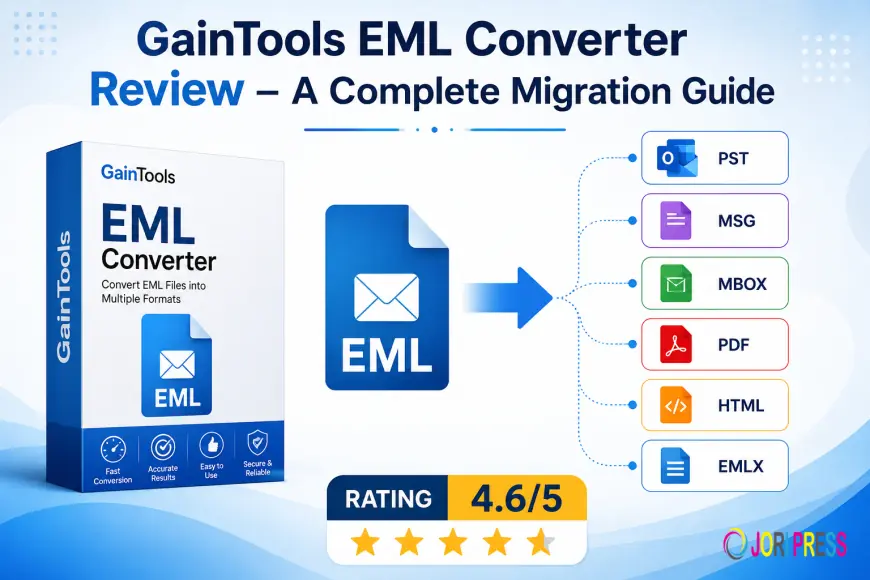
GainTools EML Converter Review – A Complete Migration Guide
Detailed Review Blog of GainTools EML Converter.

For both personal and business users, email transfer has become a crucial undertaking. Manually managing EML files may be tedious and time-consuming, whether one is transferring from Windows Live Mail to Outlook or making a backup of crucial correspondence. The difficulty is increased by large email databases, particularly when customers need to maintain folder structure, attachments and information during conversion.
Here's when specialized email conversion software comes in handy. GainTools EML Converter is made to make it easier and less complicated to convert EML files into various formats. To assist users in determining whether the product is appropriate for their migration needs, this evaluation examines its features, requirements, restrictions, recent upgrades, cost and general performance.
Overview of the Tool
Email clients like Thunderbird, Windows Live Mail, Outlook Express and many more often support EML files. But ultimately, a lot of users switch to cloud-based services or systems like Microsoft Outlook that need new file formats.
The software covered in this study is designed to effectively manage these kinds of conversions. With the original email structure intact, it enables users to convert EML files into PST, MSG, MBOX, PDF and other formats. Because of its emphasis on simplicity, both technical and non-technical individuals may utilize it.
Principal Elements
Various Export Formats
Support for many output formats is one of the most helpful features. EML files can be transformed by users into:
- PST
- MSG
- MBOX
- HTML
- EMLX
This adaptability makes switching between several email platforms easy.
Option for Batch Conversion
Users can handle large folders with hundreds or thousands of emails at once rather than converting individual files. This feature increases productivity and saves time.
Maintains the Email Structure
The program keeps:
- Attachments
- Subject lines
- Details about the sender and recipient
- Formatting
- Headers in emails
- The structure of folders
This guarantees that data doesn't alter after transfer.
Easy to Use Interface
The interface doesn't need technical knowledge and is easy to use for beginners. The conversion procedure is simple to follow because the phases are arranged properly.
Quick Processing Engine
There are no significant delays or system problems while processing large email datasets. Business users managing extensive migrations will find this very useful.
Selective Conversion of Files
Instead of converting everything at once, users may choose particular files or folders. Control over the migration process is enhanced by this.
Compatibility with Windows
The program operates on:
- Windows 11
- Windows 10
- Windows 8
- Windows 8.1
- Windows 7
- Older Versions
System prerequisites
Users should make sure their system satisfies the following prerequisites before installing:
Details of the Requirement
- Minimum 2 GB RAM is required
- Processor speed of at least 1 GHz
- Windows 7, 8, 10 and 11
- About 100 MB of hard drive space
- Activation requires an internet connection.
Because the program doesn't require advanced hardware, even ordinary systems can use it.
Detailed Conversion Procedure
The migration procedure is straightforward and only requires a few steps to finish.
Step 1: Set Up the Program
Install the program on the Windows machine after downloading it.
Step 2: Include EML Files
For conversion, pick one or more EML files or whole folders.
Step 3: Select the Output Format
Select the export format of your choice, such as PST, PDF, MSG or MBOX.
Step 4: Choose the Destination Path
Select the location for the stored converted files.
Step 5: Begin Conversion
To start the migration process, click the convert button.
The converted files appear in the chosen destination folder in a matter of minutes.
Real-World Illustration
Think about a small accounting business that has been using Windows Live Mail for many years. Thousands of client emails in EML format gathered over time. Later, in order to improve email management and integration, the organization made the decision to switch to Outlook.
Transferring those emails by manual method would take a long time and could result in corrupted folder structures or missing attachments. The company instantly and without data loss imported all EML files into PST format by using this converter.
Employees were able to continue working without any disruptions because the migration was finished in a matter of hours as opposed to days.
Current Updates and Enhancements
The program has undergone a number of enhancements in recent editions that are intended to improve speed and user experience.
Increased Conversion Rate
For big email datasets, the most recent upgrade provides quicker bulk conversion.
Improved Interoperability
There is now better support for upgraded Outlook editions and more recent versions of Windows.
Increased Stability
In order to minimize freezing or crashing problems during mass transfer, developers have streamlined the program.
Interface Simplification
First-time users can navigate more easily with minor design changes.
The program is now more dependable and more suited for work settings because of these changes.
Appropriate For
Several user types can benefit from this technology, including:
Users at Home
Those who want to move or backup their personal emails.
Administrators of IT
Experts manage organizational email transfer activities.
Small Companies
Businesses are switching from outdated email systems to more contemporary ones like Outlook.
Teams for Technical Support
professionals in charge of client email migration initiatives.
It is appropriate for both novices and seasoned experts due to its straightforward workflow.
Benefits
Simple to Use
Even non-technical users may easily finish conversions because of its simple UI.
Support for Bulk Conversion
Time may be saved by processing large directories effectively.
Preserves the Integrity of Data
During the transfer, email layout and attachments don't change.
Lightweight software
The program operates efficiently and doesn't use a lot of system resources.
Several Export Options
Flexibility is increased with support for many output formats.
Restrictions
Despite the software's generally good performance, there are a few noteworthy drawbacks.
Support Only for Windows
Mac users are unable to install the program directly.
Restricted Demo Version
Only a limited number of files (10 items per folder) can be converted, which is not an adequate number for testing the tool.
Absence of Cloud Migration Functionality
Instead of direct cloud transfer, the program primarily concentrates on file-based conversion.
The program is nevertheless quite efficient for common EML converting jobs in spite of these drawbacks.
Ideas to Improve Performance
In order to attain more seamless migration outcomes, users should adhere to the following recommendations:
- Before converting, make sure you have enough free storage space.
- When migrating in bulk, shut off any background apps that aren't needed.
- Before making a purchase, try the demo version.
- Before beginning the procedure, make a backup of any crucial email files.
- To make migrating easier, arrange EML folders correctly.
These little safety measures can lower the likelihood of mistakes and increase conversion efficiency.
Pricing Information
Depending on the demands of the user, the program is offered under several license agreements.
Individual License ($29)
Individual users with simple conversion needs can utilize it.
Business License ($99)
Intended for use across many platforms in offices and businesses.
Enterprise License ($299)
Designed for businesses in need of extensive migration assistance.
For customers who wish to try features before buying the full edition, there is also a free trial version.
The pricing structure is still reasonably priced when compared to several enterprise-level migration products and users only have to pay one time to get lifetime access.
Why It Is Better
There are a number of EML converters accessible online, but many either reduce the quality of the data or overwhelm users with complex options.
This program is unique due to:
- Easy to use interface
- Batch conversion that is dependable
- Improved email property preservation
- Quick processing speed
- Reasonable prices
- Easy compatibility with Windows
For those looking for an effective email migration without technical issues, these features make it a workable alternative.
Final Decision
All things considered, it provides a dependable and user-friendly way to convert EML files into other formats. Businesses, IT specialists and individual users may all benefit from its simple interface, safe transfer procedure and support for mass conversion.
The program excels at its main function, which is quick and precise EML conversion, despite lacking Mac compatibility and sophisticated cloud transfer options. It is probably a reliable option for anyone looking for a simple migration solution with balanced performance and pricing.
Rating: 4.6/5
What's Your Reaction?
 Like
0
Like
0
 Dislike
0
Dislike
0
 Love
0
Love
0
 Funny
0
Funny
0
 Angry
0
Angry
0
 Sad
0
Sad
0
 Wow
0
Wow
0







