


































When Should I Install My Travel eSIM?
If you have purchased a travel eSIM for an upcoming trip, one of the most common questions is: When should I install my travel eSIM? The simple answer is: in most cases, you can install your travel eSIM before you leave for your trip, preferably while you have reliable Wi-Fi. However, there is an important difference between installing an eSIM and activating or using the eSIM plan. Depending on the specific eSIM provider and plan, installing the eSIM does not necessarily mean that your plan's validity period has started.

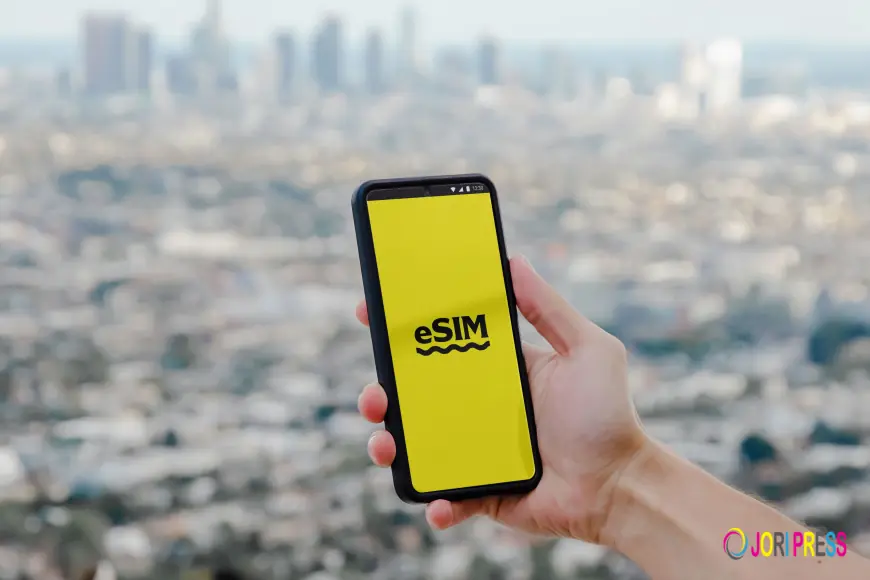
If you have purchased a travel eSIM for an upcoming trip, one of the most common questions is: When should I install my travel eSIM?
The simple answer is: in most cases, you can install your travel eSIM before you leave for your trip, preferably while you have reliable Wi-Fi.
However, there is an important difference between installing an eSIM and activating or using the eSIM plan. Depending on the specific eSIM provider and plan, installing the eSIM does not necessarily mean that your plan's validity period has started.
Understanding this difference can help you avoid accidentally activating your plan too early and ensure that you have mobile data when you arrive.
With eSIMLLY, travelers can purchase an eSIM online and prepare it before travelling, making it easier to get connected without searching for a physical SIM after landing.
Should I Install My Travel eSIM Before Leaving?
For many travelers, yes.
Installing your travel eSIM before leaving home can be convenient because you can complete the setup while connected to reliable Wi-Fi.
This means you don't have to wait until you arrive at an airport, hotel, café or other location with internet access.
Before departure, you can:
-
Purchase your travel eSIM
-
Receive your eSIM installation details
-
Add the eSIM to your phone
-
Label the eSIM
-
Review your mobile-data settings
-
Keep your regular SIM installed
-
Prepare the eSIM for use at your destination
Then, once you arrive, you can configure the travel eSIM according to the plan's instructions.
When Is the Best Time to Install a Travel eSIM?
A practical approach is to install your eSIM a few hours or a few days before departure, as long as the plan's activation rules allow it.
There is no universal installation time because different eSIM plans can have different activation and validity conditions.
For example, some plans may begin their validity when the eSIM connects to a supported network at the destination. Other plans can have different activation rules.
Therefore, before installing an eSIM, check:
-
When the validity period begins.
-
Whether installation triggers activation.
-
Whether connecting to a supported network triggers activation.
-
Whether there is an activation deadline.
-
Whether the plan requires a specific network configuration.
This is particularly important if you are installing the eSIM well before your trip.
What Is the Difference Between Installing and Activating an eSIM?
This is one of the most important things to understand.
Installing an eSIM
Installation means adding the digital SIM profile to your phone.
You might do this by:
-
Scanning a QR code
-
Using an activation code
-
Entering SM-DP+ information manually
-
Following your provider's installation instructions
After installation, the eSIM profile can appear in your phone's SIM or cellular settings.
Activating an eSIM
Activation refers to the point at which the eSIM becomes active under the provider's plan rules.
Depending on the plan, this may happen when:
-
The eSIM connects to a supported network
-
You enable the eSIM
-
You arrive at the destination
-
You meet another activation condition specified by the provider
These processes are not necessarily identical.
Always check the instructions for your specific eSIM plan.
Can I Install My eSIM at Home?
Yes.
In fact, installing your travel eSIM at home can be one of the easiest ways to prepare for international travel.
You can use your normal Wi-Fi connection to download and install the eSIM profile.
This is often more convenient than trying to install it after landing.
Imagine arriving in Tokyo after a long flight. Instead of searching for Wi-Fi before you can configure your phone, your eSIM can already be installed and ready for the final configuration.
For travelers going to Japan, eSIMLLY provides Japan-specific plans with different data allowances and validity periods.
Should I Install My eSIM Immediately After Buying It?
Not necessarily.
You can purchase your eSIM in advance and then install it when it is appropriate according to the plan's activation rules.
If you have purchased an eSIM several weeks before travelling, don't assume that you should immediately install it.
First check:
-
Activation instructions
-
Validity period
-
Activation deadline
-
Installation instructions
If the plan can be installed in advance without starting validity, early installation may be convenient.
If installation starts validity immediately, you may want to wait until closer to departure.
How Many Days Before Travel Should I Install My eSIM?
There is no universal rule.
For many travelers, installing the eSIM 1–3 days before departure is a practical option.
This gives you enough time to troubleshoot while still keeping the installation close to your travel date.
Install 1–3 days before departure
This is particularly useful if:
-
You are familiar with eSIMs
-
Your phone is compatible
-
You have reliable Wi-Fi
-
You have already checked the activation conditions
Install several days before departure
This can be useful for first-time eSIM users.
You have additional time to:
-
Read the instructions
-
Check your settings
-
Contact support if necessary
-
Confirm that the eSIM profile appears correctly
However, make sure installing the eSIM does not start your plan's validity prematurely.
Install just before departure
This can also work if you understand the installation process and have enough time to complete it properly.
Avoid leaving the installation until the last few minutes before boarding.
If something goes wrong, you may not have enough time to fix it.
Should I Install My eSIM at the Airport?
You can, but it is generally more convenient to install it before you leave.
Airport Wi-Fi can be:
-
Slow
-
Crowded
-
Unreliable
-
Restricted by login pages
-
Difficult to access quickly
You may also be dealing with check-in, security, boarding and other travel tasks.
Installing your eSIM at home gives you a calmer environment to complete the process.
What If I Forget to Install My eSIM Before Travelling?
Don't panic.
You may still be able to install your travel eSIM after arriving at your destination.
The main requirement is usually having an internet connection that allows you to download the eSIM profile.
You could use:
-
Airport Wi-Fi
-
Hotel Wi-Fi
-
Café Wi-Fi
-
Your regular SIM's mobile data, if international data is available
-
Another person's hotspot
Once you have internet access, you can follow the installation instructions.
However, preparing before departure is generally easier.
Can I Install an eSIM Without Internet?
Usually, you need an internet connection to download or install the eSIM profile.
That's why it is a good idea to install your travel eSIM while connected to reliable Wi-Fi before your flight.
The exact installation process depends on your device and the eSIM provider.
eSIMLLY provides installation instructions for supported devices, including iPhone, Samsung and Google Pixel.
Should I Turn On My Travel eSIM Before Flying?
This depends on the plan.
Installing the eSIM and turning on the eSIM line are separate considerations.
You may be able to install the eSIM before your trip and leave it configured for later use.
Before enabling it, check the provider's instructions to understand when the plan becomes active.
For example, if the plan activates when it connects to a supported network at the destination, you may install it before departure and then enable it when you arrive.
The important thing is to follow the specific activation instructions for your plan.
What Should I Do When I Land?
Once you arrive at your destination, your setup may look something like this:
Step 1: Turn on the travel eSIM
Enable the travel eSIM if it was not already enabled.
Step 2: Select it for mobile data
Go to your phone's cellular/mobile-data settings and choose the travel eSIM as your data line.
Step 3: Check network connectivity
Wait for the eSIM to connect to a supported network.
Step 4: Check your data settings
Make sure your phone is using the travel eSIM for mobile data rather than your regular SIM.
Step 5: Test your connection
Open a website or messaging application to confirm that mobile data is working.
Once connected, you can use internet-based services such as:
-
Google Maps
-
WhatsApp
-
Email
-
Ride-hailing applications
-
Web browsing
-
Social media
The exact network and services available depend on your destination and selected eSIM plan.
Can I Keep My Regular SIM While Installing a Travel eSIM?
Yes, on compatible dual-SIM devices.
This is one of the biggest advantages of eSIM technology.
You can often keep your regular physical SIM installed while adding the travel eSIM.
For example:
Regular SIM: Your normal phone number
Travel eSIM: Mobile data while travelling
This setup can allow you to maintain access to your existing number while using the travel eSIM for internet connectivity.
With eSIMLLY, the exact functionality depends on your phone and the selected plan.
What About Calls and SMS on My Regular SIM?
Installing a travel eSIM does not automatically replace your regular SIM.
Your regular SIM can remain installed if your phone supports multiple SIMs.
However, remember that your home carrier's roaming rules can still apply if you use the regular SIM abroad for cellular calls, SMS or mobile data.
If your goal is to avoid unexpected mobile-data roaming charges, make sure your phone is configured to use the travel eSIM for mobile data.
You may also want to disable data roaming on your regular SIM, depending on your needs and carrier.
Can I Use WhatsApp After Installing a Travel eSIM?
Yes.
WhatsApp primarily requires an internet connection for its messaging and calling features.
You can generally continue using your existing WhatsApp account while your phone uses a travel eSIM for mobile data.
That means you don't necessarily need to change your WhatsApp number just because you added a travel eSIM.
You can continue using:
-
WhatsApp messages
-
WhatsApp voice calls
-
WhatsApp video calls
-
Photos and files
-
Location sharing
Availability of internet-based services can depend on local network conditions and restrictions.
How Do I Know If My Phone Supports eSIM?
Before purchasing or installing an eSIM, check your phone's compatibility.
eSIM support varies by:
-
Device model
-
Region
-
Carrier
-
Device configuration
eSIMLLY provides a compatibility checker that can help travelers determine whether their device supports eSIM.
What If My Phone Has Multiple eSIMs?
Many newer smartphones can store multiple eSIM profiles, although the exact number varies by device.
Even when a phone can store multiple eSIMs, the number that can be active simultaneously may be different.
If you have previously used eSIMs for travel, check your phone's SIM settings before adding another profile.
You should also label your profiles clearly so you know which one belongs to which trip.
For example:
-
eSIMLLY – Japan
-
eSIMLLY – Europe
-
eSIMLLY – Thailand
-
Personal SIM
This makes switching between profiles easier.
What If I Am Travelling to Multiple Countries?
If you are visiting several countries, install your chosen regional or multi-country eSIM before departure if the plan's activation conditions allow it.
For example:
France → Germany → Italy → Spain
A regional Europe plan can potentially be more convenient than installing a new eSIM every time you cross a border, provided the plan covers all of your destinations.
Before travelling, check the countries included in your specific plan.
eSIMLLY offers plans for destinations across Europe, Asia, the Americas, the Middle East, Africa and other regions.
Should I Install My eSIM Before or After Boarding?
If your plan allows advance installation, before boarding is generally more convenient.
You can complete the installation while you still have access to reliable Wi-Fi.
That way, you aren't trying to download your eSIM profile while travelling.
A good preparation routine is:
Before leaving home
→ Check compatibility
→ Purchase eSIM
→ Read activation instructions
→ Install eSIM
→ Label eSIM
→ Check mobile-data settings
At the destination
→ Enable the travel eSIM
→ Select it for mobile data
→ Connect to the supported network
→ Test your internet connection
Common Mistakes When Installing a Travel eSIM
Mistake 1: Installing without checking activation rules
Some travelers assume every eSIM works exactly the same way.
They don't.
Always check when your plan's validity begins.
Mistake 2: Waiting until landing
You might have no convenient internet connection immediately after arrival.
Installing beforehand can avoid this problem.
Mistake 3: Selecting the wrong data SIM
If your regular SIM remains selected for mobile data, your phone could use your home carrier's roaming data instead.
Check which line is selected for mobile data.
Mistake 4: Leaving automatic data switching enabled
Some devices can automatically switch mobile data between SIMs.
If your goal is to prevent accidental roaming through your regular SIM, review this setting.
Mistake 5: Deleting the eSIM after installation
Don't delete your eSIM profile simply because you don't see an internet connection immediately.
First check the activation instructions, network selection and destination coverage.
A Simple Timeline for Installing Your Travel eSIM
Here's an easy way to plan your setup.
5–7 days before travel
-
Confirm phone compatibility
-
Choose your destination
-
Select your data plan
-
Read activation instructions
1–3 days before travel
-
Purchase the eSIM if you haven't already
-
Install it while connected to Wi-Fi
-
Label the eSIM
-
Check your settings
On departure day
-
Keep your eSIM profile installed
-
Keep your regular SIM if needed
-
Avoid changing settings unnecessarily
After landing
-
Enable the travel eSIM
-
Select it for mobile data
-
Connect to the supported network
-
Test your connection
This simple process can make international connectivity much easier.
eSIM Installation Checklist
Before leaving for your trip, check:
-
My phone supports eSIM
-
My phone is unlocked if required
-
I selected the correct destination
-
I selected the right data allowance
-
I checked the plan's validity
-
I checked the activation conditions
-
I purchased the eSIM
-
I have the installation information
-
I installed the eSIM
-
I labelled the eSIM
-
I know which SIM will provide mobile data
-
I reviewed data-roaming settings
-
I know how to activate the eSIM at my destination
Frequently Asked Questions
When should I install my travel eSIM?
For many travelers, installing the eSIM 1–3 days before departure is convenient, provided the plan's activation rules allow advance installation.
Should I install my eSIM before travelling?
Yes, in many cases. Installing it before departure means you can use reliable Wi-Fi and have the eSIM prepared before you arrive.
Can I install an eSIM before my flight?
Yes. If the plan supports advance installation, you can install it before your flight.
Does installing an eSIM activate it?
Not necessarily. Installation and activation can be different. The exact behavior depends on the eSIM provider and plan.
Can I install an eSIM at the airport?
Yes, if you have internet access. However, installing it before departure can be more convenient.
Can I install my travel eSIM after landing?
Yes, provided you have an internet connection and the plan can still be installed under its activation conditions.
Do I need Wi-Fi to install an eSIM?
In most cases, you need an internet connection to download the eSIM profile. Reliable Wi-Fi is therefore recommended.
Can I keep my physical SIM after installing an eSIM?
Yes, compatible dual-SIM phones can often keep the physical SIM installed alongside the eSIM.
Can I use my normal number with a travel eSIM?
You can often keep your normal SIM active for your existing number while using the travel eSIM for mobile data, depending on your device and carrier.
Should I turn off my regular SIM when using a travel eSIM?
You don't necessarily need to turn it off. Many travelers keep it active for their existing number but configure the travel eSIM as the mobile-data line. Check your carrier's roaming policies and your phone's settings.
Can I use WhatsApp with my travel eSIM?
Yes. WhatsApp can generally use the travel eSIM's internet connection for messages and internet-based calls, while your existing WhatsApp account remains associated with your number.
How can I check if my phone supports eSIM?
You can check your device using eSIMLLY's compatibility checker before purchasing a plan.
Final Thoughts
You don't usually need to wait until you arrive at your destination to install your travel eSIM.
For many travelers, installing the eSIM a few days before departure while connected to reliable Wi-Fi is the easiest approach.
The most important thing to remember is that installation and activation are not necessarily the same thing. Before installing your eSIM, check the specific plan's validity and activation rules so you know exactly when your travel data becomes available.
With eSIMLLY, you can choose from travel eSIM plans covering 160+ countries, prepare your eSIM before your trip, and use it for mobile connectivity while travelling.
Install before you travel, prepare while you have Wi-Fi, and arrive ready to connect.
What's Your Reaction?
 Like
0
Like
0
 Dislike
0
Dislike
0
 Love
0
Love
0
 Funny
0
Funny
0
 Angry
0
Angry
0
 Sad
0
Sad
0
 Wow
0
Wow
0