





































What Print MIS & ERP Software Really Costs: License, Setup, Migration and the Hidden Line Items
Choosing the right print ERP software is an important investment for any printing business. While vendors usually highlight the initial license price in their proposals, the actual implementation cost can be considerably higher. Expenses related to configuration, data migration, employee training, customization and ongoing maintenance can increase the overall budget.
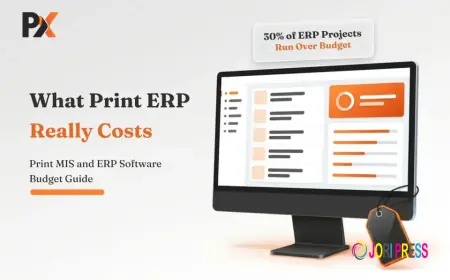
According to the Panorama Consulting 2026 ERP Report, 30% of respondents reported that their ERP projects exceeded the planned budget. Gartner also expects more than 70% of recently implemented ERP initiatives to fall short of fully achieving their original goals.
These challenges are particularly relevant to printing companies because their operations involve different substrates, finishing processes, machine rates and job-level costing requirements. All these factors must be configured properly before the system can generate accurate estimates.
Understanding the complete cost structure before selecting a solution can help printing businesses make better financial decisions. This guide explains the major expenses associated with print ERP implementation and how to calculate the total investment over five years.
What Does Print MIS & ERP Software Include?
Print MIS & ERP software helps printing companies manage their operations from the initial estimate to the final customer invoice.
A Print MIS primarily focuses on estimating, job tickets, production scheduling and workflow tracking. A Print ERP system generally extends these capabilities by including purchasing, inventory management, accounting and profitability reporting.
Although vendors sometimes use these terms interchangeably, their actual features and pricing structures can differ. For example, one print MIS software package might cover estimating and production management, while another print ERP solution may include additional financial and procurement modules.
Before comparing proposals, ask vendors to clearly identify which features are included in the quoted price and which require additional payments. Modules such as artwork approval, estimating, inventory, purchase orders and accounting may be priced separately.
Understanding these differences will help you compare solutions based on their actual capabilities rather than their initial prices.
Understanding Print ERP License Costs

The licensing structure is one of the first expenses to consider when purchasing print ERP software. Most vendors offer two common pricing approaches: perpetual licensing and subscription-based licensing.
Perpetual License and Annual Maintenance
A perpetual license involves paying an upfront amount to purchase the software. However, the investment does not end there because businesses generally need to pay annual maintenance charges to receive ongoing support and updates.
According to one 2026 European cost guide, off-the-shelf print software can cost between EUR 15,000 and EUR 40,000 initially, with annual maintenance charges of approximately 18%.
When maintenance is included, the estimated five-year investment can reach EUR 28,500 to EUR 76,000.
This difference highlights why businesses should not make purchasing decisions based only on the initial license fee. A software solution with a lower upfront price but higher maintenance charges may become more expensive over time.
Subscription and Per-User Pricing
Subscription-based software usually charges businesses monthly or annually based on the number of users or selected modules.
This approach may appear more affordable initially, but expenses can increase as the company grows. Adding more estimators, customer service representatives and production managers may increase the subscription amount.
Additional features, premium modules, sandbox environments and usage-based pricing can also contribute to higher recurring expenses. TechTarget describes this type of increasing subscription expense as subscription creep.
A practical way to evaluate this model is to calculate the subscription cost based on your current employee count and your expected workforce three years from now. This will help you understand whether the pricing structure supports your future business growth.
Setup and Configuration Costs in Print ERP Implementation
Setting up a print ERP system requires more than installing software and creating employee accounts. Printing businesses have specific production requirements that general-purpose ERP systems may not automatically understand.
For example, the system needs to recognize processes such as gang-run sheet printing, perfect binding and saddle stitching. Each process has different production requirements and costing calculations.
Machine and Production Process Costing
Before the software can generate accurate estimates, businesses need to configure their production information.
This generally includes:
-
Machine operating rates and production speeds.
-
Make-ready and setup times.
-
Different printing processes.
-
Finishing routes and associated expenses.
-
Material and substrate requirements.
One 2026 industry guide estimates that configuring machine costs can take approximately 4 to 8 weeks.
A significant part of this work involves determining the actual operating cost of each machine. Estimators and production teams must agree on machine-hour rates and other operational expenses before these figures can be entered into the system.
If you're evaluating different solutions, Book a Personalised Demo to understand how the software handles production costing. Ask the vendor to demonstrate how a gang-run printing job is estimated from beginning to end.
Customization and Development Expenses
Sometimes, standard software features may not fully match a printing company's existing workflow. In these situations, businesses may require additional customization.
According to the same 2026 guide, custom software development can cost between EUR 700 and EUR 1,000 per developer day.
However, customization can also create additional expenses in the future. Custom features may require updates whenever the main software receives a new version. These changes can increase the ongoing maintenance workload.
Before making a final decision, Start Your Free POC and test the software using your actual business records and production requirements. This gives your team an opportunity to identify potential gaps before committing to the implementation.
Data Migration: An Important Part of the ERP Budget

Data migration is another important expense when moving from an existing system to a new print ERP platform.
Vendors may include migration as a fixed-price service in their proposals. However, the actual cost depends heavily on the quality, structure and accuracy of the existing business data.
One industry guide estimates historical data import costs at EUR 2,000 to EUR 5,000, depending on data quality.
Businesses with organized customer records, structured job specifications and properly maintained historical quotes generally experience simpler migrations.
On the other hand, companies with duplicate customer information, unstructured job descriptions and spreadsheets maintained by multiple employees may require additional data cleaning and preparation.
This explains why two printing companies purchasing the same software can experience significantly different implementation costs.
How to Check Your Data Before Signing a Contract
Before finalizing an ERP agreement, conduct a simple data readiness assessment.
Select twenty completed jobs from the previous twelve months. For each job, check whether the following information is properly recorded:
-
Customer details.
-
Complete job specifications.
-
Final production costs.
If this information is not available together for most jobs, your migration process may require additional preparation and expense.
You should also decide which historical records need to be transferred into the new system. Active customers and open quotations are generally important, while older completed jobs may only need to be archived instead of fully imported.
Making this decision early can help control migration expenses and reduce unnecessary work.
Additional Costs Beyond Software Licensing and Setup
Not every ERP implementation expense appears in the vendor's proposal. Some costs are related to internal employees, operational changes and ongoing business requirements.
Although these expenses may not be directly invoiced by the software provider, they still contribute to the total project budget.
Employee Training and Productivity Backfill
Training is an essential part of successful ERP implementation. Employees need sufficient time to understand the new system and learn how to complete their daily responsibilities.
During this period, productivity may temporarily decrease. TechTarget also highlights the cost of backfill, which occurs when existing employees move onto ERP implementation activities and less experienced workers take over their regular responsibilities.
For example, an experienced estimator may be responsible for calculating the costs of complex printing jobs. If that employee spends several weeks working on the ERP project, another team member may need to handle the estimating workload.
This can result in slower quotations, additional training requirements and delays in daily operations.
Businesses should therefore include employee training time and temporary productivity losses when calculating their implementation budget.
Integrations and Ongoing Maintenance
Printing businesses often use multiple systems to manage different activities. A print ERP platform may need to connect with an eCommerce website, accounting software or external supplier feeds.
These integrations can involve additional expenses, including:
-
Middleware subscriptions.
-
API usage limits.
-
Integration development.
-
Monitoring and maintenance.
-
Updates when connected systems change.
Integration costs should not be treated as a one-time implementation expense. Businesses may need to maintain these connections throughout the software's lifetime.
Post-Implementation Support and Retraining
The period immediately after launching an ERP system is commonly known as hypercare.
During this stage, additional technical support may be required to identify defects, resolve configuration issues and help employees adjust to the new workflow.
Employee turnover can also create recurring training expenses. Whenever a new employee joins the business, they may need to learn the ERP system before performing their responsibilities independently.
Including post-launch support and future retraining in the budget can help businesses avoid unexpected expenses.
How to Evaluate a Print ERP Vendor Quote
A software proposal should be reviewed carefully before making a purchasing decision. Instead of comparing only the total quoted amount, businesses should examine every individual cost and the assumptions behind it.
Important Questions to Ask Software Vendors
When reviewing a print MIS software proposal, consider asking the following questions:
-
Does the quoted price include estimating for every product category or only selected products?
-
Are artwork approval and purchase order management included?
-
Who is responsible for configuring machine rates and production costs?
-
How much time has been allocated for machine and workflow configuration?
-
What are the additional charges for customization and development?
-
Does the migration fee cover the existing quality and structure of our data?
-
What happens if the data requires more cleaning than initially expected?
-
Are there annual increases in subscription or maintenance charges?
These questions help identify expenses that may not be clearly mentioned in the original proposal.
What to Expect From a Reliable Vendor
A reliable ERP vendor should provide realistic cost estimates supported by clear assumptions.
They should explain which implementation activities are included, which responsibilities belong to the customer and where additional expenses may arise.
For example, configuring machine rates and organizing customer records may require significant involvement from the printing company's internal team.
If a vendor claims that everything is included in the quoted price, ask for a detailed written breakdown. Each feature, service and implementation responsibility should be clearly documented.
It is also important to compare solutions with similar functionality. A print MIS & ERP software proposal that includes accounting and procurement should not be directly compared with a basic production management package without accounting for the differences.
Building a Five-Year Print ERP Cost Model
One of the most effective ways to evaluate ERP investments is to prepare a five-year cost comparison.
Instead of focusing on the initial purchase price, create a spreadsheet that includes all major expenses throughout the expected usage period.
Your cost model should include seven important categories:
|
Cost Category |
What to Include |
|
License or Subscription |
Initial license fees or recurring subscription payments |
|
Annual Maintenance |
Software maintenance and support charges |
|
Setup and Configuration |
System setup, machine rates and workflow configuration |
|
Customization |
Additional development and custom features |
|
Data Migration |
Data preparation, cleaning and historical imports |
|
Training and Backfill |
Employee training and temporary productivity losses |
|
Integrations |
Connections with eCommerce, accounting and supplier systems |
For each category, calculate both a low and a high cost estimate.
If a vendor cannot provide a clear figure for a particular expense, identify it as a potential risk and use a higher estimate when preparing the overall budget.
Consider the Return on Investment
A five-year cost model should also consider the potential financial benefits of implementing the software.
The same 2026 European guide includes a case study involving a printing company with 22 employees. The business selected a custom software solution costing EUR 48,000, with an estimated payback period of 14 to 18 months, including maintenance.
Your company's return on investment will depend on its operations, production volume and existing processes.
One practical area to evaluate is estimating time. Compare how long your team currently takes to prepare a complex quotation with the time expected after implementing the new system.
Multiply the time saved by the number of quotations your business prepares each month. This provides a starting point for understanding the potential productivity benefits.
Having this information available will also make vendor discussions more productive. You can ask vendors to explain which expenses they can confirm and which areas still require internal planning.
The Real Cost of Print ERP Is the Five-Year Cost
Purchasing print ERP software involves much more than paying for a license. Configuration, data migration, customization, employee training and recurring maintenance all contribute to the overall investment.
Businesses that evaluate these expenses before signing a contract are better positioned to manage their budgets and avoid unexpected costs during implementation.
Start by checking your existing data quality and preparing a five-year cost sheet. Use these documents when discussing pricing and implementation requirements with different vendors.
PrintERP is PrintXpand's print ERP solution, built on Odoo for printing businesses. It brings estimating, artwork approval, purchasing, job tracking and per-order profit reporting together in one system. Having these capabilities in a single platform can help reduce the need for separate integration projects.
See What Your Five-Year Print ERP Model Looks Like
Understanding how an ERP system works in real production environments can help you make a more informed decision.
Explore quoting, job tracking and profit reporting with a team that understands the requirements of the printing industry.
Book a Personalised Demo to see how PrintXpand can support your printing business.
What's Your Reaction?
 Like
0
 Dislike
0
 Love
0
 Funny
0
 Angry
0
 Sad
0
 Wow
0