
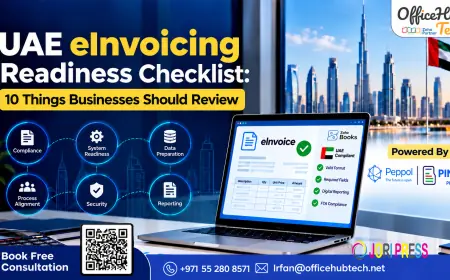































UAE eInvoicing Readiness Checklist: 10 Things Businesses Should Review
Is your business ready for UAE e-invoicing? Review 10 essential readiness checks covering data, software, ASPs, integrations, and compliance. Get expert implementation support from OfficeHub Tech.

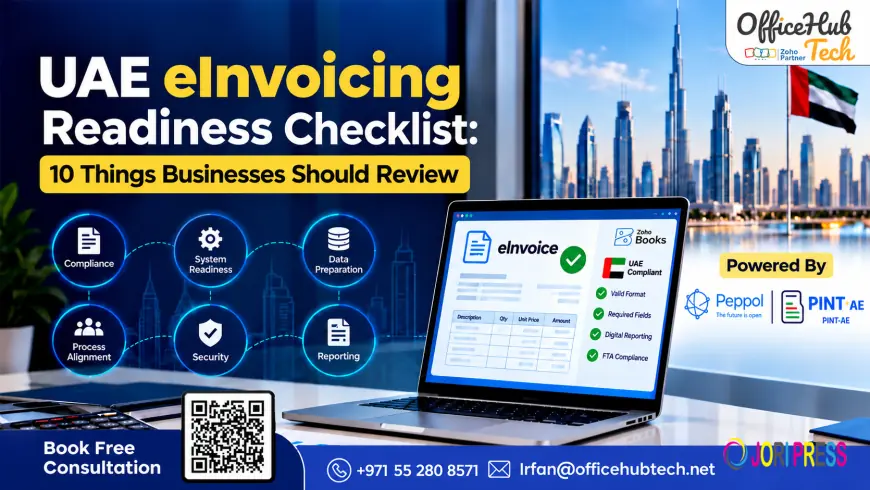
10 Things UAE Businesses Should Review Before E-Invoicing Implementation
The UAE’s e-invoicing framework requires businesses to prepare for structured invoice generation, electronic exchange, validation, and applicable tax reporting. Simply creating invoices digitally does not establish readiness.
Unlike PDFs, scanned documents, or email attachments, compliant e-invoices use structured data that can be processed electronically by connected systems. Businesses must therefore evaluate their accounting software, invoice data, service provider arrangements, integrations, security controls, and internal procedures.
This checklist covers ten essential areas to review before implementation, helping businesses identify gaps, prioritize technical requirements, and prepare their finance and IT teams for a controlled transition.
1. Confirm Your Business’s Regulatory Scope and Compliance Deadline
Before selecting software, determine which legal entities, transactions, and business activities fall within the applicable UAE e-invoicing requirements.
What should you review?
- Identify UAE legal entities and their invoicing processes.
- Review applicable B2B and B2G transactions, exclusions, and special treatments.
- Confirm the relevant implementation deadlines using the latest Ministry of Finance guidance.
- Identify separate accounting systems, business units, and implementation dependencies.
Prepare a scope register documenting each entity, applicable requirements, systems involved, deadlines, and responsible stakeholders. Businesses operating multiple entities through a shared ERP may require separate configurations or implementation workstreams.
Readiness test: Can your business identify its applicable obligations, deadlines, and responsible owners?
2. Verify Your Accredited Service Provider (ASP) Arrangements
An Accredited Service Provider (ASP) supports structured invoice validation, electronic exchange, and relevant reporting within the UAE e-invoicing framework. Selecting the appropriate provider is essential for connecting existing business systems to the required processes.
What should you review?
Evaluate the provider’s current accreditation status and its ability to support:
- Structured e-invoices and electronic credit notes.
- Invoice validation, exchange, and transaction-status updates.
- Error notifications, reporting responsibilities, and exception management.
- ERP and accounting software integrations.
- Data security, record retention, technical support, and service continuity.
Document the provider-selection decision, onboarding requirements, integration dependencies, and responsibilities across finance and IT teams.
Readiness test: Have you verified the provider’s current status, technical capabilities, and support arrangements?
3. Audit Customer, Supplier, and Product Master Data
Incomplete or inconsistent master data can cause invoice validation failures, incorrect tax calculations, and reconciliation problems. Data quality should be addressed before integration begins.
What should you review?
- Customer and supplier records: Legal names, addresses, tax identifiers, and required business details.
- Products and services: Descriptions, item codes, quantities, units, prices, and tax classifications.
- Tax configuration: VAT rates, taxable amounts, exemptions, and calculation rules.
- Transaction references: Purchase orders, payment terms, invoice identifiers, and links between original invoices and credit notes.
Review how fields in your ERP or accounting system map to the corresponding structured invoice fields. Document mandatory fields, transformation rules, validation checks, and responsibility for correcting errors.
Readiness test: Can your systems consistently generate complete, accurate, and correctly mapped invoice data?
4. Validate PINT-AE and Structured Invoice Requirements
PINT-AE defines UAE-specific requirements for structured electronic invoices exchanged through the Peppol framework. Businesses must verify that their invoicing systems can produce the required data and satisfy applicable validation rules.
What should you review?
- Mandatory and transaction-specific invoice fields.
- Supplier and buyer information, line items, totals, and tax details.
- Tax calculations, classifications, and relevant code lists.
- Required references between credit notes and original transactions.
- Validation feedback and error-correction procedures.
A PDF invoice may display all relevant information visually but still lack the structured data required for electronic processing.
How do you establish readiness?
Generate representative sample invoices and credit notes, validate them against applicable technical requirements, and resolve data-mapping or configuration issues before production.
Readiness test: Can your system generate valid structured invoices and identify errors before transmission?
5. Evaluate Whether Your Existing Invoicing Software Is Ready
Businesses do not necessarily need to replace their entire ERP or accounting system. However, existing software must support the required data, integrations, transaction workflows, and operational controls.
What should you review?
Assess whether your current application supports structured invoice generation, validation, ASP connectivity, credit-note processing, transaction-status tracking, error handling, and record retrieval.
Distinguish between features available by default, configuration requirements, third-party services, and custom development.
Should you replace your accounting software?
The answer depends on the gap assessment. If the existing system supports the required workflows, configuration and integration may be sufficient. Otherwise, an additional e-invoicing solution or integration layer may be necessary.
Businesses comparing E-invoicing solutions should evaluate the complete workflow rather than relying on feature lists alone.
Readiness test: Does your existing technology, together with any required integrations, support the complete e-invoicing process?
6. Review ERP, Accounting, and Peppol Integration Requirements
E-invoicing implementation often connects ERP, CRM, accounting, inventory, procurement, and other business applications with the selected ASP. Integration design determines whether invoice data moves accurately and reliably between systems.
What should you review?
- Map the architecture: Identify where invoices originate and which applications maintain customer, supplier, tax, and financial records.
- Define data ownership: Establish the authoritative source for invoice numbers, product codes, tax information, and transaction totals.
- Verify connection methods: Assess APIs, webhooks, connectors, file exchanges, and middleware.
- Plan for failures: Implement transaction tracking, retries, error logging, and idempotency controls to reduce duplicate submissions.
- Confirm Peppol connectivity: Verify provider onboarding, routing, validation, transaction statuses, and relevant reporting responsibilities.
What about Zoho Peppol integration?
For businesses using Zoho Books, assess how invoice data is captured, structured, exchanged, and tracked. Confirm the functionality available for the specific organization and whether additional integration with ERP, inventory, or procurement applications is required.
Readiness test: Can connected systems exchange invoice data securely, prevent duplication, and maintain transaction traceability?
7. Test Complete Invoice and Credit-Note Workflows
Successfully generating an invoice does not guarantee that the entire e-invoicing process works. Validation errors, transmission failures, rejections, and reconciliation differences can occur after invoice creation.
What should you test?
- Sales invoices: Generate representative invoices with realistic transaction and tax details.
- Incoming supplier invoices: Verify receipt, supplier validation, and financial review.
- Credit notes and corrections: Confirm adjustment procedures and references to original transactions.
- Rejected invoices: Test invalid or missing information and confirm clear error ownership.
- Transmission failures: Simulate timeouts and outages to verify recovery and duplicate prevention.
- Reconciliation: Match accounting records with electronic invoice statuses.
Understand the UAE’s five-corner model
The five-corner model involves the supplier, supplier’s ASP, buyer’s ASP, buyer, and Federal Tax Authority (FTA). It supports structured invoice exchange between trading partners alongside applicable tax-data reporting and status messages.
Finance teams must understand which transaction statuses indicate successful exchange, reporting outcomes, or the need for corrective action.
Readiness test: Can your team demonstrate successful and failed transaction scenarios from initiation through resolution and reconciliation?
8. Check Security, Access Controls, and Auditability
E-invoicing involves exchanging sensitive financial, customer, supplier, and tax-related information. Security and auditability must be assessed alongside software functionality.
What should you review?
- User permissions: Restrict invoice creation, approval, configuration, and error resolution according to job responsibilities.
- Integration credentials: Protect API keys, enforce appropriate permissions, and manage credential rotation.
- Data protection: Review security arrangements and responsibilities across software providers and ASPs.
- Audit trails: Record approvals, invoice changes, validation results, submission timestamps, and returned statuses.
- Retention and retrieval: Ensure transaction records and supporting evidence remain accessible.
- Business continuity: Establish recovery procedures for outages and failed integrations.
Readiness test: Can your business protect financial information, trace transaction events, retrieve records, and recover from disruptions?
9. Prepare Finance Teams, Internal Controls, and Operating Procedures
Successful implementation requires trained employees and documented processes, not just functioning software.
What should you review?
- Assign responsibilities: Define ownership across finance, tax, IT, sales, and procurement.
- Update operating procedures: Document invoice approvals, data validation, credit-note processing, reconciliation, and error escalation.
- Train users by role: Prepare finance teams to manage statuses and exceptions, administrators to manage permissions, and IT teams to monitor integrations.
- Plan for exceptions: Establish procedures for rejected invoices, missing data, provider outages, and unresolved transactions.
Manual workarounds should not be assumed to replace mandatory electronic exchanges.
Readiness test: Do employees understand their responsibilities and have approved procedures for routine processing, exceptions, and escalation?
10. Establish Go-Live Validation and Ongoing Compliance Monitoring
Readiness does not end after configuration or the first successful invoice. Businesses need clear acceptance criteria and ongoing operational monitoring.
What should you review?
- Go-live criteria: Confirm testing, access controls, user training, critical defect resolution, and documented support.
- Exception monitoring: Track rejected invoices, failed submissions, unresolved statuses, integration errors, and reconciliation differences.
- Reporting: Use dashboards, notifications, and exception reports to identify unresolved transactions.
- Regulatory changes: Monitor relevant updates to technical specifications, provider requirements, and software capabilities.
- Periodic reviews: Reassess readiness when changing legal entities, ERP systems, tax configurations, providers, or transaction workflows.
Readiness test: Can your business detect and resolve exceptions while maintaining effective controls after go-live?
How to Select the Best E-Invoicing Software for Your UAE Business
After completing the ten checks, compare available solutions against your documented requirements.
Verify Accreditation and Required Capabilities
Confirm the provider’s current accreditation status and verify support for structured invoices, validation, electronic exchange, relevant reporting, and transaction-status handling.
Assess Compatibility With Existing Systems
Evaluate APIs, connectors, data formats, authentication, and error handling. Consider the complete data flow across accounting, ERP, and operational applications.
Evaluate Exception Handling and Visibility
Ensure users can identify failed transactions, access error details, track statuses, retry appropriate processes, and reconcile records.
Compare Implementation and Operating Requirements
Consider configuration, data cleanup, integration development, migration, training, support, and maintenance. Base the final decision on verified capabilities and total implementation requirements.
Where Zoho Books and Peppol Integration Fit Into Your Readiness Plan
For businesses already using Zoho Books, readiness depends on how the accounting application supports the wider e-invoicing process.
What Should Existing Zoho Books Users Check?
- Organization setup: Verify entity details, tax configuration, and invoicing procedures.
- Master data: Validate customer, supplier, product, and tax information.
- Structured invoices: Confirm support for applicable PINT-AE requirements.
- Provider connectivity: Verify ASP arrangements and Peppol integration.
- Credit notes: Test adjustments and relevant references.
- Monitoring: Validate transaction statuses, error handling, and reconciliation.
If other ERP, inventory, or procurement systems are involved, define data ownership, integration responsibilities, failure notifications, and reconciliation procedures.
For additional product-specific context, refer to OfficeHub Tech’s UAE e-invoicing guide for Zoho Books.
Remember that software capability, provider accreditation, and organizational readiness are separate considerations.
Turning the Checklist Into an Action Plan
Convert assessment findings into a prioritized implementation plan with clear ownership and deadlines.
Step 1: Record the Current State
Document existing applications, providers, processes, data sources, and controls.
Step 2: Identify and Prioritize Gaps
Address regulatory scope, deadlines, structured invoice generation, provider onboarding, and critical integration requirements.
Step 3: Assign Owners and Dependencies
Allocate responsibilities across finance, tax, IT, procurement, and operations.
Step 4: Test and Validate
Test invoices, credit notes, validation failures, transmission errors, and reconciliation.
Step 5: Approve and Monitor
Obtain sign-off against defined acceptance criteria and establish monitoring, escalation, and periodic reviews.
Maintain a readiness scorecard recording each gap, its owner, target completion date, dependencies, and supporting evidence. This internal planning tool helps track progress but does not constitute official certification or guarantee compliance.
Conclusion
Preparing for UAE e-invoicing requires a coordinated assessment of regulatory obligations, invoice data, provider arrangements, software capabilities, integrations, security, and operational procedures.
The ten-point checklist helps businesses identify gaps, evaluate whether existing systems can be extended, and prepare their teams for implementation. Testing complete workflows and establishing ongoing monitoring are equally important.
Rather than assuming that purchasing software guarantees readiness, businesses should validate their requirements, document technical capabilities, and confirm that invoices can be processed, exchanged, tracked, and reconciled reliably.
Why Choose OfficeHub Tech for UAE E-Invoicing Implementation?
OfficeHub Tech helps businesses assess their existing technology and prepare for e-invoicing through software implementation, system integration, data migration, and custom application development.
Support includes:
- Readiness and Workflow Assessment: Review existing invoicing processes and identify implementation gaps.
- Zoho Books Configuration: Configure accounting and invoicing workflows around business requirements.
- System and API Integration: Assess connections between accounting software, ERP systems, business applications, and e-invoicing services.
- Data Preparation and Migration: Improve the accuracy and consistency of customer, supplier, and invoice records.
- Workflow Design and Testing: Validate invoice processing, exception handling, and reconciliation.
- Implementation and User Support: Provide documentation, testing assistance, and user training.
As an E-invoicing implementation and Zoho integration service provider in UAE, OfficeHub Tech helps businesses evaluate their technology landscape and plan an implementation approach aligned with their operational needs.
The right solution depends on your current systems, integration requirements, and readiness gaps. A structured assessment can help determine the practical next steps toward implementation.
What's Your Reaction?
 Like
0
Like
0
 Dislike
0
Dislike
0
 Love
0
Love
0
 Funny
0
Funny
0
 Angry
0
Angry
0
 Sad
0
Sad
0
 Wow
0
Wow
0