

































RTX Pro 6000 vs Consumer RTX: Which GPU for 3D Rendering
Compare professional RTX workstation cards with consumer GPUs for 3D rendering. Learn about VRAM capacity, stability, and rendering speed.
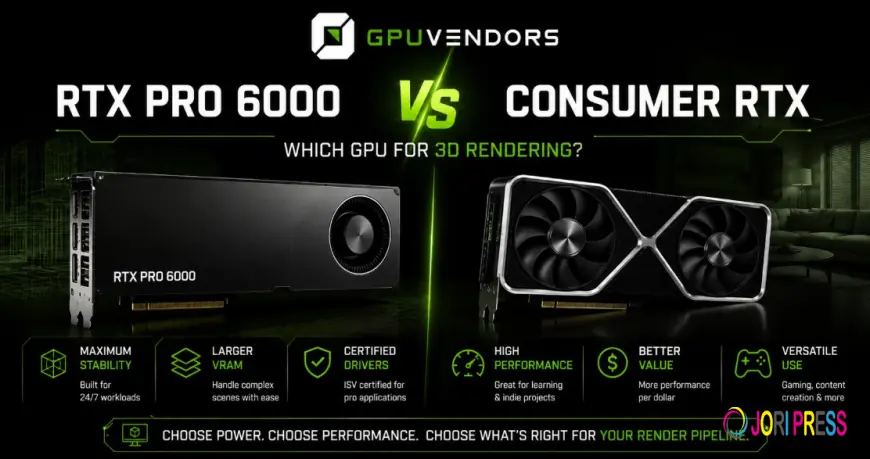
Choosing the right graphics hardware is one of the most critical decisions for 3D artists, animation studios, and rendering specialists. Modern pipelines rely heavily on GPU acceleration for viewport interactivity, real-time path tracing, physics simulations, and final frame production. When planning a workstation upgrade, professionals frequently weigh high-end consumer gaming cards against professional workstation lines like the NVIDIA RTX professional series. Each tier serves distinct operational needs, pricing structures, and performance targets.
Navigating the hardware market requires a clear understanding of your workload demands. While consumer flagships boast impressive clock speeds and attractive price tags, professional cards bring unique advantages to enterprise environments, such as massive memory pools and specialized driver certifications. Whether you purchase standalone components or evaluate integrated setups through a
Understanding the Architectural Differences
At first glance, professional workstation cards and high-end consumer cards may share similar underlying silicon foundations, but their engineering goals diverge significantly. Consumer graphics cards are designed primarily for high frame rates, gaming responsiveness, and burst computational workloads. They often push clock frequencies and power limits to their absolute edges, trading long-term endurance margins for immediate peak performance in interactive applications.
Professional workstation cards, by contrast, prioritize stability, precision, and massive data handling. They undergo rigorous validation testing for complex computer-aided engineering, architectural visualization, and digital content creation suites like Blender, Cinema 4D, and Autodesk Maya. Furthermore, professional series cards are built to sustain heavy computational loads over days or weeks of continuous rendering without crashing. This enterprise-grade reliability minimizes unexpected downtime, which is vital when rendering tight deadlines or managing large-scale production farms.
The Role of VRAM Capacity and Error-Correcting Code
The single most defining hardware difference between professional workstation cards and their consumer counterparts lies in video memory capacity and error management. High-end consumer cards typically offer generous memory pools, but they are rarely enough for ultra-high-resolution textures, dense polygon meshes, and massive particle simulations. Professional workstation options frequently double that memory capacity, providing expansive buffer space that allows artists to load massive scenes entirely into high-speed memory without resorting to system RAM swapping.
Beyond raw capacity, professional cards incorporate Error-Correcting Code (ECC) memory. ECC detects and corrects data corruption on the fly, preventing subtle rendering artifacts, geometry distortion, or random application crashes during lengthy simulation passes. Consumer cards lack hardware-level ECC support, meaning a stray cosmic ray or memory glitch during a multi-hour render can ruin an entire frame sequence. For professional studios where accuracy and predictability are non-negotiable, the presence of error-correcting memory makes workstation silicon an essential asset.
Raw Speed Versus Sustained Stability in Rendering Workflows
When analyzing raw rendering benchmarks, consumer cards often punch well above their weight class due to aggressive boost clocks and lower latency memory interfaces. In many standalone rendering tests, a consumer flagship can complete a single image render slightly faster than a professional counterpart. This performance profile makes consumer hardware tempting for independent creators working within strict budget constraints who prioritize immediate rendering speed over enterprise feature sets.
However, studio environments operate under different constraints. Rendering large production scenes often triggers out-of-memory errors on smaller buffers, forcing artists to compromise on texture quality or optimize geometry manually. Professional cards bypass these limitations entirely, enabling creators to load complex production assets natively. Weighing the upfront cost savings of consumer hardware against the time saved by professional stability and large memory buffers is the key to optimizing your hardware budget and workflow efficiency.
What's Your Reaction?
 Like
0
Like
0
 Dislike
0
Dislike
0
 Love
0
Love
0
 Funny
0
Funny
0
 Angry
0
Angry
0
 Sad
0
Sad
0
 Wow
0
Wow
0