








































midocean Magento Integration: Managing EU & UK Pricing Across Markets
Learn how midocean Magento Integration helps manage country-specific EU and UK pricing, synchronize supplier catalogs, and simplify promotional product sales with PrintXpand Connect.
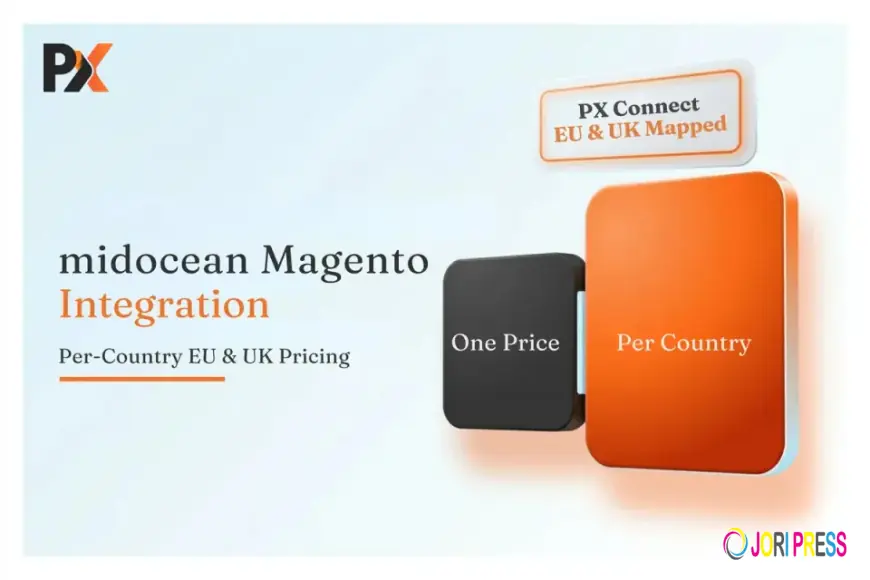
Selling promotional products across Europe and the UK creates opportunities for distributors, but managing different supplier prices can become complicated. A reliable midocean integration with Magento helps businesses synchronize product information while maintaining pricing that matches each market. With the right setup, merchants can manage their catalogs more efficiently, reduce manual updates, and provide customers with accurate prices for their region.
Why Regional Pricing Needs a Different Approach
A product listed in Germany may not carry the same supplier price as the identical item sold in the UK. Currency differences, country-specific price lists, and local business arrangements can all affect the final selling price.
For merchants operating across multiple European markets, using one standard price for every customer can create problems. Some orders may generate lower margins, while others may show prices that differ from supplier quotations. Correcting these discrepancies manually also takes time away from sales and customer service.
Magento offers flexible catalog and customer-group features that businesses can use to organize regional pricing. When combined with a properly configured supplier connection, these features help merchants maintain a more consistent pricing process across different markets.
Connecting the midocean Catalog With Magento
Promotional product distributors often manage large catalogs containing drinkware, bags, stationery, technology accessories, apparel, and environmentally conscious merchandise. Each category can include multiple colors, sizes, materials, and decoration possibilities.
Updating every product manually becomes difficult as the catalog changes. Stock levels can become outdated, product variations may be missed, and pricing updates can take longer than expected.
An automated integration connects supplier data with the Magento storefront, helping businesses maintain product details without repeatedly importing spreadsheets. Depending on the connector and configuration, synchronized information can include product descriptions, images, variants, availability, and supplier prices.
This creates a more organized foundation for managing products and preparing customer orders.
How PrintXpand Connect Helps Manage Supplier Data
PrintXpand Connect helps businesses connect supplier catalogs with their ecommerce platforms, reducing the need for repetitive manual product management. When configured for a midocean and Magento workflow, the connection can support the movement of relevant catalog information into the online store.
Instead of treating every product update as a separate administrative task, merchants can establish a repeatable synchronization process. This makes it easier to maintain product information as the supplier catalog evolves.
However, synchronizing products alone does not automatically solve regional pricing. Merchants must also configure Magento's pricing rules, customer groups, currencies, and store views according to their commercial requirements.
Keeping catalog synchronization and pricing configuration aligned is essential for a dependable cross-border selling process.
Setting Up Country-Specific Prices in Magento
Magento provides several options for organizing prices across different customer segments and storefronts. The best configuration depends on how a business serves its customers.
1. Create suitable customer groups
Businesses can organize customers according to their billing country, market, or agreed pricing arrangement. Where supported by the integration, the relevant supplier price list can then be associated with the appropriate group.
2. Configure currencies carefully
A UK storefront may display prices in GBP, while customers in euro-area markets may expect EUR. Currency conversion alone should not replace the supplier's applicable country-specific price. Merchants should verify that the correct base price is used before currency display and other pricing rules are applied.
3. Use store views when necessary
Separate Magento store views can help businesses manage different languages, currencies, and regional shopping experiences. However, a separate store view is not always necessary for every country. The setup should reflect actual operational needs.
4. Review decoration and additional charges
Promotional merchandise may require printing, engraving, or other customization services. These costs should be considered when calculating the displayed selling price so customers receive clear quotations before checkout.
A Practical Example: Selling in Germany and the UK
Imagine a promotional merchandise distributor selling branded drinkware through one Magento website. The business serves customers in Germany and the UK, but the supplier applies different prices to the two markets.
If both customer groups use the same supplier price, the distributor may lose margin on one market or quote an unsuitable price to the other. A better approach is to map each customer group to the applicable supplier pricing arrangement and test both purchasing journeys.
The team should verify product prices, currency display, shipping charges, decoration costs, and order totals before launching the configuration. Regular checks can also help identify discrepancies when supplier prices or commercial arrangements change.
Benefits of an Organized Integration
A properly configured setup can offer several practical advantages:
- Less manual work: Reduce repetitive catalog imports and price maintenance.
- More consistent pricing: Apply the appropriate pricing rules to different customer groups.
- Improved product accuracy: Keep product details and availability aligned with supplier data.
- Better customer experience: Present clearer prices and reduce confusion during checkout.
- Simpler expansion: Establish a repeatable process when entering additional European markets.
The actual benefits depend on the connector's capabilities, supplier data availability, and Magento configuration.
Conclusion
Managing multiple markets requires more than adding supplier products to an online store. Businesses need a process that connects accurate catalog information with the correct regional pricing rules.
A well-planned midocean Magento integration can help promotional product distributors simplify catalog management while serving EU and UK customers more effectively. With PrintXpand Connect, businesses can streamline supplier data synchronization and build a more organized ecommerce workflow. Reviewing country-specific prices, currencies, and additional charges before launch helps create a smoother experience for both merchants and their customers.
Files
What's Your Reaction?
 Like
0
Like
0
 Dislike
0
Dislike
0
 Love
0
Love
0
 Funny
0
Funny
0
 Angry
0
Angry
0
 Sad
0
Sad
0
 Wow
0
Wow
0