










































How to Maintain a Business Website After Development? A Complete Guide
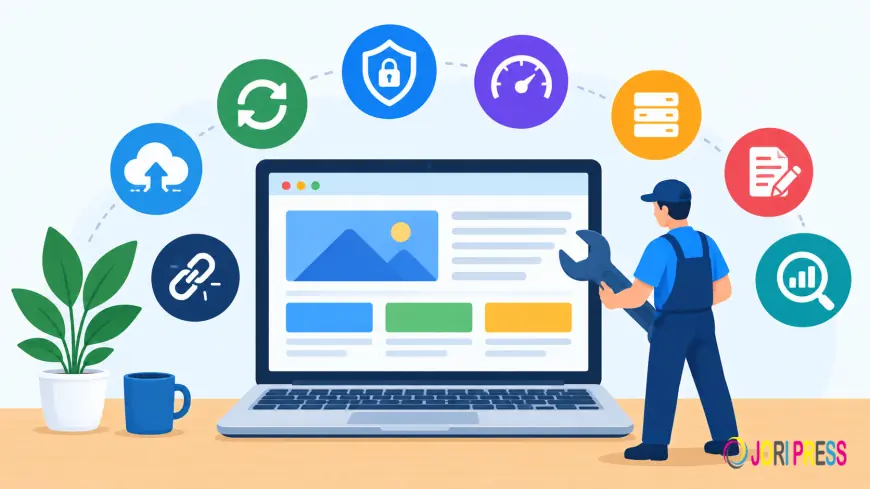
Quick Answer: After development, a business website needs regular updates, security checks, backups, performance monitoring, content updates, and technical testing. Website maintenance helps keep the website secure, functional, fast, and relevant as the business grows.
A structured maintenance schedule also helps businesses identify technical problems early instead of waiting until the website stops working properly.
Introduction
Launching a business website is an important step, but development is only the beginning of the website's lifecycle. Once the website goes live, it needs continuous attention to remain secure, functional, updated, and useful for customers.
Websites can develop problems even when nobody makes major changes to them. Plugins and software become outdated, security threats evolve, links stop working, content becomes inaccurate, and website performance can change over time.
This is why understanding How to Maintain a Business Website After Development is important for every business owner.
A proper maintenance process protects the investment made in website development and helps ensure that the website continues to support business goals.
Why Does a Business Website Need Maintenance After Development?
A website contains multiple components that need ongoing attention. These can include the content management system, plugins, themes, databases, hosting environment, security systems, forms, integrations, images, and website content.
After development, these components do not remain unchanged forever.
Regular maintenance helps businesses monitor these elements and address issues before they have a major impact on visitors or business operations.
It also allows businesses to make gradual improvements instead of waiting until the website requires a major repair or redesign.
1. Keep the Website Software Updated
One of the first maintenance tasks after development is keeping the website's software updated.
If the website uses WordPress or another CMS, the core platform, plugins, themes, and supporting components may receive regular updates.
Updates can provide bug fixes, improvements, compatibility changes, and security fixes. However, businesses should not apply major updates without appropriate precautions.
A reliable backup should be available before significant updates, and compatibility should be checked when custom functionality or multiple integrations are involved.
2. Create and Verify Regular Backups
Backups should become part of the website maintenance process immediately after development.
A proper backup strategy should consider both website files and databases. Depending on the website, backups may need to be performed daily, weekly, or at another suitable frequency.
Businesses should also verify that backups are being created successfully. An untested or incomplete backup may not provide reliable recovery when it is needed.
For important business websites, having a clear restoration process is just as important as creating the backup itself.
3. Monitor Website Security
Security should not be considered complete once a website has been launched.
Businesses should regularly monitor website security, software updates, login protection, SSL status, suspicious activity, and other relevant security controls.
Websites using outdated plugins, themes, or software can become more vulnerable to known security issues.
This is one reason Website Maintenance Services often include ongoing security monitoring and technical updates.
4. Check Website Speed and Performance
A website that was fast when it launched can become slower as new content, images, plugins, scripts, and functionality are added.
Regular performance monitoring can help identify these changes.
Businesses should review loading speed, image optimization, unnecessary scripts, caching, database performance, hosting resources, and other technical factors that may influence website performance.
If performance declines, identifying the underlying cause is important before making changes.
5. Keep Website Content Updated
A business website should accurately represent the company at all times.
After development, regularly review:
- Service information
- Product details
- Contact information
- Business hours
- Team information
- Pricing where applicable
- FAQs
- Blog content
- Images
- Calls-to-action
Outdated information can confuse visitors and may make a business appear inactive.
Content maintenance also gives businesses an opportunity to add new services, announcements, case studies, articles, and other relevant information as the company develops.
6. Test Contact Forms and Lead Features
A website may look completely functional while an important lead-generation feature has stopped working.
Contact forms, enquiry forms, booking systems, newsletter forms, and other conversion features should be tested regularly.
Check whether:
- Forms can be submitted successfully
- Notifications are delivered
- Required fields work correctly
- Confirmation messages appear
- Emails reach the correct destination
- Third-party integrations are functioning
For an eCommerce website, additional testing may be required for shopping carts, checkout, payments, customer accounts, and transactional emails.
7. Check Mobile Responsiveness
Mobile usability should remain part of ongoing maintenance.
New content, design changes, plugins, or development updates can sometimes create layout problems on smaller screens.
Periodically review important pages on smartphones and tablets. Check navigation menus, buttons, forms, images, headings, and page layouts.
A business website should provide a consistent experience across the devices used by its visitors.
8. Fix Broken Links and Missing Pages
Links can become broken after a website has been developed.
Pages may be deleted, URLs can change, or external websites may remove their content.
Regularly check important internal and external links, especially links within navigation menus, service pages, product pages, blog posts, and landing pages.
When a page has permanently moved, an appropriate redirect may be required instead of simply leaving visitors with an error page.
9. Monitor Domain, Hosting, and SSL
Website maintenance also involves services outside the website itself.
Businesses should monitor:
- Domain renewal dates
- Hosting plan and resources
- Server performance
- SSL certificate status
- DNS configuration
- Business email services where applicable
A domain or SSL issue can affect website accessibility even when the website code is working correctly.
Keeping renewal dates and account information organized can prevent avoidable interruptions.
10. Review Technical SEO
Website maintenance and SEO are closely connected from a technical perspective.
Businesses should periodically review important technical elements such as redirects, broken pages, indexing issues, metadata, internal links, site structure, image optimization, and page performance.
These checks do not replace a complete SEO strategy, but they help maintain the technical health of the website.
Regular maintenance can also identify technical problems that may otherwise remain unnoticed.
11. Review Analytics and Website Data
Website analytics can provide useful information about how visitors interact with a website.
Businesses can review traffic patterns, important landing pages, engagement, conversions, and other relevant metrics.
A sudden change in website performance or traffic can sometimes indicate a technical problem that requires investigation.
Analytics should therefore be considered part of the broader website maintenance process rather than something used only for marketing reports.
12. Maintain a Website Maintenance Schedule
A maintenance schedule helps businesses organize recurring tasks.
Weekly Maintenance
Weekly tasks can include:
- Website availability checks
- Security monitoring
- Backup verification
- Important form testing
- Broken-link monitoring
- Critical functionality checks
Monthly Maintenance
Monthly tasks may include:
- Software update reviews
- Website performance testing
- Content reviews
- Mobile usability checks
- SSL monitoring
- Analytics review
- Technical SEO checks
Quarterly Maintenance
Quarterly reviews can include:
- Detailed security audits
- Plugin and integration reviews
- Website performance analysis
- Hosting resource evaluation
- Content quality review
- Conversion-path testing
- Overall usability assessment
The exact schedule should depend on the website's complexity, traffic, functionality, and business importance.
What Happens If a Business Does Not Maintain Its Website?
Ignoring maintenance can gradually create technical and business problems.
Outdated software can create security concerns. Broken links can make navigation difficult. Slow pages can affect the visitor experience. Failed forms can result in missed enquiries, while outdated content can provide customers with incorrect information.
These are among the Common Website Maintenance Problems businesses should monitor.
A structured maintenance process helps identify such problems before they become larger disruptions.
Website Maintenance After Development vs Website Redesign
Maintenance should not be confused with redesign.
Regular maintenance focuses on keeping the existing website secure, updated, functional, and reliable.
A redesign involves more substantial changes to the website's visual appearance, structure, navigation, user experience, or functionality.
If a website is functioning properly but requires routine updates and improvements, maintenance may be appropriate. If its design, structure, or functionality no longer supports the business, a redesign may need to be considered.
This is why understanding Website Maintenance vs Website Redesign can help businesses identify the type of work their website actually requires.
Can Professional Website Maintenance Services Help?
Yes. Businesses can manage basic maintenance internally, but technical websites may require ongoing professional support.
Professional Website Maintenance Services can cover tasks such as software updates, backups, security monitoring, performance checks, troubleshooting, content changes, broken-link fixes, and technical support.
Businesses comparing Website Maintenance Packages India should review the services included in each package and make sure they match the website's actual requirements.
A maintenance plan should ideally be based on the website's platform, complexity, security needs, update frequency, and business importance.
Conclusion
Website development does not mark the end of website management. Once a business website goes live, ongoing maintenance becomes necessary to keep it secure, functional, updated, and reliable.
Regular backups, software updates, security monitoring, performance checks, content reviews, mobile testing, broken-link checks, and technical SEO reviews can help prevent many avoidable problems.
A clear maintenance schedule also makes these tasks easier to manage. Instead of reacting to problems after they occur, businesses can monitor important website components regularly and address issues earlier.
The right maintenance approach will vary depending on the type of website. A small business website may require a simpler maintenance routine, while an eCommerce or high-traffic website may require more frequent monitoring and testing.
For businesses that do not have the time or technical expertise to handle these responsibilities internally, professional Website Maintenance Services can provide ongoing support.
Need help maintaining your business website after development? Contact Us today to discuss your website maintenance requirements and get in touch with our team.
For businesses looking for professional SEO and digital marketing support, RankON Technologies is an experienced agency offering services such as SEO, Google Ads, social media marketing, website development, and content marketing. You can also explore its TopDevelopers profile to learn more about the company's services and experience.
Frequently Asked Questions
Does a website need maintenance after development?
Yes. A website needs ongoing maintenance because software, security requirements, content, integrations, and technology can change after development.
What should be included in business website maintenance?
Common tasks include backups, software updates, security monitoring, performance checks, content updates, mobile testing, broken-link checks, form testing, SSL monitoring, and technical SEO reviews.
How often should a business website be maintained?
The frequency depends on the website. Some tasks may need weekly checks, while broader performance, content, security, and technical reviews can be performed monthly or quarterly.
Why are backups important after website development?
Backups provide a recovery option if website files or databases are accidentally deleted, corrupted, or affected by technical or security problems.
Can website maintenance prevent website downtime?
Regular monitoring can help identify certain technical, hosting, security, and configuration problems early, potentially reducing avoidable downtime. However, maintenance cannot guarantee that downtime will never occur.
Is website maintenance the same as website redesign?
No. Maintenance focuses on keeping an existing website working properly, while redesign involves larger changes to its design, structure, usability, or functionality.
Should small businesses use professional Website Maintenance Services?
Small businesses can manage some basic tasks internally, but professional maintenance can be useful when the business lacks the technical expertise or time to consistently manage security, backups, updates, performance, and troubleshooting.
What's Your Reaction?
 Like
0
Like
0
 Dislike
0
Dislike
0
 Love
0
Love
0
 Funny
0
Funny
0
 Angry
0
Angry
0
 Sad
0
Sad
0
 Wow
0
Wow
0