









































How Businesses Can Protect Their ERP Systems from Ransomware Attacks

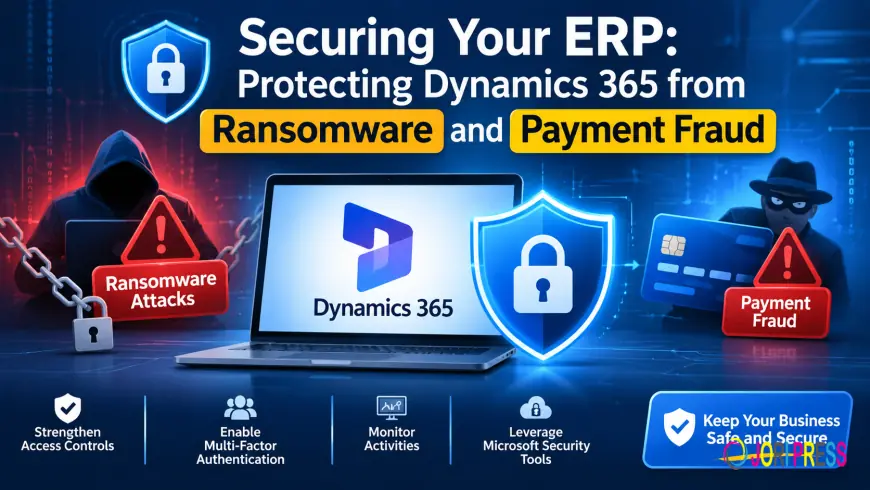
Digital transformation has made enterprise applications essential for managing everyday business activities. Organizations depend on ERP systems to process orders, manage inventory, handle supplier information, maintain financial records, and coordinate different departments. While these systems improve efficiency, they also contain valuable information that attracts cybercriminals. One of the most serious threats facing modern businesses is ransomware. Understanding how Ransomware Attacks affect enterprise applications and how to prevent them is essential for maintaining business continuity and protecting sensitive information.
Understanding How Ransomware Affects Businesses
Ransomware is a type of malicious software that can prevent users from accessing their systems or files, often by encrypting important information. Attackers may demand payment in exchange for restoring access or threaten to expose confidential data.
When ransomware affects an ERP environment, the consequences can extend across multiple departments.
Sales teams may be unable to process customer orders, warehouse employees may lose access to inventory information, and procurement teams may struggle to manage purchase orders. Finance departments can also face difficulties processing invoices, managing payments, and accessing financial records.
Even when organizations have alternative manual processes, maintaining normal operations during a prolonged disruption can be challenging.
Why ERP Applications Are Attractive Targets
ERP platforms contain important business information in one connected environment. This makes them valuable targets for cybercriminals.
Financial records, supplier bank details, customer information, purchase orders, and operational data can all be valuable to attackers.
Another reason is business dependency. Organizations cannot always operate efficiently without access to their ERP applications. Attackers may use this dependency to create pressure on management to restore access quickly.
Cloud-based ERP platforms also connect with multiple applications, users, and external services. Poorly managed access permissions or compromised credentials can create opportunities for unauthorized access.
Identifying Common Entry Points
Understanding how ransomware enters an organization is an important step toward prevention.
Phishing emails are a common method used to trick employees into opening malicious attachments or sharing login credentials. Compromised accounts can then provide attackers with access to business applications.
Outdated software and unpatched infrastructure may also contain vulnerabilities that attackers can exploit.
Weak passwords, unrestricted administrative permissions, and poorly secured third-party connections can further increase exposure.
Organizations should review these potential entry points and establish controls that reduce the chances of unauthorized access.
Strengthening User Access and Identity Protection
Access management plays an important role in ransomware prevention.
Employees should receive only the permissions required for their responsibilities. Administrative access should be restricted to authorized personnel, and unnecessary privileges should be removed.
Microsoft Entra ID helps organizations manage identities and protect access to Microsoft services. Multifactor authentication adds another verification step during sign-in, reducing dependence on passwords alone.
Conditional Access policies can also restrict access based on device compliance, user risk, and other organizational requirements.
For privileged accounts, Microsoft Entra Privileged Identity Management supports temporary and approval-based access. This helps reduce the risks associated with permanent administrator permissions.
Keeping ERP Infrastructure and Applications Updated
Outdated software can create security weaknesses that attackers may use to gain access to systems.
Organizations should maintain an update management process that includes reviewing available security updates, evaluating their impact, and applying them according to an appropriate schedule.
For cloud-based Microsoft Dynamics 365 applications, Microsoft manages the underlying cloud infrastructure and platform security. Businesses must still manage their application configurations, user identities, permissions, and business data protection responsibilities.
Companies operating on-premises or hybrid environments should pay particular attention to infrastructure maintenance and security updates.
Monitoring Suspicious Activities
Preventive security controls are important, but businesses also need to detect unusual activities quickly.
Microsoft Sentinel provides security monitoring and investigation capabilities by collecting information from connected systems.
Organizations can monitor unusual sign-ins, unexpected account changes, modifications to security roles, and suspicious administrative activities.
Microsoft Defender for Cloud Apps can also help identify unusual user sessions and potentially risky data-sharing behavior.
Monitoring these activities helps security teams investigate possible threats before they create greater operational damage.
Protecting Data and Maintaining Backups
Data protection and recovery planning are essential parts of ransomware preparedness.
Organizations should maintain suitable backup arrangements for important business information and regularly test their recovery processes.
Backups should be protected against unauthorized modification or deletion. Access to backup environments should also be restricted.
Businesses should define recovery priorities for important functions such as finance, procurement, inventory management, and customer order processing.
A documented incident response plan helps employees understand what actions to take when suspicious activity or a security incident is detected.
Building Employee Awareness
Technology alone cannot eliminate every security risk. Employees also need to understand how their actions can affect organizational security.
Training should cover suspicious email identification, safe handling of attachments, password protection, authentication requests, and reporting unusual system behavior.
Employees who understand common cyberattack methods are better prepared to recognize potential threats and follow organizational security procedures.
Conclusion
Ransomware can disrupt business operations, expose sensitive information, and create serious financial challenges. Since ERP applications support multiple business functions, protecting them should be a priority for organizations of every size.
By strengthening access controls, maintaining updated systems, monitoring suspicious activities, protecting business data, and preparing recovery plans, organizations can improve their ability to prevent and respond to Ransomware Attacks.
A proactive security approach helps businesses protect essential applications, reduce operational disruption, and maintain confidence in their digital infrastructure.
What's Your Reaction?
 Like
0
 Dislike
0
 Love
0
 Funny
0
 Angry
0
 Sad
0
 Wow
0