





































Copilot Training: Build the Skills to Master AI-Powered Business Automation
Master Copilot Training to build practical AI skills, automate tasks, boost productivity, and advance your career with expert-led learning and certification.

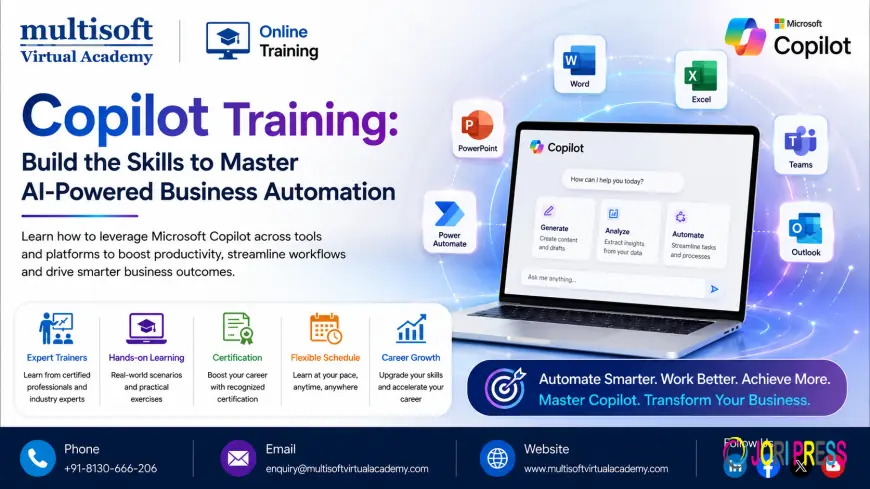
Artificial intelligence is rapidly changing how professionals create content, analyze information, automate repetitive work and collaborate across organizations. Among the technologies driving this transformation, Microsoft Copilot has emerged as a major enterprise AI solution. As businesses move from simple AI chat experiences toward intelligent agents and automated workflows, professionals with practical Copilot skills are increasingly valuable.
Copilot Training helps learners understand how to use Microsoft Copilot effectively across workplace scenarios while developing the skills required to create AI-powered solutions. Modern learning paths increasingly cover Microsoft 365 Copilot, Copilot Studio, AI agents, prompt engineering, workflow automation, generative AI and responsible AI practices.
The latest developments in Copilot Studio also show the direction of enterprise AI: agents are becoming capable of handling multi-step processes, connecting with business data and working with tools and workflows. Microsoft has continued introducing capabilities around agent orchestration, analytics, governance and automation in 2026.
What Is Copilot Training?
Copilot Training is a structured learning approach designed to help professionals understand and apply Microsoft's AI-powered Copilot technologies in real-world business environments.
Rather than treating AI as simply a chatbot, modern Copilot learning focuses on how AI can assist with productivity, decision-making, content generation, data analysis, communication and business-process automation.
Depending on the learning path, participants may explore:
- Microsoft 365 Copilot
- Microsoft Copilot Studio
- AI agent development
- Generative AI
- Prompt engineering
- AI workflow automation
- Power Automate integration
- Microsoft Teams integration
- SharePoint knowledge sources
- AI governance and security
- Responsible AI
- Agent analytics and optimization
Microsoft's current Copilot Studio documentation emphasizes building agents and workflows, testing and evaluating them, publishing them to channels and monitoring their performance.
Why Is Copilot Training Becoming Important?
Organizations are moving beyond traditional automation toward AI-assisted and agent-driven operations. Employees are expected to work alongside intelligent tools that can summarize information, generate content, interpret business data and automate repetitive activities.
This creates a growing need for professionals who understand not only how to ask AI questions but also how to integrate AI into practical business workflows.
For example, a trained professional may use Copilot to:
- Draft and improve business documents
- Summarize meetings and discussions
- Analyze information
- Create presentations
- Generate reports
- Automate repetitive workflows
- Build specialized AI agents
- Connect agents with enterprise knowledge
- Improve customer support
- Assist with internal operations
The value of Copilot therefore depends on how effectively professionals can combine AI capabilities with business processes.
Microsoft 365 Copilot Skills for Modern Professionals
Microsoft 365 Copilot is particularly relevant for professionals who already use applications such as Word, Excel, PowerPoint, Outlook and Teams.
A strong Microsoft Copilot Training program can help learners understand how AI can be incorporated into everyday productivity.
Professionals can learn how to use Copilot to improve document creation, summarize lengthy information, prepare meeting content, organize ideas and support business communication.
The important skill is not simply knowing which button to click. Professionals need to understand how to provide appropriate context, formulate effective instructions, verify AI-generated results and apply organizational policies.
This combination of AI literacy and business knowledge can make Copilot substantially more useful in professional environments.
Copilot Studio and the Rise of AI Agents
One of the most important developments in the Copilot ecosystem is the growing role of Microsoft Copilot Studio.
Copilot Studio enables organizations to create and manage AI agents and workflows. Microsoft's 2026 updates have increasingly focused on more capable agents, multi-step processes, analytics, governance and integrations.
This means Copilot Studio Training is becoming an important specialization for professionals interested in enterprise AI automation.
Learners can explore concepts such as:
- Creating AI agents
- Defining agent instructions
- Connecting knowledge sources
- Using tools and connectors
- Building workflows
- Testing agent responses
- Evaluating agent quality
- Publishing agents
- Monitoring performance
- Managing access and governance
The new Copilot Studio experience is designed around creating, testing, publishing and monitoring agents, with enhanced orchestration and reasoning capabilities.
AI Agents: The Next Step Beyond Chatbots
Traditional chatbots generally respond to predefined questions. Modern AI agents are designed to perform more sophisticated tasks.
This shift is one of the most important trends in enterprise AI.
AI agents can potentially reason over information, interact with tools, trigger workflows and complete multiple steps within a business process. Microsoft has also expanded Copilot Studio's capabilities for computer-using agents, enabling automation of UI-driven processes that may not have straightforward API integrations.
Professionals who understand AI Agent Training, agent design and workflow orchestration can therefore contribute to the next generation of business automation.
Prompt Engineering for Better Copilot Results
Prompt engineering remains an important component of effective Copilot usage.
A good prompt provides clear instructions, relevant context and an expected outcome. Instead of asking an AI tool a vague question, professionals can structure requests around:
Role + Context + Task + Constraints + Desired Output
For example, instead of writing:
"Create a report."
A more useful instruction could specify the audience, purpose, source information, structure and tone expected from the report.
Copilot Training can teach learners how to refine prompts, provide useful context, evaluate responses and iteratively improve results.
This is particularly important because AI-generated output should be reviewed rather than accepted automatically.
Copilot and Workflow Automation
Another high-value area is combining Copilot with workflow automation.
Organizations often have repetitive processes involving approvals, notifications, data collection, document processing and communication. AI can add reasoning and natural-language interaction to these workflows.
Microsoft's roadmap includes capabilities that allow agents to be invoked as workflow steps, enabling agents to reason over data and interact with tools as part of broader automated processes.
This opens opportunities for professionals to learn AI Automation Training, Power Automate Training and Copilot workflow development together.
The result can be more intelligent automation rather than simple rule-based automation.
Copilot for Business Productivity
Copilot can support professionals across multiple departments.
Marketing
Marketing teams can use AI to brainstorm campaigns, develop content ideas, summarize customer insights and accelerate content production.
Human Resources
HR teams can use AI to assist with documentation, communication, knowledge discovery and employee-support workflows.
Finance
Finance professionals can use AI-assisted analysis, reporting and document summarization while maintaining appropriate controls around sensitive information.
Sales
Sales teams can use AI to summarize information, prepare communications and support customer-related workflows.
IT
IT teams can explore AI agents, knowledge retrieval, automation and service-support scenarios.
The specific implementation should always consider organizational data policies, access permissions and human oversight.
Why Copilot Governance and Security Matter
AI adoption cannot focus only on productivity. Security, governance and responsible AI are equally important.
Organizations need to consider who can create agents, what information an agent can access, which connectors it can use and who can publish or share it.
Recent Copilot Studio updates include improvements related to access control, Data Loss Prevention, analytics, agent identity and safe sharing.
Therefore, Copilot Certification Training or professional Copilot learning should ideally include governance and responsible AI concepts alongside technical skills.
A successful AI implementation is not simply one that produces impressive responses. It should also be secure, measurable, maintainable and aligned with business requirements.
Skills You Can Develop Through Copilot Training
A comprehensive learning program can help professionals develop a combination of technical and business skills.
Key skills may include:
- Microsoft Copilot fundamentals
- Microsoft 365 Copilot usage
- Prompt engineering
- Generative AI concepts
- Copilot Studio
- AI agent creation
- Workflow automation
- Power Platform integration
- Knowledge grounding
- Agent testing and evaluation
- AI governance
- Responsible AI
- Agent analytics
- Business-process automation
- AI productivity optimization
These skills can be useful for developers, business analysts, IT professionals, project managers, consultants, administrators, marketers and other technology-oriented professionals.
Copilot Training for Career Growth
The growth of enterprise AI is creating new responsibilities within existing technology roles.
A business analyst may become involved in AI-powered process design. An automation developer may work with intelligent agents. An IT professional may support AI governance. A project manager may coordinate AI adoption initiatives.
Learning Copilot can therefore complement existing professional expertise instead of replacing it.
For technology professionals, combining Copilot with Microsoft Power Platform, Azure, Power Automate, Microsoft 365 and AI fundamentals can create a broader skill profile.
For business professionals, Copilot can provide practical AI capabilities without requiring deep programming knowledge for every use case.
What to Look for in a Copilot Training Program
Not every AI course provides the same practical value. Learners should evaluate whether a program covers both fundamental concepts and real-world implementation.
A useful Copilot Training Course should ideally include:
- Practical demonstrations
- Real-world business scenarios
- Prompt engineering
- Copilot Studio
- AI agents
- Workflow automation
- Knowledge sources
- Testing and evaluation
- Security considerations
- Governance
- Performance monitoring
- Hands-on exercises
The curriculum should also evolve as Microsoft continues updating Copilot capabilities.
This is particularly important in 2026 because Copilot Studio is developing rapidly, with new features covering agent analytics, multi-agent capabilities, knowledge integration and more sophisticated automation.
Emerging Copilot Trends to Watch in 2026
The Copilot ecosystem is moving toward more autonomous and connected AI experiences.
Some important trends include:
Agentic AI
AI agents are increasingly becoming capable of handling tasks rather than simply generating responses.
Multi-Agent Orchestration
Multiple specialized agents can work together to address more complex business processes. Microsoft has been expanding guidance around multi-agent orchestration and agent architecture.
AI-Powered Workflow Automation
Agents can increasingly participate directly in workflows and business processes.
Computer-Using Agents
Computer-use capabilities are opening possibilities for automating UI-driven tasks where traditional integrations may be difficult.
AI Governance
As organizations deploy more agents, access control, monitoring, responsible AI and security become increasingly important.
Agent Analytics
Organizations need measurable insights into agent performance, usage and outcomes. Recent Copilot Studio releases have introduced expanded analytics and custom metrics capabilities.
Enterprise Knowledge Integration
Connecting AI agents to reliable business knowledge is becoming central to creating useful enterprise AI experiences.
How to Start Learning Copilot
Professionals who are new to Copilot can begin with Microsoft 365 Copilot fundamentals and prompt engineering. After understanding the basics, they can progress toward Copilot Studio, AI agents and workflow automation.
A practical learning journey can follow this sequence:
AI Fundamentals → Microsoft Copilot → Prompt Engineering → Copilot Studio → AI Agents → Workflow Automation → Governance → Advanced Agent Solutions
Hands-on practice is especially valuable. Learners should experiment with realistic scenarios rather than relying only on theoretical concepts.
They should also develop the habit of validating AI-generated information and understanding the limitations of generative AI.
Who Should Learn Copilot?
Copilot skills can benefit a wide range of professionals, including:
- IT professionals
- Software developers
- Business analysts
- Project managers
- Data professionals
- Automation specialists
- Microsoft 365 administrators
- HR professionals
- Marketing professionals
- Sales professionals
- Business consultants
- Digital transformation professionals
The required depth depends on the learner's career objective. A business user may focus on productivity, while an automation developer may need deeper knowledge of agents, connectors and workflows.
Final Thought
The future of workplace AI is moving from basic assistance toward intelligent collaboration, automation and AI-powered agents. Copilot Training provides professionals with an opportunity to understand this transformation and apply AI more effectively to real business challenges. As Microsoft continues expanding Copilot, Copilot Studio, agent orchestration and automation capabilities, practical AI skills are becoming increasingly valuable. For professionals and organizations looking to develop these capabilities through structured learning, Multisoft Virtual Academy can serve as a service provider for Copilot-focused professional training and help learners build relevant skills for the evolving AI-powered workplace.
What's Your Reaction?
 Like
0
Like
0
 Dislike
0
Dislike
0
 Love
0
Love
0
 Funny
0
Funny
0
 Angry
0
Angry
0
 Sad
0
Sad
0
 Wow
0
Wow
0