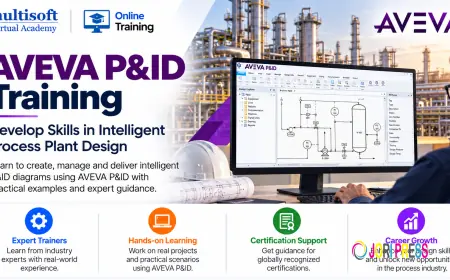









































AVEVA P&ID Training: Develop Skills in Intelligent Process Plant Design
AVEVA P&ID Training introduces learners to the software's working environment and the principles of intelligent P&ID development.

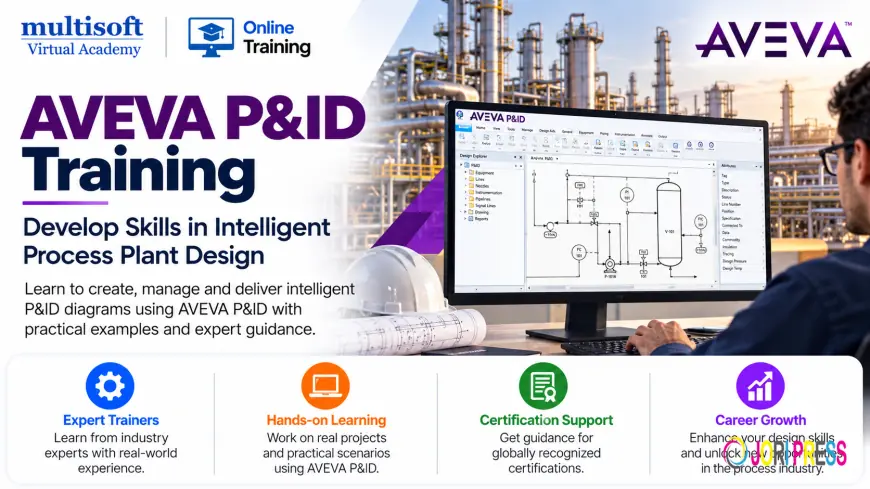
Process and instrumentation diagrams play a vital role in the design, development and operation of industrial facilities. They provide engineers with a structured view of process equipment, pipelines, instruments, control systems and their relationships. Accurate diagrams help engineering teams understand complex processes, coordinate design activities and communicate technical information throughout a project's lifecycle.
AVEVA P&ID is an engineering software solution used to develop and manage intelligent piping and instrumentation diagrams. It helps engineering professionals work with process information in a structured environment rather than relying entirely on disconnected drawing files. Depending on the product version and configuration, users can work with engineering data, diagram elements, project information and associated reporting capabilities.
AVEVA P&ID Training introduces learners to the software's working environment and the principles of intelligent P&ID development. It is suitable for engineers, designers, technical professionals and individuals who want to strengthen their understanding of process plant engineering documentation.
Whether you are beginning your journey in plant design or looking to expand your existing engineering skills, learning how to create and manage P&IDs can help you understand the relationship between process design, instrumentation and piping systems.
What Is a Piping and Instrumentation Diagram?
A Piping and Instrumentation Diagram, commonly known as a P&ID, is a detailed engineering drawing that represents the functional relationships between process equipment, piping, instruments, valves and control elements within an industrial system.
Unlike a simple process flow diagram, which generally illustrates the major stages of a process, a P&ID provides more detailed information about the equipment and instrumentation required to operate that process.
A typical P&ID may contain:
- Process equipment such as pumps, vessels, tanks and heat exchangers
- Piping routes and line identification details
- Manual and automated valves
- Instruments used for measuring pressure, temperature, flow and level
- Control loops and associated components
- Equipment tags and instrument identification numbers
- Process connections and relevant engineering annotations
These drawings support engineering design, project coordination, equipment selection, maintenance planning and operational understanding. They are particularly important in industries where process reliability, safety and accurate technical documentation are essential.
Understanding the Role of AVEVA P&ID in Plant Engineering
Industrial engineering projects involve information from several disciplines. Process engineers define how a system should operate, piping designers develop the physical arrangement of piping systems, and instrumentation engineers work on measurement and control requirements.
P&IDs help connect these engineering activities by providing a common representation of the process system.
AVEVA P&ID supports the development and management of these diagrams within a dedicated engineering environment. Depending on the implementation, intelligent diagramming capabilities can associate drawing elements with structured engineering information. This makes it easier for engineering teams to maintain consistency and manage design documentation.
Professionals who understand AVEVA P&ID can contribute to tasks such as preparing process diagrams, updating engineering information, reviewing drawings and supporting documentation requirements.
Learning the software also helps users understand why accurate equipment identification, consistent symbols and reliable engineering data are important throughout the project lifecycle.
What Will You Learn in AVEVA P&ID Training?
A structured training program should cover the software environment, fundamental P&ID concepts and practical engineering workflows. The exact syllabus may vary according to the software version, project requirements and the learner's existing experience.
1. Software Interface and Project Environment
The first stage introduces learners to the software interface and its principal working areas. Understanding the layout and available commands makes it easier to navigate projects and complete routine engineering tasks.
Training may cover project navigation, drawing access, available toolbars, basic settings and the general workflow for creating or modifying diagrams.
Learners should also understand how project configuration and data management influence the way engineering information is maintained.
2. P&ID Symbols and Engineering Components
P&IDs use standardized graphical symbols and identification conventions to represent equipment, piping, valves and instruments.
Training introduces the purpose of common diagram elements and explains how they are used in process engineering documentation.
Topics may include:
- Equipment representation and identification
- Pipeline symbols and line references
- Valve types and their diagram representations
- Instrument symbols and tag conventions
- Control elements and measurement points
- Annotations and engineering notes
A strong understanding of these fundamentals helps learners interpret existing drawings and develop diagrams that are easier for other engineering disciplines to review.
3. Creating and Editing P&ID Drawings
Developing a useful P&ID requires more than placing graphical objects on a drawing. Each component must represent the intended engineering function and follow the project's documentation standards.
Learners can develop an understanding of diagram creation, component placement, piping connections and drawing modification.
Practical exercises may involve preparing a basic process arrangement, adding equipment, connecting piping, placing instruments and revising diagram elements to reflect updated design requirements.
The objective is to develop a systematic approach to diagram preparation rather than simply learning individual software commands.
4. Working with Equipment and Instrument Information
Engineering diagrams contain identification details that help teams distinguish between equipment items and instrumentation components.
Depending on the software implementation, engineering data may be associated with diagram objects and maintained through structured project information.
Training can introduce learners to equipment tags, instrument identifiers, component properties and the importance of consistent data entry.
These concepts are useful when drawings need to be reviewed, revised or coordinated with other engineering deliverables.
5. Piping Connections and Line Information
Piping information is a central part of process plant documentation. Engineers need to understand how lines connect equipment and how piping details are represented in diagrams.
A practical training program may cover the creation and modification of piping connections, line identification and the interpretation of associated information.
Learners should also understand the importance of following project-specific conventions for line numbering, service descriptions and diagram presentation.
Accurate piping information supports communication between process, piping, instrumentation and other engineering teams.
6. Instrumentation and Control Loops
Instrumentation allows operators and control systems to monitor and regulate industrial processes. P&IDs illustrate how instruments and control components relate to the process equipment and piping network.
Training may cover the representation of measurement instruments, control valves, signal relationships and control-loop components.
Understanding these relationships helps learners interpret how process variables are monitored and how control actions interact with the wider plant system.
This knowledge is especially relevant for professionals working in process engineering, instrumentation design and automation-related projects.
7. Drawing Validation and Data Consistency
Engineering documentation must remain accurate as designs evolve. Inconsistent tags, missing information and incorrect connections can create confusion during reviews and later project stages.
Where supported by the installed version and project configuration, training may introduce validation checks, consistency reviews and other methods for identifying drawing or data issues.
Learners should understand the value of reviewing diagrams before sharing them with other disciplines.
Developing good checking habits can improve drawing quality and reduce avoidable revisions.
8. Reports and Engineering Deliverables
Engineering teams often need to extract information from drawings for documentation, review and project coordination.
Depending on the software version and configuration, reporting workflows may support the preparation of engineering information in a suitable format.
Training may introduce learners to available reporting features, data extraction concepts and the preparation of deliverables according to project requirements.
The emphasis should be on understanding which information is needed, how it is maintained and how it can support downstream engineering activities.
Who Should Consider AVEVA P&ID Training?
AVEVA P&ID Course can be relevant to professionals who work with process engineering drawings or want to enter the plant design domain.
Process Engineers
Process engineers use P&IDs to communicate process arrangements, identify equipment and instrumentation requirements, and document the relationships between different parts of a process system.
Software training can help them understand how diagrams are created and maintained in an engineering environment.
Piping Designers and Engineers
Piping professionals regularly interpret process diagrams when developing piping layouts and coordinating design information.
Understanding P&IDs helps them identify piping connections, equipment interfaces and relevant engineering references.
Instrumentation and Control Engineers
Instrumentation professionals work with measurement devices, control valves and control loops represented in P&IDs.
Learning the software can help them understand how instrumentation information is presented and managed within engineering diagrams.
Plant Design Professionals
Individuals working in engineering design, technical documentation and plant project coordination may benefit from understanding intelligent P&ID workflows.
This knowledge can support communication across disciplines and improve familiarity with engineering deliverables.
Fresh Graduates and Aspiring Designers
Engineering graduates who want to explore process plant design may consider this training as part of their technical development.
Basic knowledge of process equipment, piping systems and instrumentation can make the learning process more effective.
Industries That Use P&ID Documentation
P&IDs are used across industries that depend on interconnected equipment, piping systems, instrumentation and process control.
Oil and Gas
Oil and gas facilities use P&IDs to document process equipment, pipelines, valves and instrumentation across production and processing operations.
Accurate diagrams help engineering teams understand system relationships and maintain technical documentation.
Chemical and Petrochemical Plants
Chemical manufacturing facilities depend on clearly documented process systems. P&IDs help represent equipment connections, process lines and control arrangements.
These diagrams support engineering design, reviews and plant modification activities.
Pharmaceutical Manufacturing
Pharmaceutical facilities require organized process documentation for production systems, utilities and associated instrumentation.
P&IDs can help engineering teams understand the configuration of process equipment and related control components.
Power Generation
Power plants contain interconnected process systems involving fluids, steam, cooling equipment and control instrumentation.
P&IDs help document these relationships and support engineering coordination.
Water and Wastewater Treatment
Water treatment facilities use pumps, tanks, valves, pipelines and monitoring instruments. P&IDs provide a structured view of these components and their functional connections.
Industrial Manufacturing
Other process-oriented manufacturing environments also use P&IDs to document equipment and piping arrangements. The specific requirements vary depending on the process and facility design.
Why Learn an Intelligent P&ID Application?
Traditional drawing methods can be sufficient for some engineering tasks, but complex projects often require better coordination between diagrams and engineering information.
Intelligent P&ID applications can help teams manage diagram elements and associated data more systematically, subject to the capabilities of the selected product and project configuration.
Important benefits may include the following.
Improved information consistency: Structured engineering information can help reduce inconsistencies between diagram elements and associated data.
More efficient revisions: Organized drawing workflows can make it easier to update diagrams when project requirements change.
Better engineering coordination: Consistent documentation supports communication among process, piping, instrumentation and other engineering disciplines.
Clearer technical documentation: Standardized symbols, tags and drawing conventions help engineering teams interpret diagrams more effectively.
Support for information reuse: Where supported, structured data can assist with reporting and other downstream engineering activities.
These benefits depend on correct software configuration, appropriate engineering practices and the quality of the information maintained in the project.
How to Choose the Right AVEVA P&ID Training Program
Selecting suitable training involves more than comparing course duration or fees. Learners should evaluate the curriculum, practical coverage and relevance to their professional goals.
Review the Course Curriculum
Look for a program that covers P&ID fundamentals, software navigation, diagram creation, component properties, piping connections and drawing modification.
If your work involves reporting or data validation, confirm whether these subjects are included.
Check Practical Training Opportunities
Practical exercises can help learners connect theoretical concepts with real engineering tasks.
Ask whether the program includes guided exercises, sample drawings, practical assignments or project-oriented scenarios.
Confirm the Software Version
AVEVA products and workflows can differ across versions and implementations. Before enrolling, confirm which software version will be used and whether the course aligns with your organization's requirements.
Understand the Training Format
Training may be offered through live instructor-led sessions, one-to-one instruction or self-paced learning materials.
Choose a format that suits your schedule, preferred learning style and technical background.
Ask About Learning Support
Clarify whether the program includes access to learning resources, recorded sessions where applicable, practice materials and post-training assistance.
A clear understanding of the available support helps you plan your learning effectively.
Career Opportunities After AVEVA P&ID Training
Knowledge of P&ID software can complement the skills required for several engineering and design roles. Potentially relevant positions include:
- P&ID Designer
- Process Design Engineer
- Piping Design Engineer
- Instrumentation Design Engineer
- Plant Design Engineer
- Engineering Design Technician
- Technical Documentation Specialist
The relevance of the software depends on the employer, industry, project requirements and the responsibilities of the position.
Training alone does not guarantee employment or promotion. Candidates should combine software knowledge with engineering fundamentals, drawing interpretation, industry standards and practical experience.
For experienced professionals, additional training may help strengthen existing skills and prepare them for projects that use intelligent engineering documentation tools.
Prerequisites for Learning AVEVA P&ID
Formal software experience may not be necessary for every introductory course. However, a basic understanding of engineering drawings and process plant terminology can be helpful.
Learners may benefit from familiarity with:
- Basic process engineering concepts
- Piping systems and common equipment
- Instrumentation fundamentals
- Engineering drawing conventions
- Computer-aided design principles
Beginners can start with the fundamentals and gradually progress to more advanced software workflows.
Professionals who already work with P&IDs may be able to focus more quickly on software-specific functions, project data and documentation practices.
Frequently Asked Questions
What is AVEVA P&ID Training?
AVEVA P&ID Training teaches learners how to work with software used for developing and managing piping and instrumentation diagrams. Depending on the curriculum, it may cover diagram creation, equipment identification, piping connections, instrumentation and engineering documentation.
Is AVEVA P&ID suitable for beginners?
Beginners can consider an introductory program that explains P&ID fundamentals before progressing to software functions. Basic knowledge of engineering drawings and process equipment can make learning easier.
Do I need prior CAD experience?
Prior CAD experience can be helpful, but the requirement depends on the course and software version. Check the prerequisites before enrolling, particularly if the program focuses on advanced workflows.
Which industries use P&IDs?
P&IDs are commonly used in oil and gas, chemical processing, petrochemicals, pharmaceuticals, power generation, water treatment and other process-oriented industries.
What should a practical training program include?
A useful program should cover the software interface, P&ID symbols, diagram creation and editing, equipment and instrument information, piping connections and drawing reviews. Reporting and validation topics may also be included depending on the software configuration.
Can AVEVA P&ID Training help my career?
The training can strengthen software knowledge relevant to engineering design and technical documentation roles. Career outcomes depend on your qualifications, practical skills, experience and the requirements of prospective employers.
How long does AVEVA P&ID Training take?
The duration varies by course structure, training format and learner experience. Confirm the total hours and practical coverage with the training provider before enrolling.
Conclusion
AVEVA P&ID is relevant to engineering workflows that require accurate piping and instrumentation diagrams and well-organized technical information. Understanding the software can help professionals develop their diagramming skills, interpret engineering documentation and coordinate information across plant design disciplines. The greatest value comes from combining software knowledge with a sound understanding of process equipment, piping systems, instrumentation and engineering standards. For professionals looking to develop these capabilities through structured learning, Multisoft Virtual Academy offers technical training opportunities designed to support skill development and practical understanding. Before selecting a course, review the syllabus, software version, training format and hands-on coverage to ensure that the program aligns with your learning objectives and professional requirements.
What's Your Reaction?
 Like
0
Like
0
 Dislike
0
Dislike
0
 Love
0
Love
0
 Funny
0
Funny
0
 Angry
0
Angry
0
 Sad
0
Sad
0
 Wow
0
Wow
0