































Best AI Presentation Makers in 2026
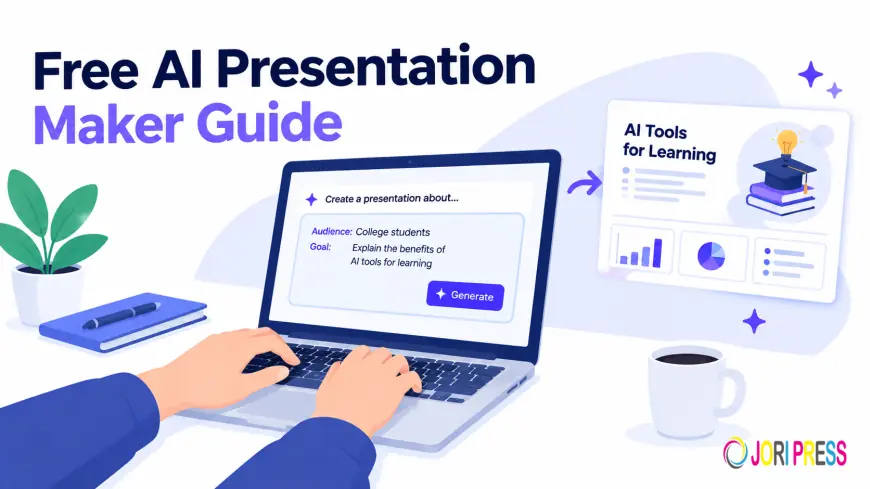
Creating a presentation used to mean starting with a blank slide, choosing a template, writing every line of copy, and spending far too long fixing spacing and alignment.
An AI presentation maker changes that workflow. Instead of building every slide from scratch, you describe what you need and the AI can help create the structure, content, layouts, and visuals for a first draft.
But not every AI presentation generator works the same way.
Some tools are designed for fast, web-based presentations. Others focus on traditional PowerPoint workflows, automated design, brand consistency, or presentation delivery. The right choice depends less on finding one universal “best” tool and more on finding the tool that fits the way you actually work.
In this guide, we'll compare several popular AI presentation makers, explain what each one is good at, and show you what to check before choosing one.
Quick Answer: Which AI Presentation Maker Should You Use?
The answer depends on what you need from your presentation workflow:
-
Want to create a presentation quickly from a prompt or outline? Look for an AI presentation generator that can build the first draft for you.
-
Need a presentation that you can edit afterward? Make sure the tool gives you meaningful control over text, layouts, images, and individual slides.
-
Need a PowerPoint file? Check the available PPTX export and test the exported file before using it for an important presentation.
-
Already use Canva for your visual work? Canva may fit naturally into your existing workflow.
-
Want a presentation inside an established PowerPoint or Google Slides workflow? A tool designed around those platforms may be more convenient.
-
Want presentations alongside websites and other digital assets? An all-in-one AI workspace such as Volnyn can reduce the need to move between different tools.
The important thing is to compare the workflow, not just the feature list.
What Should You Look for in an AI Presentation Maker?
Before choosing an AI slide generator, think about what happens before, during, and after the AI creates your presentation.
1. AI Generation Quality
Does the tool create a useful first draft, or does it simply turn your prompt into generic bullet points? A good first draft should give you a logical structure that you can improve rather than forcing you to rebuild the presentation from scratch.
2. Editing Control
AI should give you a starting point, not take away your control. Look for an editor that lets you:
-
Rewrite text
-
Add or remove slides
-
Change layouts
-
Adjust visuals
-
Refine the structure
-
Regenerate individual sections when necessary
3. Export Options
If your audience expects a PowerPoint or PDF, export support matters. Before choosing a tool, check whether it supports the format you actually need and test the exported presentation for layout changes, font issues, image positioning, missing elements, and chart or graphic problems.
4. Free Plan
“Free” can mean different things across AI presentation tools. A free plan may limit the number of presentations, AI generations, export options, branding, templates, or advanced features. Always check the current plan details before building an important workflow around a free tier.
5. Collaboration
If you're working with a team, consider whether the tool supports the way your team already works. You may need commenting, shared projects, brand controls, or a workflow that integrates with existing presentation software.
6. The Workflow Around the Presentation
Sometimes the presentation isn't the only thing you need. A pitch deck might also need a website. A product presentation might need supporting images. A business report might need documents or other content. That's where an all-in-one AI workspace can become useful.
The Best AI Presentation Makers for Different Workflows
Rather than ranking every tool from “best” to “worst,” let's look at where each one fits.
Gamma
Gamma is designed around a fast, web-first approach to creating presentations, documents, and other visual content. You can start with an idea, prompt, outline, or existing content and turn it into a structured presentation.
-
What It Does Well: Fast AI-generated presentations, web-based editing, quick visual layouts, presentation sharing, and multiple export options (including PowerPoint and PDF).
-
Where It May Not Fit: If your workflow is heavily tied to another presentation platform or you need very specific editing behavior.
-
Best For: Fast, web-based presentation creation and visual content workflows.
Canva
Canva is already widely used for graphics, social content, marketing materials, documents, and presentations. Its AI presentation capabilities fit naturally into that larger design ecosystem.
-
What It Does Well: Creative control available after the AI generates a starting point, using templates, visual assets, brand elements, and design tools.
-
Where It May Not Fit: If your only goal is to type a prompt and receive a complete presentation with minimal manual design work.
-
Best For: People and teams already using Canva for broader visual-content work.
Beautiful.ai
Beautiful.ai takes a design-first approach to presentation creation. Its workflow is built around automated layouts, helping users create consistent slides without manually adjusting every element.
-
What It Does Well: Automated design helps avoid wasting time on alignment, spacing, layout, and consistency.
-
Where It May Not Fit: If you want complete freedom to manually control every design detail.
-
Best For: Users who want consistent presentation design without manually managing every layout detail.
Prezi
Prezi takes a different approach from traditional slide-by-slide presentation software. Its zooming canvas is designed around movement and visual storytelling rather than a standard sequence of static slides.
-
What It Does Well: Visual journey and storytelling for live presentations, interactive explanations, and presenter-led sessions.
-
Where It May Not Fit: If your audience expects a conventional PowerPoint-style deck.
-
Best For: Presenter-led storytelling and presentations where movement is part of the experience.
Plus AI
Plus AI focuses on bringing AI-assisted presentation creation into familiar presentation workflows such as PowerPoint and Google Slides.
-
What It Does Well: Familiarity and seamless integration with existing PowerPoint or Google Slides processes.
-
Where It May Not Fit: If you're looking for a highly visual, AI-first environment built entirely around generation.
-
Best For: Teams that want AI assistance while staying close to their existing presentation workflow.
Decktopus
Decktopus focuses on guided presentation creation, helping users move from an idea or source material toward a structured presentation.
-
What It Does Well: Guided approach when you know what you want to communicate but aren't sure how to organize it (great for business presentations and training material).
-
Where It May Not Fit: Users who want complete control over structure and design from the beginning.
-
Best For: Users who want more guidance while turning an idea into a presentation.
Volnyn AI Presentation Maker
Volnyn takes a simple approach: describe what you want, let AI build the first draft, and then refine it yourself. Instead of starting with a blank slide, you can provide a topic, outline, notes, or source material and let the AI turn that information into a structured presentation.
-
What Volnyn Does Well: Combines AI generation and hands-on editing to start presentations from descriptions, turn notes into structured slides, edit individual slides, and create presentations as part of a wider AI workspace.
-
Where Volnyn Fits Particularly Well: When the presentation is part of a larger project (e.g., product launch needing a website, supporting documents, and visual assets all in one workspace).
-
Best For: People who want fast AI-generated presentations with editing control alongside other AI-powered creation tools.
AI Presentation Makers Compared
| Tool | Best For | Main Strength | Workflow |
| Gamma | Fast web-based decks | Quick generation and visual editing | AI-first |
| Canva | Design-focused teams | Large visual ecosystem | Design + AI |
| Beautiful.ai | Consistent layouts | Automated design | Design-first |
| Prezi | Live storytelling | Zooming presentation format | Presenter-first |
| Plus AI | Existing presentation workflows | AI inside familiar tools | PowerPoint/Slides-focused |
| Decktopus | Guided creation | Structured presentation workflow | Guided |
| Volnyn | Fast drafts + broader projects | AI generation, editing, and wider AI workspace | AI-first + all-in-one |
Which AI Presentation Maker Should You Use?
Instead of asking “Which tool is number one?”, start with your actual requirement:
-
If You Need a Fast First Draft: Look for an AI presentation generator that turns a prompt or outline into a complete structure quickly.
-
If Your Team Already Uses Canva: Canva makes sense to keep presentations inside your existing visual workflow.
-
If You Work Mainly in PowerPoint or Google Slides: A tool designed to work closely with those platforms reduces disruption.
-
If Storytelling Is Central: Prezi's visual zooming approach is worth exploring.
-
If You Want Guided Creation: Decktopus can help structure your ideas.
-
If You Want Presentations Plus Other AI Tools: Volnyn allows presentations to sit alongside websites, documents, and other creation tools in the same workspace.
Is There a Free AI Presentation Maker?
Yes, several AI presentation tools offer free or limited plans, but the word free usually comes with caps on generations, slides, export formats, branding, or templates.
Volnyn currently offers a free starting point for its AI presentation maker without requiring a credit card. The best approach is to test the free workflow yourself before deciding on a paid plan.
How to Get Better Results From an AI Presentation Maker
The quality of your presentation depends partly on the quality of the information you give the AI.
-
Vague Prompt: “Make me a presentation about digital marketing.”
-
Better Prompt: “Create a 10-slide presentation for small business owners explaining how SEO can generate long-term organic traffic. Keep the tone practical and beginner-friendly. Include an introduction, three key strategies, common mistakes, a simple action plan, and a conclusion.”
Giving the AI context on topic, audience, length, tone, structure, and purpose yields much more useful direction.
Don't Publish an AI-Generated Presentation Without Reviewing It
AI helps you move past the blank page, but generated content still needs human judgment:
-
Fact-Check the Content: Verify AI-generated statistics, dates, and claims.
-
Remove Generic Statements: Rewrite slides that sound too generic or applicable to any industry.
-
Check the Slide Flow: Ensure every slide drives the main point home.
-
Review the Visuals: Confirm that images and charts actively support the message.
-
Check the Export: Open and review final PowerPoint or PDF files before sharing them with your audience.
Frequently Asked Questions
-
What Is an AI Presentation Maker? A tool that generates a complete slide deck — structure, written content, and visual design — from a text prompt.
-
What Is the Best AI Presentation Maker? There isn't one universal answer; it depends on your specific needs regarding exports, brand control, formats, or all-in-one workspaces.
-
Is There a Free AI Presentation Maker? Yes, Volnyn, Canva, Gamma, and Beautiful.ai all offer usable free tiers with various feature limitations.
-
Can AI Turn a Document or Notes Into a Presentation? Yes, most tools in this category (including Volnyn) accept pasted notes, outlines, or documents and convert them into structured slides.
-
How Is This Different From PowerPoint or Google Slides? Traditional tools give you a blank canvas to build manually. AI presentation makers generate a complete first draft so your starting point is a finished deck you can refine.
Final Thoughts
The best AI presentation maker is the one that fits your workflow. Let AI handle the repetitive starting work while you stay responsible for the final message.
Describe the idea. Generate the first draft. Edit what matters. Fact-check the details. Then present.
What's Your Reaction?
 Like
0
Like
0
 Dislike
0
Dislike
0
 Love
0
Love
0
 Funny
0
Funny
0
 Angry
0
Angry
0
 Sad
0
Sad
0
 Wow
0
Wow
0