












































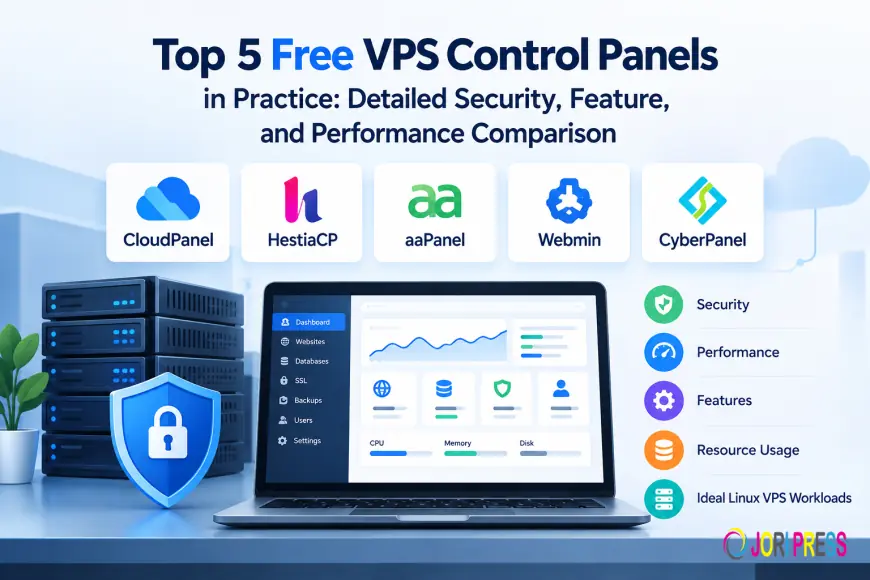
Top 5 Free VPS Control Panels in Practice: Detailed Security, Feature, and Performance Comparison
Compare CloudPanel, HestiaCP, aaPanel, Webmin, and CyberPanel. Evaluate security, web stack performance, resource usage, and ideal Linux VPS workloads.
Deploying a Virtual Private Server gives developers, businesses and system administrators full root access, dedicated computing power and isolated environments. Setting up web servers, database systems, firewall settings, SSL certificates and runtime environments directly through the Linux Command Line Interface takes constant technical effort and deep system administration skills.
To simplify operations many administrators, choose to install a control panel. While commercial tools are common in hosting, open-source and free management tools have improved a lot. Picking the right control panel needs thought. A control panel adds background processes, running services and web endpoints to the server. This increases the attack surface.
What Is a VPS Control Panel?
A VPS control panel is a way to manage a server using an user interface. This interface is built on top of a Linux system. It makes it easier to handle commands by using web pages, automatic scripts and dashboards that show the status of the server.
Primary tasks for managing the server include:
•Setting up domains and web server settings: Adding hosts, handling NGINX or Apache configurations and setting up reverse proxies.
•Starting and deploying applications: Managing versions of PHP-FPM running Node.js programs handling Python setups and organizing files that don’t change.
•Managing databases: Creating database servers setting user rights and using tools like phpMyAdmin.
•Keeping the server safe: Controlling firewalls, setting up SSH limiting user access and getting SSL/TLS certificates from let’s Encrypt.
•Maintaining the system: Backing up files cleaning up old logs and watching how much memory and CPU the server is using.
Using the command line directly is still the way to run a server. It avoids the work of a web interface and lowers the chance of problems, from other software. But for groups that handle websites, customer accounts or fast updates a control panel helps by offering a clear way to do things. This reduces mistakes from doing everything by hand.
How We Compared These Five VPS Control Panels?
To evaluate CloudPanel, HestiaCP, aaPanel, Webmin and CyberPanel we looked at how they're built and how well they work in real-life situations based on important factors:
• Security Controls: How well they handle security like having a built-in firewall requiring two forms of identification to log in keeping different services separate limiting what users can do and making sure updates are kept up to date.
• Web Stack Architecture: The choices they offer for web servers like NGINX, Apache and OpenLiteSpeed are the types of databases they support and how flexible they're when it comes to running different kinds of software.
• Resource Efficiency: How memory they use when they are running how much processing power, they take up and whether they can work well even on small servers with limited resources.
• Operational Scope: Whether they are good for apps for hosting with multiple users or for managing the operating system at a deeper level.
How fast a server runs depends a lot on the hardware, how the virtual private server is set up how the system is tuned, how well the database is organized, how caching works and how fast the network is, not just, on the control panel itself.
1. CloudPanel
CloudPanel is a free, modern control panel engineered specifically for PHP, Node.js, Python, and static site hosting. It uses NGINX as its sole web server alongside MySQL or MariaDB, focusing on high-concurrency web application delivery.
+-------------------------------------------------------+
| CLOUDPANEL |
| +-------------------------------------------------+ |
| | Modern React GUI / CLI Engine | |
| +-------------------------------------------------+ |
| | NGINX Web Server + MySQL / MariaDB Database | |
| +-------------------------------------------------+ |
| | PHP-FPM Multi-Version | Node.js | Python | Static | |
+-------------------------------------------------------+
Technical Architecture and Application Support
CloudPanel does not use Apache reverse-proxy setups. I find CloudPanel very efficient. CloudPanel runs entirely on a NGINX architecture. CloudPanel natively supports PHP versions simultaneously via PHP-FPM allowing legacy applications and modern frameworks to coexist on a single instance. CloudPanel also has support for Node.js and Python processes, which makes CloudPanel popular, among developers who host API microservices alongside standard CMS deployments.
Security and Maintenance Model
This panel runs with a few background services keeping maintenance simple. Security features are hard to break: IP‑whitelisting on the admin port built‑in two‑factor authentication and automatic Let’s Encrypt SSL/TLS certificates. CloudPanel does not ship with a mail server, which removes common mail relay problems and pushes Admins to use separate transactional email services.
Trade‑offs and Ideal Use Cases
CloudPanel drops the built‑in DNS and mail server features. It is not the best fit for classic shared‑hosting resellers. On the hand developers and companies that host busy WordPress sites or other web apps on cloud servers, like AWS, DigitalOcean or Hetzner will find CloudPanel lightweight and fast for page delivery.
2. HestiaCP
HestiaCP is an open-source VPS panel that comes from VestaCP. HestiaCP is designed for managing domains and many users. HestiaCP offers a web hosting setup while keeping the system light.
Architecture and Server Stacks: HestiaCP gives web stack choices. HestiaCP lets administrators put NGINX in front of Apache to act as a reverse proxy. HestiaCP also allows a NGINX setup that works with PHP‑FPM. HestiaCP contains an email hosting stack that uses Exim and Dovecot with SpamAssassin and ClamAV. HestiaCP also manages DNS natively with Bind.
User Isolation and Security Governance: HestiaCP enforces Linux user separation. Every hosted site runs under its system user; HestiaCP stops a problem on one site from spreading to the whole server. HestiaCP comes with security tools such as built‑in iptables and Fail2ban automatic brute‑force protection, two‑factor authentication for admins and backup and restore tasks that can be run from the command line.
Trade‑offs and Ideal Use Cases: Running the mail and security stack makes HestiaCP use more RAM than panels that only run a database. Turning off services such as ClamAV can lower memory usage on small servers. HestiaCP is a fit, for web agencies, freelancers and admins who manage many client sites that need their own control panels, FTP access and separate email accounts.
3. aaPanel
aaPanel is a management tool. AaPanel offers a plugin‑driven dashboard. AaPanel gives an interface that lets users install and manage server components with one‑click actions.
aaPanel is different from panels that have fixed web stacks. AaPanel lets administrators choose components during or after installation. AaPanel users can pick between NGINX, Apache or OpenLiteSpeed. Can easily switch between MySQL, MariaDB or PostgreSQL. AaPanel has an App Store that makes it simple to install Redis, Memcached, FTP services, Docker management tools and project deployment environments.
aaPanel’s modularity gives a lot of flexibility. Third‑party extensions add operational complexity. AaPanel administrators must review installed plugins regularly enforce firewall rules and restrict access to the non‑standard management port. AaPanel includes built‑in file management, real‑time resource monitors and automated cron task managers.
aaPanel works well for site owners who like an interface instead of command line commands. AaPanel also requires administrators to stay alert about software updates and extension permissions to keep the server safe.
4. Webmin
Webmin is a comprehensive system administration interface for Unix-like operating systems. Unlike typical web hosting panels, Webmin focuses on deep operating system configuration rather than domain-centric site management.
+-------------------------------------------------------+
| WEBMIN |
| +-------------------------------------------------+ |
| | Web-Based OS Config UI (Perl Daemon, Port 10000) | |
| +-------------------------------------------------+ |
| | Direct Configuration File Editing Engine | |
| +-------------------------------------------------+ |
| | System Users | Firewalls | Storage | Services | |
+-------------------------------------------------------+
aaPanel is a management tool. AaPanel offers a plugin‑driven dashboard. AaPanel gives an interface that lets users install and manage server components with one‑click actions.
aaPanel is different from panels that have fixed web stacks. AaPanel lets administrators choose components during or after installation. AaPanel users can pick between NGINX, Apache or OpenLiteSpeed. Can easily switch between MySQL, MariaDB or PostgreSQL. AaPanel has an App Store that makes it simple to install Redis, Memcached, FTP services, Docker management tools and project deployment environments.
aaPanel’s modularity gives a lot of flexibility. Third‑party extensions add operational complexity. AaPanel administrators must review installed plugins regularly enforce firewall rules and restrict access to the non‑standard management port. AaPanel includes built‑in file management, real‑time resource monitors and automated cron task managers.
aaPanel works well for site owners who like an interface instead of command line commands. AaPanel also requires administrators to stay alert about software updates and extension permissions to keep the server safe.
5. CyberPanel
CyberPanel is a source hosting control panel that is built around the OpenLiteSpeed web server architecture. It focuses on high-performance WordPress management and enterprise caching integration.
LiteSpeed Ecosystem and WordPress Optimization
CyberPanels main advantage is its integration with OpenLiteSpeed. This allows server-level coaching through the LSCache plugin, which helps WordPress sites manage traffic with very little CPU usage. It has support for MariaDB PHP version switching staging environments and one-click WordPress deployments.
Feature Set and Backup Architecture
CyberPanel has container management features using Docker integration Git deployment workflows, staging domain creation and automated remote backups to Google Drive or AWS S3. Security features include FirewallD/iptables integration, ModSecurity web application firewall (WAF) rule management and automated SSL issuing.
Trade-offs and Ideal Use Cases
OpenLiteSpeed process handling and catching daemons need base memory compared to minimal NGINX setups. Administrators must follow update routines as control panels with many automated features require regular patching. CyberPanel is best, for WordPress publishers, WooCommerce stores and digital agencies that care about page-load speeds and server-level coaching.
CloudPanel vs HestiaCP: What Actually Differs?
Comparing cloudpanel vs hestiacp highlights distinct design approaches to modern Linux server management.
|
Feature Category |
CloudPanel |
HestiaCP |
|
Primary Design Philosophy |
Single-user, developer-focused app server |
Multi-user, traditional hosting management |
|
Web Server Architecture |
NGINX-only (High performance) |
NGINX + Apache (Reverse Proxy) or NGINX-only |
|
Built-in Mail Server |
None (Requires external SMTP) |
Full stack (Exim, Dovecot, SpamAssassin) |
|
DNS Server |
None (Managed via external DNS) |
Built-in (BIND DNS server management) |
|
Runtime Support |
PHP, Node.js, Python, Static HTML |
PHP (Multi-version via PHP-FPM) |
|
User Access Model |
Administrator-centric dashboard |
Reseller, Administrator, and User tiers |
Developers managing stateless applications, REST APIs, or headless CMS setups often prefer Cloud Panel for its minimal footprint. Conversely, organizations hosting multiple clients who require individual cPanel-style logins, webmail access, and local DNS management will find HestiaCP better suited to their operational model.
aaPanel Alternatives: What Should Users Consider?
Administrators evaluating best aapanel alternatives should look beyond feature lists to examine security design, component maintenance, and underlying system architecture:
- For Minimal Resource Overhead: HestiaCP provides a lightweight, open-source alternative for traditional hosting workflows without commercial plugin dependencies.
- For High-Concurrency PHP & Node.js Apps: CloudPanel offers an optimized NGINX environment designed for cloud infrastructure.
- For OpenLiteSpeed & WordPress Caching: CyberPanel provides enterprise-level page caching and simplified WordPress administration.
- For Complete Linux System Control: Webmin gives administrators direct access to underlying operating system configurations and services.
Evaluating alternatives requires assessing whether a project benefits from an all-in-one modular panel (like aaPanel) or a focused, single-architecture management tool.
Side-by-Side Comparison Table
|
Panel |
Primary Focus |
Web Stack |
Security Controls |
Resource Profile |
Best-Suited Workloads |
Key Trade-Off |
|
CloudPanel |
Modern Web Apps |
NGINX, MySQL/MariaDB |
2FA, IP Whitelisting, Bot Blocking |
Very Low (~250-500 MB RAM idle) |
PHP, Node.js, Python, High-Traffic Sites |
No built-in mail or DNS management |
|
HestiaCP |
Multi-Site Hosting |
NGINX + Apache or NGINX-only |
Fail2ban, iptables, isolated users, 2FA |
Low (~500 MB - 1 GB RAM idle) |
Web agencies, multi-domain client hosting |
Full mail stack increases idle memory |
|
aaPanel |
Modular GUI Hosting |
NGINX / Apache / OpenLiteSpeed |
Modular WAF, Basic Firewall, Port Control |
Moderate (~600 MB - 1 GB RAM idle) |
Visual server management, varied app stacks |
Third-party extensions require auditing |
|
Webmin |
Full OS Management |
Apache / User Choice |
PAM Auth, IP Access Controls, SSL/TLS |
Low (~200-400 MB RAM idle) |
System administration, dedicated private servers |
Steep learning curve for non-sysadmins |
|
CyberPanel |
WordPress & Speed |
OpenLiteSpeed / LiteSpeed |
ModSecurity WAF, CSF Firewall, 2FA |
Moderate (~800 MB - 1.5 GB RAM idle) |
WordPress sites, WooCommerce, LSCache stacks |
OpenLiteSpeed config requires specific tuning |
Security Considerations When Installing Any Free VPS Panel
Installing a control panel adds a powerful management layer to your server. To maintain a secure environment, implement these operational practices:
- Keep the Base OS Updated: Configure automated security updates for your underlying Linux distribution (Debian, Ubuntu, AlmaLinux, or Rocky Linux).
- Enforce SSH Key Authentication: Disable password authentication for SSH root access, requiring public key pairs for server connections.
- Restrict Management Ports: Use firewall rules (UFW, Firewalld, or Cloud Provider Security Groups) to limit control panel access to trusted IP addresses.
- Enable Multi-Factor Authentication (MFA): Require 2FA tokens for all administrative panel user accounts.
- Enforce TLS/SSL Encrypted Connections: Ensure management dashboards run over HTTPS using valid SSL certificates.
- Apply the Principle of Least Privilege: Avoid running web applications as the root user. Assign isolated, unprivileged system accounts to individual sites.
- Disable Unused Background Services: Turn off unnecessary services like local mail servers, DNS daemons, or FTP servers if external providers manage those functions.
- Establish Automated Remote Backups: Store encrypted backups on external object storage (AWS S3, Backblaze B2, or remote SFTP) rather than keeping them solely on the local VPS disk.
- Regularly Test Backup Restores: Periodically verify that backup archives can be restored successfully to a clean server instance.
- Monitor System and Security Logs: Inspect /var/log/auth.log, web server access logs, and panel audit trails for unauthorized access attempts.
- Audit Third-Party Plugins and Extensions: Avoid installing unverified plugins or community add-ons that could introduce vulnerabilities.
- Patch Control Panel Software Promptly: Subscribe to official security announcements for your control panel and apply updates immediately.
How Much VPS RAM and CPU Do You Need?
Resource planning depends on hosted workloads, application efficiency, database activity, and concurrent visitor traffic:
- Entry-Level VPS (1 Core CPU, 1 GB to 2 GB RAM): Suitable for static sites, low-traffic blogs, or single-application environments running lightweight panels like CloudPanel or HestiaCP (with mail scanning disabled).
- Mid-Tier VPS (2 to 4 Cores CPU, 4 GB to 8 GB RAM): Recommended for multi-site WordPress hosting, WooCommerce stores, or Node.js applications running CyberPanel, aaPanel, or HestiaCP with full email services enabled.
- Production Enterprise VPS (4+ Cores CPU, 8 GB+ RAM): Required for database-intensive applications, high-concurrency e-commerce setups, and environments running complex background jobs, Redis caching layers, and real-time log analytics.
Memory consumption increases significantly when running local database servers, in-memory caches, and email antivirus scanners alongside web server processes.
Which Type of User Should Consider Each Panel?
- CloudPanel can be a choice for developers, system architects and agencies that want a fast NGINX setup for PHP and Node.js applications and that do not want to manage local mail services. CloudPanel is easy to use and keeps performance high.
- HestiaCP can be a choice, for freelancers, hosting providers and small businesses that want an open‑source panel that supports multiple tenants and that includes DNS, email and user management built in. HestiaCP is simple and free.
- aaPanel may suit administrators who prefer a graphical dashboard to install components, manage files, and deploy varied stack configurations visually.
- Webmin may suit experienced Linux administrators and network managers who need full system-level configuration access across Linux services and configuration files.
- CyberPanel may suit WordPress developers and e-commerce site owners looking to leverage OpenLiteSpeed server-level caching for high-concurrency traffic.
Conclusion
Choosing a control panel requires weighing ease how flexible the web stack is and how much server resource it uses. Lightweight options like CloudPanel focus on execution for web apps. On the hand full-featured suites such as HestiaCP and CyberPanel offer complete hosting tools from start to finish. Webmin gives access to system-level controls while aaPanel lets users build their setup, with modular options.
FAQs
1. What is a free VPS control panel?
Ans: A free VPS control panel is a web-based management tool installed on a Virtual Private Server to automate administrative tasks like domain routing, database management, user isolation, and SSL provisioning without subscription fees.
2. Is a free VPS control panel secure?
Ans: A free control panel can be secure if actively maintained and properly configured. However, installing any control panel increases a server's attack surface. Security requires restricting administrative ports, enforcing 2FA, applying patches promptly, and securing the underlying Linux operating system.
3. What is the difference between CloudPanel and HestiaCP?
Ans: CloudPanel focuses on high-performance PHP, Node.js, and Python application hosting using NGINX, omitting built-in DNS and mail servers. HestiaCP is a multi-user hosting panel that includes complete email stack, DNS management, and NGINX/Apache web server configurations.
4. Is Webmin a hosting control panel?
Ans: Webmin is primarily a Unix system administration tool designed to configure OS settings, user accounts, firewalls, and system services. While it can manage web servers via modules like Virtualmin, it is broader in scope than traditional website hosting panels.
5. Can a VPS control panel affect server performance?
Ans: Yes. Control panel management daemons, background monitoring tools, and bundled services (such as email scanners or database managers) consume CPU cycles and RAM. Choosing a panel aligned with your hardware capacity ensures resources remain available for hosted applications.
What's Your Reaction?
 Like
0
Like
0
 Dislike
0
Dislike
0
 Love
0
Love
0
 Funny
0
Funny
0
 Angry
0
Angry
0
 Sad
0
Sad
0
 Wow
0
Wow
0