






































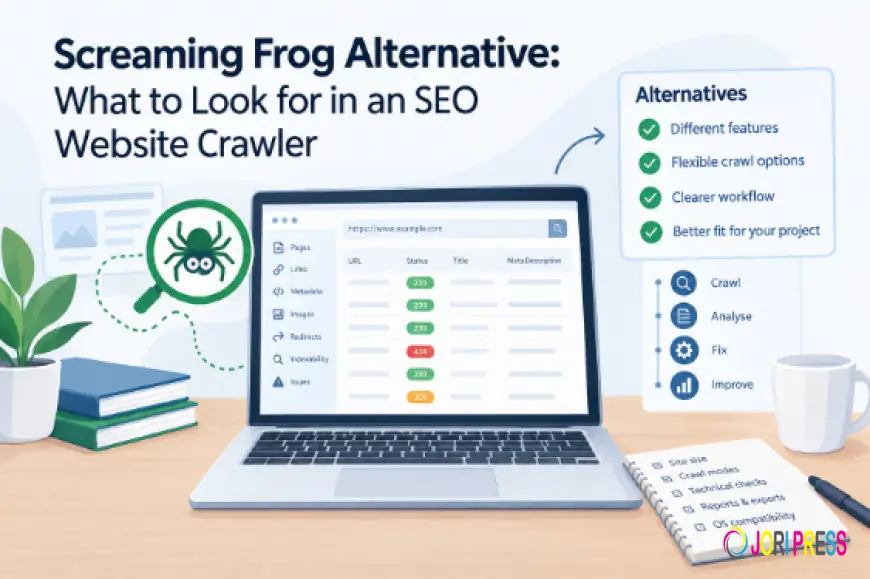
Screaming Frog Alternative: What to Look for in an SEO Website Crawler
A practical guide to Screaming Frog alternatives, covering what to consider when choosing a website crawler. It compares different crawl methods, technical SEO analysis, website size, reporting, configuration, and workflows, while explaining where KWT Spider fits as a desktop-based alternative.

A technical SEO audit might sound straightforward: crawl the site, find the problems, and fix them. But once a website has hundreds or even thousands of pages, it can become more difficult to notice every single detail. Small issues like broken links, incorrect redirects, missing titles, duplicate content, or misconfigured canonical tags can be spread across the site.
That’s where website crawlers make technical SEO work much more efficiently. Rather than checking every single page manually, a crawler goes through the site, collects the important details, and brings everything together in one place for convenient review.
Screaming Frog SEO Spider is a familiar name in this space. It has been used for years by SEO professionals, developers, agencies, and website owners for technical website analysis. It crawls the site and brings together important details such as links, metadata, redirects, indexability, canonical tags, hreflang, and other technical elements, so important issues are spotted effortlessly without checking every page manually.
Screaming Frog is a popular choice, but that doesn’t mean it's the only option available. Every website and SEO project has different needs. That’s why it can be helpful to look at a Screaming Frog alternative when a different set of features or a more straightforward way of handling technical SEO feels like a better fit.
Why Consider an Alternative?
Every SEO project is slightly different.
Every website has different requirements. A large ecommerce site may need extensive crawl settings and advanced analysis, while a small website might only need to check broken links, metadata, redirects, and indexing issues. A website migration may require a crawl of a specific list of URLs rather than the entire site. A developer working on a new website may want to review local files before the site goes live.
One crawler can be used for all of these tasks, but the overall experience can vary depending on what the project actually requires.
Screaming Frog offers a large number of settings and advanced features, which can be very beneficial for experienced users. But at the same time, some teams may entirely prefer a more focused setup that makes the checks they use most often.
This is where looking at alternatives becomes thoughtful —not because one tool is automatically better, but because different projects have different needs.
KWT Spider as an Alternative
KWT Spider is one of the desktop crawlers that can be considered when exploring alternatives to Screaming Frog. It focuses on website crawling and technical SEO analysis, bringing information about pages, links, metadata, images, status codes, and indexability, giving a clearer picture of the site’s technical health.
The practical part is that a website can be checked in different ways, depending on what the project requires.
A Spider Crawl starts with a website URL and follows internal links to find and analyse its pages. It can uncover issues such as broken links, 404 errors, redirects, duplicate titles, meta descriptions, canonical tags, indexability, and internal linking, making it useful for a complete technical SEO audit.
A List Crawl is useful when there is already a specific set of URLs to check. It works well for website migrations, redirect testing, selected-page audits, or reviewing a particular section of a site.
There is also an Offline Crawl mode that is used to analyze a website that is kept locally. This can be useful during development, particularly when checking whether CSS, JavaScript, images, or other internal resources are correctly referenced before a website is published.
These are simply different ways of approaching a crawl, and which one matters most depends on the project.
Beyond Broken Links: What a Technical SEO Audit Should Check
Technical SEO audits now look at much more than whether a website’s links are working properly.
A page can load normally with a 200 status code and still have problems that are easy to miss. It might be missing a title, sharing the same meta description as many other pages, or using a canonical tag that points to the wrong URL. In some cases, A page may even be blocked from search engines when it should be indexed.
A good crawler makes it more manageable to see these details together.
Screaming Frog provides analysis for areas such as page titles, meta descriptions, headings, canonicals, hreflang, redirects, indexability, structured data, images, JavaScript, and more. It also includes more advanced options, such as custom data extraction, third-party integrations, crawl comparisons, and visual reports.
Alternative tools take different approaches to organising similar information. KWT Spider, for example, uses built-in diagnostic views to check areas such as broken links, redirects, duplicate content, metadata, headings, canonical tags, hreflang, status codes, and other technical SEO details.
For regular SEO audits, keeping these checks clearly organised makes the findings easier to review and helps keep the overall audit process straightforward.
Different Crawl Modes for Different SEO Needs
There is no rule saying that every website audit has to begin from the homepage.
Consider a website migration. Before making any changes, there may already be a list of URLs that are important because they bring in traffic, have search visibility, or support key business goals. Crawling those pages first can give a useful picture of their current state before the site structure changes.
After the migration, that same list can be crawled again to see what has changed. Missing pages, unexpected redirects, broken links, or other differences can then be easier to spot.
A full website crawl still has its place. It helps explore the site more broadly, discover pages, and understand how internal links connect different sections. But when there is already a specific group of URLs that needs attention, list-based crawling can be a much more focused approach.
Tools such as Screaming Frog and other website crawlers offer different ways to handle these situations. The useful element is having the flexibility to choose a crawl method that matches the task instead of treating every audit in exactly the same way.
The size of the website matters
The ideal crawler can also depend on the size and complexity of a website.
For a small company site, a simple crawl may provide everything needed for a technical review. There may be only a few hundred pages, making it easier to spot the main issues and work through them.
Larger websites are a different story. Ecommerce stores, publishers, marketplaces, and sites with faceted navigation can generate huge numbers of URLs. In those cases, crawl configuration, filtering, rendering, storage, and data handling become much more important.
Screaming Frog can handle both smaller website checks and more detailed crawling projects. The free version comes with a 500-URL limit, while the paid version removes that restriction and provides access to additional features for larger or more in-depth audits.
An alternative crawler may be more suitable for a particular team simply because its workflow, reporting, or interface feels more natural for the type of audits being carried out.
What Makes a Good Screaming Frog Alternative?
It is easy to compare crawlers by counting features, but that does not always tell the whole story.
A better comparison starts with the actual work involved.
When choosing a crawler, it is worth looking at a few practical details. Check whether it works with the operating system in use, whether JavaScript rendering is available when needed, and how easily URL lists can be imported. It is also important to see whether key technical areas such as metadata, canonicals, hreflang, redirects, and indexability can be checked in one place.
Reporting is critical in a technical SEO audit also. You often need to pass your findings on to developers, marketing teams, clients, or even other SEO specialists. Good export options streamline that process and reduce the time you spend prepping data for other people.
Some projects may also benefit from integration with Google Analytics, Google Search Console, PageSpeed Insights, or any other platform. For some, they may not be needed at all.
There is also the question of how much configuration is really useful. Advanced options can be handy, but if you just want to do a basic technical check, a simpler workflow might be better.
KWT Spider vs Screaming Frog
Screaming Frog has a lot of features and settings, and is suitable for both day-to-day technical SEO work and larger, deeper website audits.
KWT Spider is a bit different; it is a desktop crawler.
It has multiple ways to crawl and special views to inspect problems. Its offline crawl can be useful for reviewing website files before launching a site.
Each project has its own needs. A large site with lots of JavaScript may require more advanced crawling tools, whereas a site move or simple audit may require just a focused approach. The best option depends on the website and what you are looking for in the audit.
Final Words
Choosing the right website crawler really depends on what’s best for your site, your audit, and the way you work.
Screaming Frog is a powerful set of crawling and SEO tools, while KWT Spider has its own unique ways to crawl and check for issues.
At the end of the day, it’s not about the tool that has the most features.
It’s about finding the one that’s going to work for you. The right crawler is the one that fits your project and helps you get the job done with less stress.
What's Your Reaction?
 Like
0
Like
0
 Dislike
0
Dislike
0
 Love
0
Love
0
 Funny
0
Funny
0
 Angry
0
Angry
0
 Sad
0
Sad
0
 Wow
0
Wow
0
\