






































Remote IT Support Services: A User-Focused Guide to Computer Troubleshooting
Learn how remote IT support services simplify computer troubleshooting, from slow PCs and Wi-Fi issues to software errors, email problems, Windows updates, and printer connectivity.
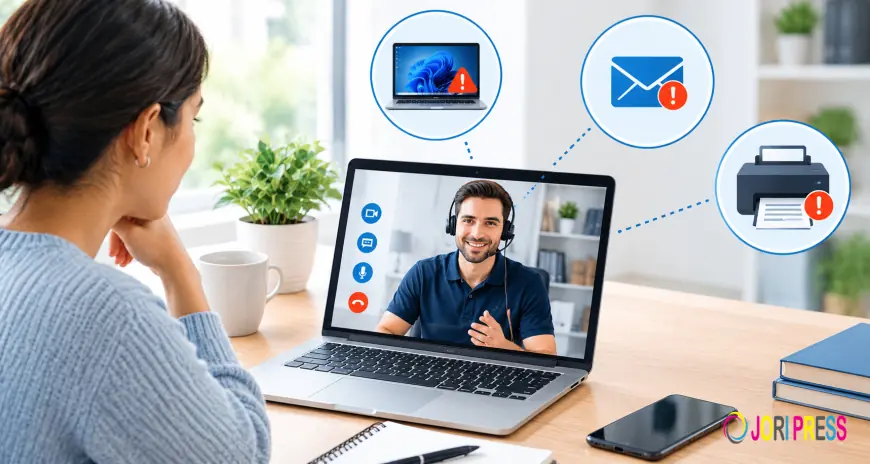
Computer issues tend to occur at inconvenient times. The computer can be slow before a meeting, the internet connection can become faulty in the middle of an online class, or applications can fail when you need to use them for important documents. Remote IT support solutions will enable you to solve a large number of these computer issues without having to move your computer physically. Some of the computer issues that can be solved remotely include software, operating system, connectivity, printers, email, settings, and configuration.
Why Remote IT Support Services Are Useful
Often, technical issues result in two different problems: the problem itself and the ambiguity associated with it.
The individual will be aware that the computer is slow, but he or she may not know if the reason for that is the storage space, memory, software, internet speed, or hardware.
Remote troubleshooting allows one to distinguish the symptoms from the causes.
Rather than immediately reinstalling the software or altering multiple settings, troubleshooting involves asking a series of questions. When did the problem occur? Is it recurring? Is it limited to one program or all of them? Were there any changes prior to the problem occurring?
Such questions are quite straightforward, yet they allow spotting certain patterns.
Remote Tech Support and the Psychology of Troubleshooting
Naturally, people wish to solve a frustrating problem as fast as possible. This leads to random troubleshooting.
For instance, if someone faces a slow computer, he or she deletes files, installs some cleaning software, turns off any security program, and changes settings. But it is not clear which step solves the problem.
The second problem arises – no one can determine which step solved the issue.
Good remote IT assistance works in a different way. First, a complex problem is split into small questions. Second, every hypothesis is tested separately.
Remote IT Support Services for Slow Computers
A sluggish computer does not necessarily imply that the computer is either too old or faulty.
There are many aspects that can determine the performance of a computer.
A disk that is almost full can reduce the available space. Many startup programs can increase booting time. Background processes can take up CPU or memory. Browsing extensions can influence browsing speed. A computer virus can also play a role in performance.
The proper solution for a computer running slowly is based on what causes the computer to be sluggish.
It is important to ascertain whether the whole computer system is sluggish or only some tasks are taking time to complete.
If online browsing is slow but offline applications are working fine, then there is something wrong with the internet connection or browser.
Remote IT Support Services for Software Errors
The faults in the software might vary from trivial crashes to crashing of the entire software.
The first step should be determining if the problem is reproducible.
If the same function causes a crash whenever you choose it, then the problem could be because of the function, some corrupt settings, or possibly a compatibility issue.
If more than one software program is crashing, then there might be some issue with the operating system.
The latest updates also become important sometimes because sometimes, there is a software problem only after updating the software/driver/operating system.
Troubleshooting Windows Updates Safely
Updating is a vital aspect of computer security and stability; however, failing to update might leave some users in the dark.
When dealing with Windows update troubleshooting, the first step should be examining the error message or the status that the Windows system has given.
The user can verify that there is adequate space and a good internet connection for the update process.
A restart could help in the completion of a pending update, but if the problem persists, more measures have to be taken.
Other factors such as system files, update files, drivers, third-party applications, and security programs could affect the updating process.
Remote IT Support Services for Wi-Fi Problems
Problems with Wi-Fi can become especially tricky due to the multiple factors that come into play.
The device is connected to the router. The router is connected to the modem or internet service provider. The internet service provider is connected to the wider network.
A problem at any stage will present itself as "Wi-Fi is not working."
The most helpful starting point will be determining whether all the devices are affected.
If your phone, TV, and laptop have lost connection to the internet, then it might be related to the router or the internet service provider.
If only your laptop is affected, you should focus on the issues with the laptop's Wi-Fi adapter, driver, or settings.
Email Recovery Service: What Users Should Know
Sometimes, people refer to an email recovery service when they want to get their account back.
An account recovery must always start with the email provider’s official account recovery procedure.
This could involve needing access to a recovery email address, recovery phone number, authentication app, or other form of security you have set up previously.
Technical support could assist you in understanding the recovery process or help troubleshoot your email program; however, technical support cannot circumvent the email provider’s identification process.
This is a key point to note, as scammers often promise that they can recover your account immediately if you give them your password or verification code.
Printer Fixing Services for Home Users
Printers tend to suffer issues with a combination of technologies.
The actual machine may be okay while the computer is not set up properly or has the incorrect driver installed.
Printer fix services will likely have to troubleshoot through software rather than hardware.
Symptoms can include:
-
The printer is offline
-
Documents are caught in the print queue
-
The computer cannot find the printer
-
The wrong printer has been chosen
-
A wireless connection issue
-
Driver issues
-
Cannot print from one computer but can from another
It all depends on the symptoms to determine how to troubleshoot.
IT Support and Maintenance: Preventing Avoidable Problems
IT support and maintenance are not only about fixing the broken machine.
Some of the preventive maintenance actions involve installing patches, inspecting backups, inspecting storage, uninstalling unwanted programs, and investigating suspicious activity.
It is especially important to make backups.
The computer can always be renewed, but once the family photos or other important documents get lost – they can never be recovered.
So users should start planning the issue of storage and making backups before any hardware problems happen.
Also, it is advisable to test the backup from time to time.
Security and Remote Assistance
For remote help to occur, trust must be established since there will be an individual interacting with the computer for a brief period.
It is advisable that the user should be able to ascertain who is offering the remote help service.
The user should know the software involved and what permissions the software requires.
Passwords and one-time security codes should be kept safe from others.
Once the help session ends, the user should ascertain whether the remote software is still installed and if permission was granted.
When Remote Troubleshooting Cannot Solve the Problem
Physical repairs for broken components can't be carried out remotely.
If a laptop screen is broken, the keyboard is broken, the charging port has stopped functioning, the motherboard is broken, or if a storage drive is physically faulty, hands-on repairs will have to be performed.
However, remote troubleshooting will help to diagnose if the issue is related to hardware and how to inform a technician about that.
A Better Way to Approach Technology Problems
When people refrain from making multiple changes at once, technology troubleshooting becomes simpler.
The proper steps include:
-
Describe the symptom.
-
Determine when the symptom began.
-
Consider recent changes.
-
Try one possible solution.
-
Observe the outcome.
-
Make the necessary repair.
-
Test the system again.
This approach will establish a clear route from problem to resolution.
Conclusion
Many issues that people have with their technology can be handled using remote IT services. The advantage of these services lies not in the capacity to make changes remotely but in a systematized approach to finding out what is wrong, testing causes, and resolving problems.
Problems can range from computer performance and wireless connections to Windows updates, emails, software, or printers – for all of which troubleshooting will be more beneficial than just trying to fix them randomly. Knowing the distinction between software issues and hardware malfunctions is crucial in choosing the type.
What's Your Reaction?
 Like
0
Like
0
 Dislike
0
Dislike
0
 Love
0
Love
0
 Funny
0
Funny
0
 Angry
0
Angry
0
 Sad
0
Sad
0
 Wow
0
Wow
0