

































Project Management Software: A Complete Guide to Features, Benefits, and Choosing the Right Tool
Project management software helps teams plan projects, organise tasks, collaborate efficiently, track progress, manage resources, and stay on schedule. This guide explores the essential features and key benefits of modern project management tools while explaining how to choose the right solution based on your team's size, workflow, budget, integrations, scalability, and business goals. With a focus on practical user needs, clear decision-making, and trustworthy information, readers can better understand which tool will support improved productivity and successful project outcomes.
Managing projects can become surprisingly complicated as teams grow. Tasks are spread across emails, deadlines live in spreadsheets, important updates disappear in chat messages, and managers struggle to see whether work is actually progressing.
Project management software is designed to bring these moving parts into one organised system. However, choosing a platform is not simply a matter of finding the longest feature list. The right solution depends on how a team works, the complexity of its projects, its budget, and how readily people will adopt the software.
This guide explains what these platforms do, the features that matter most, their benefits and limitations, and how to compare options more effectively.
What Is Project Management Software?
Project management software is a digital platform that helps teams plan, organise, assign, track, and complete work. A typical project management system provides a central place for tasks, deadlines, responsibilities, files, project updates, and progress information.
For example, a marketing team might use it to plan a campaign from initial research through content production and launch. Tasks can be assigned to specific people, deadlines can be set, dependencies can be identified, and managers can monitor progress through dashboards or reports.
Different project management tools take different approaches. Some are designed around simple task lists and collaboration, while others provide more advanced functionality for resource planning, budgeting, complex workflows, or portfolio management.
What Problems Can It Help Solve?
The main purpose of Project Management Software is to reduce the confusion that arises when work is managed across disconnected systems.
Common problems include:
-
Unclear ownership of tasks
-
Missed or changing deadlines
-
Difficulty tracking project progress
-
Duplicate work
-
Poor visibility across teams
-
Scattered files and conversations
-
Inefficient approval processes
-
Limited insight into workloads and resource availability
A shared platform can create a clearer source of truth. Instead of asking multiple people for updates, a manager may be able to review task status, upcoming deadlines, blockers, and completed work in one place.
That said, software cannot automatically fix poor processes. If responsibilities, priorities, or workflows are unclear, technology may simply make the existing confusion more visible.
The Most Important Features to Look For
The most useful features depend on the organisation, but several capabilities are important for many teams.
Task and Workflow Management
At a minimum, users should be able to create tasks, assign owners, set deadlines, add priorities, and track status. More sophisticated platforms may support recurring tasks, dependencies, templates, and custom workflows.
A creative agency, for instance, may need a workflow such as brief → draft → review → revisions → approval → delivery.
Collaboration and Team Communication
Effective project tracking should not exist separately from the conversations surrounding the work. Useful collaboration features can include comments, file sharing, mentions, shared project spaces, and notifications.
The goal is not to create more messages. It is to keep relevant communication connected to the task or project where it is needed.
Automation
Automation can reduce repetitive administrative work. Examples include automatically assigning tasks when a project moves to a new stage, sending reminders before deadlines, or updating statuses based on predefined rules.
Automation should be evaluated carefully, however. Complex automation can be difficult to maintain and may not be worthwhile for a small team with simple processes.
Reporting and Dashboards
Managers often need a broader view than individual task lists can provide. Dashboards and reporting can help monitor project progress, overdue work, workloads, timelines, and other relevant indicators.
The most useful reports answer practical questions: What is behind schedule? Who is overloaded? Which projects need attention?
Integrations and Mobile Access
Most teams already use other business applications. Integrations with communication, storage, calendar, CRM, accounting, or development tools may reduce duplicate data entry.
Mobile accessibility can also matter for remote teams, field-based employees, or managers who need to review projects away from their desks.
What Are the Benefits and Limitations?
The potential benefits are substantial. A well-implemented system can improve visibility, accountability, collaboration, consistency, and project planning. It can also make it easier to identify risks before they become major problems.
However, there are trade-offs. A feature-rich platform may have a steeper learning curve. Per-user pricing can become expensive as a company grows. Teams may also resist adopting another system if it creates unnecessary administrative work.
The best project management software is therefore not necessarily the platform with the most features. It is the one that solves important problems without creating disproportionate complexity.
How Different Teams Use Project Management Software
Different working environments require different approaches.
A small business may primarily need task lists, shared deadlines, and simple collaboration. A software development team may require sprint planning, issue tracking, and detailed workflows. A professional services organisation may place greater importance on resource planning, project budgets, and client reporting.
Larger organisations may also need stronger permissions, governance, security controls, and the ability to manage multiple projects or departments.
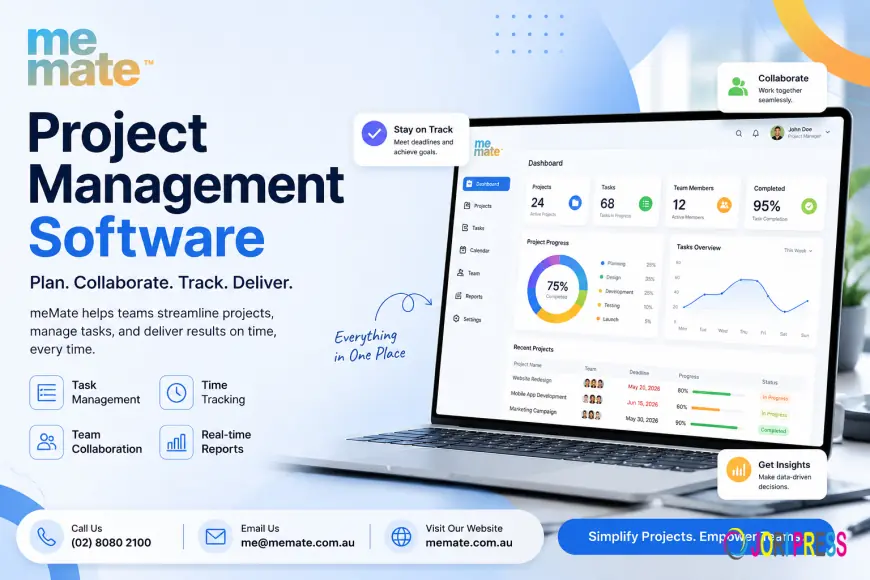
When evaluating options such as meMate or other available platforms, it is sensible to assess the actual workflow and requirements rather than assuming that a popular product will automatically suit every team.
How to Compare Project Management Tools
A structured comparison can prevent a purchasing decision from being driven mainly by demonstrations or marketing claims.
Start by creating a shortlist of essential requirements. Then evaluate each option against practical criteria:
-
Team size and expected growth
-
Project complexity
-
Ease of use and onboarding
-
Task and workflow flexibility
-
Collaboration features
-
Automation capabilities
-
Dashboards and reporting
-
Available integrations
-
Mobile accessibility
-
Security and user permissions
-
Customer support
-
Scalability
Where possible, test shortlisted software with a real project. A trial involving actual users often reveals issues that are not obvious during a product demonstration.
Choosing the Right Software for Your Business
Begin with the problem rather than the product.
Ask what is currently slowing projects down. Is work being missed because ownership is unclear? Are managers spending too much time chasing updates? Is reporting difficult? Are teams using too many disconnected applications?
Next, separate essential requirements from nice-to-have features. A simple, widely adopted platform may deliver more value than an advanced system that employees rarely use.
For businesses researching project management software Australia, local considerations may also be relevant. These can include Australian customer support availability, data and privacy requirements, billing preferences, time zones, and whether the software fits the organisation's existing technology stack.
Understanding Pricing and Total Cost
Pricing models vary considerably. Common approaches include free plans, per-user subscriptions, tiered plans, and customised enterprise pricing.
A low entry price does not necessarily represent the total cost. Organisations should also consider the number of users, required features, storage, integrations, automation limits, advanced reporting, security requirements, implementation, data migration, training, and support.
Indicative prices can differ widely between providers and plans, so current product-specific costs should always be checked directly before making a decision.
FAQ
Do small businesses need project management software?
Not every small business needs a complex platform, but even small teams can benefit when tasks, deadlines, and responsibilities become difficult to manage manually.
What features are most important?
For many teams, task management, clear ownership, deadlines, collaboration, workflow flexibility, and reporting are a strong starting point. More specialised needs depend on the type of work.
Are free plans enough?
They can be suitable for individuals or small teams with basic requirements. Growing teams may eventually need additional features, storage, permissions, automation, or reporting.
How long does implementation take?
Simple tools can sometimes be adopted quickly, while larger or more customised systems may require workflow design, data migration, training, and phased implementation.
How should a team test a platform before buying?
Use a real project during a trial, involve the people who will use the software, and evaluate how easily they can complete everyday tasks rather than focusing only on advanced features.
Conclusion
Project management software can bring greater structure and visibility to complex work, but the right choice depends on the organisation's specific requirements.
Start by identifying the problems your team needs to solve, define the features that genuinely matter, compare usability alongside functionality, and consider the full cost of adoption. A thoughtful evaluation process is more valuable than searching for a universally “best” platform—and increases the likelihood that the chosen software will become a useful part of everyday work rather than another underused business application.
What's Your Reaction?
 Like
0
Like
0
 Dislike
0
Dislike
0
 Love
0
Love
0
 Funny
0
Funny
0
 Angry
0
Angry
0
 Sad
0
Sad
0
 Wow
0
Wow
0