




































NSF to MBOX Migration Issues? How WholeClear Overcomes Conversion Errors and Protects Email Integrity

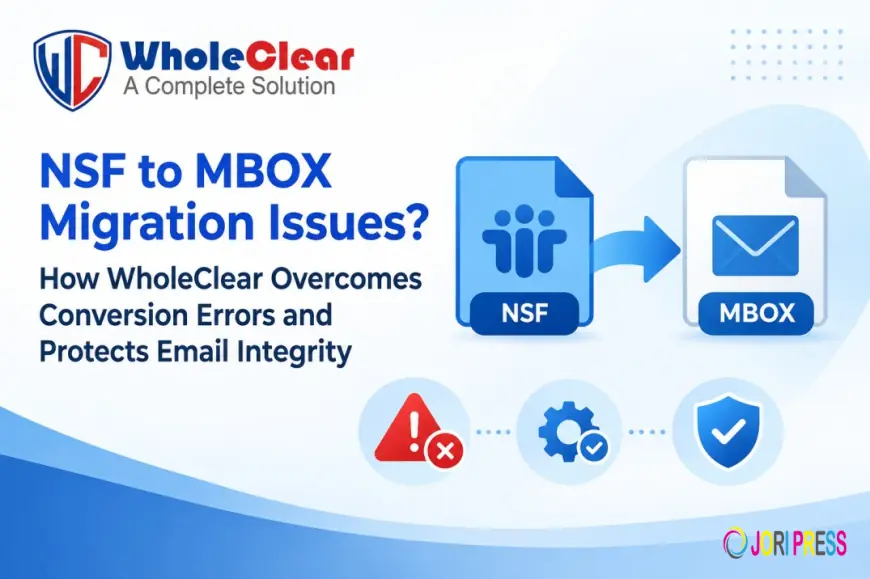
MBOX email clients such as Mozilla Thunderbird, Apple Mail, or Postbox can easily import email data from IBM/HCL Lotus Notes (NSF). IT administrators and users alike often find themselves subject to frustrating conversion freezes, corrupted folder hierarchies, missing attachments, and cryptic system errors halfway through the process.
In this troubleshooting guide, we will talk about the causes of Lotus Notes NSF to MBOX conversion errors and how WholeClear NSF to MBOX Converter overcomes these bottlenecks while keeping your data totally safe.
Causes of errors in converting NSF to MBOX
Lotus Notes uses its own Database architecture (.nsf) that handles security, encryption, and rich text formatting quite differently than the open-standard MBOX (.mbox) format. There are a few issues with manual conversion or conversion by unoptimised utilities between these formats:
-
Lotus Notes Installation Dependencies: Most of the manual workarounds and basic converters will fail if IBM/HCL Lotus Notes is not installed, running, or configured properly on the machine.
-
Complex NSF Security & Encryption: Lotus Notes databases often have tight Access Control Lists (ACLs) or local encryption; therefore, common utilities will either fail or skip encrypted emails completely.
-
Large Mailbox Memory Bottlenecks: NSF files can be many gigabytes in size. Manual parsing methods crash the application when parsing thousands of items at once, choking on memory allocation.
-
Broken Attachments & Loss of MIME Metadata: Lotus Notes formats rich text and embedded media in a way that is different from standard MIME formats. Most tools that aren’t optimised will strip inline images, garble To/From/CC metadata, or detach files on export.
The Dangers of Manual NSF Exports
The native method consists of exporting the NSF data to intermediate formats using Lotus Notes and then trying to import them into MBOX clients.
But there are big drawbacks with manual methods:
-
High Technical Friction: requires configuration of client environments, intermediate tools, and complex Lotus Notes configuration.
-
Metadata Changes: Multi-step exports often lose or change the headers (Date, Time, Sender, Recipient) and folder structures.
-
No batch processing: you have to export manually, one mailbox at a time. This makes enterprise-scale migrations painfully slow.
The Solution: WholeClear NSF to MBOX Converter
If manual workarounds are not enough, then you should switch to a dedicated automated utility like WholeClear NSF to MBOX Converter. This tool is not dependent on any external client and can convert monolithic NSF files directly into clean MBOX archives.
1. Download & Run the Software: Verify system requirements.
Download and open WholeClear NSF to MBOX Converter on your Windows PC. Make sure your source IBM/HCL Lotus Notes application is installed on the machine to process the NSF structure.

2. Choose File or Folder Mode: Select how you want to process.
Choose File Mode to convert a single NSF file, or Folder Mode to load a whole directory of NSF files for batch conversion.

3. Find and Import NSF Files: Locate your source files.
Browse and select the Lotus Notes NSF file(s) you want from your local drive, external storage, or network directory.

4. Preview NSF Mailbox Contents to Verify Data before Export
Preview parsed NSF folder hierarchy and email bodies, headers, and attachments in the built-in preview pane to verify data integrity before exporting.

5. Choose Destination Path: Choose your output folder.
Choose the location on your PC to save the output (or create a new destination folder from within the interface itself) of the generated MBOX files.

6. Click on Convert Now: Migrate it.
Click on the Convert Now button to start conversion. The engine reads the NSF file and creates fresh, fully compatible MBOX files, with all metadata and attachments intact.

Main Features of WholeClear NSF to MBOX Converter
-
Complete Metadata & Structure Preservation: Retains email properties (To, From, CC, BCC, Date, Subject) and preserves your original folder hierarchy post-conversion.
-
Bulk Conversion Facility: Convert multiple Lotus Notes mailboxes at once without system freeze and RAM overload.
-
Attachment Security: All attachments, embedded graphics, and rich-text elements are converted with the message content without corrupting the data.
-
Wide Range of Client Support: Generates standard MBOX files which are supported by Thunderbird, Apple Mail, Eudora, Postbox, Opera Mail, and many more.
Abstract
NSF to MBOX conversions with proprietary database structures, heavy attachments, and complex security permissions result in conversion freezes and data loss. Sure, manual approaches may work for small test mailboxes, but real-world migrations require a conversion engine.”
WholeClear NSF to MBOX Converter performs bulk conversion without crashing the system, preserves your Email headers, and removes manual troubleshooting.
Frequently Asked Questions FAQs
Q1. Is it necessary to install IBM/HCL Lotus Notes on my PC to run WholeClear?
Yes, you must have the Lotus Notes application installed on your system so that the conversion engine can properly parse and extract the underlying NSF database structure.
Q2: Does the conversion to MBOX maintain the folder hierarchy?
Yes. WholeClear keeps your exact folder structure (Inbox, Sent Items, Drafts, custom folders) during the conversion.
Q3: Does the software support large or encrypted .nsf files?
WholeClear is a tool to process large NSF archives effectively. NSF file must have any local encryption removed or available for conversion.
What's Your Reaction?
 Like
0
Like
0
 Dislike
0
Dislike
0
 Love
0
Love
0
 Funny
0
Funny
0
 Angry
0
Angry
0
 Sad
0
Sad
0
 Wow
0
Wow
0