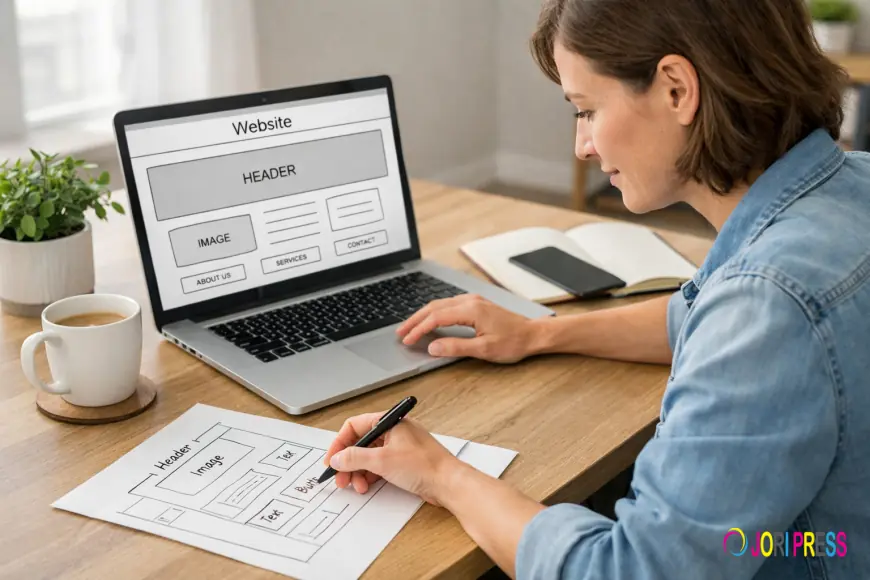
Starting your first website can feel overwhelming.
You hear terms like domain, hosting, SEO, plugins, optimization — and suddenly what seemed simple feels technical and intimidating.
If you’re a small business owner who has never built a website before, this guide will walk you through exactly what you need to know — without confusion.
Let’s simplify it step by step.
First: What Is a Small Business Website Builder?
A small business website builder is a platform or service that helps you create and launch a website without needing advanced coding skills.
It usually includes:
-
Page design tools
-
Pre-built templates
-
Hosting services
-
Basic SEO settings
-
Content management tools
There are two main types:
1. DIY Website Builders
You build everything yourself using drag-and-drop tools.
Pros:
Cons:
-
Limited customization
-
Basic SEO controls
-
Can look generic
-
Harder to scale
2. Strategic or Professional Website Builders
These are structured solutions built for growth. Instead of just giving you tools, they help you build strategically.
For example, agencies like skwebsketch focus on building small business websites that are:
-
SEO-ready
-
Conversion-focused
-
Scalable
-
Performance-optimized
Instead of just “putting pages online,” the goal is to create a website that supports business growth.
Must-Have Features for Small Business Websites
Before you choose any builder, make sure it includes these essentials.
1. Mobile-Responsive Design
Most users visit websites from mobile devices.
Your website must:
-
Adjust to all screen sizes
-
Load quickly on phones
-
Have tap-friendly buttons
-
Keep text readable without zooming
If it doesn’t work well on mobile, you lose customers.
2. Clear Navigation
Visitors should immediately understand:
-
What you offer
-
How to contact you
-
Where to find services
-
How to take action
Simple navigation = better user experience.
3. Contact & Lead Capture Options
Every small business website should include:
Your website’s job is to generate inquiries.
4. Basic SEO Controls
Your builder should allow you to:
Without these, search engines struggle to understand your site.
5. Security (SSL Certificate)
You should see “https” in your website address.
This ensures:
-
Secure data transmission
-
User trust
-
Better search ranking
Never launch a website without SSL.
Domain & Hosting Basics (Explained Simply)
These two terms confuse most beginners.
Let’s clarify.
What Is a Domain?
Your domain is your website address.
Example:
It’s what customers type into their browser.
You usually pay yearly for a domain (typically $10–$30 per year).
What Is Hosting?
Hosting is where your website files live.
Think of it like renting space on the internet to store:
Without hosting, your website cannot go live.
Some website builders include hosting in their monthly fee. Others require separate hosting.
When choosing hosting, look for:
-
Fast loading speeds
-
Reliable uptime
-
Strong security
-
Good support
SEO Fundamentals Every Beginner Should Understand
SEO stands for Search Engine Optimization.
It’s how your website appears in Google search results.
You don’t need to be an expert — but you should understand the basics.
1. Keywords
Keywords are phrases your customers search for.
For example:
-
“plumber in Brisbane”
-
“local bakery near me”
-
“affordable web design”
Each important page should target one main keyword clearly.
2. Page Titles & Descriptions
Every page should have:
These appear in Google search results.
3. Content Clarity
Search engines favor websites that:
Thin, vague content rarely ranks well.
4. Speed Matters
Slow websites rank lower and convert less.
You should:
Performance affects both SEO and conversions.
Ongoing Maintenance: Websites Are Not “Set and Forget”
Many beginners think launching a website is the final step.
It’s actually the beginning.
You’ll need to:
If neglected, websites can:
Some business owners manage maintenance themselves.
Others prefer professional support to save time and avoid technical stress.
This is where structured website solutions from agencies like skwebsketch can be valuable, as they often include ongoing support and optimization guidance.
How to Decide What’s Right for You
Ask yourself:
-
Do I have time to learn and manage a builder?
-
Is my website central to generating revenue?
-
Am I comfortable troubleshooting technical issues?
-
Do I plan to scale and grow significantly?
If your website is just informational and budget is limited, a simple builder may work initially.
If your website is important for:
-
Leads
-
Sales
-
Local visibility
-
Brand credibility
A more strategic small business website builder may be the smarter long-term investment.
Final Thoughts
Building your first website doesn’t have to be complicated.
Focus on:
-
Clear purpose
-
Mobile responsiveness
-
SEO basics
-
Security
-
Lead generation
-
Ongoing maintenance
Your website is not just a digital brochure.
It’s your online headquarters.
When built correctly, it becomes:
-
A 24/7 salesperson
-
A credibility builder
-
A growth platform
Start simple — but think long-term.
Because the website you build today can shape the business you become tomorrow.





































 Like
0
Like
0
 Dislike
0
Dislike
0
 Love
0
Love
0
 Funny
0
Funny
0
 Angry
0
Angry
0
 Sad
0
Sad
0
 Wow
0
Wow
0