






















How To Design A Shirt For Events At Short Notice?
Learn step-by-step methods to design professional event shirts quickly using simple layouts, smart planning, and fast printing solutions.

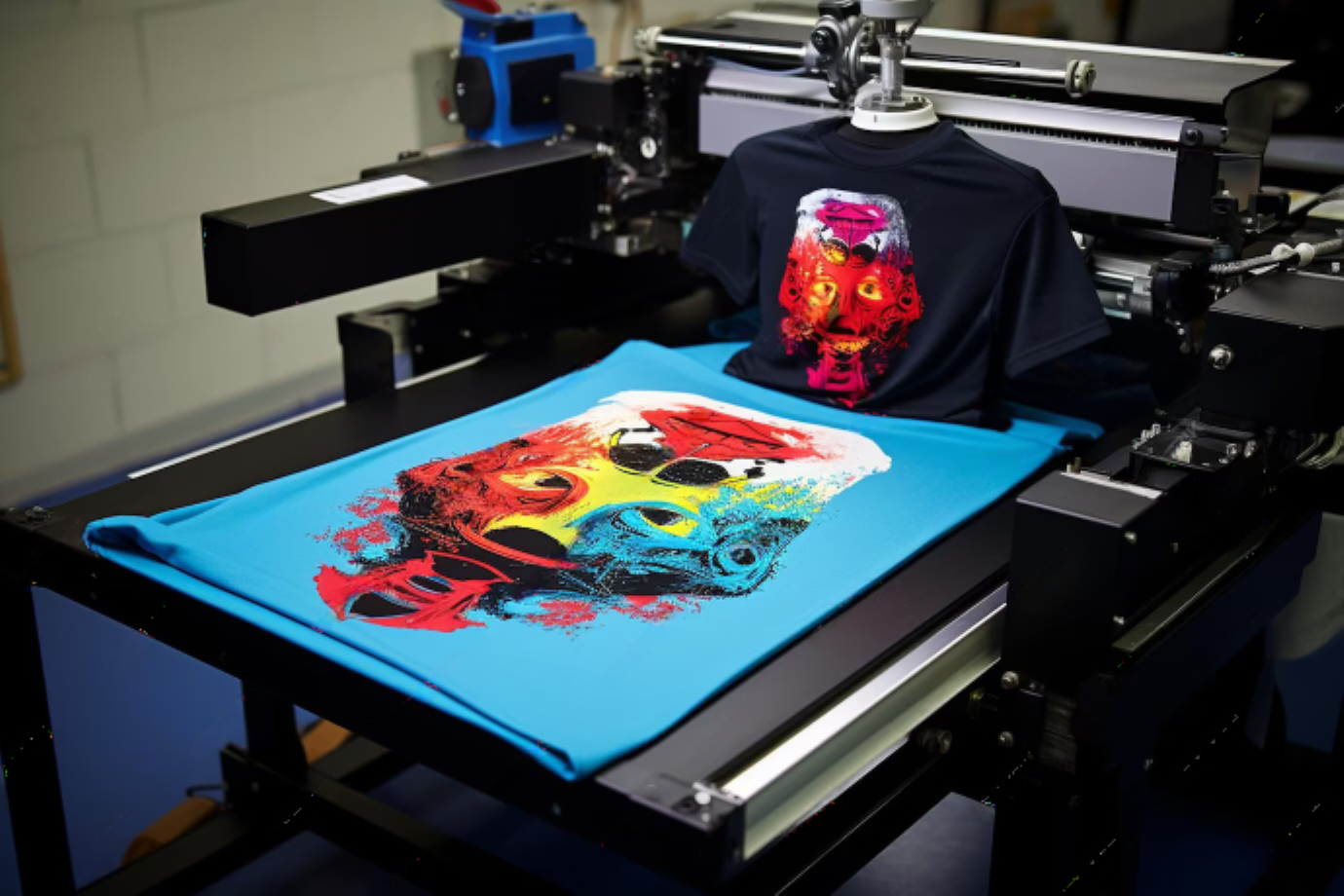
Planning an event often includes unexpected design tasks, especially when custom shirts must be prepared quickly. Event shirts help identify teams, promote brands, and build excitement among participants. Tight deadlines require efficient planning and smart design decisions. A clear process allows organizers to produce professional apparel without delays. Many organizers rely on Custom T-Shirt printing in New Jersey services to manage urgent production while maintaining consistent print quality and brand visibility.
Why Event Shirts Are Important
Event shirts play an important role in organizing large gatherings and promotional campaigns. They allow staff members, volunteers, and participants to be easily recognized within busy environments. A well-designed shirt also strengthens event branding and builds unity among attendees. Participants often keep event shirts as souvenirs, which extends promotional exposure even after the event ends. This combination of functionality and branding makes event shirts a valuable element of many events.
Determine the Event Theme and Purpose
A successful design begins with a clear understanding of the event’s theme and objectives. Corporate conferences usually require minimal and professional designs, while festivals or charity runs allow brighter colors and bold graphics. Identifying the tone of the event helps determine typography, imagery, and color choices. Clear alignment with the event theme ensures that the shirt design supports the overall atmosphere while communicating the intended message effectively.
Choose a Simple and Effective Design
Simple designs work best when time is limited, and production must begin quickly. Clean layouts reduce preparation time and make the design easier to print. A strong central element, such as a logo, short slogan, or event title, creates visual impact without unnecessary complexity. Minimal artwork also improves readability during crowded events where people view the design from a distance.
Select Colors That Print Quickly
Color selection can significantly influence printing speed and production efficiency. Designs with fewer colors require less setup time and reduce the chances of printing errors. One or two strong colors often provide enough contrast to make graphics visible and attractive. Neutral shirt colors such as black, white, navy, or gray also help printed artwork stand out clearly during events.
Pick the Right Shirt Material
The material of the shirt affects comfort, durability, and printing results. Cotton remains a common option because it absorbs ink effectively and feels comfortable during long events. Cotton-blend fabrics provide durability and maintain shape after repeated washing. Outdoor activities or sports events may require moisture-wicking materials that help participants stay cool and dry throughout the day.
Use Ready-Made Design Templates
Templates offer a fast and efficient solution for urgent design tasks. Many online design platforms provide structured layouts created specifically for event shirts. These templates allow designers to quickly add event names, dates, sponsor logos, and short taglines. Using templates reduces the time required for layout adjustments while still producing balanced and professional-looking designs suitable for immediate printing.
Work With Fast Printing Methods
The printing technique chosen can determine how quickly the shirts are produced. Digital printing is often suitable for smaller orders because it requires minimal setup and allows quick turnaround. Screen printing works well for larger quantities with limited colors. Clear communication with the printer helps identify the fastest method that still delivers reliable quality and consistent results.
Prepare the Design File Correctly
A properly prepared design file prevents delays during production. High-resolution images ensure sharp and clear prints on fabric surfaces. Vector files are recommended for logos and text because they maintain quality when resized. Designers should also confirm alignment, dimensions, and background transparency. Careful preparation of the artwork helps avoid last-minute corrections or costly reprints.
Plan Shirt Sizes in Advance
Size planning helps avoid confusion when shirts are distributed during the event. Collecting size information from staff members can reduce guesswork and improve accuracy. When exact measurements are unavailable, organizers usually order a balanced mix of medium, large, and extra-large shirts. This common distribution pattern works well for many groups and simplifies the ordering process.
Final Thoughts
Designing event shirts quickly becomes easier with a structured process and clear communication. Simple layouts, limited colors, and proper file preparation reduce delays while maintaining professional quality. Collaboration with experienced printing providers ensures the production timeline stays on track. Well-designed shirts strengthen event identity, support branding goals, and create memorable keepsakes for everyone involved.
FAQs
How quickly can event shirts be designed and printed?
A simple design using digital printing can often be completed within a few days, depending on order quantity and printer availability.
What design style works best for urgent event shirts?
Minimal designs with bold text, a logo, and limited colors are ideal because they reduce preparation and printing time.
Which printing method is fastest for small orders?
Digital printing usually provides the quickest turnaround for smaller quantities and detailed designs.
How many colors should be used in a quick shirt design?
One or two colors are recommended because they simplify printing and help maintain clear visual contrast.
What fabric is best for event shirts?
Cotton and cotton-blend fabrics are popular because they provide comfort, durability, and reliable printing results.
Visit: primanouvofashions.com
What's Your Reaction?
 Like
0
Like
0
 Dislike
0
Dislike
0
 Love
0
Love
0
 Funny
0
Funny
0
 Angry
0
Angry
0
 Sad
0
Sad
0
 Wow
0
Wow
0