





































HIPAA-Compliant Video Conferencing: A Complete Guide for Healthcare Providers
Learn how HIPAA-compliant video conferencing protects patient data through encryption, access controls, BAAs, audit logs, and secure virtual healthcare communication.
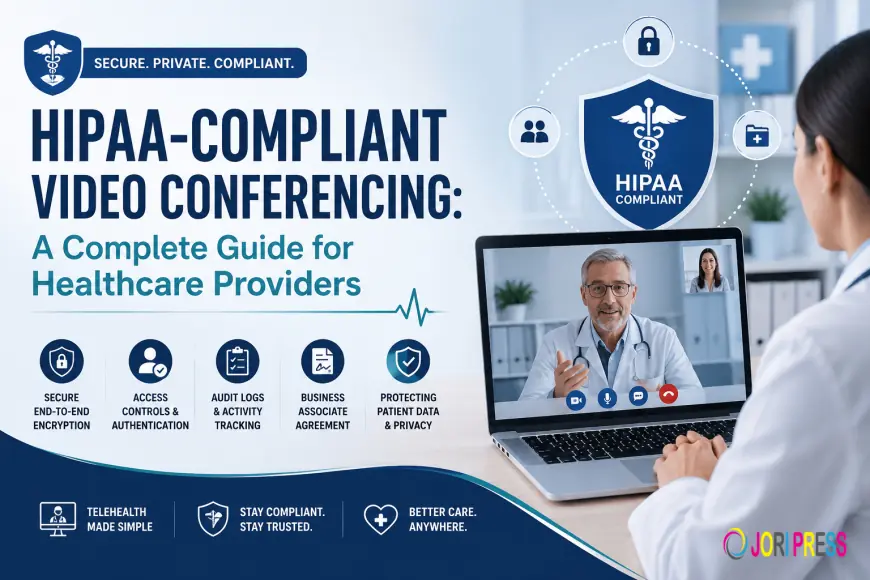
Healthcare delivery has undergone a significant transformation in recent years. Telemedicine, remote consultations, virtual care, and digital collaboration have become essential components of modern healthcare services. As healthcare organizations increasingly rely on virtual communication, protecting patient information remains a top priority. This is where HIPAA-compliant video conferencing becomes critical.
Healthcare providers cannot simply use any video conferencing platform for patient consultations or internal discussions involving sensitive medical information. They must ensure their communication tools comply with the Health Insurance Portability and Accountability Act (HIPAA), which establishes strict standards for protecting patient data.
This guide explains what HIPAA-compliant video conferencing is, why it matters, the key compliance requirements, and how healthcare providers can choose the right solution.
What Is HIPAA?
The Health Insurance Portability and Accountability Act (HIPAA) is a U.S. federal law enacted in 1996 to protect sensitive patient health information from unauthorized access, disclosure, or misuse.
HIPAA applies to:
-
Healthcare providers
-
Hospitals and clinics
-
Health insurance companies
-
Healthcare clearinghouses
-
Business associates handling protected health information
The law establishes security and privacy standards for managing electronic Protected Health Information (ePHI), ensuring patients maintain control over their personal health data.
What Is HIPAA-Compliant Video Conferencing?
HIPAA-compliant video conferencing refers to virtual communication platforms that incorporate the security, privacy, and administrative safeguards necessary to protect patient information during online interactions.
These solutions enable healthcare organizations to conduct:
-
Telemedicine consultations
-
Remote patient monitoring
-
Mental health counseling
-
Virtual follow-up appointments
-
Specialist consultations
-
Internal healthcare collaboration
-
Staff training and education
while maintaining compliance with HIPAA regulations.
HIPAA compliance is not simply about providing video calls. It requires a combination of technology, policies, security controls, and contractual obligations that collectively protect patient information.
Why HIPAA Compliance Matters in Video Conferencing
Healthcare organizations regularly handle highly sensitive information, including:
-
Medical records
-
Treatment plans
-
Prescription information
-
Diagnostic results
-
Insurance details
-
Personal identification information
A data breach involving healthcare information can lead to:
-
Regulatory penalties
-
Legal liabilities
-
Financial losses
-
Reputational damage
-
Loss of patient trust
HIPAA-compliant video conferencing platforms help mitigate these risks by implementing safeguards specifically designed to protect healthcare communications.
Key HIPAA Requirements for Video Conferencing Platforms
Encryption
Encryption is one of the most fundamental security requirements.
HIPAA-compliant video conferencing platforms should encrypt:
-
Video streams
-
Audio communications
-
Chat messages
-
Shared files
-
Meeting recordings
Encryption protects information while it is transmitted across networks and stored within the platform.
Access Controls
HIPAA requires healthcare organizations to restrict access to authorized personnel.
Effective access controls include:
-
Unique user IDs
-
Password protection
-
Role-based permissions
-
Session controls
-
User authentication
-
Multi-factor authentication (MFA)
These measures prevent unauthorized users from accessing sensitive patient information.
Audit Trails
Organizations must maintain detailed records of user activity involving protected information.
Audit logs typically track:
-
User logins
-
Meeting attendance
-
File access
-
Administrative actions
-
Security events
Audit trails support compliance reporting and help identify suspicious activity.
Secure Data Storage
Healthcare organizations often store:
-
Meeting recordings
-
Consultation transcripts
-
Shared documents
-
Chat histories
HIPAA-compliant solutions ensure this data remains encrypted and accessible only to authorized users.
Business Associate Agreement (BAA)
One of the most important HIPAA requirements is a Business Associate Agreement.
A BAA is a legal contract between a healthcare organization and a technology provider that outlines responsibilities for safeguarding protected health information.
Without a signed BAA, a platform may not be suitable for handling patient data under HIPAA regulations.
Essential Security Features in HIPAA-Compliant Video Conferencing
End-to-End Encryption
Although not explicitly required by HIPAA, end-to-end encryption provides additional protection by ensuring only authorized participants can access communication content.
Meeting Passwords
Password-protected meetings help prevent unauthorized access.
Waiting Rooms
Waiting room functionality allows hosts to verify participant identities before granting access.
Session Locking
Meeting hosts can lock sessions after all participants have joined, preventing additional attendees from entering.
User Authentication
Identity verification mechanisms reduce the risk of unauthorized participation.
Administrative Controls
Healthcare organizations should have control over:
-
User management
-
Access permissions
-
Recording policies
-
Data retention settings
-
Security configurations
Benefits of HIPAA-Compliant Video Conferencing
Improved Access to Healthcare
Patients can connect with healthcare providers from virtually any location, reducing travel requirements and improving access to care.
Enhanced Patient Convenience
Virtual appointments make healthcare more accessible for:
-
Rural communities
-
Elderly patients
-
Individuals with mobility limitations
-
Patients with transportation challenges
Increased Operational Efficiency
Healthcare providers can streamline scheduling, consultations, and follow-up care through virtual interactions.
Better Continuity of Care
Remote communication helps maintain ongoing patient engagement and treatment adherence.
Reduced Administrative Costs
Virtual consultations can reduce facility overhead and operational expenses associated with in-person appointments.
Secure Collaboration
Medical teams can securely collaborate across departments, facilities, and geographic locations.
Common Healthcare Use Cases
Telemedicine Consultations
Healthcare providers conduct virtual appointments while protecting patient privacy.
Mental Health Services
Therapists and counselors can deliver confidential remote care through secure video sessions.
Specialist Referrals
Primary care providers can collaborate with specialists remotely to discuss patient cases.
Post-Treatment Follow-Ups
Providers can monitor recovery progress without requiring in-person visits.
Chronic Disease Management
Patients with ongoing health conditions can receive continuous support through virtual consultations.
Healthcare Training
Medical institutions can conduct secure training sessions and continuing education programs.
How to Choose HIPAA-Compliant Video Conferencing Software
Evaluate Security Features
Look for:
-
Encryption
-
Multi-factor authentication
-
Access controls
-
Audit logs
-
Secure file sharing
Verify BAA Availability
Confirm that the provider offers a Business Associate Agreement.
Assess Scalability
The platform should support future growth without compromising performance.
Consider User Experience
Healthcare providers and patients benefit from intuitive interfaces that minimize technical difficulties.
Check Integration Capabilities
The platform should integrate with:
-
Electronic Health Records (EHR)
-
Practice management systems
-
Patient portals
-
Scheduling applications
Review Compliance Documentation
Reliable vendors provide clear information about security practices and compliance support.
Common Misconceptions About HIPAA Compliance
Any Secure Platform Is HIPAA-Compliant
A secure platform may not automatically meet HIPAA requirements. Compliance involves both technical and administrative safeguards.
Encryption Alone Is Enough
Encryption is important, but organizations must also implement access controls, monitoring, training, and compliance procedures.
Compliance Is the Vendor's Responsibility
HIPAA compliance is a shared responsibility. Healthcare organizations must establish internal policies and train employees appropriately.
Best Practices for Healthcare Providers
To maximize compliance and security:
-
Use strong passwords
-
Enable multi-factor authentication
-
Restrict meeting access
-
Conduct regular security audits
-
Train staff on HIPAA requirements
-
Update software regularly
-
Limit access based on job responsibilities
-
Establish data retention policies
These practices help strengthen overall security and reduce compliance risks.
The Future of HIPAA-Compliant Video Conferencing
Healthcare technology continues to evolve rapidly. Emerging trends include:
-
AI-powered virtual healthcare assistants
-
Remote patient monitoring integration
-
Secure cloud-based healthcare communications
-
Digital patient engagement platforms
-
Advanced identity verification technologies
As telehealth adoption grows, HIPAA-compliant video conferencing will remain a foundational component of secure healthcare delivery.
Conclusion
HIPAA-compliant video conferencing enables healthcare providers to deliver secure, convenient, and effective virtual care while protecting patient information. Compliance requires more than basic video communication capabilities. Organizations must ensure their chosen platform supports encryption, access controls, audit logging, secure storage, and Business Associate Agreements.
By selecting the right solution like JupiterMeet Pro and implementing strong security practices, healthcare providers can improve patient access, enhance collaboration, and maintain regulatory compliance in an increasingly digital healthcare environment.
What's Your Reaction?
 Like
0
Like
0
 Dislike
0
Dislike
0
 Love
0
Love
0
 Funny
0
Funny
0
 Angry
0
Angry
0
 Sad
0
Sad
0
 Wow
0
Wow
0