






































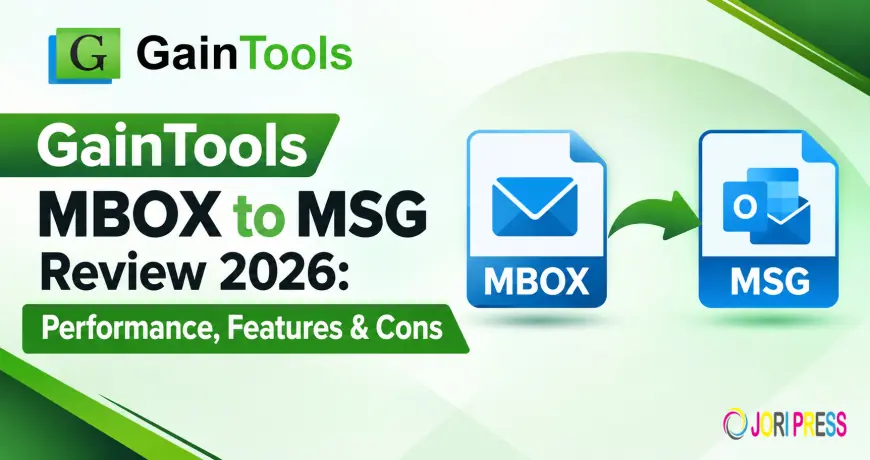
GainTools MBOX to MSG Review 2026: Performance, Features & Cons

Summary
If you have MBOX files from Thunderbird, Windows Live Mail, Entourage or another MBOX email client and need to open the messages in Microsoft Outlook, then converting MBOX to MSG can be a practical solution. MBOX to MSG Converter is a tool developed for this purpose and it provides bulk processing, selective file conversion, preview, and MSG export.
GainTools MBOX to MSG Converter?
MBOX to MSG Converter is a Windows based application to convert MBOX mailbox to MSG files. The product page says that it supports MBOX files of different email clients and allows you to export their contents to Microsoft Outlook compatible MSG format. The product page currently shows version 3.0 and supports Windows 11, 10, 8.1, 8 and 7.
MBOX to MSG Converter Features
1. Batch Migration of MBOX
Batch migration is one of the useful features for the users who have to deal with multiple mailboxes. Instead of converting each file separately by the users, the software can handle a number of MBOX files together.
2. Convert Selective MBOX File
The user may convert selected MBOX files instead of converting the entire collection. This can be useful when you need to export only a few of the mailboxes.
3. Preview prior to conversion
You can preview the scanned MBOX data before you export it through the application. The user can view the current email content and select the needed items to convert.
4. Email Data and Attachement Saving
According to GainTools, the converter preserves every element of email like To, From, CC, BCC, and attachments during exporting process. After migration, users should still verify important converted emails.
5. Get rid of duplicate content
One of the features of the product page is duplicate content removal. This can be useful if the source mailbox has repetitive e-mail data.
6. Personalized Output Location
The software provides an option to select the location to save the converted MSG files. This allows for flexibility in how exported email is organized.
7. Try it Free
offers a trial version to test the conversion process. According to the product page, the trial version allows for exporting up to 10 messages per MBOX file.
If you have MBOX files from Thunderbird, Windows Live Mail, Entourage or another MBOX email client and need to open the messages in Microsoft Outlook, then converting MBOX to MSG can be a practical solution. GainTools MBOX to MSG Converter is a tool developed for this purpose and it provides bulk processing, selective file conversion, preview, and MSG export.
This review discusses its major features, the conversion workflow, performance claims, compatibility, and pros and cons.
What Is MBOX to MSG Converter?
GainTools MBOX to MSG Converter is a Windows based application to convert MBOX mailbox to MSG files. The product page says that it supports MBOX files of different email clients and allows you to export their contents to Microsoft Outlook compatible MSG format. The product page currently shows version 3.0 and supports Windows 11, 10, 8.1, 8 and 7.
It provides options for loading either files or folders, so users can select individual MBOX files or batch process.
MBOX to MSG Converter Features
1. Batch Migration of MBOX
Batch migration is one of the useful features for the users who have to deal with multiple mailboxes. Instead of converting each file separately by the users, the software can handle a number of MBOX files together.
2. Convert Selective MBOX File
The user may convert selected MBOX files instead of converting the entire collection. This can be useful when you need to export only a few of the mailboxes.
3. Preview prior to conversion
You can preview the scanned MBOX data before you export it through the application. The user can view the current email content and select the needed items to convert.
4. Email Data and Attachement Saving
According to GainTools, the converter preserves every element of email like To, From, CC, BCC, and attachments during exporting process. After migration, users should still verify important converted emails.
5. Get rid of duplicate content
One of the features of the product page is duplicate content removal. This can be useful if the source mailbox has repetitive e-mail data.
6. Personalized Output Location
The software provides an option to select the location to save the converted MSG files. This allows for flexibility in how exported email is organized.
7. Try it Free
offers a trial version to test the conversion process. According to the product page, the trial version allows for exporting up to 10 messages per MBOX file. MBOX to MSG Review
Performance can be affected by the size of the MBOX file, the number of messages, attachments, computer configuration and storage speed.
It can scan an MBOX file in under five minutes and finish migration in a few minutes, although the actual processing time depends on the source data and system environment..
Batch processing can cut down on the drudgery for users with lots of MBOX files to deal with. The preview and selective selection options also give you more control before the final export.
How to Convert MBOX to MSG
The conversion process is a simple sequence.
Step 1: Download & Install GainTools MBOX to MSG Converter
Download and install the software on a Windows computer that meets the requirements.
Step 2: Add MBOX Files
Launch the application and add MBOX files with the help of Browse option. The software also has a File and Folder mode. When Thunderbird is installed, Thunderbird can open files directly
Step 3: Verify MBOX Data
When the scan is completed, the software displays the available MBOX content. Review the emails and select the information you want to export.
Step 4: Choose MSG as Output Format
Select MSG from the available export formats.
Step 5: Select the Output Location
Select a destination folder where the converted MSG files will be stored.
Step 6: Start the Conversion
Click on the Convert Now button to start the MBOX to MSG Conversion process.
Step 7: Check the Converted MSG Files
When you have finished converting, open the output folder and check important messages, attachments, sender/recipient information and formatting.
Pros
- MBOX to MSG conversion support.
- This tool allows to batch migrate multiple MBOX files.
- Offers selective processing of MBOX files.
- Allows you to preview before converting.
- Supports email attachments and message attributes.
- Trial version for review.
- Allows the user to choose where the output should go.
- Compatible with Windows 11/10/8.1/8/7 (as per the product page).
- Cons
1. It’s only available for Windows and the product FAQ states that Mac is not supported.
2. Product FAQ MBOX file is corrupted or cannot be accessed is not supported.
3. This will not work for users working on macOS.
4. The speed of the conversion depends on the size of the mailbox and the configuration of the system.Who can use MBOX to MSG Conversion Software?
Users who can think about the are:
- I have MBOX files and I need MSG output.
- Looking to migrate mbox email data into outlook workflow.
- Have to convert large number of MBOX files.
- Want to view email data prior to conversion.
- Looking for selective conversion, not all mailboxes.
- Working on a supported Windows system.
Conclusion
MBOX to MSG Converter is specialized in one main work that is MBOX email data conversion to MSG format. The batch migration, selective processing, preview, attachment handling and custom output-location options provide useful controls to the user who handles multiple MBOX files.
The biggest problem is platform compatibility, the current Product FAQ states it is only a Windows application. It also recovers corrupted or inaccessible MBOX files.
FAQ
1. Can MBOX be converted to MSG using GainTools?
Yes. GainTools MBOX to MSG Converter is a specialized tool to convert MBOX mailbox data to MSG format.
2. Does GainTools support MBOX batch conversion?
Yes. The product page says that it is possible to export multiple MBOX files at once.
3. Is GainTools MBOX to MSG Converter Mac Version?
No, the product FAQ states that the application is prepared for Windows platforms and does not support Mac.
4. How to preview the MBOX emails before converting?
Yes . The software scans the MBOX files and gives a preview where users can choose the required items.
5. Is it possible to repair corrupt MBOX files?
No. The product FAQ stated that utility works with accessible MBOX files and does not scan corrupted MBOX files.
More Info:- gaintools.com/mbox/msg/
What's Your Reaction?
 Like
0
Like
0
 Dislike
0
Dislike
0
 Love
0
Love
0
 Funny
0
Funny
0
 Angry
0
Angry
0
 Sad
0
Sad
0
 Wow
0
Wow
0