









































FinancialForce PSA Training: Master Project Automation
Learn FinancialForce PSA Training with expert-led sessions, practical projects, and real-world skills to advance your career in professional services automation.

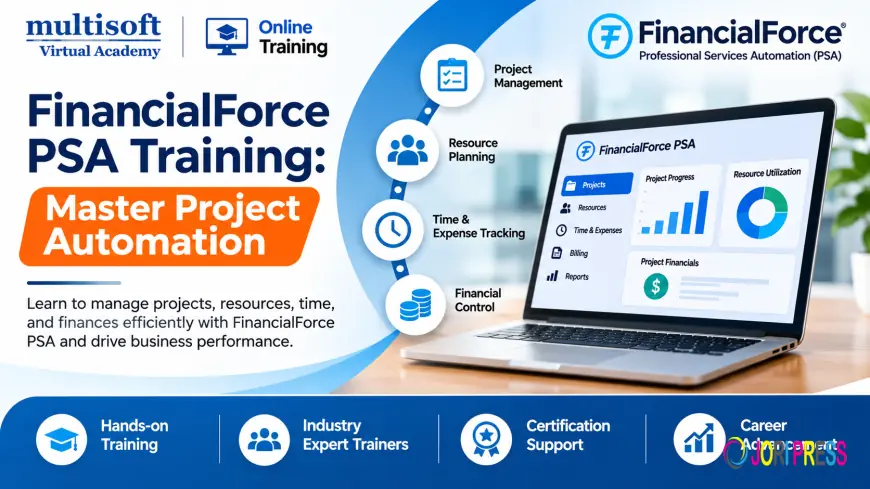
Professional services organizations manage multiple projects, client expectations, employee schedules, budgets, and financial responsibilities simultaneously. Managing these activities through disconnected tools can create operational challenges, including resource shortages, delayed project delivery, inaccurate time records, and limited financial visibility. Professional Services Automation (PSA) software helps organizations bring these activities together within a coordinated business environment.
FinancialForce PSA Training helps professionals understand how to use the platform to manage project lifecycles, allocate resources, monitor performance, and support financial operations. Previously known as FinancialForce, the company is now called Certinia. Its Professional Services Automation solution supports businesses that want to connect project delivery, resource management, and financial processes through the Salesforce platform.
For professionals working in project management, consulting, business operations, and Salesforce administration, learning FinancialForce PSA can develop valuable knowledge of modern professional services operations. A structured training program also introduces practical workflows that support project planning, resource utilization, billing, reporting, and implementation activities.
What Is FinancialForce PSA?
FinancialForce PSA, now associated with Certinia Professional Services Automation, is a cloud-based solution designed to help professional services organizations manage their project and service delivery operations.
The platform supports activities ranging from opportunity management and project creation to resource scheduling, time tracking, expense management, billing, and financial analysis. Its connection with Salesforce helps organizations maintain visibility across customer information and service delivery activities.
Businesses that provide consulting, technology implementation, engineering, IT services, and other professional services can use PSA capabilities to coordinate their operations.
For example, a consulting company may receive a new client project that requires specialists with specific technical skills. The organization needs to identify available employees, assign suitable resources, establish project timelines, record working hours, track expenses, and manage customer billing. PSA provides workflows that help coordinate these activities.
Why Is FinancialForce PSA Training Important?
Professional services organizations depend on effective project execution and resource utilization. Training helps professionals understand how PSA functionality supports these requirements and how different processes connect.
1. Improve Project Management Skills
Project management involves planning activities, defining milestones, assigning responsibilities, and monitoring progress. FinancialForce PSA training introduces learners to project records, tasks, schedules, and project management tools.
Participants can understand how project information is organized and how teams monitor activities throughout the delivery lifecycle.
2. Understand Resource Management
Resource planning is important for organizations that manage multiple client engagements. Assigning the right person to the right project requires visibility into availability, skills, experience, and workload.
Training introduces resource requests, resource assignments, skill information, scheduling, and utilization concepts. These capabilities help project and resource managers understand how staffing decisions can affect delivery performance.
3. Strengthen Financial Management Knowledge
Project profitability depends on managing costs, budgets, billable hours, and revenue-related activities. PSA training helps learners understand how project information connects with financial processes.
Participants can explore project budgets, billing events, financial records, and reporting workflows.
4. Improve Time and Expense Management
Accurate time and expense records are important for project costing and customer billing. Training introduces timecard creation, submission, approval, expense reporting, and adjustment processes.
Understanding these activities helps professionals maintain more consistent project records.
5. Support Better Business Decisions
Project reports and dashboards provide information about resource utilization, project progress, financial performance, and operational activity.
Learning reporting functionality helps professionals understand how project data can support management decisions and performance reviews.
Key Topics Covered in FinancialForce PSA Training
A comprehensive FinancialForce PSA Training Course should cover the major functions involved in professional services automation. The following topics provide a useful foundation for understanding the platform.
Introduction to Certinia PSA
Learners begin with the platform overview, navigation, terminology, and relationship between PSA and Salesforce.
This module may cover:
- Introduction to Professional Services Automation
- PSA application overview
- Salesforce platform fundamentals
- User interface and navigation
- Standard functionality
- Business processes supported by PSA
Understanding the application structure helps learners move toward more advanced project and resource management activities.
Project Management
Project management is one of the central areas of PSA. It enables organizations to organize client engagements and monitor delivery activities.
Training may include project creation, project templates, milestones, task management, project schedules, and project status tracking.
Learners can explore how opportunities and customer accounts relate to project creation. They may also understand how project tasks and milestones are organized to support delivery planning.
Resource Management and Scheduling
Resource management helps organizations identify suitable employees for project assignments.
Important learning areas include:
- Resource creation and maintenance
- Resource requests
- Resource assignments
- Skills and certifications
- Resource availability
- Work Planner
- Resource scheduling
- Utilization tracking
- Resource forecasting
These topics are particularly relevant to resource managers and project operations teams that need to balance employee availability with project demand.
Timecard and Expense Management
Time and expense tracking provides information about the effort and costs associated with project delivery.
Training may cover timecard creation, time entry, approval workflows, expense reports, and miscellaneous adjustments.
Learners should understand how submitted and approved records support project tracking and billing activities.
Project Financial Management
Financial management helps organizations understand the financial position of their projects.
Relevant topics may include project budgets, budget allocations, cost tracking, billing rates, financial transactions, and project profitability analysis.
Understanding these processes helps professionals evaluate how project activities influence financial performance.
Billing and Revenue Management
Billing functionality supports the preparation and management of project-related customer charges.
Training may introduce billing events, project billing, account billing, billing generation, invoice-related processes, and revenue forecasting.
Learners should understand how timecards, expenses, project information, and billing rules can contribute to the billing process.
Reporting and Analytics
Reporting helps organizations evaluate operational performance and identify areas requiring attention.
Training may cover project reports, resource utilization, project backlog, financial summaries, dashboards, and forecasting.
These capabilities help managers review project performance and make decisions using available operational information.
Salesforce Integration and Administration
Certinia PSA operates within the Salesforce ecosystem. Understanding Salesforce fundamentals can therefore be useful for professionals who work with PSA administration or implementation.
Learning areas may include user roles, permissions, configuration concepts, data relationships, automation, and integration considerations.
The exact topics depend on the course level and the organization's implementation environment.
Understanding the FinancialForce PSA Implementation Process
FinancialForce PSA Implementation involves aligning the platform with an organization's project delivery processes, resource requirements, and financial operations.
A successful implementation requires more than software configuration. Project teams must understand business requirements, define workflows, prepare data, validate functionality, and support end-user adoption.
Step 1: Business Requirement Analysis
The implementation process begins by understanding how the organization manages projects, resources, timecards, expenses, billing, and reporting.
Consultants work with stakeholders to identify existing challenges and define the expected outcomes.
Step 2: Solution Planning
After gathering requirements, the team identifies the relevant PSA capabilities and determines how they should support business processes.
This stage includes planning project structures, resource workflows, financial requirements, user responsibilities, and reporting needs.
Step 3: Configuration and Customization
The implementation team configures the application according to approved requirements.
Configuration may involve user permissions, project settings, resource management processes, financial workflows, and reporting arrangements. Customization should be evaluated carefully to avoid unnecessary complexity.
Step 4: Data Preparation and Migration
Organizations may need to transfer customer, project, resource, and financial information from existing systems.
Data preparation includes reviewing data quality, mapping fields, validating records, and planning migration activities.
Step 5: Testing and Validation
Testing helps confirm that the configured solution supports the required business scenarios.
Common scenarios include project creation, resource assignment, timecard approval, expense processing, billing event generation, and report validation.
Step 6: Training and Deployment
End users need to understand how to perform their daily responsibilities within the new system.
Role-based training, user documentation, and support activities help organizations prepare for deployment and improve adoption.
Step 7: Post-Implementation Support
After deployment, organizations may need assistance with troubleshooting, process improvements, reporting changes, and user queries.
Continuous review helps ensure that PSA workflows remain aligned with evolving business requirements.
Industries That Benefit from FinancialForce PSA
FinancialForce PSA can be relevant to businesses that deliver services through projects, engagements, and specialized teams.
IT and software services: Technology companies can use PSA processes to coordinate software development, implementation, consulting, and support projects.
Management consulting: Consulting firms need to manage client engagements, employee assignments, project schedules, and billable hours.
Engineering services: Engineering organizations may use project and resource management workflows to coordinate specialists, track delivery activities, and monitor project costs.
Professional services firms: Businesses offering advisory, implementation, and specialist services can benefit from improved visibility across projects and resources.
Technology consulting: Salesforce consultants and other technology specialists may use PSA processes to manage implementation projects, resource assignments, and customer billing.
Business and financial consulting: Consulting organizations can use project financial information and reporting to review engagement performance and operational efficiency.
The specific capabilities used depend on each organization's business model, system configuration, and operational requirements.
Who Should Enroll in FinancialForce PSA Training?
FinancialForce PSA training can benefit professionals who want to develop knowledge of professional services operations and Salesforce-based project management.
- Project Managers: Professionals responsible for project planning, task management, milestones, and delivery.
- Resource Managers: Individuals who coordinate staffing, availability, skills, and resource assignments.
- Salesforce Administrators: Professionals interested in learning PSA functionality, user permissions, and configuration concepts.
- Business Analysts: Specialists who gather requirements and translate business needs into system workflows.
- PSA Consultants: Professionals preparing to work on PSA configuration, implementation, and optimization projects.
- Finance Professionals: Individuals interested in project financials, billing, budgets, and revenue-related processes.
- Implementation Specialists: Team members involved in deployment planning, testing, and end-user training.
Basic knowledge of the Salesforce platform is useful. Learners who are new to Salesforce should consider developing familiarity with its interface and fundamental concepts before studying advanced PSA administration.
Career Opportunities After FinancialForce PSA Training
Developing PSA knowledge can support professionals interested in project operations, Salesforce consulting, and professional services management.
Potential career paths include:
- FinancialForce PSA Consultant
- Certinia PSA Consultant
- PSA Implementation Consultant
- PSA Administrator
- Salesforce Administrator
- Professional Services Consultant
- Project Manager
- Resource Manager
- Business Analyst
- PSA Support Specialist
- Professional Services Operations Specialist
Career opportunities depend on practical experience, technical knowledge, Salesforce skills, and employer requirements. Training can help establish a foundation, but hands-on experience and the ability to solve business problems remain important.
Professionals may also benefit from developing complementary skills in Salesforce administration, project management, financial reporting, business analysis, and cloud application integration.
How to Choose the Right FinancialForce PSA Training Course
Selecting a suitable course can make a significant difference to the learning experience. Consider the following factors before enrolling.
Review the syllabus: Check whether the curriculum covers project management, resource scheduling, financial management, timecards, expenses, billing, and reporting.
Choose practical learning: Hands-on exercises and realistic business scenarios help learners understand how the application works in professional environments.
Check trainer experience: Look for instructors who understand Salesforce and professional services automation workflows.
Confirm software access: Ask whether learners receive access to a suitable practice environment and which PSA version or configuration is used.
Understand the training format: Compare instructor-led online classes, one-to-one sessions, and self-paced learning according to your requirements.
Review certification guidance: Confirm whether the course provides a completion certificate or prepares learners for a separate vendor certification. These should not be considered interchangeable.
Frequently Asked Questions About FinancialForce PSA Training
What is FinancialForce PSA Training?
FinancialForce PSA Training teaches professionals how to use Professional Services Automation functionality for project management, resource planning, time and expense tracking, billing, and reporting. FinancialForce is now known as Certinia.
Is FinancialForce PSA the same as Certinia PSA?
Yes. FinancialForce changed its company name to Certinia in 2023. The former FinancialForce PSA product is now associated with Certinia's Professional Services Automation offering.
What are the main topics in a FinancialForce PSA course?
Common topics include project management, resource management, scheduling, timecards, expense reports, project financials, billing, reporting, Salesforce integration, and administration.
Do I need Salesforce knowledge before learning PSA?
Basic Salesforce knowledge is helpful because Certinia PSA operates within the Salesforce ecosystem. Familiarity with Salesforce navigation, records, objects, and user permissions can make the learning process easier.
Can beginners enroll in FinancialForce PSA Training?
Yes. Beginners can start with foundational PSA concepts and gradually learn project and resource management workflows. A basic understanding of business operations and Salesforce is beneficial.
Does FinancialForce PSA Training guarantee a job?
No training program can guarantee employment. However, structured learning and practical exercises can help professionals develop relevant knowledge for PSA-related roles.
Conclusion
FinancialForce PSA, now known as Certinia Professional Services Automation, helps professional services organizations coordinate projects, resources, time tracking, expenses, billing, and financial performance. Developing expertise in these processes can help professionals understand how technology supports efficient service delivery and business operations. A suitable training program should combine platform fundamentals, practical exercises, implementation concepts, and real-world business scenarios. Multisoft Virtual Academy provides FinancialForce PSA Training for professionals seeking to strengthen their knowledge of project management, resource planning, Salesforce-based automation, and professional services operations through structured learning.
What's Your Reaction?
 Like
0
 Dislike
0
 Love
0
 Funny
0
 Angry
0
 Sad
0
 Wow
0