













































What Is the Best Approach for Microsoft 365 Tenant-to-Tenant Migration?
Discover the best approach to Microsoft 365 tenant-to-tenant migration. Learn key steps, migration tools, and how CloudBik simplifies Exchange, OneDrive, Teams Chat, and SharePoint migration.

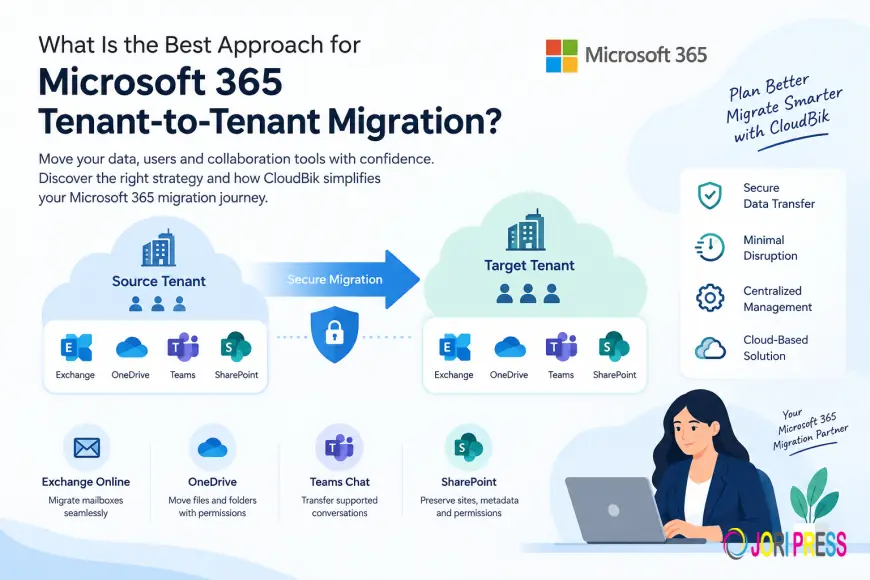
Microsoft 365 tenant-to-tenant migration is essential for businesses managing mergers, acquisitions, tenant consolidation, or organizational restructuring. Moving business data between Microsoft 365 tenants requires careful planning to protect data integrity, maintain productivity, and minimize disruption.
Whether you need to migrate Exchange Online mailboxes, OneDrive files, Microsoft Teams chats, or SharePoint sites, choosing the right migration strategy and software can simplify the process.
Key Steps for a Successful Microsoft 365 Tenant Migration
1. Assess Your Microsoft 365 Environment
Before starting an Office 365 tenant-to-tenant migration, identify the users, mailbox sizes, OneDrive storage, SharePoint sites, and Teams chats that need to be migrated. Review existing permissions, licenses, domain dependencies, and security requirements to identify potential challenges early.
2. Choose the Right Microsoft 365 Migration Tool
Selecting reliable Microsoft 365 tenant migration software helps streamline data transfers and reduce manual work. Native Microsoft tools can support specific migration scenarios, while third-party solutions may provide additional capabilities for managing multiple workloads.
CloudBik offers a cloud-based Microsoft 365 tenant-to-tenant migration solution that helps businesses manage supported workloads through a centralized platform without installing software locally.
3. Plan Your Workload Migration
A structured migration plan should include user mapping, migration batches, testing, and cutover scheduling.
- Exchange Online mailbox migration: Transfer supported mailbox data between Microsoft 365 tenants.
- Cross-tenant OneDrive migration: Move files and folders while preserving supported permissions, metadata, and version history.
- Microsoft Teams chat migration: Transfer supported one-to-one and group chat conversations.
- SharePoint Online migration: Move supported site content and associated information between tenants.
CloudBik helps IT teams manage these migration workloads with batch processing, incremental synchronization, centralized progress tracking, and migration reports.
4. Minimize Business Disruption
To support a smooth Microsoft 365 migration, consider performing a test migration before moving all users. Use phased migration batches and incremental synchronization where appropriate to capture changes and validate data before completing the transition.
Remember that DNS changes, domain configuration, user authentication, application access, and network settings may require separate planning. A migration tool does not automatically transfer every tenant configuration.
5. Validate Data After Migration
Post-migration verification is essential. Check mailbox content, OneDrive files, SharePoint permissions, Teams conversations, and user access. Review migration reports, investigate skipped items, and resolve outstanding issues to help ensure a successful transition.
Why Choose CloudBik for Microsoft 365 Tenant-to-Tenant Migration?
CloudBik helps organizations simplify Microsoft 365 cross-tenant migration projects with a cloud-based platform and technical support.
Key benefits include:
- Cloud-based migration without local software installation.
- Support for Exchange Online, OneDrive, Teams Chat, and SharePoint migration.
- Batch migration and incremental synchronization.
- Centralized migration monitoring and reporting.
- Technical guidance throughout the migration process.
Whether you are consolidating Microsoft 365 tenants after an acquisition or moving users to a new business environment, CloudBik helps make supported data migration more manageable.
Conclusion
The best approach to Microsoft 365 tenant-to-tenant migration depends on your workloads, data volume, security requirements, and business timeline. Careful planning, suitable migration software, test migrations, and post-migration verification can help reduce risks and improve the overall experience.
Planning an Office 365 tenant migration? Explore CloudBik to learn how its Microsoft 365 tenant-to-tenant migration solution can help streamline your migration project.
What's Your Reaction?
 Like
0
Like
0
 Dislike
0
Dislike
0
 Love
0
Love
0
 Funny
0
Funny
0
 Angry
0
Angry
0
 Sad
0
Sad
0
 Wow
0
Wow
0