










































Softaken EML to MSG Review: Testing Batch Conversion with 1,000+ Email Files

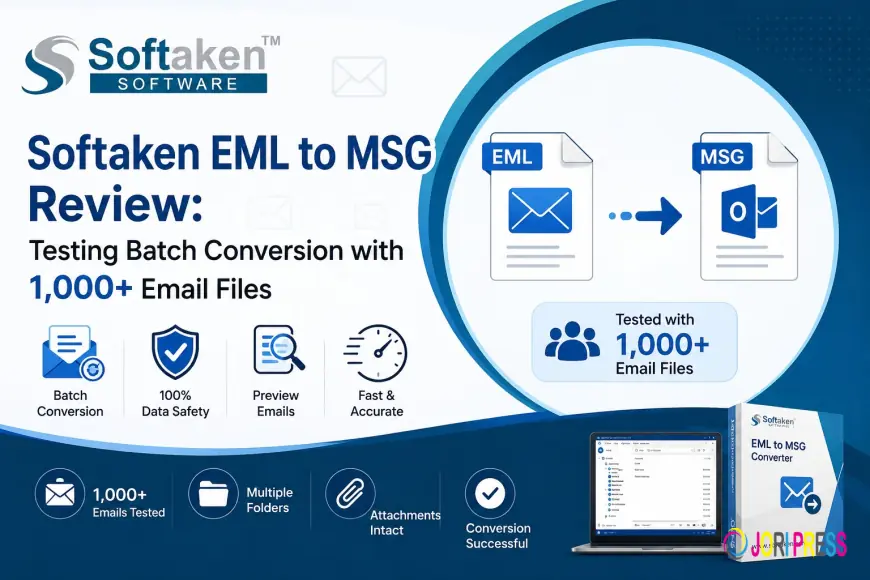
Moving email archives from Apple Mail, Thunderbird, or the old Windows Live Mail often brings you face-to-face with mismatches in format. .eml and .emlx files work fine in anything but Outlook, which prefers .msg files for each message. Manually importing thousands of loose EML files into Outlook can often freeze Outlook, lose attachments, or break formatting.
Softaken EML to MSG Converter was used for real-time batch testing of the working migration tool. We took an archive of over 1,000 EML and EMLX files and converted them to .msg for Outlook
The migration question
To simulate a corporate email migration, a test environment was built with 1,250 .eml and .emlx files, over 2.5GB of data.
Main Challenges:
-
High Number of Files: More than a thousand individual message files from legacy systems.
-
Mixed Formats: Combination of standard EML and native Mac EMLX files.
-
Rich Attachments With PDF Files, Inline Images, and Rich HTML Signatures
-
Target Outlook: Microsoft Outlook supporting cleanmsg files.
If you drag and drop huge collections of files directly into Outlook, it tends to crash or lose media attachments. We were looking for an automatic conversion utility.
Key Features of EML to MSG Converter by Softaken
-
Dual format support: Converts Mac emlx files and.eml files to Outlook .msg files.
-
Batch & Selective Mode: Convert entire folder trees or select individual email files for conversion.
-
Multi-client support: Supports source files exported from Apple Mail, Thunderbird, Windows Live Mail, and eM Client.
-
Email Format Maintained: Keeps Plain Text, RTF, and HTML formatting and headers (To, From, CC, BCC, Date).
-
Attachment Retention: Extracts and embeds PDF, documents, images, and archives in their native format.
-
Custom Output Directory: Export converted files to any folder on your computer or external drive.
-
Operates independently. No need for Microsoft Outlook or third-party plug-ins.
-
Works with all Windows: Compatible with Windows 11/10/8.1/8/7 (32-bit & 64-bit)
-
File Health Focus: Works with EML/EMLX files that are not corrupted (does not repair corrupted archives).
Conversion process step by step
1. Download and install.
Download & Install Softaken EML to MSG Converter on PC (Windows)

2. Select Source Mode:
Select File Mode to convert single EML/EMLX files or Folder Mode to choose whole folders for batch conversion.

3. Browse & Load Files:
Click the Browse button to find your source EML/EMLX files and load them into the application preview window.

4. Filter Items (optional)
Browse the loaded list and check the files/sub-folders you want to convert.

5. Path to Destination:
Click on the Browse button next to the output path box and choose a local/network folder where you want to save your new MSG files.

6. Begin Conversion:
Click Convert Now to begin the automated export process. When all the files are converted successfully, a pop-up will be shown.

Results Test results
-
Speed & Stability: Processed 1,250 email files (~2.5 GB) in 2 minutes 15 seconds, low CPU and RAM usage, no software freeze.
-
Data Integrity: All attached PDFs, images, and documents opened without a hitch in Microsoft Outlook.
-
Header & Formatting Accuracy: No change to timestamps, sender lists, and HTML layouts.
-
Softaken EML to MSG Converter needs good, readable EML/EMLX files. It does not recover or repair corrupted file data.
Summary
Softaken EML to MSG Converter is a simple and reliable solution for users who are migrating from Apple Mail, Thunderbird, or Windows Live Mail to Microsoft Outlook. It also provides quick batch conversion, standalone operation, and precise formatting retention, making it a perfect choice for personal email moves and IT migrations.
Frequently Asked Questions FAQs
1. Does Softaken EML to MSG Converter require Microsoft Outlook to be installed?
No. It's a standalone executable, and it does the conversion of the files itself.
2. Does the tool support Apple Mail EMLX?
Yes. Converts .eml and .emlx files directly to.msg files.
3. What are the limitations of the free demo version?
All features are available in the free demo, but you can only convert 10 items per folder. The paid version allows unlimited conversions.
4. How to save the converted MSG file?
Yes. You may choose any folder on your local PC or create a new one.
5. Can this tool repair corrupted eml files?
No, this is only for healthy, non-corrupted files. It will not recover corrupted data.
What's Your Reaction?
 Like
0
Like
0
 Dislike
0
Dislike
0
 Love
0
Love
0
 Funny
0
Funny
0
 Angry
0
Angry
0
 Sad
0
Sad
0
 Wow
0
Wow
0