






































Downloading DNA Data From Ancestry Account
Discover a clear, step-by-step guide to downloading your raw DNA data from your Ancestry account.
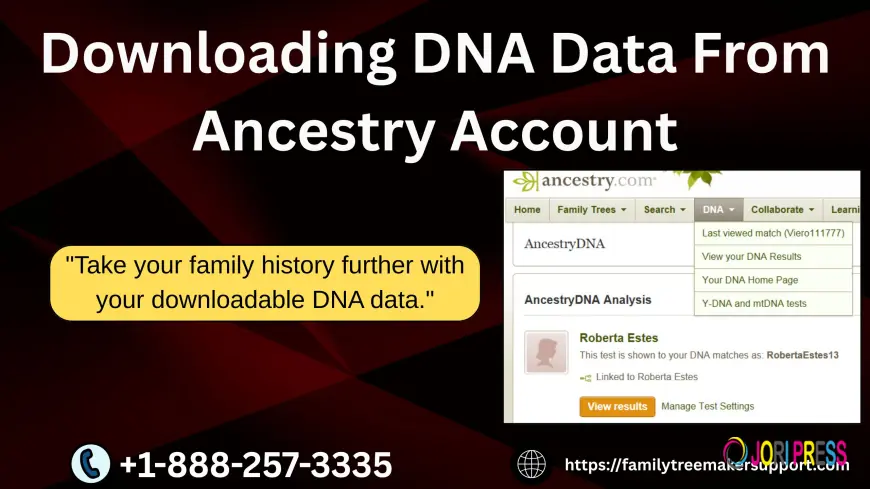
It's simple to download your raw DNA data from Ancestry®, and it can be very useful if you wish to use more sophisticated genetic tools, upload your DNA to other platforms, or just have a personal backup.
This information is easily accessible through Ancestry, and knowing the procedures involved allows you to keep control over your genetic information.
The process is explained in detail in the instructions below, which also provides useful advice on how to use and safeguard your DNA file.
Why Download Your Ancestry DNA Data?
Even while Ancestry has great DNA matching tools and ethnicity estimates, many users want to do more. By downloading your DNA data, you can:
⦁ Upload to external analytical websites
⦁ Compare outcomes from several businesses.
⦁ Make use of specialized genealogy resources
⦁ Save a copy for your own use in future studies.
Your genetic information is more portable and you have more flexibility when you have access to your own raw data.
Step-by-Step Instructions
1. Log In to Your Ancestry Account
Start by signing into your Ancestry account using the credentials associated with your DNA kit. After logging in, click on the DNA tab at the top of the homepage.
2. Navigate to Your DNA Results Summary
From the dropdown menu, select “Your DNA Results Summary.” This opens your main dashboard where you normally view your ethnicity estimates and family matches.
3. Open DNA Settings
In the upper-right corner of the dashboard, look for the “Settings” button next to your test information. Click it to access the DNA Settings page.
4. Locate the Download Option
Scroll down the Settings page until you reach the section labeled “Actions.” Here, you will see the option “Download Raw DNA Data.” Select this option to begin the process.
5. Verify Your Identity
For security reasons, Ancestry will prompt you to re-enter your account password. After verifying, Ancestry sends a confirmation email to your registered email address.
6. Confirm and Download
Open the email and click the secure link inside. This takes you back to Ancestry, where you can finalize your download. Your raw DNA file will be delivered as a .zip folder containing text-based genetic data.
How to Use Your DNA File?
Although your downloaded DNA data is compatible with numerous third-party tools, it is difficult to read in its raw form. These platforms could provide:
⦁ Analysis of traits and health
⦁ Mapping of chromosomes
⦁ High-level DNA matching
⦁ More profound ethnic divisions
⦁ Research instruments for genetic genealogy
Make sure that any service you use has robust privacy safeguards.
Tips for Keeping Your DNA Data Secure
Keep your file secure because DNA is unique and permanent. Always carefully read privacy regulations and refrain from uploading it to unidentified websites. It should be handled in the same manner as financial or medical data.
Conclusion
You can study your genetics outside of the platform and gain more in-depth insights by downloading your DNA data from Ancestry.
You can increase your freedom, control, and opportunities for in-depth research into your genetic heritage and family history with a few simple action.
What's Your Reaction?
 Like
0
Like
0
 Dislike
0
Dislike
0
 Love
0
Love
0
 Funny
0
Funny
0
 Angry
0
Angry
0
 Sad
0
Sad
0
 Wow
0
Wow
0