





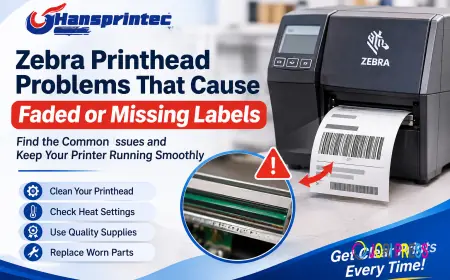

































Zebra Printhead Problems That Cause Faded or Missing Labels
Learn the common Zebra printhead problems that cause faded or missing labels, discover simple troubleshooting tips, and improve barcode printing quality.
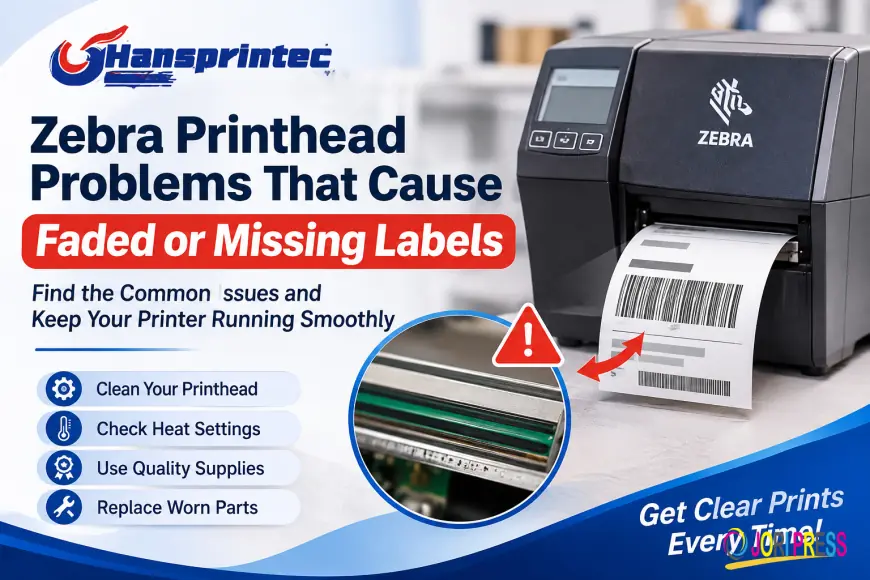
Clear labels are important for every business that uses barcode printers. A poor-quality label can cause scanning problems, slow down packing, and create trouble during shipping. A Zebra printhead plays a key role in making clear and readable labels. When it does not work well, printed labels may look faded, have missing lines, or show unclear text. For businesses using Zebra printers every day, these problems can waste time and money. Knowing the common causes can help users find the problem and fix it before it affects daily work.
Why Do Zebra Printers Produce Faded Labels?
Faded labels are a common problem in barcode printing. Sometimes the text looks light, while other times parts of the barcode are hard to read. There can be several reasons behind this issue.
One common reason is a dirty printhead. Dust, glue, and small pieces of paper can build up on the printhead during regular use. This dirt can stop the printer from heating the label in the right way. As a result, some parts of the text may look light or unclear.
Another reason is a low heat setting. If the printer does not use enough heat, the ink from the ribbon may not transfer well to the label. Users may need to adjust the darkness setting to get better results.
How a Dirty Zebra Printhead Affects Label Quality
A dirty printhead can affect the full printing process. Small marks, dust, and glue can stop heat from reaching some parts of the label. This can create white lines, faded text, or missing barcode sections.
Cleaning the printhead on a regular basis can help prevent these problems. Users should first turn off the printer and allow the printhead to cool. They can then use a cleaning pen or a soft cloth made for printer cleaning.
It is also important to follow the printer maker's cleaning guide. Rough cloths and strong cleaning liquids can damage the printhead. A simple cleaning routine can help keep the printer working well.
Common Reasons for Missing Lines on Printed Labels
Missing lines can make a label hard to read. In many cases, the problem comes from dirt, damage, or poor contact during printing.
Here are some common causes:
-
Dirt on the printhead: Dust or glue can block parts of the printing area.
-
Worn printhead: Old or damaged parts may not heat the label evenly.
-
Poor ribbon quality: A low-quality or wrong ribbon may not print clearly.
-
Wrong print settings: Heat and speed settings can affect the final result.
-
Poor label material: Some labels do not work well with certain ribbons.
Users should check these areas before replacing printer parts. A small problem may be easy to fix without buying a new printhead.
How to Fix Zebra Printer Head Open Error
A Zebra Printer Head Open Error can stop printing and interrupt daily work. This message often appears when the printer thinks the printhead is not closed or locked in place.
First, check that the printhead is fully closed. Open the printer cover and look for any paper, ribbon, or other material that may stop it from closing properly. Remove anything that should not be there.
Next, close the printhead with care and make sure the lock is in place. Some Zebra printer models also have a sensor that checks whether the printhead is closed. If the error stays on the screen, the sensor or its connection may need to be checked.
Do not force the cover shut. If the problem continues, check the user guide or ask a trained printer repair person for help.
Simple Ways to Keep a Zebra Printhead in Good Condition
Regular care can help reduce printing problems and keep labels clear. Users do not need a long or costly process to look after their printers.
Here are some useful habits:
-
Clean the printhead as often as the printer guide suggests.
-
Use labels and ribbons that work with the printer model.
-
Check the printhead for scratches or signs of damage.
-
Keep dust and dirt away from the printer.
-
Use suitable heat and speed settings.
-
Avoid touching the printhead with bare fingers.
-
Replace worn parts when needed.
These small steps can help reduce printing delays and improve label quality.
When Should You Replace a Zebra Printhead?
Cleaning and setting changes may solve many printing problems. However, some printheads become worn after long use. If labels still have missing lines after cleaning, the printhead may be damaged.
One sign of damage is a white line that appears in the same place on every label. This can mean that part of the printhead is no longer working. Repeated faded printing may also point to a worn part.
Before buying a replacement, check the printer model and make sure the new printhead is the correct fit. Hansprintec provides printhead solutions for businesses looking for suitable printing parts. Choosing the right part can help restore clear printing and support daily work.
Final Thoughts
Faded or missing labels can create problems for businesses that depend on barcode printing. A dirty printhead, poor ribbon, wrong settings, or worn parts may be the cause. Regular cleaning and simple checks can solve many common issues.
When a printhead is damaged, replacing it with the correct part may be the best choice. With proper care and suitable supplies, businesses can keep their Zebra printers working well and produce clear labels every day.
Frequently Asked Questions
1. Why is my Zebra printer printing faded labels?
A dirty printhead, low heat setting, poor ribbon, or worn parts may cause faded labels.
2. How do I clean a Zebra printhead?
Turn off the printer, let it cool, and clean the printhead with a suitable cleaning pen or soft cloth.
3. What causes white lines on Zebra labels?
White lines may appear because of dirt or damage on the printhead. A damaged printhead may need replacement.
4. How do I fix a Zebra Printer Head Open Error?
Check that the printhead is closed and locked. Remove anything blocking the cover. If the error stays, the sensor may need inspection.
5. When should I replace my Zebra printhead?
Replace it when cleaning and setting changes do not fix repeated print quality problems, especially when the same missing lines appear on every label.
What's Your Reaction?
 Like
0
 Dislike
0
 Love
0
 Funny
0
 Angry
0
 Sad
0
 Wow
0