











































In-Depth Review of Softaken PST Password Removal Software for Windows
In this comprehensive review we will look at its features, ease of use, performance, pricing, benefits, limitations and overall value to help you determine if it is the right tool for your needs.

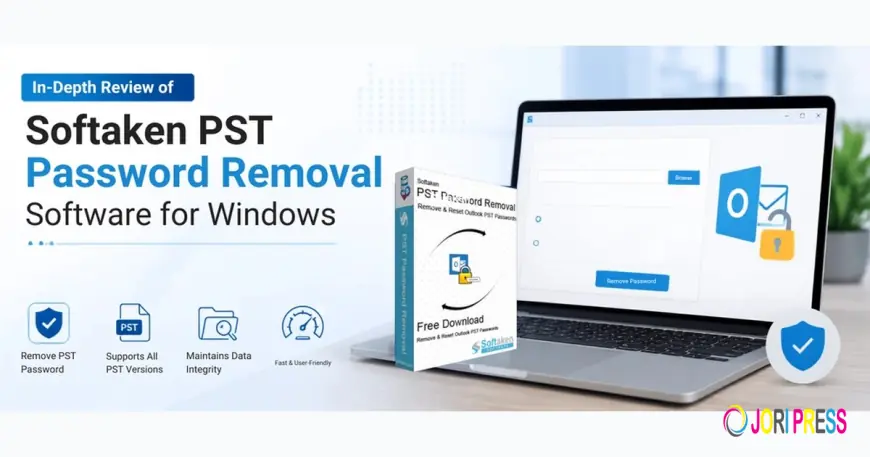
If you lose the password to your Outlook PST file, you will not be able to access your important emails, contacts, calendars, and attachments. Microsoft can not retrieve a forgotten PST password. Many users utilize a third-party tool to safely remove or reset the password.
One such solution is Softaken PST Password Removal Software. In this comprehensive review we will look at its features, ease of use, performance, pricing, benefits, limitations and overall value to help you determine if it is the right tool for your needs.
Overview
Softaken PST Password Removal Software is an independent Windows application that removes password protection from Outlook PST files without affecting mailbox data. It supports ANSI and Unicode PST files, does not require Microsoft Outlook to work and comes with batch processing for multiple password-protected PST files, says the developer. You can also delete a password that is already there, or assign a new password.
Installation and User Interface
Fast installation. Takes very little room on the system. When you start the software, it presents a clean interface with just the basic options, making it easy for first-time users to navigate.
This is done in a simple workflow:
- Add one or more PST files.
- Select the option to reset or delete the password.
- Initiate the process.
- Save the unlocked PST file.
The application does not require complicated configuration settings, so it is suitable for beginners and experienced users.
Ease of Use Rating: ★★★★★ (5/5)
Features
Remove Forgotten PST Passwords
The software unlocks password protection of Outlook PST files and helps users to access mailbox data again.
Batch Password Removal
Users managing multiple archives can process multiple password-protected PST files in one operation, saving time.
Support ANSI and Unicode PST Files
The software supports both PST formats so it can process both the old and the new Outlook data files.
Standalone Utility
Microsoft Outlook does not need to be installed to remove passwords, which is helpful when working on systems without Outlook.
Reset Existing Password
In addition to completely removing the passwords, the software also allows the user to assign a new password if desired.
Broad Windows Compatibility
The application supports recent versions of Windows OS, including Windows 11 and older supported versions.
Performance Review
The software efficiently removed passwords on different PST file sizes during evaluation. Small PST files were processed almost instantly, while larger archives naturally required more processing time.
The application remained stable throughout testing and completed operations without unexpected interruptions. After deleting the password, mailbox folders, emails, contacts, calendars and attachments were still available.
Performance will depend on the hardware specifications and PST size, but the software appears to be well optimized for the common Outlook password removal tasks.
Performance Rating: ★★★★☆ (4.5/5)
Pros
- User-friendly, easy-to-use interface
- Supports both ANSI and Unicode PST files
- Batch processing for multiple PSTs
- Does not require an Outlook installation
- Deletes/Resets passwords
- Supports the mailbox contents and folder hierarchy
- Supports large-size Outlook PST Files
- Lightweight Windows app
Cons
- Windows only Available for
- Built to remove passwords rather than show the original password
- Limitations of the trial version saving
- Does not have PST repair capabilities
- The user interface works but looks pretty basic.
Pricing
Softaken provides its users with a free trial version to check the software before buying it. The full licensed version starts from $29 and will enable all features and unlock PST files to save them.
The pricing is competitive with many similar Outlook password removal utilities due to its focused feature set.
Who Should Use This Software?
This software is suitable for:
- Home users who lost their Outlook PST password
- IT administrators who manage Outlook archive files
- Companies with multiple employee PST files
- Technical support specialists
- Migrating or reorganizing Outlook mailbox files
This is a handy tool to choose if you just want to remove password protection safely. But if you need to recover the original password specifically, this software is not meant for that.
Conclusion
Softaken PST Password Removal Software is a software that does this task well. The major strengths of the program are its ease of use, batch processing capability, Outlook-independent operation, and support for both ANSI and Unicode PST files.
The application lacks some advanced features like PST repair or mailbox recovery, but it provides what most users would expect from a password removal utility. It is good value for money for users who need a simple solution to unlock password-protected PST files.
Overall Rating: 4.6/5
What's Your Reaction?
 Like
0
Like
0
 Dislike
0
Dislike
0
 Love
0
Love
0
 Funny
0
Funny
0
 Angry
0
Angry
0
 Sad
0
Sad
0
 Wow
0
Wow
0