










































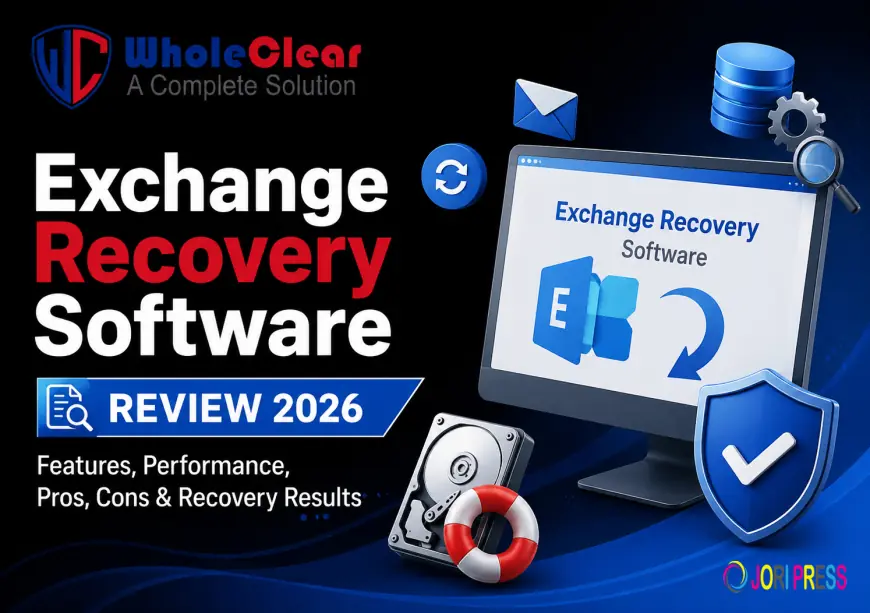
WholeClear Exchange Recovery Software Review 2026: Features, Performance, Pros, Cons & Recovery Results
Exchange Recovery Software is capable of retrieving emails, contacts, calendars, notes, attachments and other mailbox items from corrupt, damaged, offline or dismounted Exchange EDB files. It lets users preview recovered mailbox items, restore data selectively, keep folder structure, and export recovered information into formats like PST, EML, MSG, HTML and Office 365.

Summary
Exchange Server databases contain critical business emails, contacts, calendars, notes, and other mailbox information. When an EDB file becomes corrupted, damaged, inaccessible, or dismounted, recovering this information can become a challenging task. A dedicated Exchange recovery solution can help administrators extract mailbox data without relying entirely on a working Exchange environment.
In this WholeClear Exchange Recovery Software Review 2026, we examine the software's recovery features, supported EDB scenarios, export options, filtering capabilities, performance-related features, pros, cons, and overall usability.
According to the official product page, Exchange Recovery Software is designed to recover corrupt and dismounted Exchange EDB files and export recovered mailbox items into formats such as PST, EML, MSG, HTML, RTF, and vCard. It can also export recovered mailboxes directly to Office 365 and Live Exchange Server.
What Is Exchange Recovery Software?
WholeClear Exchange Recovery Software is an EDB recovery utility designed to retrieve mailbox information from damaged, corrupt, deleted, offline, and dismounted Exchange database files.
The software supports recovery of different Exchange mailbox components, including:
- Emails
- Contacts
- Calendars
- Notes
- Events
- Journals
- Other mailbox items
It supports both private and public Exchange folders and allows users to recover data from single or multiple EDB files.
The recovered data can then be saved in several formats or migrated directly to supported Microsoft cloud and Exchange environments.
Key Features
Feature Exchange Recovery
- Corrupt EDB Recovery
- Dismounted EDB Recovery
- Deleted Mailbox Recovery
- Private & Public Folders
- PST Export
- EML Export
- MSG Export
- HTML Export
- RTF Export
- vCard Export
- Office 365 Export
- Live Exchange Export
- Scan & Preview
- Date Filtering
- Message Class Filtering
- Search Function
- PST Splitting
- Password Protection for
- ANSI & Unicode PST
1. Recover Corrupt and Dismounted EDB Files
The primary purpose of the software is Exchange EDB recovery.
According to WholeClear, the application can recover mailbox data from corrupt, damaged, deleted, offline, and dismounted EDB files. It can also process large EDB files and recover different mailbox components.
This makes the software particularly relevant for Exchange administrators dealing with inaccessible databases where normal Exchange access is no longer available.
2. Recover Emails, Contacts, Calendars and More
Exchange mailboxes contain much more than emails. Losing contacts, calendars, notes, or journals can also affect business operations.
supports recovery of multiple mailbox item types, including:
- Emails
- Contacts
- Calendars
- Notes
- Events
- Journals
The software is therefore designed to recover the broader mailbox structure rather than focusing only on email messages.
3. Public and Private Mailbox Recovery
Another useful feature is support for both Exchange Public and Private mailbox folders.
This is important for organizations where shared/public folders contain business communication, departmental information, or historical records.
The software can recover mailbox data while maintaining the original folder hierarchy and structure, according to the vendor's documentation.
4. Multiple Export Options
After recovering Exchange data, users may need to access it through different applications.
provides several output options, including:
- PST
- EML
- MSG
- HTML
- RTF
- vCard
For example, PST is useful for accessing recovered data through Outlook, while EML can be useful for email clients supporting individual message files. HTML provides a browser-readable option, and vCard can be used for contact information.
This variety gives users more flexibility than a recovery tool that supports only one output format.
5. Direct Export to Office 365 and Live Exchange
For organizations moving recovered mailboxes back into an active environment, WholeClear also provides direct export to Office 365 and Live Exchange Server.
The software supports both automatic and manual mailbox mapping between source and destination accounts. It also generates a report containing details of the Exchange recovery/export process.
This feature can be particularly useful for administrators who want to restore recovered mailbox data directly into a cloud or Exchange environment rather than creating intermediate files first.
6. Selective Recovery with Filters
Users may not always need to recover every item from an EDB database.
WholeClear provides filtering options based on Message Class and Item Date. This allows users to narrow the recovery process according to their requirements.
Selective recovery can be useful when an EDB database contains a large volume of historical information but only certain emails or date ranges are required.
7. Search Specific Exchange Items
The built-in search option is another useful feature for large databases.
According to the product documentation, users can search for desired items using information such as:
- Message date
- Subject
- From
- To
- CC
- BCC
- Attachments
- Message class
- Attachment type
This can make it easier to locate specific mailbox items without manually browsing through every folder.
8. Scan and Preview Before Export
Before saving recovered information, WholeClear provides scanning and preview capabilities.
Once an EDB file is loaded, the software scans the database and displays available mailbox items. Users can then preview the recovered information before selecting an export option.
This is an important part of the recovery workflow because it lets users verify that the required mailbox data is available before completing the export.
9. Preserve Mailbox Folder Structure
Maintaining the original mailbox organization is important when recovering business data.
WholeClear states that it preserves the folder and subfolder hierarchy during the recovery process. It also aims to preserve email components such as sender, recipient, CC, BCC, date, time, hyperlinks, images, and attachments.
Keeping the original structure can make the recovered mailbox easier to navigate and manage.
10. Attachment Extraction
Attachments are often among the most valuable parts of business emails.
WholeClear provides an option to save EDB email attachments separately in a dedicated folder. The search functionality can also help locate messages based on attachment-related criteria.
This can be helpful when an organization needs to collect documents from recovered emails without manually opening every message.
Performance Review
Performance is an important factor when working with large Exchange databases. The actual processing time, however, can vary depending on EDB size, number of mailboxes, amount of mailbox data, storage performance, and selected recovery/export options.
WholeClear highlights quick EDB recovery, advanced scanning, bulk processing, and support for oversized EDB files. The software also allows users to load multiple EDB files and selectively recover mailbox items.
Rather than assigning an exact recovery speed without controlled benchmarking, it is more appropriate to evaluate the software based on its workflow and recovery capabilities.
From this perspective, scan + preview + filtering + multiple export options gives the tool a practical workflow for administrators handling large or damaged Exchange databases.
PST Splitting Feature
Large PST files can become difficult to manage. WholeClear includes a PST splitting option that allows users to divide oversized PST files according to a selected size.
The software also supports password protection for resultant PST files and both ANSI and Unicode PST formats.
This is a useful addition for users who choose PST as their recovery output format.
Ease of Use
WholeClear emphasizes a self-explanatory interface designed for users without advanced technical expertise.
The general recovery process follows a simple structure:
Launch Exchange Recovery Software.
- Add the Exchange source or EDB data.
- Scan the database.
- Preview available mailbox items.
- Select required folders or apply filters.
- Choose an output format.
- Select the destination.
- Complete the export and save the recovery report.
For administrators familiar with Exchange mailbox structures, this workflow should be relatively easy to understand.
Free Demo Version
WholeClear provides a free version for evaluating the Exchange recovery software. The official FAQ states that the demo and licensed versions have the same working process, but the free version is limited to processing the first 50 items per folder.
This is useful because users can first check whether their EDB contains recoverable information before purchasing a license.
Pros
- Recovers corrupt and damaged EDB files
- Supports dismounted and offline EDB files
- Recovers deleted mailbox items
- Supports public and private folders
- Recovers emails, contacts, calendars, notes, and other mailbox items
- Multiple export formats
- Direct Office 365 and Live Exchange export
- Selective recovery using filters
- Search functionality
- Scan and preview options
- Preserves mailbox folder hierarchy
- Separate attachment extraction
- PST splitting capability
- Supports ANSI and Unicode PST
- Free demo available
Supports Exchange Server 2019, 2016, 2013, 2010, 2007 and others
Cons
- The free version has an item-processing limitation
- Users with very large databases should evaluate performance with their own EDB files before committing to a full license
Exchange Recovery vs. EDB to PST Conversion
It is important to distinguish Exchange recovery software from a simple EDB-to-PST converter.
An EDB-to-PST converter primarily focuses on exporting Exchange database content into Outlook PST files. WholeClear Exchange Recovery, on the other hand, is positioned around recovering damaged, corrupt, deleted, offline, and dismounted EDB data, followed by export to multiple formats and platforms.
If your main requirement is simply EDB-to-PST conversion, a dedicated EDB-to-PST tool may be sufficient. If you are dealing with a damaged or inaccessible Exchange database and need several recovery and export options, the broader Exchange Recovery product is more appropriate.
Final Verdict
Exchange Recovery Software is a comprehensive solution for administrators and users dealing with problematic Exchange EDB files.
Its strongest areas are corrupt/dismounted EDB recovery, multiple mailbox item support, selective filtering, preview functionality, multiple output formats, and direct Office 365/Live Exchange export.
The ability to preserve mailbox hierarchy and export attachments separately adds further value for business users. PST splitting is also helpful when recovered data results in a large Outlook archive.
The main consideration is cost, with the official page currently listing the software at $299. Users should also understand that no recovery tool can guarantee restoration of data that has been permanently damaged or overwritten.
Frequently Asked Questions
Q1. What is WholeClear Exchange Recovery Software?
It is a recovery utility designed to recover mailbox data from corrupt, damaged, deleted, offline, and dismounted Exchange EDB files.
Q2. Can WholeClear recover dismounted EDB files?
Yes. The official product page specifically states that the software can recover mailbox items from offline and dismounted EDB files.
Q3. Can it recover deleted Exchange mailbox items?
Yes. WholeClear states that the software can recover deleted mailbox data from Exchange EDB files.
Q4. Which formats can recovered EDB data be exported to?
The software supports PST, EML, MSG, HTML, RTF, vCard, and other output options.
More Info:- wholeclear.com/exchange/
What's Your Reaction?
 Like
0
Like
0
 Dislike
0
Dislike
0
 Love
0
Love
0
 Funny
0
Funny
0
 Angry
0
Angry
0
 Sad
0
Sad
0
 Wow
0
Wow
0